
Event Photo Brightening
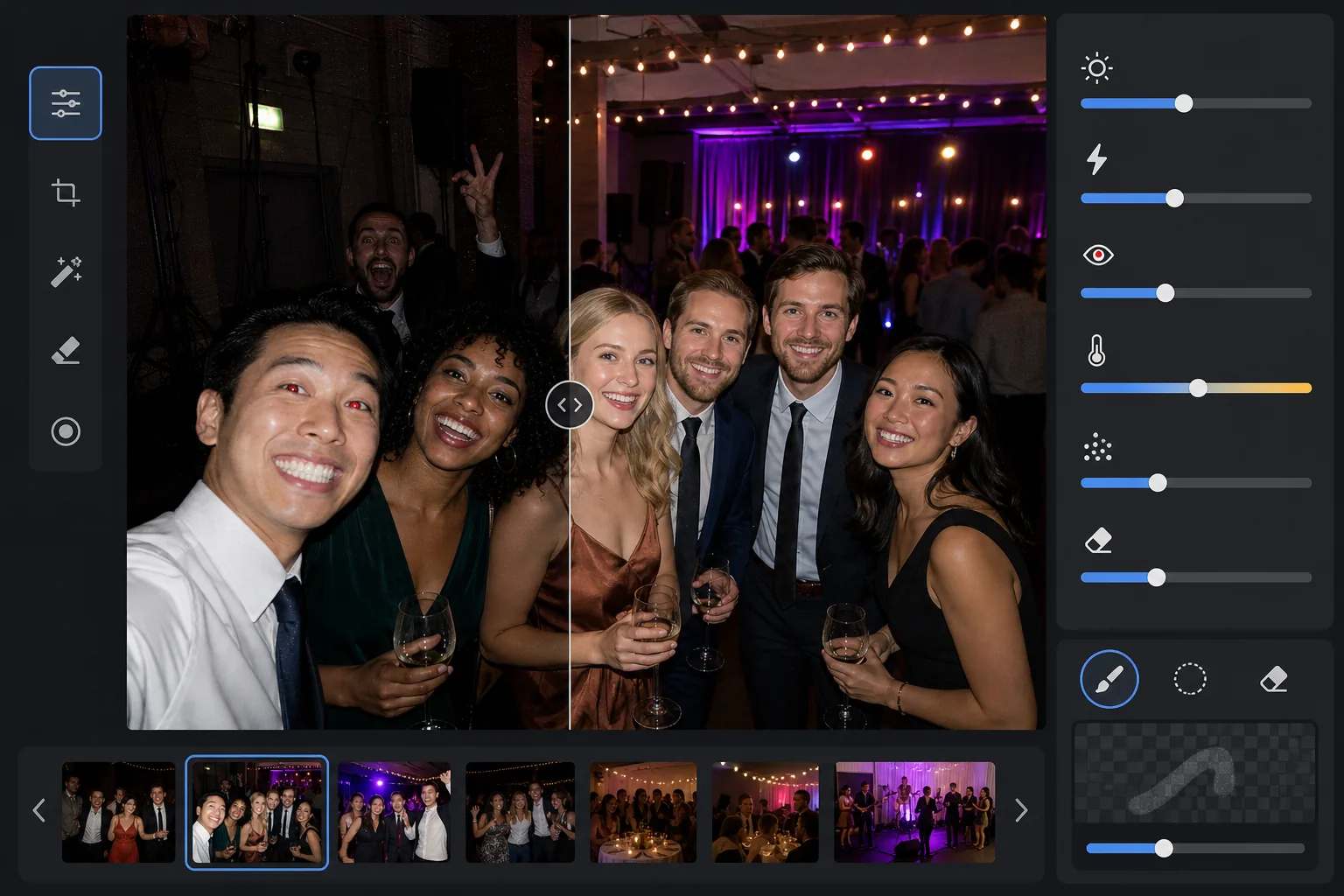
Recover detail from dark venue photos taken at concerts, galas, birthday parties, and corporate events. This template lifts exposure by up to +2 EV, corrects harsh flash shadows, removes red-eye, and enhances the ambient atmosphere of the original scene so your event photos look as vibrant as the moment felt.
Try this template freeEvents template preview
What this template does
Rescues event photos taken in challenging low-light environments — dimly lit banquet halls, concert venues with colored stage lighting, outdoor evening parties, and basement rec rooms. AI Enhance recovers up to two stops of shadow detail while preserving the ambient mood of colored lighting and decorations. Flash artifacts including harsh foreground shadows, red-eye, and blown-out faces are corrected automatically. Magic Eraser removes photobombers, exit signs, stacked equipment, and other distractions common in event settings.
Template settings
| Exposure lift | +2.0 EV adaptive shadow recovery with ambient preservation |
| Flash correction | Foreground shadow softening, highlight rolloff on flash-lit skin |
| Red-eye removal | Automatic detection and iris color reconstruction |
| White balance | Mixed-source adaptive (DJ lights, tungsten, fluorescent, candles) |
| Atmosphere mode | Warm ambient boost (+8 warmth, +5 vibrance on background) |
How to use this template
Upload event photos
Upload photos from any event — concerts, weddings, birthday parties, corporate galas, or backyard gatherings. The template detects the lighting environment automatically and adjusts its enhancement intensity based on how underexposed the original is.
Recover exposure and fix flash
AI Enhance lifts shadow areas by up to +2 EV, revealing faces and details that were lost in darkness. Flash-blown highlights on foreground subjects are rolled off to recover skin texture, and harsh drop-shadows behind flash-lit subjects are softened to blend naturally.
Remove red-eye and distractions
Red-eye from direct flash is detected automatically and replaced with natural iris color. Magic Eraser removes photobombing strangers, visible equipment like speaker stacks and cable runs, exit signs, and other clutter that detracts from the moment.
Export enhanced photos
Download brightened event photos at the original resolution for social sharing, printing, or archiving. The output maintains the atmosphere of the original scene — warm candle glow, colorful stage lights, or twinkling string lights — while making faces and details clearly visible.
Pro tips for best results
- ✓The +2 EV recovery works best on photos where subjects are at least faintly visible in the original. If the photo is completely black except for a few light sources, the recovered shadows will contain significant noise. Start with photos where you can make out silhouettes.
- ✓For concert photos with dramatic colored stage lighting, the white balance correction preserves the artistic color cast rather than neutralizing it. Blue and magenta stage washes are maintained while still correcting skin tones on subjects near the stage.
- ✓When processing a batch of photos from the same event, do a test on one representative dark photo and one flash photo first. This lets you verify that the brightness level and warmth feel right before committing to the full batch.
- ✓Red-eye correction works on both human and pet eyes. For pet photos at events, the AI handles the green or yellow eye-shine that animals produce from camera flash, replacing it with a natural dark pupil.
Common questions
Can this fix completely black photos?
+
The template recovers up to +2 EV of shadow detail, which is roughly equivalent to making a photo four times brighter. If the original photo shows at least faint outlines of your subjects, recovery will produce usable results. Completely black frames with only point-light sources visible typically do not contain enough sensor data to recover meaningful detail.
Will brightening make the photos look grainy?
+
Some noise is inevitable when lifting deep shadows, but the adaptive noise reduction targets the lifted areas specifically. Fine detail in well-lit parts of the frame is preserved while smoothing noise in recovered shadows. The result is substantially better than simply increasing brightness in a basic photo editor.
Does this work on concert photos with stage lighting?
+
Yes. The template is designed to handle mixed and colored lighting. Stage washes in blue, red, magenta, and green are preserved as artistic elements of the scene rather than treated as color casts to correct. Subject faces near the stage receive selective white balance adjustment while the background lighting mood is maintained.
Make every event photo worth sharing
Upload dark, flash-blown, or red-eye-afflicted event photos and get bright, natural-looking results that capture the energy of the moment.
Try it freeRelated templates
More events templates for your workflow.