
Remove lint and fuzz from photos
Wipe lint balls, pet hair, loose threads, and stray fibers off jackets, sweaters, and flat-lay product shots. Magic Eraser lifts the fuzz and reconstructs the fabric texture underneath, so a dark wool coat or a black tee looks freshly de-linted instead of patchy.
Last updated
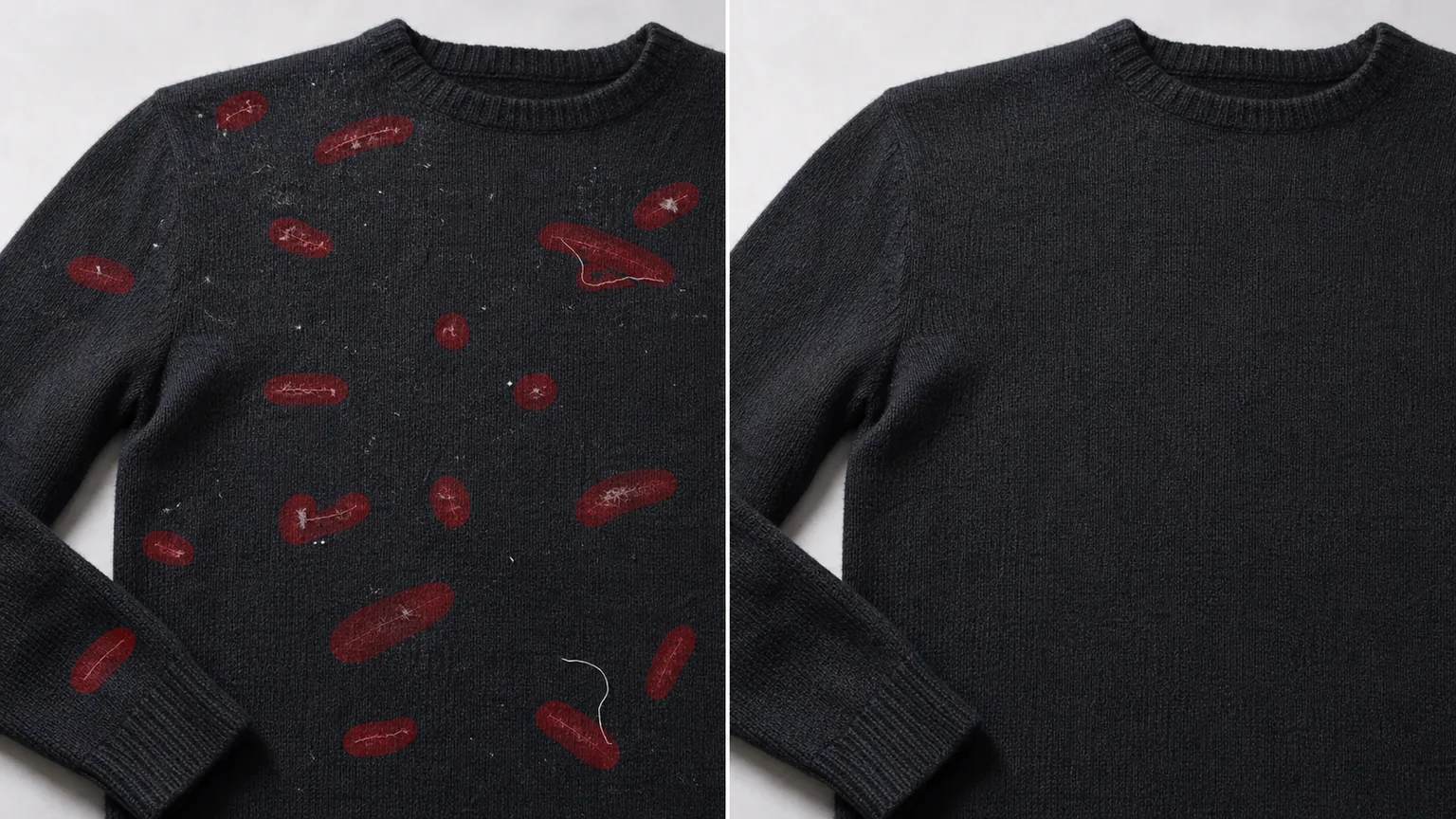
Why lint ruins clothing photos
Lint is the detail nobody notices in person and everybody notices on camera. A flash or a softbox rakes across the surface of fabric and lights up every fiber: pilling on a sweater, a halo of pet hair on a black blazer, a thread snagged across a knit, the fuzz that clings to dark denim. For apparel resale and fashion e-commerce this is a real conversion problem, because lint reads as "used" or "unwashed" even when the garment is spotless. Dark-fabric flat lays are the worst offenders — navy, charcoal, and black show fibers in high contrast, and the more carefully you light the texture, the more lint you reveal. You can lint-roll for ten minutes and the camera still finds three more strands. Magic Eraser fixes it after the shot: brush over the fuzz and the AI removes the fibers and rebuilds the weave underneath, so you keep the fabric's real texture instead of smudging a clean patch into it.
Remove lint in three steps
- 1
Upload the garment shot
Open Magic Eraser on the web, iOS, or Android and upload your photo — a flat lay, a hanger shot, a mannequin, or a model wearing the piece. It handles close-up fabric detail as well as full-garment frames.
- 2
Brush the lint and threads
Paint over the lint balls, pet hair, and loose threads. Cover each strand fully, including its soft shadow on dark fabric. Work in passes for a fuzzy halo rather than trying to grab every fiber in one stroke.
- 3
Erase and check the weave
Tap Erase and the AI removes the fibers and reconstructs the fabric underneath. Zoom in to confirm the knit or weave lines up across the cleaned area, redo any spot that looks smeared, and export the de-linted shot.
Best for
- Cleaning lint and pet hair off dark-fabric flat lays
- Apparel resale listings on Poshmark, Depop, and eBay
- Fashion e-commerce product shots and lookbooks
- Removing loose threads and snags from knitwear
- De-fuzzing black tees, navy suits, and charcoal coats
- Tidying sweater pilling without a reshoot
- Pulling stray fibers off velvet, felt, and wool
- Polishing hanger, mannequin, and on-model frames
What to expect from lint removal
Lint sitting on a flat, even stretch of fabric reconstructs very well — the AI extends the surrounding tone and grain across the cleaned spot, and on a plain weave the result is usually invisible. Be candid about the harder cases. A repeating, regular pattern — ribbing, herringbone, houndstooth, fine pinstripes — is AI-estimated where the lint sat, so check that the pattern lines up and isn't subtly warped or doubled. Fuzz directly over a seam, button, zipper, or print edge is also reconstructed rather than recovered, so review those boundaries closely. The tool removes the fibers and paints a plausible patch of fabric; it does not see the threads that were physically hidden underneath. For best results clean in small passes, keep the brush tight to each strand so you don't wipe away real texture, and zoom to 100% before exporting. Treat it as retouching a photo of the garment, not a guarantee about the garment's condition — for resale, still describe the item honestly.
Frequently asked questions
- Will the fabric texture survive?
- On plain and lightly textured fabric, yes — Magic Eraser rebuilds the weave or knit so the cleaned area matches the surroundings. On strong repeating patterns the texture is AI-estimated, so zoom in and confirm the lines align before you export.
- Does it work on black and dark fabrics?
- Especially well, because that's where lint is most visible. Brush each fiber and its faint shadow on the dark surface, and the AI reconstructs the solid tone underneath so the garment reads clean instead of dusty.
- Can it remove pet hair and loose threads too?
- Yes. Pet hair, stray fibers, and loose threads all brush away the same way. For a long thread, paint along its whole length; for a fuzzy halo, work in a few passes rather than one big stroke.
- Is lint removal free?
- Yes. Magic Eraser's free tier handles lint and fuzz cleanup on web, iOS, and Android. Upload the garment shot, brush the fibers, and export the de-linted photo at no cost.