
Professional Imagery for Public Communications
Government agencies need clean, professional visuals for ID badges, public-facing communications, facility documentation, and community outreach. Magic Eraser helps public sector teams produce polished images without specialized software or design staff.
Last updated
Why Government Agencies Choose Magic Eraser
Public sector organizations produce thousands of images — employee badges, facility photos, event documentation, and outreach materials. Budget constraints make professional retouching impractical. Magic Eraser lets any staff member create clean, standardized images that meet government communication standards. Government agencies serve diverse communities and must communicate effectively across multiple channels. Professional imagery in public communications — from website banners to social media posts to printed materials — builds community trust and signals that public resources are being managed responsibly.
Key Benefits for Government Agencies
Produce professional public-facing imagery that builds community trust.
Facility and Infrastructure Documentation
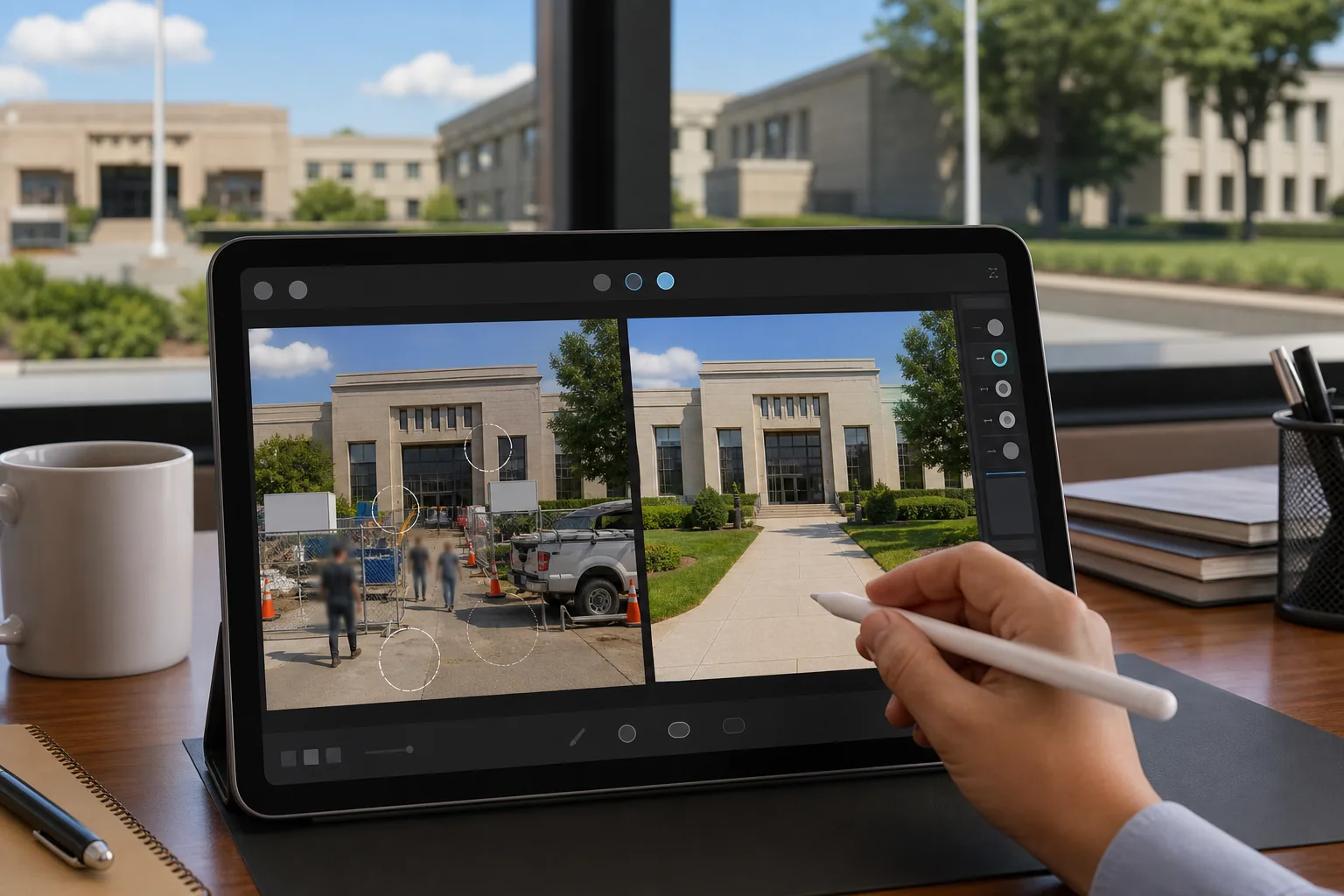
Clean up photos of public buildings, parks, and infrastructure projects by removing temporary barriers, construction materials, and visual clutter.
Public Communication Materials
Create polished visuals for public notices, community newsletters, and government website content without dedicated photography budgets.
Event and Ceremony Photography
Enhance photos from public ceremonies, groundbreakings, and community events for press releases, social media, and archival records.
Staff and Official Portraits
Produce consistent, professional headshots for official directories, ID badges, and public-facing staff pages without booking a photographer for every new hire.
Privacy-Sensitive Image Editing
Remove or obscure identifying details of community members, license plates, and sensitive information from photos used in public communications.
Cross-Department Brand Standards
Maintain consistent image quality across all departments and agencies for a unified, professional public presence.
Common Use Cases
ID & Badge Photos
Standardize employee and visitor badge photos by removing inconsistent backgrounds and replacing them with the required solid-color backdrop for uniform identification credentials.
Public Communications & Reports
Clean up photos for press releases, annual reports, and public-facing websites by removing clutter, construction barriers, and unauthorized signage from government facility images.
Facility & Infrastructure Documentation
Remove vehicles, pedestrians, and temporary structures from photos of public buildings, parks, and infrastructure for clean archival records and planning documents.
Community Outreach & Events
Polish event photos for newsletters, social media, and community bulletins by removing distracting staging equipment, temporary barriers, and background clutter.
Emergency Preparedness Communications
Create polished visuals for emergency management plans, disaster preparedness guides, and public safety communications where image clarity supports effective information delivery.
Magic Eraser Tools for Government
| Tool | How It Helps |
|---|---|
| Object Removal | Remove vehicles, temporary barriers, construction fencing, and unauthorized signage from public facility photos. |
| Background Eraser | Create standardized badge and ID photos with uniform solid-color backgrounds from any employee headshot. |
| AI Fill | Replace removed objects with matching building facades, landscaping, or pavement for natural-looking facility documentation. |
| Image Enhancer | Improve clarity and color accuracy in photos taken under fluorescent office lighting or harsh outdoor conditions. |
How It Works
Upload
Upload employee headshots, facility photos, or event images from any device or camera.
Edit
Brush over backgrounds, clutter, or unauthorized signage. AI removes them cleanly and fills naturally.
Export
Download standardized images for badges, public reports, websites, or community communications.
Frequently Asked Questions
Can it create uniform backgrounds for all employee badges?
+
Yes. Background Eraser standardizes any headshot to a solid-color background, ensuring consistent badge photos across departments without a dedicated photo studio.
Is Magic Eraser suitable for official government documents?
+
Magic Eraser is ideal for communications and marketing materials. For official evidentiary or legal documentation, always follow your agency's image integrity policies.
Can non-technical staff use it effectively?
+
The browser-based interface requires no design training. Staff simply brush over unwanted elements and the AI handles the rest — no software installation or learning curve.
Is Magic Eraser suitable for official government communications?
+
Yes. The editing tools help produce professional imagery for government websites, press releases, and public information materials without specialized design staff.
Can I edit photos for public safety campaigns?
+
Absolutely. Clean up and enhance photos for emergency preparedness materials, public health campaigns, and community safety communications.
Does it work for parks and recreation facility photos?
+
Yes. Remove seasonal debris, construction equipment, and temporary barriers from park and recreation facility photos to showcase public spaces at their best.
Streamline Your Agency's Image Workflow
Join public sector organizations that use Magic Eraser to produce professional badge photos, facility images, and communications materials efficiently.
Try Magic Eraser freeMore Industries
See how Magic Eraser helps professionals in other industries.
Photographers spend hours in post-production removing distractions, retouching portraits, and perfecting backgrounds. Magic Eraser accelerates your editing workflow so you can deliver polished images to clients faster without sacrificing quality.
Magic Eraser helps real estate agents and photographers remove distracting objects, tidy visual clutter, and refine property photos. Review every edit and follow your local listing platform's disclosure rules so images remain an accurate representation of the property.
Online shoppers judge products by their images. Magic Eraser removes messy backgrounds, erases distracting elements, and creates marketplace-ready product photos that help build buyer trust and support stronger listings.
Prepare social media visuals without a complicated editing workflow. Magic Eraser helps creators, marketers, and brands remove distractions, replace backgrounds, and polish images for Instagram, TikTok, Facebook, LinkedIn, Pinterest, and X.
Appetizing images drive orders and foot traffic. Magic Eraser helps restaurants, cafes, and food brands clean up food photography, remove table clutter, and enhance dish presentation for menus, delivery apps, and social media marketing.
From lookbooks to product pages, fashion brands need flawless visuals at scale. Magic Eraser helps designers, stylists, and fashion marketers remove backgrounds, retouch model shots, and create polished flat lays that showcase every garment at its best.
Travel marketing lives and dies by imagery. Magic Eraser helps hotels, tour operators, and destination marketers remove crowds from landmarks, clean up property photos, and enhance scenic shots that turn browsers into bookers.
From yearbook portraits to campus marketing, educational institutions need clean, professional images. Magic Eraser helps schools, colleges, and e-learning platforms remove distractions from photos, enhance campus imagery, and create polished visuals for every audience.