
Natural Skin Smoothing Techniques
Discover how to smooth skin naturally without creating a plastic or over-processed appearance.
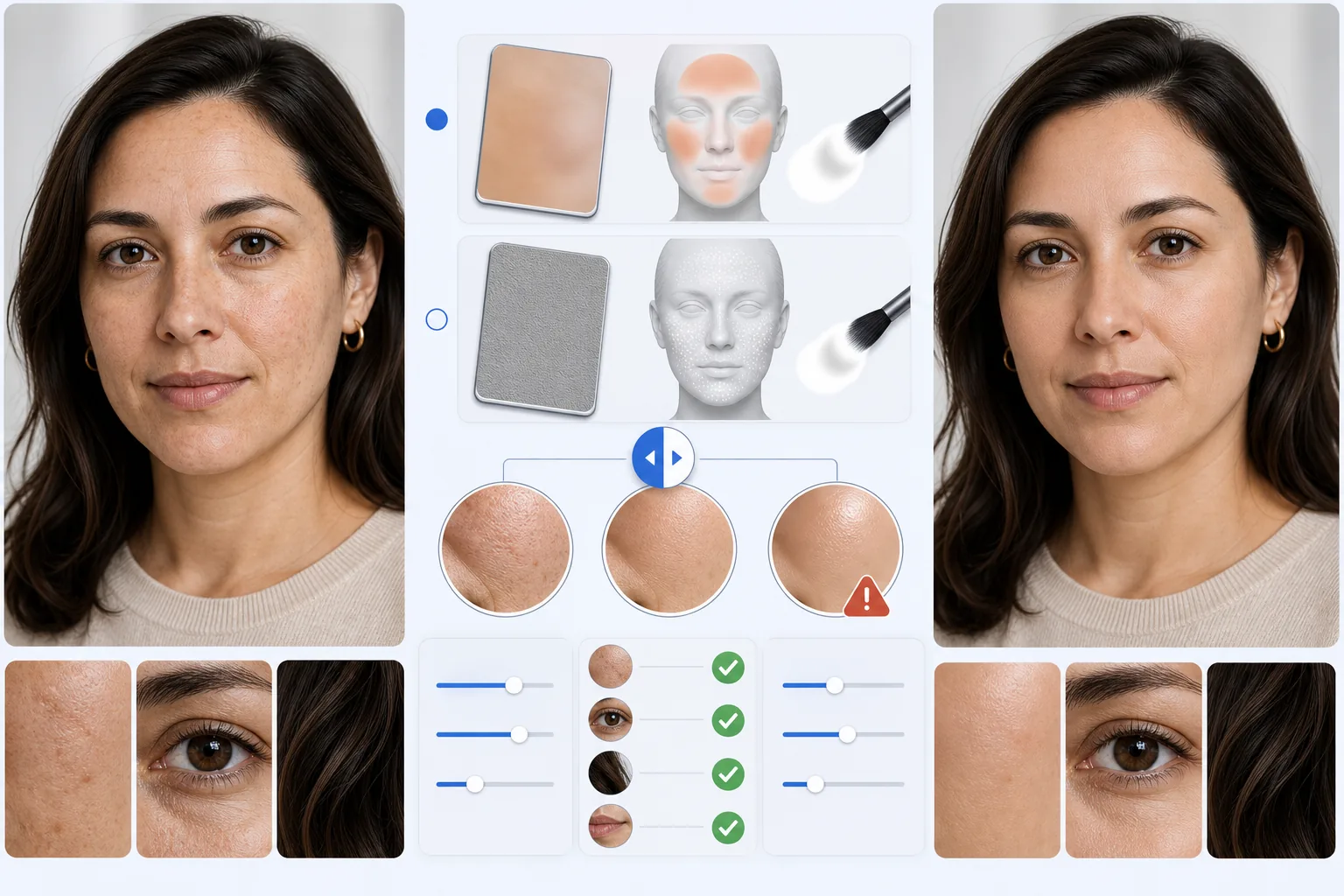
Lesson context before the long read
Review the result preview above, then scan the learning objectives below before reading the full lesson. Updated 2026-05-17.
Example visual uses an existing public asset: /content-images/portrait-skin-smoothing-basics-academy.webp.
Learning Objectives
- 1Understand the difference between destructive and non-destructive skin smoothing methods
- 2Apply frequency separation concepts to preserve skin texture while evening tone
- 3Use AI-powered smoothing tools to achieve professional results in seconds
Natural vs. over-processed skin retouching
Skin smoothing is one of the most requested portrait retouching tasks, but it is also one of the easiest to overdo. The goal is to reduce the appearance of pores, uneven texture, and minor discoloration without erasing the natural character of the skin. Professional retouchers think of skin as having two layers: the color and tone layer, and the texture and detail layer. By treating these separately, you can smooth one without destroying the other.
Removing blemishes while preserving texture
Frequency separation is the foundational technique behind most professional skin retouching. The low-frequency layer contains color and tonal information, while the high-frequency layer holds fine details like pores and hair. When you blur only the low-frequency layer, you even out skin tone and remove blotchiness without touching the sharp texture details. AI-powered tools in Magic Eraser automate this separation, letting you achieve the same result with a single brush stroke.
Frequency-based smoothing concepts
To get the best results, work at 100% zoom so you can see exactly how much smoothing is being applied. Start with a light touch and build up gradually, focusing on the cheeks, forehead, and chin where uneven tone is most visible. Avoid smoothing the edges of facial features like the nose bridge, jawline, and around the eyes, as these areas need sharp definition to maintain a realistic look. Always compare your edit to the original by toggling the before-and-after view.
Key Takeaways
- ✓Separate skin texture from skin tone to smooth without losing natural detail
- ✓AI-assisted tools automate frequency separation for faster, more consistent results
- ✓Work at full zoom with a light touch and avoid smoothing structural facial edges