
Creating Professional Background Blur
Add convincing depth-of-field effects to portraits by separating the subject from the background with realistic bokeh blur.
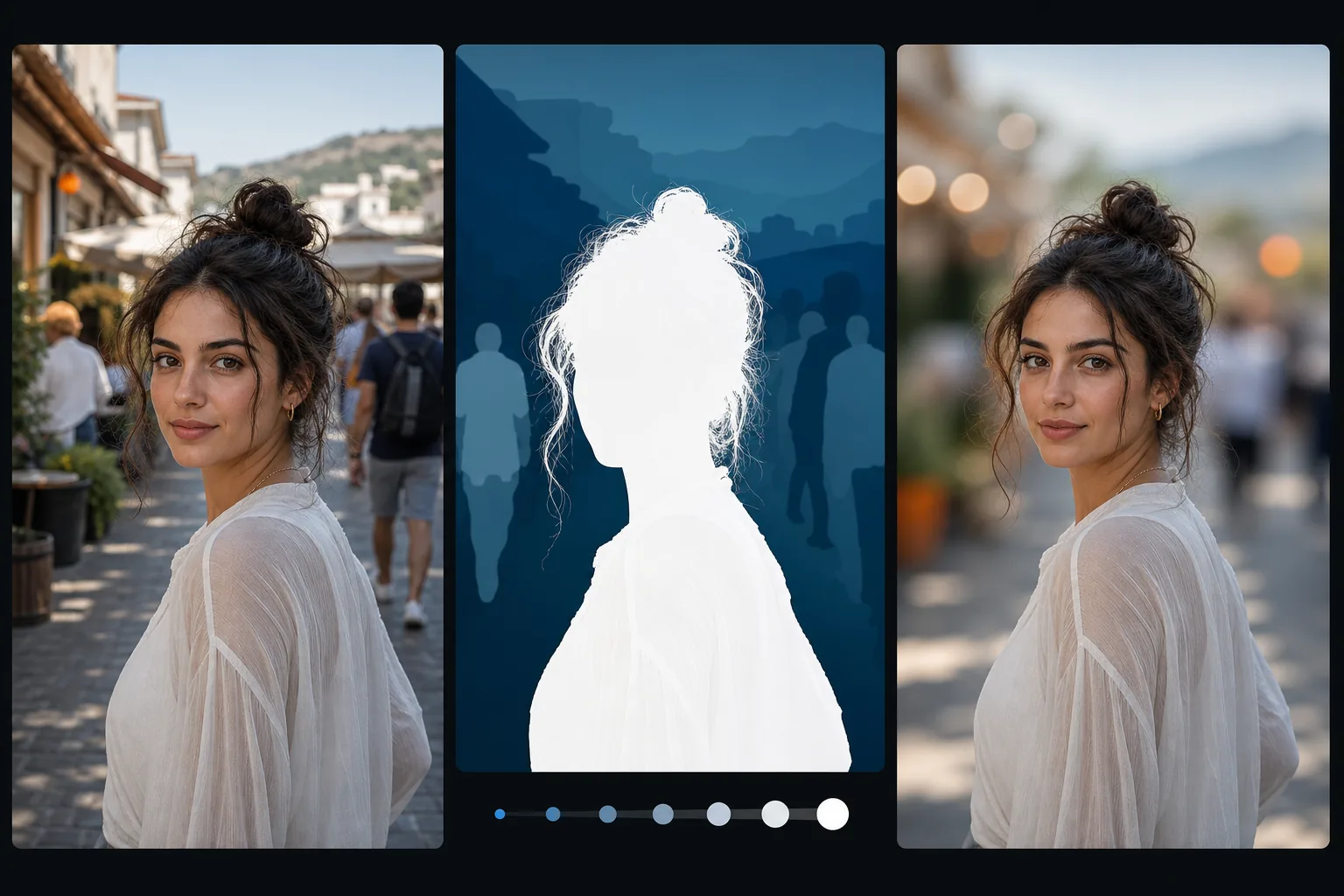
Lesson context before the long read
Review the result preview above, then scan the learning objectives below before reading the full lesson. Updated 2026-05-17.
Example visual uses an existing public asset: /content-images/portrait-background-blur-academy.webp.
Learning Objectives
- 1Understand how real lens bokeh works and how to replicate it convincingly in post-processing
- 2Use AI subject detection to create accurate masks for background separation
- 3Apply graduated blur that increases naturally with distance from the focal plane
Creating depth-of-field blur effects
Background blur, or bokeh, is what gives professional portrait photography that signature look where the subject is sharp and the background melts into soft, creamy shapes. In-camera, this effect comes from using a wide aperture lens, but not every photo is shot with expensive glass. AI-powered background blur lets you add this effect in post-processing with results that closely mimic real optical blur. The key to believability is understanding how real depth of field behaves so your edits look natural rather than filtered.
Separating subject from background naturally
Real bokeh has specific characteristics that differ from a simple Gaussian blur. Objects closer to the focal plane are only slightly blurred, while distant objects are very blurred, and specular highlights turn into circular or hexagonal shapes depending on the lens design. Magic Eraser's AI subject detection creates a precise mask around your subject, including tricky edges like flyaway hair and semi-transparent clothing. The blur engine then applies a gradient that increases with estimated distance from the subject, producing depth-aware blur rather than a flat uniform effect.
Adjusting blur intensity for different styles
For the most convincing results, pay attention to the transition zone between sharp and blurred areas. The edge of your subject should not have a hard cutout look; instead, fine details like individual hairs should gradually blend into the blur. Adjust the blur intensity based on the scene: indoor portraits with nearby backgrounds need less blur than outdoor shots with distant scenery. If the background contains recognizable text or distracting patterns, increase the blur until those elements become unreadable shapes rather than just slightly soft versions of themselves.
Key Takeaways
- ✓Realistic bokeh uses distance-graduated blur, not uniform Gaussian blur across the background
- ✓AI subject detection handles complex edges like hair and transparent fabrics automatically
- ✓Match blur intensity to the scene depth and ensure transition edges look natural, not cut out