
Understanding Resolution and DPI for Print
Master the relationship between pixel dimensions, resolution, and DPI to produce sharp prints at any size.
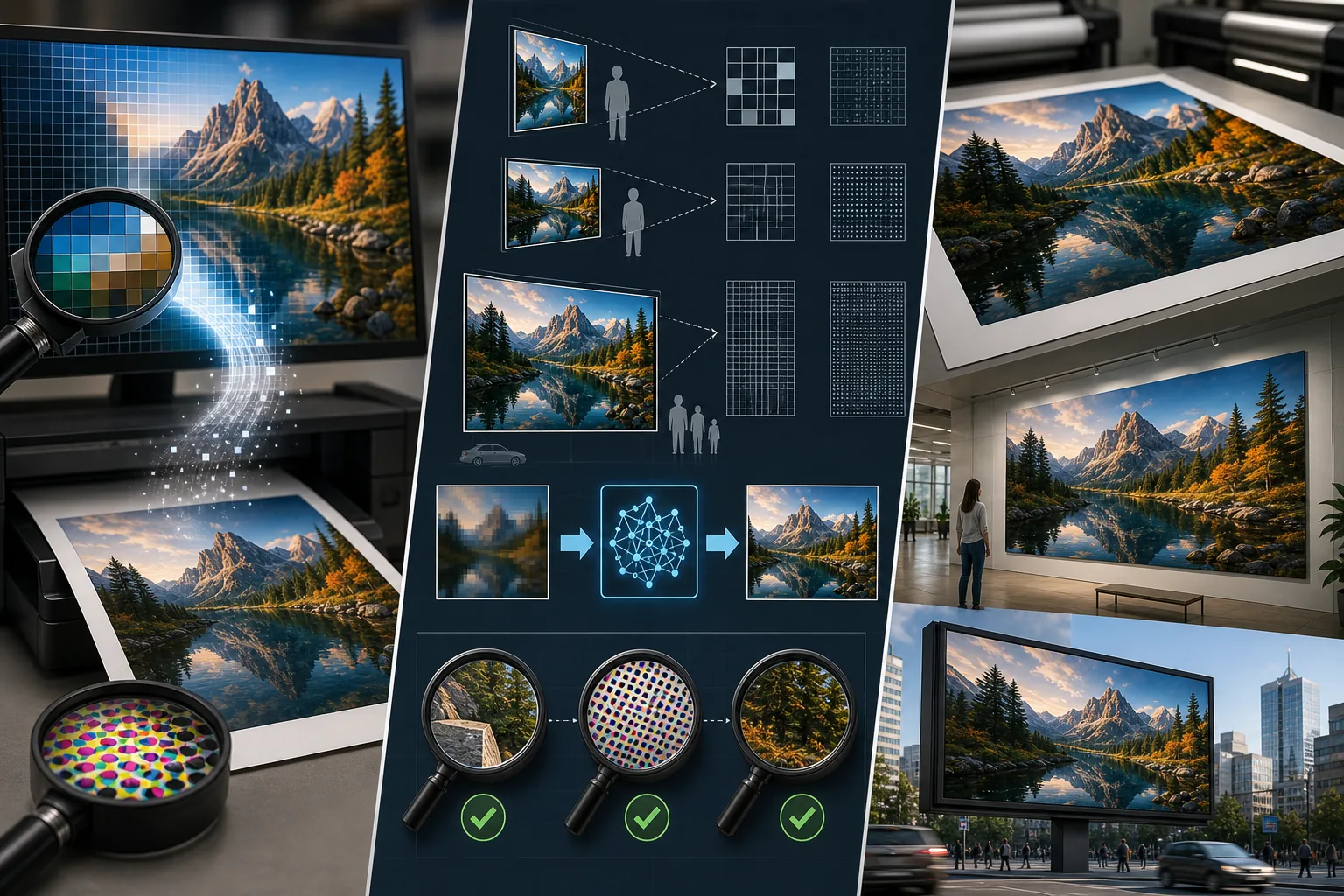
Lesson context before the long read
Review the result preview above, then scan the learning objectives below before reading the full lesson. Updated 2026-05-17.
Example visual uses an existing public asset: /content-images/print-resolution-academy.webp.
Learning Objectives
- 1Calculate the maximum print size for any image based on its pixel dimensions and the required DPI
- 2Understand the difference between PPI on screen and DPI in print and when each measurement matters
- 3Determine the optimal resolution for different print types including photo prints, posters, and billboards
Understanding DPI and print resolution
Resolution is the bridge between the digital world of pixels and the physical world of printed output. Every digital image is a grid of pixels, and when you print that image, those pixels are translated into dots of ink on paper. DPI, dots per inch, describes how many of those dots are packed into each inch of the printed output. The more dots per inch, the sharper and more detailed the print appears. For standard photo prints viewed at arm's length, 300 DPI is the industry standard because that is the threshold where the human eye can no longer distinguish individual dots.
Preparing images for different print sizes
To calculate the maximum sharp print size, divide your image's pixel dimensions by the required DPI. A 4000 by 3000 pixel image at 300 DPI can print at approximately 13.3 by 10 inches before quality degrades. If you need a larger print, you have two options: reduce the DPI requirement or upscale the image using AI super-resolution first. Prints viewed from greater distances, like posters on a wall, can use lower DPI values. A poster viewed from three feet away looks sharp at 150 DPI, and a billboard viewed from twenty feet requires only 30-50 DPI.
Upscaling low-resolution images for print
The confusion between PPI and DPI is common but important to understand. PPI, pixels per inch, describes screen display density and is relevant when sizing images for digital use. DPI describes the ink dot density of a printer and applies only to physical output. When your print shop asks for a 300 DPI file, they mean an image where the pixel dimensions divided by 300 equal or exceed the desired print dimensions. The DPI metadata tag in the image file itself is mostly informational; what truly matters is having enough total pixels for your print size at the target dot density.
Key Takeaways
- ✓Divide pixel dimensions by 300 to find the maximum sharp photo print size in inches
- ✓Viewing distance determines DPI requirements: 300 for handheld prints, 150 for posters, 30-50 for billboards
- ✓Total pixel count matters more than the DPI metadata tag embedded in the image file