
Remove an Emoji From an Instagram Story
Erfahren Sie, wie Sie mit Magic Eraser Emoji aus Instagram-Story entfernen können. Einfache Schritt-für-Schritt-Anleitung mit kostenlosem KI-Tool. Funktioniert im Web, auf iOS und Android.
Last updated
Jetzt ausprobieren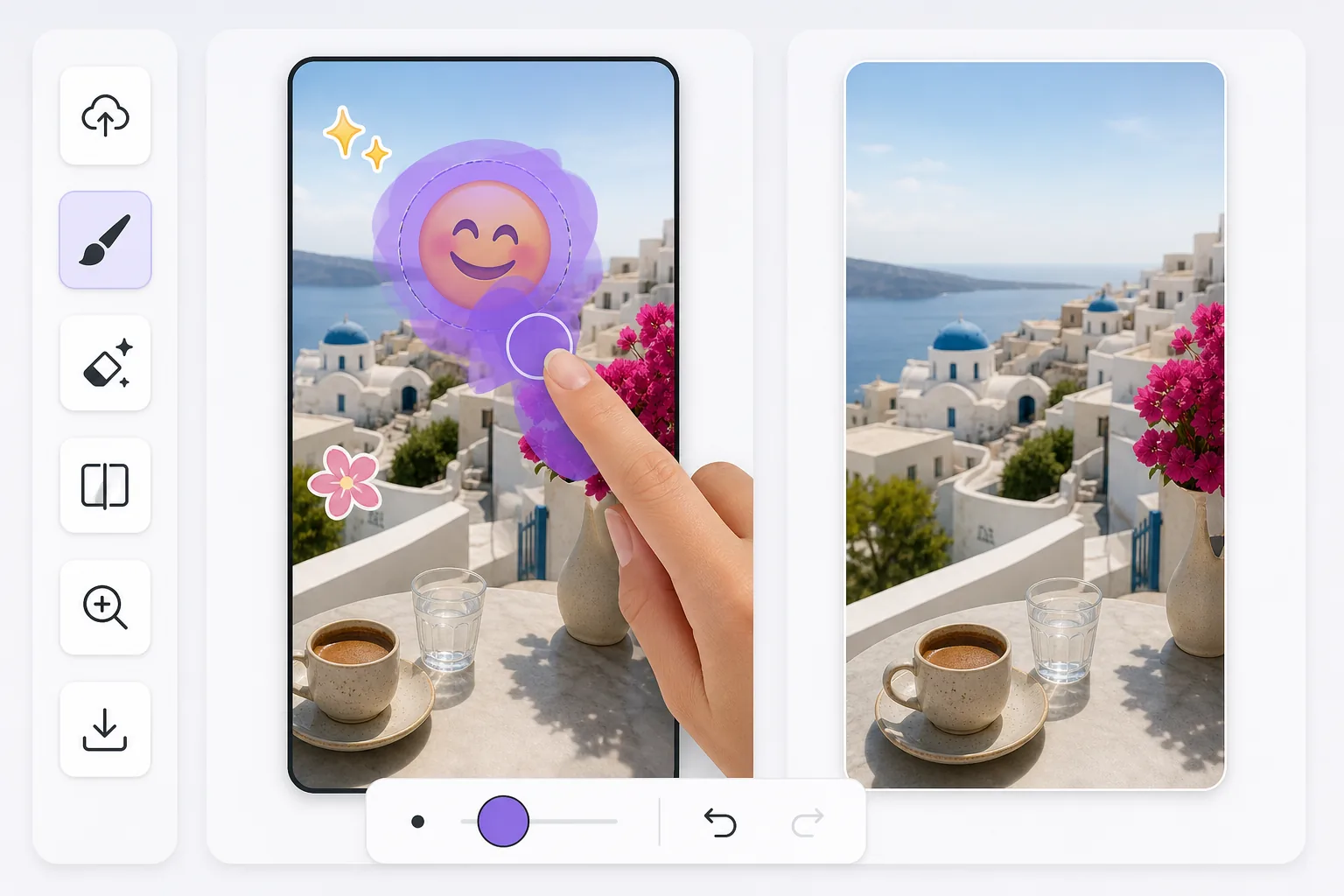
Cleaning up Instagram Story emoji stickers after the fact mit Magic Eraser
Instagram Stories make it easy to drop an emoji sticker on a photo or video frame — a laughing face, a heart, a thumbs-up — right inside the in-app story editor. The trouble is that once you publish, Instagram flattens everything into one image. There is no layer panel to toggle the sticker off later. If all you have is a story you saved to your camera roll or a screenshot a friend sent you, the emoji is baked into the pixels. Magic Eraser works on that flattened result: you brush over the emoji sticker, and the AI fills the area with a reconstruction that matches the surrounding colors, lighting, and texture. Be clear about what this is — the AI synthesizes a believable patch, it does not recover the exact pixels that were hidden behind the sticker. For backgrounds like sky, walls, grass, or blurred scenery, the result usually looks seamless. Over fine detail or a face the sticker was covering, expect a plausible approximation rather than the true original.
Before you start
Schritt-für-Schritt-Anleitung
Start with foto hochladen. The result preview above and tips below use this guide's existing content; no separate before-and-after proof is assumed.
- 1
Foto hochladen
Öffnen Sie Magic Eraser im Web, auf iOS oder Android. Ziehen Sie Ihr JPEG-, PNG-, HEIC- oder WebP-Foto per Drag & Drop hinein. Kein Konto erforderlich.
- 2
Tool und Bereich auswählen
Wählen Sie das passende Tool und markieren Sie den zu bearbeitenden Bereich. Die KI analysiert und wendet die Änderungen automatisch in Sekunden an.
- 3
Ergebnis herunterladen
Sehen Sie sich das Ergebnis in der Vorschau an und laden Sie das bearbeitete Foto herunter. Export als hochqualitatives PNG oder JPEG.
Am besten geeignet für
- Recovering a photo where an emoji sticker landed right over the subject's face or the focal point of the shot
- Cleaning a story you saved to your camera roll before realizing the sticker ruined the framing
- Removing a friend's emoji from a screenshot of their story so you can reshare a tidier version
- Reusing an old Story photo as a regular Instagram post without the leftover sticker baked in
- Tidying up a quickly-posted story where you tapped on the wrong emoji and want a clean background back
Tipps für beste Ergebnisse
Emoji stickers in the IG editor often sit on busy or detailed parts of a photo, so where you brush matters. Start with the highest-quality file — a direct save from Stories holds far more detail than a screenshot of a screenshot, and screenshots also lose data to compression. Brush slightly past the emoji's visible edge to catch the faint halo Instagram renders around stickers. For emojis over plain backgrounds (sky, a wall, water) the reconstruction is convincing; over intricate patterns or a covered face, treat the output as a plausible fill, not the literal hidden original. If the first pass leaves a smudge, undo, widen your selection, and erase again rather than stacking multiple erases on the same spot.
Häufig gestellte Fragen
- Ist die Funktion Emoji aus Instagram-Story entfernen kostenlos?
- Ja, Magic Eraser ermöglicht es Ihnen, kostenlos Emoji aus Instagram-Story entfernen mit täglichen Limits durchzuführen. Upgraden Sie auf Pro für unbegrenzte Bearbeitung und hochauflösende Exporte.
- Wie lange dauert es, Emoji aus Instagram-Story entfernen durchzuführen?
- Nur wenige Sekunden. Die KI von Magic Eraser verarbeitet Fotos schnell — die meisten Ergebnisse sind sofort nach dem Hochladen verfügbar.
- Kann ich es auf dem Handy verwenden?
- Ja, Magic Eraser funktioniert auf iOS, Android und allen Webbrowsern. Sie können nahtlos zwischen Geräten wechseln.
- Wird die Bildqualität beeinträchtigt?
- Nein, Magic Eraser bewahrt die ursprüngliche Fotoqualität. Die KI verarbeitet intelligent, um Details und Schärfe zu erhalten.