
Remove an Emoji From a Photo on Your Android Phone
Erfahren Sie, wie Sie mit Magic Eraser Emoji auf Android entfernen können. Einfache Schritt-für-Schritt-Anleitung mit kostenlosem KI-Tool. Funktioniert im Web, auf iOS und Android.
Last updated
Jetzt ausprobieren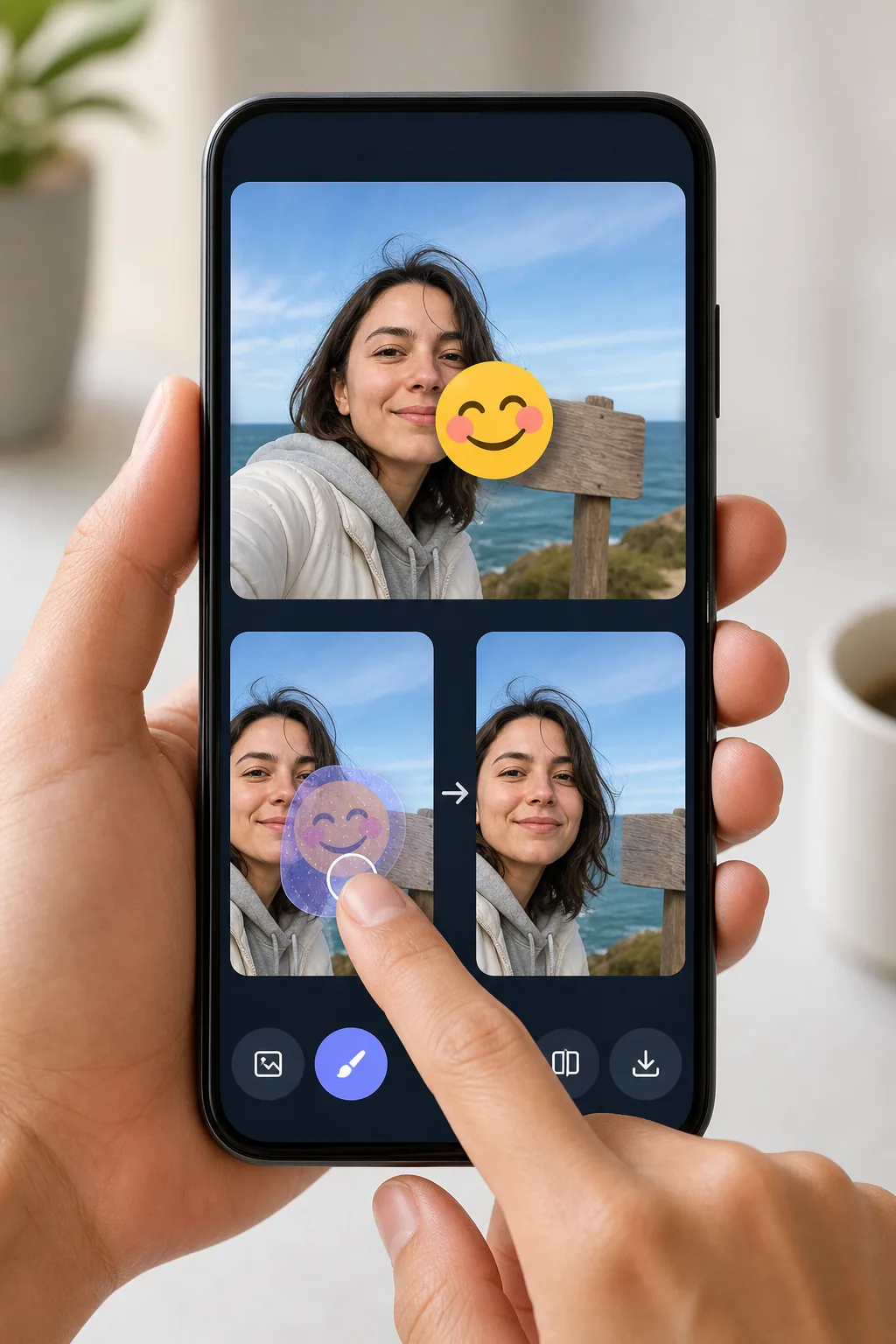
Erase emojis from Android photos without exporting to a desktop mit Magic Eraser
Android makes it easy to drop an emoji or sticker onto a shot — Google Photos Markup, the built-in Gallery editor, Snapchat, WhatsApp Status — but undoing it later is the hard part. Once the edited image is saved to your camera roll, the emoji is baked into the pixels, so the Gallery's own undo button can't help. Magic Eraser handles exactly this: open the photo from your Android device, brush over the emoji, and the AI redraws the area behind it. Be clear about what's happening — the tool synthesizes a believable reconstruction of the background or surface, it does not recover the literal pixels that the emoji covered. For a patch of sky, wall, grass, or clothing the result usually looks seamless. It runs in your mobile browser or the Android app, works on the free tier, and never stamps a watermark on what you download back to your phone.
Before you start
Schritt-für-Schritt-Anleitung
Start with foto hochladen. The result preview above and tips below use this guide's existing content; no separate before-and-after proof is assumed.
- 1
Foto hochladen
Öffnen Sie Magic Eraser im Web, auf iOS oder Android. Ziehen Sie Ihr JPEG-, PNG-, HEIC- oder WebP-Foto per Drag & Drop hinein. Kein Konto erforderlich.
- 2
Tool und Bereich auswählen
Wählen Sie das passende Tool und markieren Sie den zu bearbeitenden Bereich. Die KI analysiert und wendet die Änderungen automatisch in Sekunden an.
- 3
Ergebnis herunterladen
Sehen Sie sich das Ergebnis in der Vorschau an und laden Sie das bearbeitete Foto herunter. Export als hochqualitatives PNG oder JPEG.
Am besten geeignet für
- Removing a face-covering emoji you added in Google Photos Markup before sharing the photo properly
- Cleaning a sticker off a WhatsApp Status or Snapchat shot that auto-saved to your Gallery
- Taking the smiley or heart emoji off a screenshot so the background reads clearly
- Stripping a privacy emoji from a phone number, plate, or sign once you no longer need it hidden
- Fixing a photo where the Gallery editor's emoji got baked in and undo no longer works
Tipps für beste Ergebnisse
Start from the highest-resolution copy in Google Photos — if you've already shared the picture and got a compressed version back, the AI has less detail to work with. Brush slightly past the emoji's edges to catch the soft anti-aliased halo Android renders around stickers. Emojis sitting on a simple, repeating background (sky, a painted wall, water) reconstruct almost invisibly; one placed directly over an eye, mouth, or detailed pattern will be a convincing guess, not the true hidden detail. If the first pass leaves a smudge, undo and erase in two smaller strokes rather than one large swipe.
Häufig gestellte Fragen
- Ist die Funktion Emoji auf Android entfernen kostenlos?
- Ja, Magic Eraser ermöglicht es Ihnen, kostenlos Emoji auf Android entfernen mit täglichen Limits durchzuführen. Upgraden Sie auf Pro für unbegrenzte Bearbeitung und hochauflösende Exporte.
- Wie lange dauert es, Emoji auf Android entfernen durchzuführen?
- Nur wenige Sekunden. Die KI von Magic Eraser verarbeitet Fotos schnell — die meisten Ergebnisse sind sofort nach dem Hochladen verfügbar.
- Kann ich es auf dem Handy verwenden?
- Ja, Magic Eraser funktioniert auf iOS, Android und allen Webbrowsern. Sie können nahtlos zwischen Geräten wechseln.
- Wird die Bildqualität beeinträchtigt?
- Nein, Magic Eraser bewahrt die ursprüngliche Fotoqualität. Die KI verarbeitet intelligent, um Details und Schärfe zu erhalten.