
Die schnellere Photoshop-Alternative für die alltägliche Bildbearbeitung
Adobe Photoshop ist leistungsstark, aber die meisten Menschen nutzen nur einen Bruchteil seiner Funktionen. Magic Eraser liefert genau die Werkzeuge zur Fotobereinigung, die Sie wirklich brauchen — Objekte entfernen, Hintergründe freistellen, KI-Verbesserung und generatives Füllen — in einer einfacheren Oberfläche, die im Web und auf dem Handy funktioniert und für den Einstieg kein Abo erfordert.
Last updated
Magic Eraser kostenlos testenComparison rows are editorial summaries from the latest page review, not a guarantee of current pricing, limits, watermark policy, batch support, speed, or platform availability.
Überblick
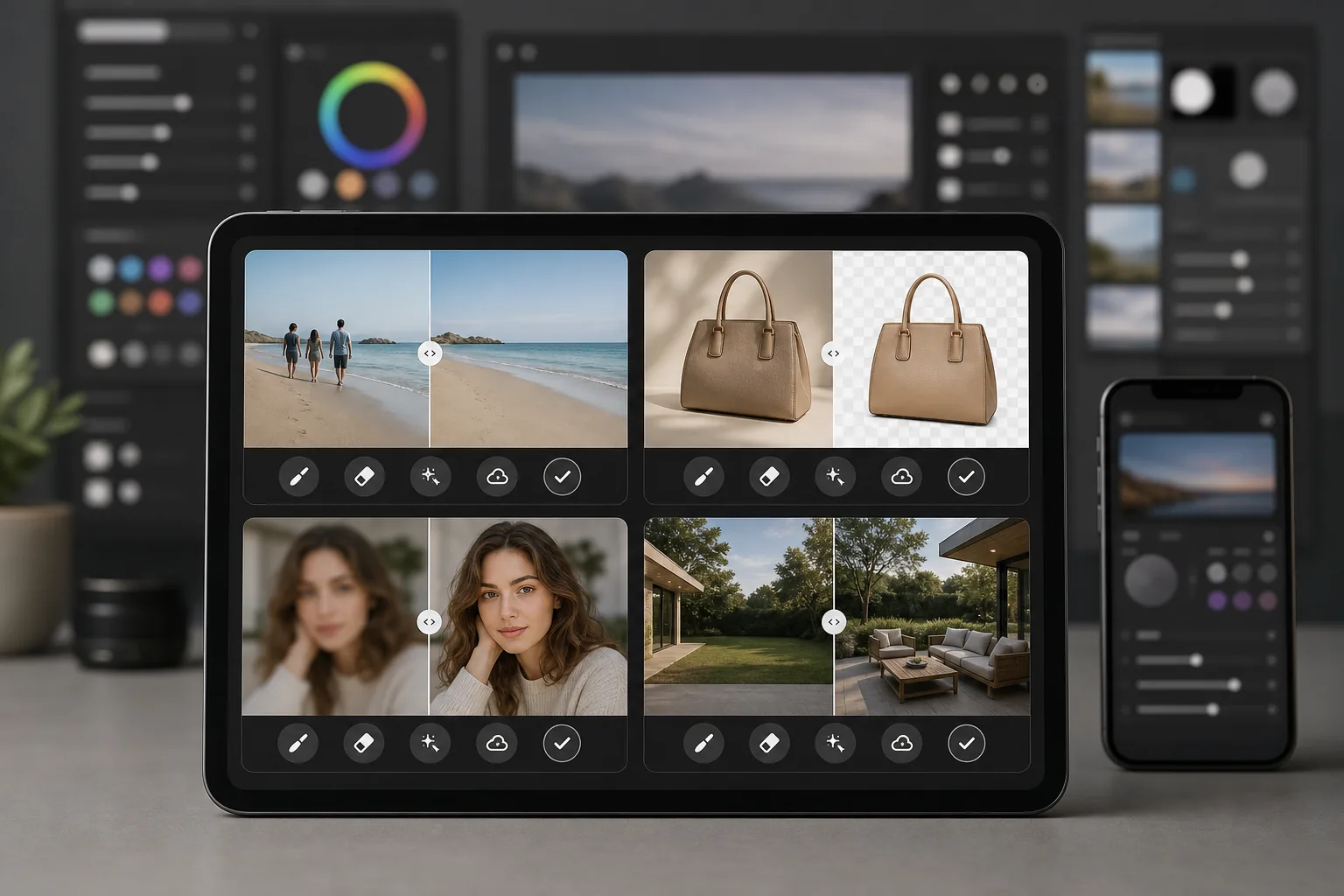
Magic Eraser ist ein KI-gestützter Foto-Editor, der speziell für die schnelle, praktische Fotobereinigung entwickelt wurde. Entfernen Sie Objekte, löschen Sie Hintergründe, verbessern Sie die Bildqualität und füllen Sie fehlende Bereiche — alles direkt im Browser oder auf dem Handy, ohne schwere Desktop-Software zu installieren.
Adobe Photoshop ist die branchenübliche professionelle Bildbearbeitungssuite mit Ebenen, Masken, Compositing, Retusche und generativen KI-Werkzeugen. Sie erfordert ein Creative Cloud-Abo und einen erheblichen Zeitaufwand zum Erlernen.
Funktionsvergleich
Magic Eraser ist ein KI-gestützter Foto-Editor, der speziell für die schnelle, praktische Fotobereinigung entwickelt wurde. Entfernen Sie Objekte, löschen Sie Hintergründe, verbessern Sie die Bildqualität und füllen Sie fehlende Bereiche — alles direkt im Browser oder auf dem Handy, ohne schwere Desktop-Software zu installieren.
Adobe Photoshop ist die branchenübliche professionelle Bildbearbeitungssuite mit Ebenen, Masken, Compositing, Retusche und generativen KI-Werkzeugen. Sie erfordert ein Creative Cloud-Abo und einen erheblichen Zeitaufwand zum Erlernen.
| Feature | Magic Eraser | Adobe Photoshop |
|---|---|---|
| Objekte entfernen | Ja — KI-gestützt, ein Pinselstrich | Ja — inhaltsbasiertes Füllen, manuelles Maskieren |
| Hintergrund freistellen | Ja — sofort mit einem Klick | Ja — Motiv auswählen + manuelle Verfeinerung |
| KI-Verbesserung | Ja — automatisch hochskalieren und schärfen | Ja — neuronale Filter |
| Generatives Füllen | Ja — einfach, promptbasiert | Ja — erweitert mit Ebenensteuerung |
| Lernkurve | In Minuten erlernbar | Wochen bis Monate |
| Plattform | Web + iOS + Android | Desktop + iPad + Web (Beta) |
| Preis zum Einstieg | Kostenlos testen, kein Abo | Monatliches Abo erforderlich |
| Am besten geeignet für | Schnelle Fotobereinigung und -verbesserung | Professionelle kreative Produktion |
Feature rows summarize visible product positioning and should be rechecked against official product pages before purchase, migration, or compliance decisions.
- Last content review May 8, 2026
- Adobe Photoshop source: official product site (https://www.adobe.com/products/photoshop.html)
- Magic Eraser source: https://magiceraser.live/de/product/magic-eraser
- Pricing, feature availability, platform support, and limits can change; recheck official sources before relying on a buying decision.
Warum Magic Eraser statt Photoshop wählen
Ergebnisse in Sekunden statt in Stunden
Magic Eraser verzichtet auf die Komplexität. Streichen Sie mit dem Pinsel über ein Objekt, um es zu entfernen, klicken Sie, um einen Hintergrund zu löschen, oder tippen Sie, um die Qualität zu verbessern. Keine Ebenen, keine Masken, keine Panels zum Konfigurieren — nur schnelle Ergebnisse durch KI, die die schwere Arbeit übernimmt.
Kein Abo für den Einstieg erforderlich
Photoshop erfordert ein Creative Cloud-Abo, bevor Sie überhaupt eine Datei öffnen können. Mit Magic Eraser können Sie jedes Werkzeug kostenlos testen, sodass Sie Ergebnisse sehen, bevor Sie sich festlegen, und die Preisgestaltung bleibt unkompliziert, wenn Sie sich für ein Upgrade entscheiden.
Funktioniert auf jedem Gerät, überall
Bearbeiten Sie Fotos im Browser, auf dem iPhone oder einem Android-Gerät mit denselben voll ausgestatteten Werkzeugen. Es gibt keine schwere Software zu installieren und keine Desktop-Hardwareanforderungen zu erfüllen, was sie ideal für die Bearbeitung unterwegs macht.
Alle Bereinigungswerkzeuge an einem Ort
Magic Eraser bündelt das Entfernen von Objekten, das Freistellen von Hintergründen, KI-Verbesserung, generatives Füllen und mehr in einem einzigen fokussierten Editor. Sie erhalten die alltäglichen Werkzeuge, die Sie brauchen, ohne für eine komplette Kreativsuite zu zahlen, die Sie nie vollständig nutzen werden.
Häufig gestellte Fragen
Kann Magic Eraser Photoshop wirklich ersetzen?
+
Für alltägliche Aufgaben zur Fotobereinigung wie das Entfernen von Objekten, das Freistellen von Hintergründen und die Bildverbesserung, ja. Wenn Sie fortgeschrittenes Compositing, detaillierte ebenenbasierte Retusche oder spezialisierte Werkzeuge für die Druckproduktion benötigen, bietet Photoshop nach wie vor mehr Tiefe.
Ist Magic Eraser einfacher zu bedienen als Photoshop?
+
Deutlich einfacher. Magic Eraser ist so konzipiert, dass jeder in Sekunden professionell aussehende Ergebnisse erzielen kann. Für grundlegende Aufgaben gibt es keine Lernkurve — pinseln zum Entfernen, klicken zum Verbessern, fertig.
Muss ich etwas installieren, um Magic Eraser zu nutzen?
+
Nein. Magic Eraser funktioniert direkt in Ihrem Webbrowser und ist auch als mobile App für iOS und Android verfügbar. Es gibt keine Desktop-Software zum Herunterladen oder Aktualisieren.
Wie ist die Preisgestaltung von Magic Eraser im Vergleich zu Photoshop?
+
Mit Magic Eraser starten Sie kostenlos und ohne Kreditkarte. Photoshop erfordert ein Creative Cloud-Abo ab etwa $22.99 per month, was sich selbst dann zu erheblichen Jahreskosten summiert, wenn Sie nur grundlegende Bearbeitungsfunktionen benötigen.
Kann ich Magic Eraser für Produktfotografie verwenden?
+
Ja. Magic Eraser wird häufig für E-Commerce-Produktfotos verwendet. Sie können Hintergründe freistellen, störende Elemente entfernen, die Bildqualität verbessern und Foto-Stapel deutlich schneller verarbeiten, als dieselbe Arbeit in Photoshop zu erledigen.
Bereit für eine einfachere Alternative zu Photoshop?
Testen Sie Magic Eraser kostenlos und erleben Sie, wie schnell KI-gestützte Bildbearbeitung sein kann. Entfernen Sie Objekte, löschen Sie Hintergründe und verbessern Sie Bilder in Sekunden — kein Abo, keine Lernkurve.
Magic Eraser kostenlos testenVerwandte Anwendungsfälle
Erfahren Sie, wie Profis diese Tools in realen Workflows einsetzen.
Exposé-Fotos voller persönlicher Gegenstände, geparkter Autos oder Baustellenmaterial schrecken Käufer ab. Magic Eraser räumt Ihre Immobilienfotos per KI blitzschnell auf — ganz ohne Photoshop-Kenntnisse.
Unscharfe Hintergründe und unaufgeräumte Produktbilder kosten Sie jeden Tag Umsatz. Magic Eraser erstellt professionelle Produktbilder in Sekunden — ganz ohne Photoshop-Kenntnisse. Hochladen, Störendes entfernen, mit Vertrauen einstellen.
Fremde Personen ruinieren deine Reisefotos? Unordentliche Hintergründe verderben deine Selfies? Schluss mit stundenlangem Photoshop. Magic Eraser entfernt Störungen, räumt Hintergründe auf und passt Fotos an jedes Format an — mit einem Klick.
Verwandte Anleitungen
Entdecke weitere Anleitungen und Inhalte zu diesem Workflow.
Lerne, wie du mit Magic Eraser Objekte, Personen, Text und störende Details aus Fotos entfernst und sauberere KI-Ergebnisse erzielst.
Person aus Foto entfernen mit KI in Sekunden. Anleitung für Reisefotos, Immobilienbilder und Produktfotos.
Anleitung zum Entfernen von Wasserzeichen aus eigenen Fotos mit KI. Wann es angemessen ist, Techniken und Tipps.
Weitere Vergleiche
Sehen Sie, wie Magic Eraser im Vergleich zu anderen Bildbearbeitungstools abschneidet.
Wir haben die besten KI-Fotobearbeitungstools getestet und verglichen. Von der Objektentfernung bis zum Hintergrundwechsel — finden Sie den Editor, der die besten Ergebnisse für Ihren Workflow liefert.
Tried to remove an object or background and hit a Pro paywall in Canva, Adobe Express/Photoshop, or Fotor? Magic Eraser does the same job — object removal, background removal, watermark cleanup, and enhancement — for free. No subscription, and no watermark stamped on your download.
Vergleichen Sie Magic Eraser mit magic-eraser.io. Sehen Sie Funktionen, Preise und Benutzerfreundlichkeit im direkten Vergleich. Erfahren Sie, warum Magic Eraser die bessere Wahl für KI-Fotobearbeitung ist.
Vergleichen Sie Magic Eraser mit Pixelcut. Sehen Sie Funktionen, Preise und Benutzerfreundlichkeit im direkten Vergleich. Erfahren Sie, warum Magic Eraser die bessere Wahl für KI-Fotobearbeitung ist.
Adobe Express bündelt die Fotobearbeitung in einer Design- und Content-Creation-Suite, die mit Adobe Firefly verknüpft ist. Magic Eraser ist speziell für die KI-Fotobereinigung gebaut: Objektentfernung, Hintergrundaustausch, generatives Füllen und Verbesserung. Dieser Vergleich zeigt, wo jedes Tool am besten passt.
Magic Eraser und Pixelcut bieten beide KI-gestützte Fotobearbeitung im Web, auf iOS und Android mit kostenlosen Tarifen und kostenpflichtigen Pro-Tarifen. Pixelcut setzt stark auf E-Commerce-Produktfotos mit Vorlagen. Magic Eraser ist gezielt für KI-Bereinigungsaufgaben über die gesamte Bandbreite der Fotoarbeit gebaut. Dieser Vergleich zeigt, wo jedes Tool gewinnt.