
Magic Eraser vs Luminar Neo: Welcher KI-Editor passt besser zur täglichen Arbeit?
Luminar Neo ist leistungsstark für Desktop-Fotografen, die tiefe Verbesserung und kreative Kontrollen wollen. Magic Eraser ist für schnellere Bereinigung, leichtere Workflows und flexible Bearbeitung über Web und Mobil gebaut.
Last updated
Magic Eraser kostenlos testenComparison rows are editorial summaries from the latest page review, not a guarantee of current pricing, limits, watermark policy, batch support, speed, or platform availability.
Überblick
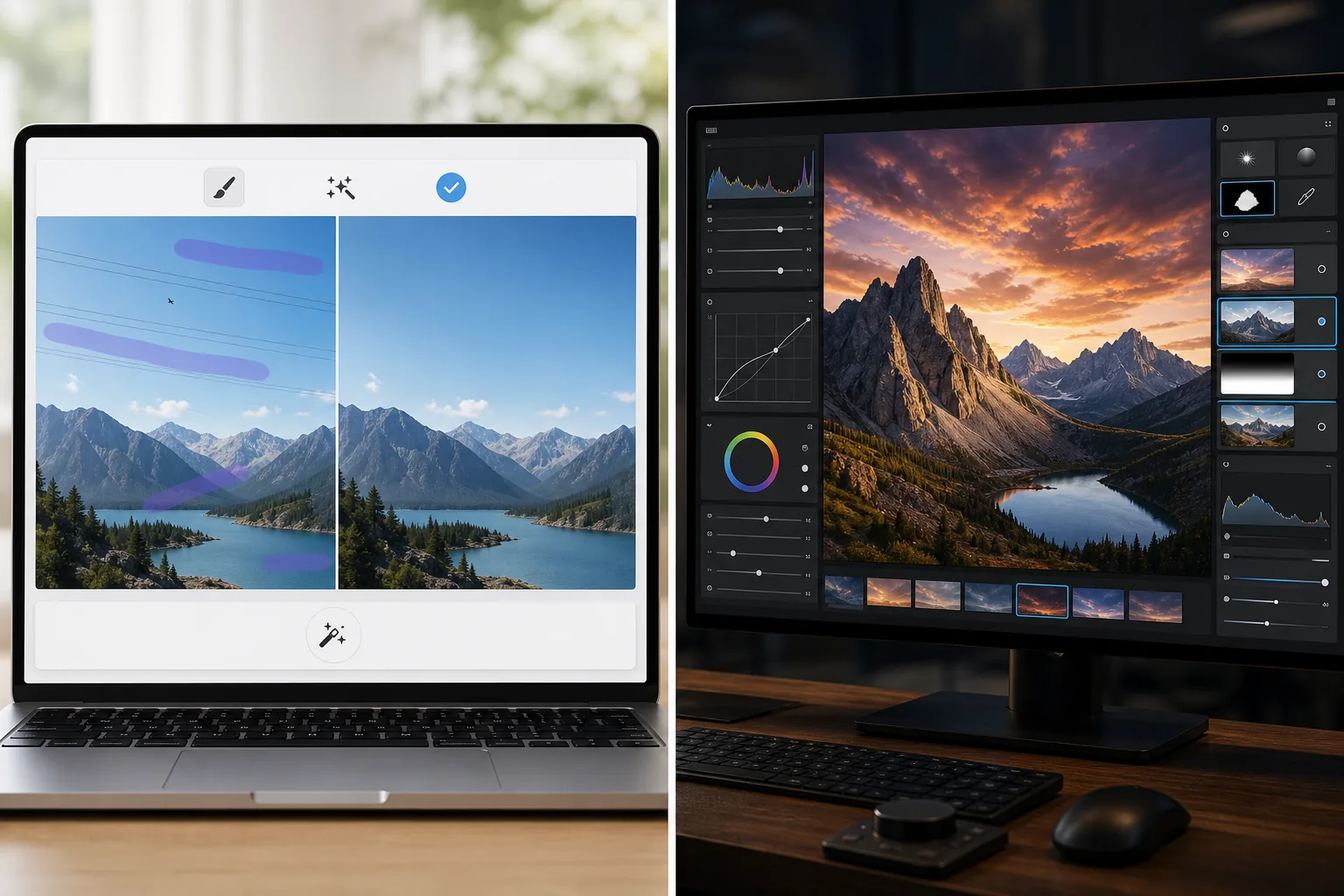
Magic Eraser konzentriert sich auf praktische KI-Aufgaben: Ablenkungen entfernen, Hintergründe löschen, Fotos verbessern und schnell ausgefeilte Visuals von jedem Gerät erstellen.
Luminar Neo ist ein desktop-first KI-Fotoeditor mit fortschrittlicher Verbesserung, Neuausleuchtung, Himmelersatz, Maskierung und kreativen Kontrollen für Fotografen.
Funktionsvergleich
Magic Eraser konzentriert sich auf praktische KI-Aufgaben: Ablenkungen entfernen, Hintergründe löschen, Fotos verbessern und schnell ausgefeilte Visuals von jedem Gerät erstellen.
Luminar Neo ist ein desktop-first KI-Fotoeditor mit fortschrittlicher Verbesserung, Neuausleuchtung, Himmelersatz, Maskierung und kreativen Kontrollen für Fotografen.
| Feature | Magic Eraser | Luminar Neo |
|---|---|---|
| KI-Objektentfernung | Ja | Ja |
| Hintergrundentfernung | Ja | Begrenzt |
| Kreative Neuausleuchtung | Nein | Ja |
| KI-Verbesserung | Ja | Ja — fortgeschritten |
| Web-Bearbeitung | Ja | Nein |
| Mobilzugriff | Ja | Begrenzt |
| Am besten für | Schnelle praktische Bearbeitungen | Desktop-Workflows von Fotografen |
| Einrichtungskomplexität | Niedrig | Mittel bis hoch |
Feature rows summarize visible product positioning and should be rechecked against official product pages before purchase, migration, or compliance decisions.
- Last content review June 21, 2026
- Luminar Neo source: official product site (https://skylum.com/luminar)
- Magic Eraser source: https://magiceraser.live/de/product/magic-eraser
- Pricing, feature availability, platform support, and limits can change; recheck official sources before relying on a buying decision.
Preisvergleich
| Plan | Magic Eraser | Luminar Neo |
|---|---|---|
| Kostenlose Stufe | Kostenlos — begrenzte Bearbeitungen | 7-Tage-Testversion |
| Monatlich | 9,99 $/Mon. | 14,95 $/Mon. |
| Jährlich | 4,99 $/Mon. (jährlich abgerechnet) | 9,95 $/Mon. (jährlich abgerechnet) |
Preise Stand Mai 2026. Aktuelle Tarife bei jedem Anbieter prüfen.
Pricing rows are snapshots from review time. Free tiers, subscriptions, trials, export limits, and regional availability can change without notice.
- Last content review June 21, 2026
- Luminar Neo source: official product site (https://skylum.com/luminar)
- Magic Eraser source: https://magiceraser.live/de/product/magic-eraser
- Pricing, feature availability, platform support, and limits can change; recheck official sources before relying on a buying decision.
Warum Magic Eraser wählen
Schneller für Nicht-Fotografen-Teams
Marketingteams, Verkäufer und Ersteller kümmern sich oft mehr um Geschwindigkeit und Konsistenz als um Desktop-Kontrollen in Profiqualität. Magic Eraser ist für diese Realität optimiert.
Stärkerer Browser-Workflow
Luminar Neo dreht sich um die Desktop-Nutzung. Magic Eraser hält die Bearbeitung vom Browser und von Mobilgeräten aus zugänglich, ohne eine Workstation-Einrichtung zu erfordern.
Besser für bereinigungsorientierte Aufgaben
Wenn Ihr Hauptbedarf darin besteht, Unordnung zu entfernen, Produkte zu bereinigen, Inseratsfotos zu korrigieren oder Text und Personen zu löschen, kommt Magic Eraser schneller dorthin.
Einfach im Team einzuführen
Magic Eraser gibt Teams einen einfacheren Standard-Workflow für wiederkehrende Bildbereinigungsaufgaben ohne tiefe Schulung in einer fotografenorientierten Oberfläche.
Häufig gestellte Fragen
Ist Luminar Neo leistungsstärker als Magic Eraser?
+
Für fortgeschrittene Desktop-Fotografie und kreative Kontrolle, ja. Für schnelle KI-Bereinigung und einfachere geräteübergreifende Bearbeitung ist Magic Eraser oft die bessere Wahl.
Kann Magic Eraser Fotos wie Luminar Neo verbessern?
+
Ja. Magic Eraser enthält KI-Verbesserungstools zum Schärfen von Details und Verbessern der Bildqualität, obwohl Luminar Neo ein breiteres professionelles Verbesserungs-Toolkit bietet.
Welches Tool ist besser für E-Commerce-Teams?
+
Magic Eraser ist oft besser für E-Commerce- und Marketingteams, weil es schneller bei wiederholbarer Bereinigung, Hintergrundbearbeitung und präsentationsfertiger Bildvorbereitung ist.
Funktioniert Luminar Neo im Browser?
+
Nein. Luminar Neo ist hauptsächlich desktop-fokussiert. Magic Eraser ist browserbasiert und auch auf Mobilgeräten verfügbar.
Welcher Editor ist einfacher für Anfänger?
+
Magic Eraser ist einfacher für Anfänger, weil es um klare KI-Bearbeitungsaufgaben statt um einen komplexeren Fotografie-Workflow herum gebaut ist.
Möchten Sie KI-Bearbeitung ohne Desktop-Komplexität?
Testen Sie Magic Eraser kostenlos und erhalten Sie sauberere Fotos, schnellere Hintergrundkorrekturen und schärfere Visuals von jedem Gerät.
Magic Eraser kostenlos testenVerwandte Anwendungsfälle
Erfahren Sie, wie Profis diese Tools in realen Workflows einsetzen.
Exposé-Fotos voller persönlicher Gegenstände, geparkter Autos oder Baustellenmaterial schrecken Käufer ab. Magic Eraser räumt Ihre Immobilienfotos per KI blitzschnell auf — ganz ohne Photoshop-Kenntnisse.
Unscharfe Hintergründe und unaufgeräumte Produktbilder kosten Sie jeden Tag Umsatz. Magic Eraser erstellt professionelle Produktbilder in Sekunden — ganz ohne Photoshop-Kenntnisse. Hochladen, Störendes entfernen, mit Vertrauen einstellen.
Fremde Personen ruinieren deine Reisefotos? Unordentliche Hintergründe verderben deine Selfies? Schluss mit stundenlangem Photoshop. Magic Eraser entfernt Störungen, räumt Hintergründe auf und passt Fotos an jedes Format an — mit einem Klick.
Verwandte Anleitungen
Entdecke weitere Anleitungen und Inhalte zu diesem Workflow.
Lerne, wie du mit Magic Eraser Objekte, Personen, Text und störende Details aus Fotos entfernst und sauberere KI-Ergebnisse erzielst.
Person aus Foto entfernen mit KI in Sekunden. Anleitung für Reisefotos, Immobilienbilder und Produktfotos.
Anleitung zum Entfernen von Wasserzeichen aus eigenen Fotos mit KI. Wann es angemessen ist, Techniken und Tipps.
Weitere Vergleiche
Sehen Sie, wie Magic Eraser im Vergleich zu anderen Bildbearbeitungstools abschneidet.
Fotor bietet einen umfassenden Online-Fotoeditor mit Vorlagen und Beauty-Tools. Magic Eraser konzentriert sich auf praktische KI-Bereinigung, Hintergrundentfernung, Verbesserung und generatives Bearbeiten für schnellere tägliche Arbeitsabläufe.
RetouchMe setzt menschliche Retuscheure fuer Portraet- und Koerperbearbeitungen ein, mit Ergebnissen innerhalb von Minuten. Magic Eraser nutzt KI fuer sofortige Ergebnisse bei Objektentfernung, Hintergrundbearbeitung, Verbesserung und generativen Tools — fuer mehr Kontrolle und schnellere Bearbeitung.
AirBrush ist ein Selfie- und Beauty-Editor, der sich auf Porträtretusche und Filter konzentriert. Magic Eraser ist ein vielseitiger KI-Fotoeditor, der für Objektentfernung, Hintergrundentfernung, Verbesserung und generative Bearbeitung über alle Fototypen hinweg entwickelt wurde.
Wir haben die besten Fotobearbeitungs-Apps für das iPhone getestet, um herauszufinden, welche die besten Ergebnisse für KI-Bearbeitung, Objektentfernung, Verbesserung und kreative Effekte liefern. Hier sind unsere Empfehlungen für die besten iPhone-Fotoeditoren in diesem Jahr.
Wir haben die besten auf Android verfügbaren Fotobearbeitungs-Apps getestet, um KI-Bearbeitung, Objektentfernung, Verbesserung und kreative Werkzeuge zu vergleichen. Hier sind die besten Android-Fotoeditoren dieses Jahres und wie sie abschneiden.
Meitu ist ein beliebter Beauty- und Selfie-Editor mit umfangreichen Porträtfiltern. Magic Eraser deckt ein breiteres Spektrum an Bearbeitungsanforderungen ab — KI-gestütztes Entfernen von Objekten, Hintergrundentfernung, Bildverbesserung, generatives Füllen und kreative Werkzeuge — und ist damit die bessere Wahl für Nutzer, die mehr als nur Selfies bearbeiten.