
护照照片模板
无需再去药店的照相亭。该模板可从任何光线充足的自拍照中生成符合政府要求的护照照片——白色背景、正确的头部与画面比例(下巴到头顶 1 至 1-3/8 英寸),以及 600 DPI 的 2×2 英寸输出,满足美国国务院、英国 HMPO、欧盟和申根签证的要求。
免费试用此模板Professional template preview
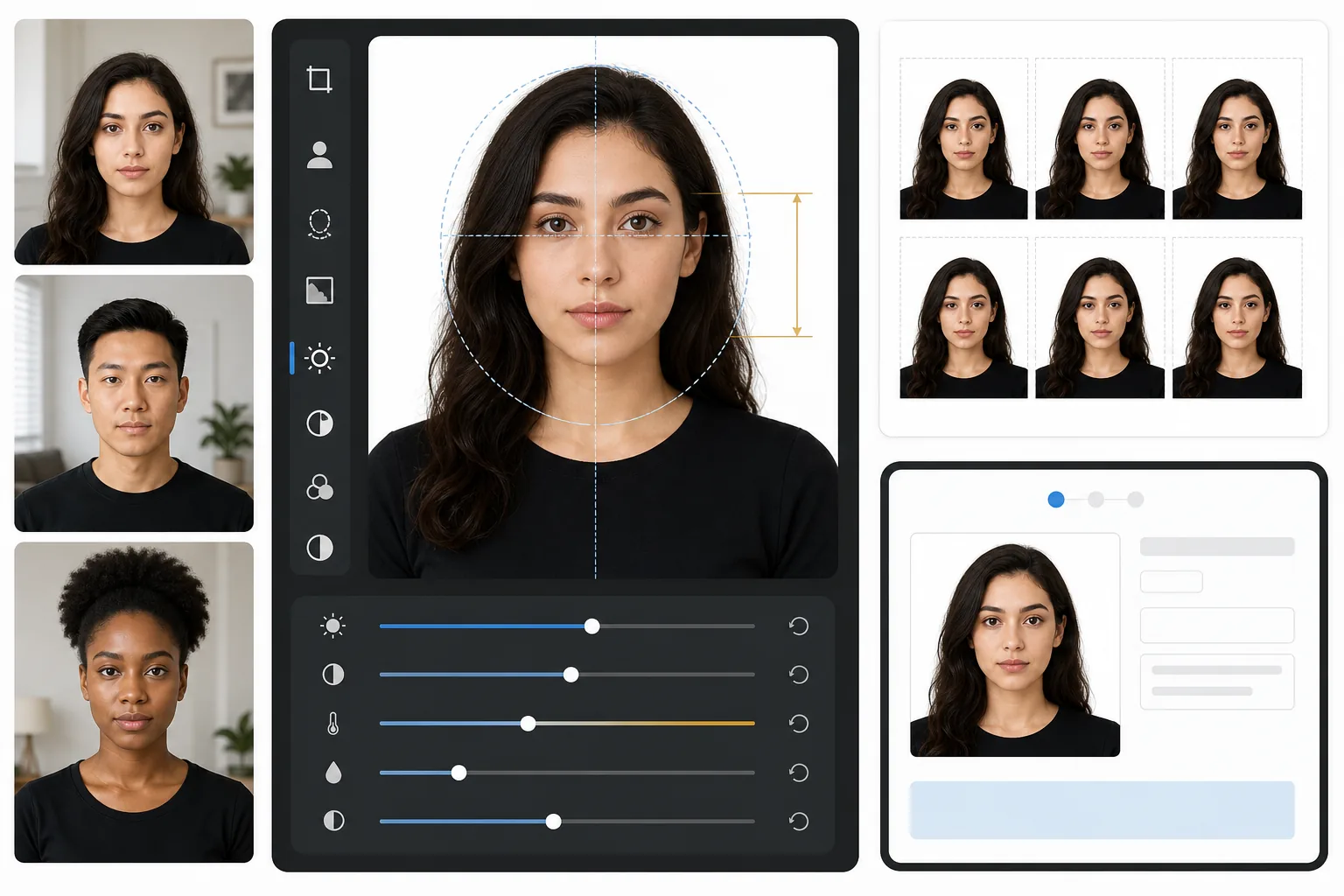
此模板的功能
将标准人像照片转换为符合政府要求的护照或签证照片。该模板会移除任何背景并替换为纯白色,裁剪至美国国务院要求的精确 2×2 英寸(51×51mm)尺寸,将头部定位在所需尺寸范围内,并确保光线均匀、没有刺眼的阴影。输出文件为 600 DPI,可直接用于相纸打印或数字提交。
模板设置
| 输出尺寸 | 2×2 英寸(51×51mm),600 DPI(1200×1200px) |
| 背景 | 纯白色(#FFFFFF),无渐变或纹理 |
| 头部尺寸 | 下巴到头顶 1 英寸至 1-3/8 英寸(25–35mm) |
| 眼睛位置 | 眼睛居中,距底部 1-1/8 至 1-3/8 英寸之间 |
| 色彩配置文件 | sRGB(兼容照片冲印店) |
| 文件格式 | JPEG 100% 质量或 PNG(用于数字提交门户) |
如何使用此模板
拍摄正面人像
站在素色墙壁前,让光线均匀地照在脸上。使用自然日光或在两侧等距放置两盏灯。直视镜头,表情自然,并露出双耳。
移除并替换背景
Background Eraser 可去除任何背景——墙纸图案、阴影、家具边缘——并替换为所需的纯白色。该工具能保留自然的发丝边缘和眼镜框,而不产生光晕伪影。
自动裁剪以符合规定
该模板会检测您的面部,并将其定位在政府规定的头部尺寸范围内。眼睛会被放置在正确的高度,下巴到头顶的测量值符合 1 至 1-3/8 英寸的要求。
打印或数字提交
下载 600 DPI 文件以在 4×6 光面相纸上打印(每张可容纳四张 2×2 照片),或将数字文件直接提交至在线护照续签和签证申请门户。
获得最佳效果的专业提示
- ✓使用来自窗户的正面自然日光——它能营造护照机构偏好的柔和、均匀的照明,并消除闪光摄影带来的刺眼阴影。
- ✓如有可能,请在拍摄前摘下眼镜。许多国家现在要求不戴眼镜的照片,即使允许佩戴,反光和镜框阴影也是照片被拒的最常见原因。
- ✓穿与白色形成对比的纯色上衣——深蓝色、黑色或深绿色效果最佳。白色衣服会与背景融为一体,可能导致照片被拒。
- ✓请让他人在一臂距离外拍摄,而不要自拍。前置摄像头自拍会带来轻微的广角畸变,使面部比例看起来不自然,并触发人工审核。
常见问题
美国国务院会接受这张照片吗?
+
该模板遵循美国国务院护照照片要求中公布的确切规格:2×2 英寸、白色背景、头部尺寸介于 1 至 1-3/8 英寸之间以及正确的眼睛位置。但是,是否被接受还取决于您的表情、头部角度和光线——模板负责处理背景、尺寸和裁剪,但无法修正闭眼或扭头的情况。
这适用于非美国护照照片吗?
+
默认设置为美国护照(2×2 英寸),但护照照片尺寸因国家而异——例如,英国要求 35×45mm,印度要求 2×2 英寸但头部尺寸比例不同。核心的背景移除和面部定位功能适用于任何国家;请根据您的具体要求调整裁剪尺寸。
我可以在家打印吗?
+
可以。600 DPI 输出可在任何照片打印机上精确打印为 2×2 英寸。为获得最佳效果,请使用光面或哑面相纸,并在一张 4×6 相纸上打印四份。大多数药店照片自助终端也接受数字文件以进行高质量打印。
Related templates
More professional templates for your workflow.