
牙科微笑增强
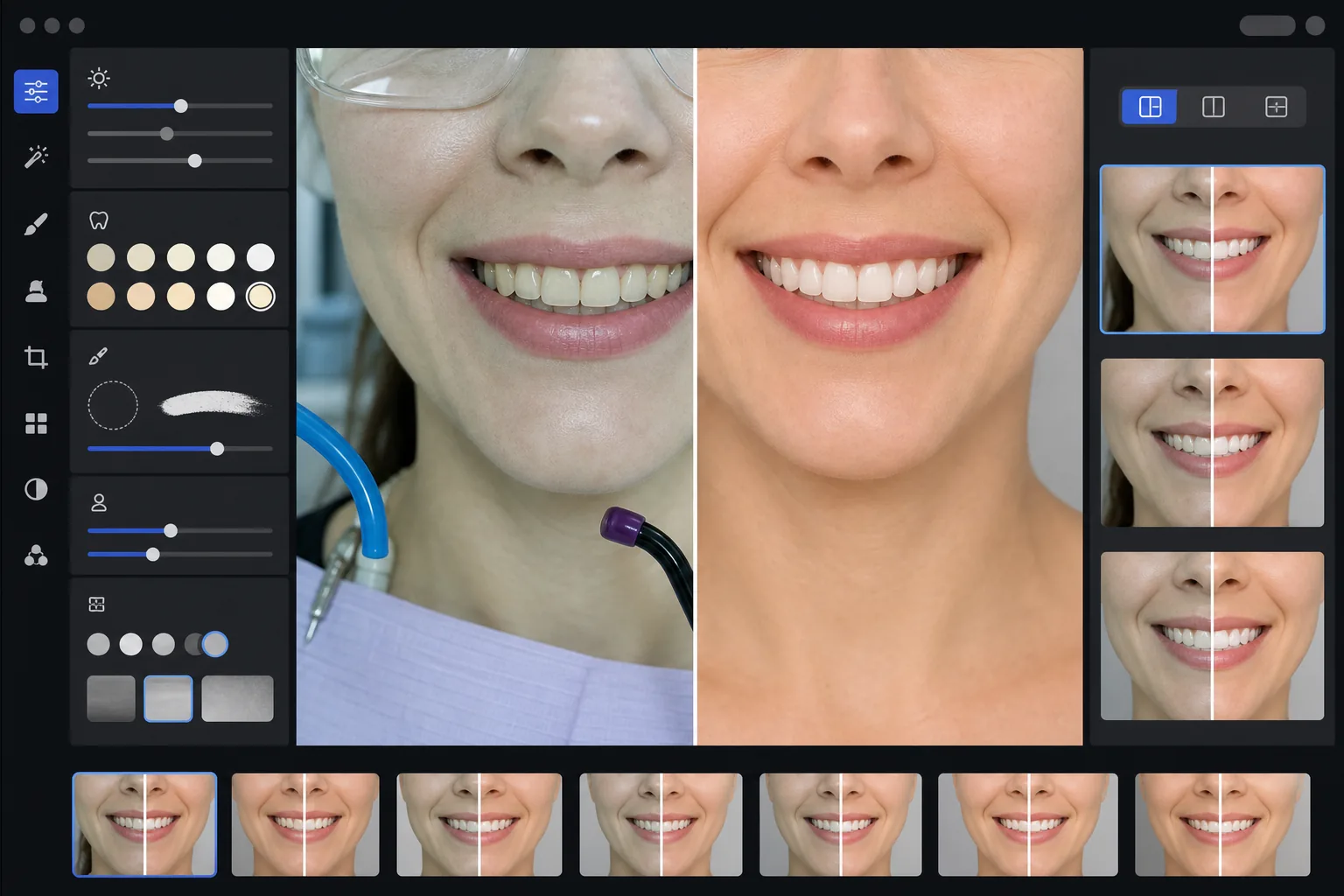
创建专业的牙科营销前后对比图,展示您诊所的工作成果。此模板应用看起来自然的牙齿美白,去除杂乱的临床背景,统一患者肖像背景,并平衡诊室照片中常见的刺眼顶光。
免费试用此模板Professional template preview
此模板的功能
将临床牙科照片转化为精美的营销图像,用于诊所网站、社交媒体和患者教育资料。AI Enhance 可校正牙科诊室照明那种不讨喜的绿白色调,并应用看起来自然的细微牙齿美白——将牙齿提亮 2-3 个色阶,同时不显得人工。Magic Eraser 可去除临床背景元素,如吸引管、固化灯、唇上的咬合纸印迹以及防护眼镜。患者肖像背景会被统一为干净、一致的背景,贯穿您的整个病例图库。
模板设置
| 牙齿美白 | 自然提亮 +2 至 +3 个色阶(保留半透明感和牙釉质纹理) |
| 照明校正 | 牙科诊室日光平衡(去除绿白色临床色调) |
| 背景 | 一致的中性灰色或白色背景,带柔和暗角 |
| 肤色 | 口周暖色校正(减少牙科照明造成的苍白感) |
| 唇色 | 自然饱和度恢复(抵消被冲淡的临床照明) |
如何使用此模板
上传临床照片
上传微笑特写、肖像风格的前后对比照片或在诊室拍摄的口内图像。此模板适用于牙科专用相机、配备环形闪光灯的单反相机以及在诊室照明下用智能手机拍摄的照片。
校正临床照明
AI Enhance 可中和头顶牙科治疗椅灯的绿白色调,温暖口周肤色,并恢复自然的唇色。牙齿颜色会被细微提亮,在保持真实和诚实的同时以最佳状态展示效果。
清理背景和干扰物
Magic Eraser 可去除可见的软管、固化灯头、围兜夹、唇上的咬合纸污渍以及背景中的临床设备。背景将被替换为一致的中性背景,与您所有的前后对比组相匹配。
导出用于营销
下载单张增强图像或并排的前后对比合成图。输出尺寸适用于网站图库、Instagram 帖子、Google Business Profile 以及印刷的患者宣传册,分辨率适合 8x10 英寸打印。
获得最佳效果的专业提示
- ✓对于前后对比组,请从相同的角度、距离和照明位置拍摄治疗前和治疗后的图像。此模板可校正两者之间的曝光差异,但匹配原始相机角度才能产生最具说服力的对比。
- ✓牙齿美白刻意保持保守——它提亮 2-3 个 vita 色阶,而不是把牙齿弄得纸一样白。这对潜在患者来说看起来更自然、更可信。如果您实际的临床效果很显著,带有轻微增强的诚实照片比过度处理的图像更有说服力。
- ✓口内微笑拍摄时使用颊部牵开器,以获得对牙科工作最完整的视图。此模板通过温暖肤色并裁剪聚焦于微笑区域来处理牵开器辅助照片那种略显临床的外观。
- ✓将整个病例图库一次性批量处理,以确保所有前后对比组的背景颜色、亮度和暖度一致。网站上各病例之间照明不一致会削弱专业印象。
常见问题
这是否被视为误导性的牙科广告?
+
美白增强限制在 2-3 个 vita 色阶,并保留牙釉质的自然半透明感和表面纹理。这完全在专业摄影照明和白平衡自然影响的范围之内。此模板不会改变牙齿形状、排列或牙龈轮廓——它只是校正临床照明那种不讨喜的颜色效果,这种效果会使照片中的结果看起来比本人更差。
这能创建并排的前后对比合成图吗?
+
可以。此模板可以输出单张增强图像,或生成带有中央分隔线、一致背景和前/后标签的并排合成图。该组中的两张图像都接受相同的背景处理,因此对比在视觉上干净且专业。
这适用于口内相机照片吗?
+
可以。口内相机图像通常具有非常刺眼的直接照明,会冲淡表面纹理。此模板可恢复牙釉质细节,校正极端的白色色调,并调整对比度以自然地展示牙齿解剖结构。结果比原始口内拍摄更具细节、更自然。
Related templates
More professional templates for your workflow.