
TemplateUse case: Professional
LinkedIn 专业头像
将任何光线充足的照片变成可直接用于 LinkedIn 的专业头像。干净的背景、自然的修饰,以及让个人资料浏览量提升 14 倍的精致呈现。
免费试用此模板Professional template preview
此模板的作用
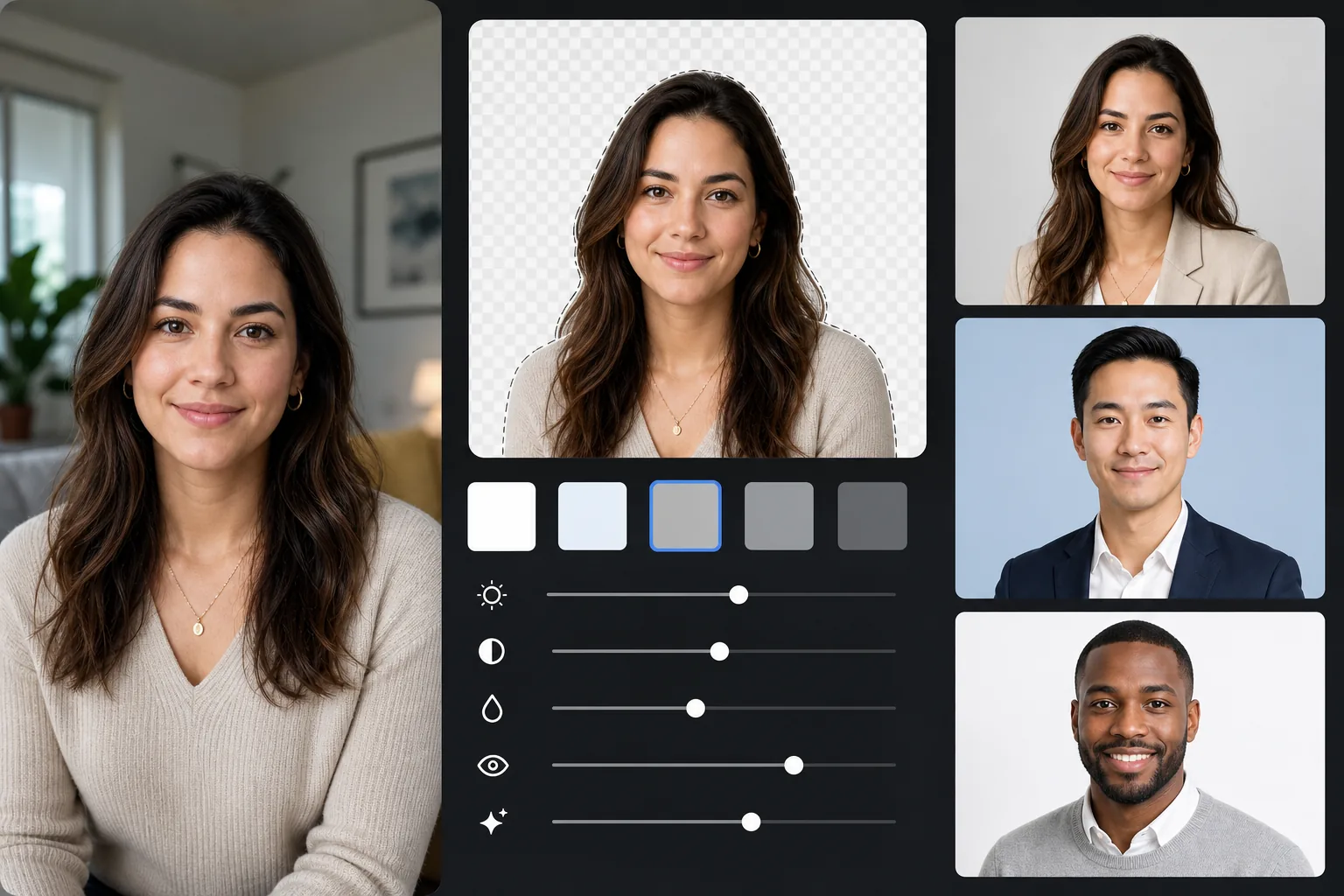
将任何背景替换为专业纯色(浅灰、柔和蓝或白色),应用自然的皮肤和光线修饰,并以 LinkedIn 推荐的尺寸导出。效果就像一次影棚头像拍摄。
模板设置
| 背景 | 浅灰 (#E8E8E8) — 专业标准 |
| 输出尺寸 | 800×800px(LinkedIn 推荐) |
| 修饰 | 自然肤色、均匀光线、清晰双眼 |
| 裁剪 | 头肩部,面部位于上三分之一 |
| 文件格式 | JPEG(95% 质量) |
如何使用此模板
1
拍摄你的照片
站在窗边以获得自然光。穿适合面试的服装。让别人在大约 4 英尺外、与眼睛齐平的高度拍摄,取景为肩部以上。
2
去除背景
Background Eraser 将任何环境替换为干净的专业灰色。AI 会精确保留你的发丝轮廓、衣物边缘和自然的身体轮廓。
3
自然修饰
AI Enhance 让你整张脸的光线更均匀,校正室内偏色以呈现自然肤色,并锐化你的双眼——任何头像的焦点所在。
4
为 LinkedIn 导出
以 800×800px 下载用于 LinkedIn 个人资料。同一来源可导出为其他尺寸:400×400 用于 LinkedIn 缩略图,全分辨率用于简历或打印。
获得最佳效果的专业技巧
- ✓眼神放松、带着真诚的浅笑会显得亲切自信——这是 LinkedIn 的理想表情。
- ✓穿与灰色背景形成对比的颜色:藏青、深绿、酒红或黑色都很合适。
- ✓至少拍 20 张——你需要一张表情自然、双眼完全清晰的照片。
- ✓为保持品牌一致性,应在 LinkedIn、简历和所有专业资料上使用同一张头像。
常见问题
哪种背景色最适合 LinkedIn?
+
浅灰 (#E8E8E8) 是最普遍专业的选择。柔和蓝为企业职位传递信任感。白色干净,但可能让较浅的肤色显得苍白。这三种颜色此模板均可使用。
看起来会像专业影棚照片吗?
+
有良好的自然光和真诚的表情,经 AI 修饰的效果在视觉上与影棚头像难以区分。背景替换、光线校正和细腻的皮肤修饰再现了专业摄影师所能呈现的效果。
我可以将它用于其他专业资料吗?
+
可以。同一模板适用于公司简介、会议演讲者页面、作者照片,以及任何需要专业头像的平台。为每个平台导出不同尺寸即可。
Related templates
More professional templates for your workflow.