
The Inpaint Alternative That's Free and Does More
将 Magic Eraser 与 Inpaint 进行对比。并排查看功能、价格和易用性。了解为什么 Magic Eraser 是 AI 照片编辑的更好选择。
Last updated
免费试用 Magic EraserComparison rows are editorial summaries from the latest page review, not a guarantee of current pricing, limits, watermark policy, batch support, speed, or platform availability.
概览
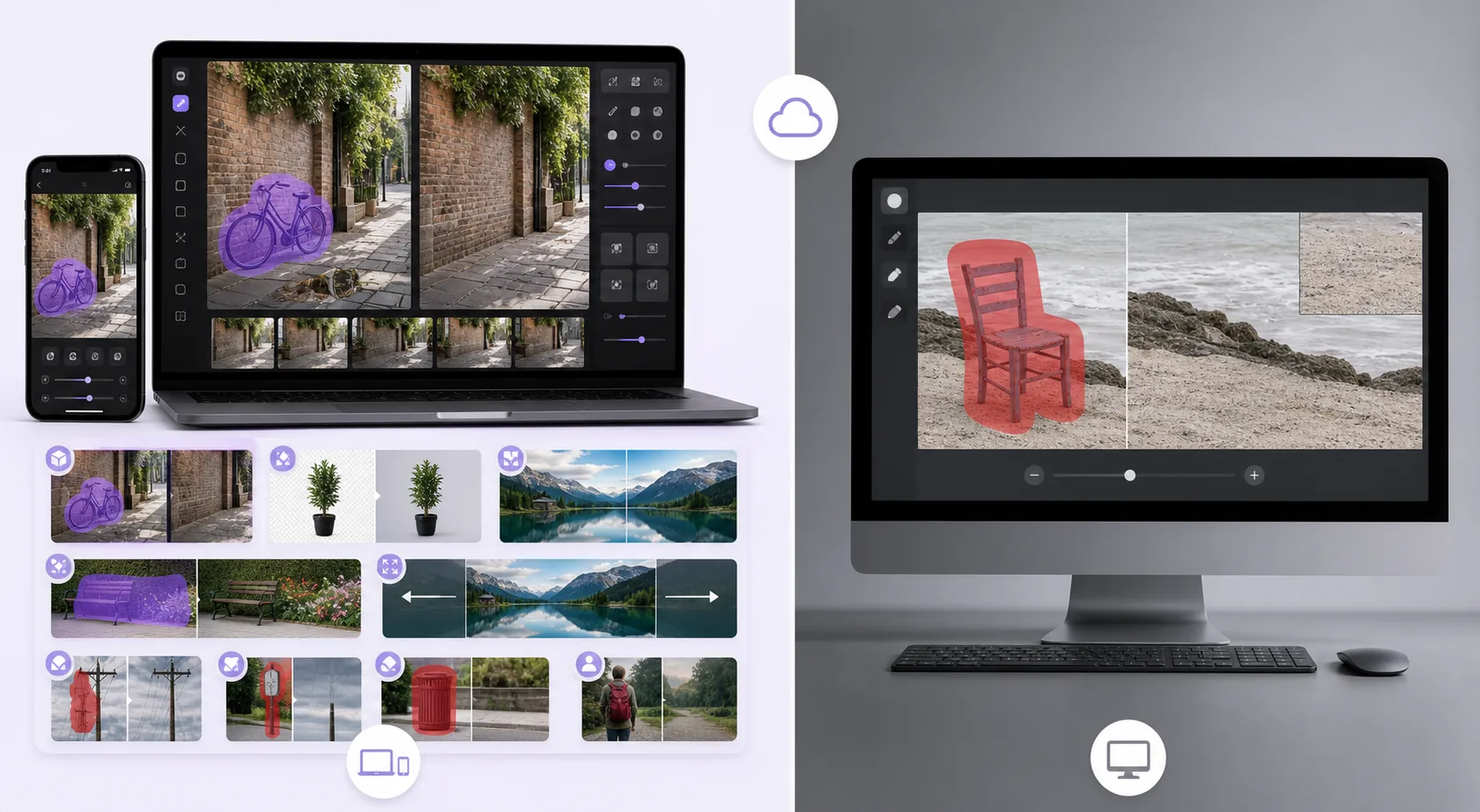
Magic Eraser 是一款免费的网页版 AI 照片编辑器,提供物体移除、背景去除、照片增强、图像扩展、AI 填充、AI 滤镜和批量处理功能。支持任何有浏览器的设备,无需安装。
Inpaint is a focused object-removal tool available as desktop software (Windows/macOS) and an online version. It removes objects, people, and watermarks with a marker-based workflow, but it's single-purpose, and the online version uses a per-image credit/purchase model rather than a free tier.
功能对比
Magic Eraser 是一款免费的网页版 AI 照片编辑器,提供物体移除、背景去除、照片增强、图像扩展、AI 填充、AI 滤镜和批量处理功能。支持任何有浏览器的设备,无需安装。
Inpaint is a focused object-removal tool available as desktop software (Windows/macOS) and an online version. It removes objects, people, and watermarks with a marker-based workflow, but it's single-purpose, and the online version uses a per-image credit/purchase model rather than a free tier.
| Feature | Magic Eraser | Inpaint |
|---|---|---|
| Object removal | Yes — cloud AI + generative fill | Yes — patch-based |
| Background removal | Yes | No |
| AI enhancement / upscale | Yes | No |
| Generative fill | Yes | No |
| Task-specific tools (130+) | Yes — emoji, watermark, sticker, etc. | No — general remover |
| Web + mobile apps | Yes — web, iOS, Android | Desktop + web (no native apps) |
| Pricing model | Free tier, sign-in required | Desktop license / per-image online credits |
| Best for | All-in-one AI editing, free | One-off desktop object removal |
Feature rows summarize visible product positioning and should be rechecked against official product pages before purchase, migration, or compliance decisions.
- Last content review June 21, 2026
- Inpaint source: official product site (https://theinpaint.com/)
- Magic Eraser source: https://magiceraser.live/zh/product/magic-eraser
- Pricing, feature availability, platform support, and limits can change; recheck official sources before relying on a buying decision.
Magic Eraser 的优势
Free with no per-image credits
Inpaint's desktop app is a paid license and its online version charges per image. Magic Eraser's object removal is free with sign-in required and no per-image cost — you only upgrade if you want batch processing and higher limits.
Generative reconstruction, not just patching
Inpaint fills a removed area largely by sampling surrounding pixels. Magic Eraser's generative-fill AI understands scene content and rebuilds complex structures — brick, foliage, faces behind overlays — more convincingly on hard backgrounds.
A full toolkit, not one tool
Inpaint only removes. Magic Eraser adds background removal, enhancement, upscaling, generative fill, and 130+ dedicated removers (emoji, watermark, sticker, date stamp), so you handle the whole edit in one place.
Works everywhere, instantly
Inpaint's full capability is the desktop install; the web version is credit-gated. Magic Eraser runs free in any browser plus native iOS and Android apps — no install, no license, no credits to start.
常见问题
Magic Eraser 是免费的吗?
+
是的,Magic Eraser 让您可以立即免费编辑照片。无需注册或安装。您可以升级到 Pro 计划获取无限处理量。
Magic Eraser 与 Inpaint 相比如何?
+
Magic Eraser 将 8 种 AI 工具集成在一个平台上——物体移除、背景去除、增强、扩展、AI 填充、AI 滤镜、AI 图像生成和设计。与 Inpaint 相比,Magic Eraser 无需安装软件即可提供更多功能。
Magic Eraser 支持手机使用吗?
+
是的,Magic Eraser 可在 iOS、Android 和网页上使用。您可以在设备之间无缝切换。
需要创建账户吗?
+
不需要,您可以立即开始编辑,无需创建账户。只需打开浏览器即可开始。
相关使用场景
了解专业人士如何在实际工作流程中使用这些工具。
其他对比
了解Magic Eraser与其他照片编辑工具的对比。
两款各具优势的强大AI照片编辑器。Magic Eraser提供更广泛的生成式AI工具集,而Photoroom在电商产品摄影和批量处理方面表现出色。看看哪款更适合您的工作流程。
我们测试并对比了顶级AI照片编辑工具。从物体移除到背景替换,看看哪个编辑器能为你的工作流程提供最佳效果。
Pixlr 为用户提供经典的、基于浏览器的编辑环境,带有图层和特效。Magic Eraser 则专注于 AI 优先的清理、增强和背景处理,适合希望在没有完整编辑界面的情况下也能获得精致效果的用户。
Adobe Photoshop 功能强大,但大多数人只用到了它的一小部分功能。Magic Eraser 为你提供真正需要的照片清理工具 — 物体移除、背景移除、AI 增强和生成式填充 — 界面更简洁,可在网页和移动端使用,起步无需任何订阅。
remove.bg 擅长一件事:移除背景。Magic Eraser 在移除背景方面同样出色,除此之外还能擦除不需要的物体、增强画质、用 AI 填补缺失区域,并处理您的完整照片编辑工作流——全部在一个平台内完成。
Tried to remove an object or background and hit a Pro paywall in Canva, Adobe Express/Photoshop, or Fotor? Magic Eraser does the same job — object removal, background removal, watermark cleanup, and enhancement — for free. No subscription, and no watermark stamped on your download.