
Best Free Photo Erasers in 2026: 7 Tools Ranked on What's Actually Free
发现最佳Free Photo Erasers用于照片编辑。我们比较了功能、价格和 AI 能力,帮助您选择合适的工具。
Last updated
免费试用 Magic EraserComparison rows are editorial summaries from the latest page review, not a guarantee of current pricing, limits, watermark policy, batch support, speed, or platform availability.
概览
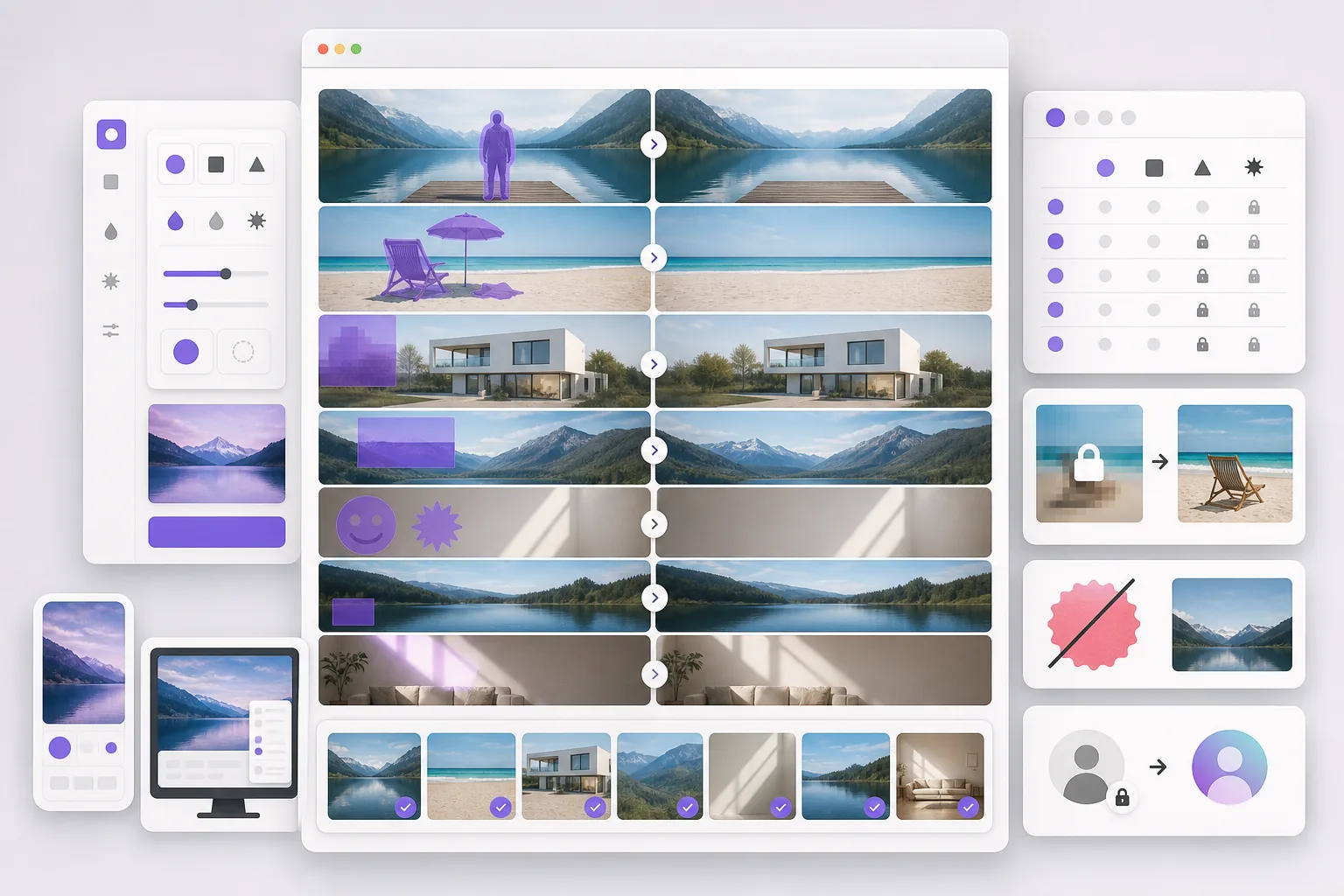
Magic Eraser 是一款免费的网页版 AI 照片编辑器,提供物体移除、背景去除、照片增强、图像扩展、AI 填充、AI 滤镜和批量处理功能。支持任何有浏览器的设备,无需安装。
Most "free" photo erasers attach a catch: a watermark on the export, a reduced-resolution download, a daily cap that triggers fast, or a required account before you can save. The category ranges from simple single-task web erasers to design suites where erasing is one paywalled feature.
功能对比
Magic Eraser 是一款免费的网页版 AI 照片编辑器,提供物体移除、背景去除、照片增强、图像扩展、AI 填充、AI 滤镜和批量处理功能。支持任何有浏览器的设备,无需安装。
Most "free" photo erasers attach a catch: a watermark on the export, a reduced-resolution download, a daily cap that triggers fast, or a required account before you can save. The category ranges from simple single-task web erasers to design suites where erasing is one paywalled feature.
| Feature | Magic Eraser | Others |
|---|---|---|
| Magic Eraser | Free to start after sign-in, no watermark | |
| Cleanup.pictures | Free, but low-res export free tier | |
| Snapedit | Free web tier, watermark/cap | |
| Photoroom | Free tier, watermark on some exports | |
| Fotor | Free tier, many tools Pro-gated | |
| Pixelcut | Free tier, Pro for full res | |
| Adobe Express | Free tier, Firefly credits paywall | |
| No watermark on result | Yes | Varies — several watermark |
| Sign-in required to start | Yes | Several require an account |
| Works on any device | Yes — web + iOS + Android | Varies |
Feature rows summarize visible product positioning and should be rechecked against official product pages before purchase, migration, or compliance decisions.
- Last content review June 21, 2026
- Magic Eraser source: https://magiceraser.live/zh/product/magic-eraser
- Pricing, feature availability, platform support, and limits can change; recheck official sources before relying on a buying decision.
Magic Eraser 的优势
Free that stays free
No watermark on the output, sign-in required wall before you export, and a free tier that covers real everyday use. Many "free" erasers only reveal the watermark or resolution cap after you've done the work.
Not one eraser — 130+ removal tools
Most free erasers do one thing. Magic Eraser removes objects, people, backgrounds, watermarks, emoji, stickers, date stamps, glare, and more, each with a dedicated tool — all on the free tier.
Generative fill, not just deletion
Free erasers that only sample nearby pixels leave smears on complex backgrounds. Magic Eraser's generative fill reconstructs what was behind the object, so free results look clean, not patched.
No install, any device
Runs free in any browser plus native iOS and Android apps. No desktop license like GIMP or Photoshop, no platform lock-in like a phone-only feature.
常见问题
Magic Eraser 是免费的吗?
+
是的,Magic Eraser 让您可以立即免费编辑照片。无需注册或安装。您可以升级到 Pro 计划获取无限处理量。
Magic Eraser 与 Free Photo Erasers 相比如何?
+
Magic Eraser 将 8 种 AI 工具集成在一个平台上——物体移除、背景去除、增强、扩展、AI 填充、AI 滤镜、AI 图像生成和设计。与 Free Photo Erasers 相比,Magic Eraser 无需安装软件即可提供更多功能。
Magic Eraser 支持手机使用吗?
+
是的,Magic Eraser 可在 iOS、Android 和网页上使用。您可以在设备之间无缝切换。
需要创建账户吗?
+
不需要,您可以立即开始编辑,无需创建账户。只需打开浏览器即可开始。
相关使用场景
了解专业人士如何在实际工作流程中使用这些工具。
其他对比
了解Magic Eraser与其他照片编辑工具的对比。
TouchRetouch是一款热门的付费移动应用,专注于移除物体和瑕疵。Magic Eraser提供免费的AI编辑功能,无需安装即可在任何设备上使用。比较功能、价格和易用性。
Cleanup.pictures是一款免费的网页端快速物体移除工具。Magic Eraser提供8种AI编辑工具、移动应用和高级处理能力。查看详细对比。
两款各具优势的强大AI照片编辑器。Magic Eraser提供更广泛的生成式AI工具集,而Photoroom在电商产品摄影和批量处理方面表现出色。看看哪款更适合您的工作流程。
我们测试并对比了顶级AI照片编辑工具。从物体移除到背景替换,看看哪个编辑器能为你的工作流程提供最佳效果。
Photoshop 是深度图像编辑的行业标准,但许多人只需要快速移除对象、干净的背景和 AI 驱动的修正。Magic Eraser 专注于这些任务,以更轻量的工作流在网页和移动端几秒内完成。
Canva 在排版和社交图形方面表现出色,但许多用户需要更快的对象移除、更干净的背景编辑以及更强大的 AI 照片工具。本对比展示了在以图像为先的工作流中,Magic Eraser 更适合的地方。