
Magic Eraser vs Canva:哪款编辑器更适合照片清理?
Canva 在排版和社交图形方面表现出色,但许多用户需要更快的对象移除、更干净的背景编辑以及更强大的 AI 照片工具。本对比展示了在以图像为先的工作流中,Magic Eraser 更适合的地方。
Last updated
免费试用 Magic EraserComparison rows are editorial summaries from the latest page review, not a guarantee of current pricing, limits, watermark policy, batch support, speed, or platform availability.
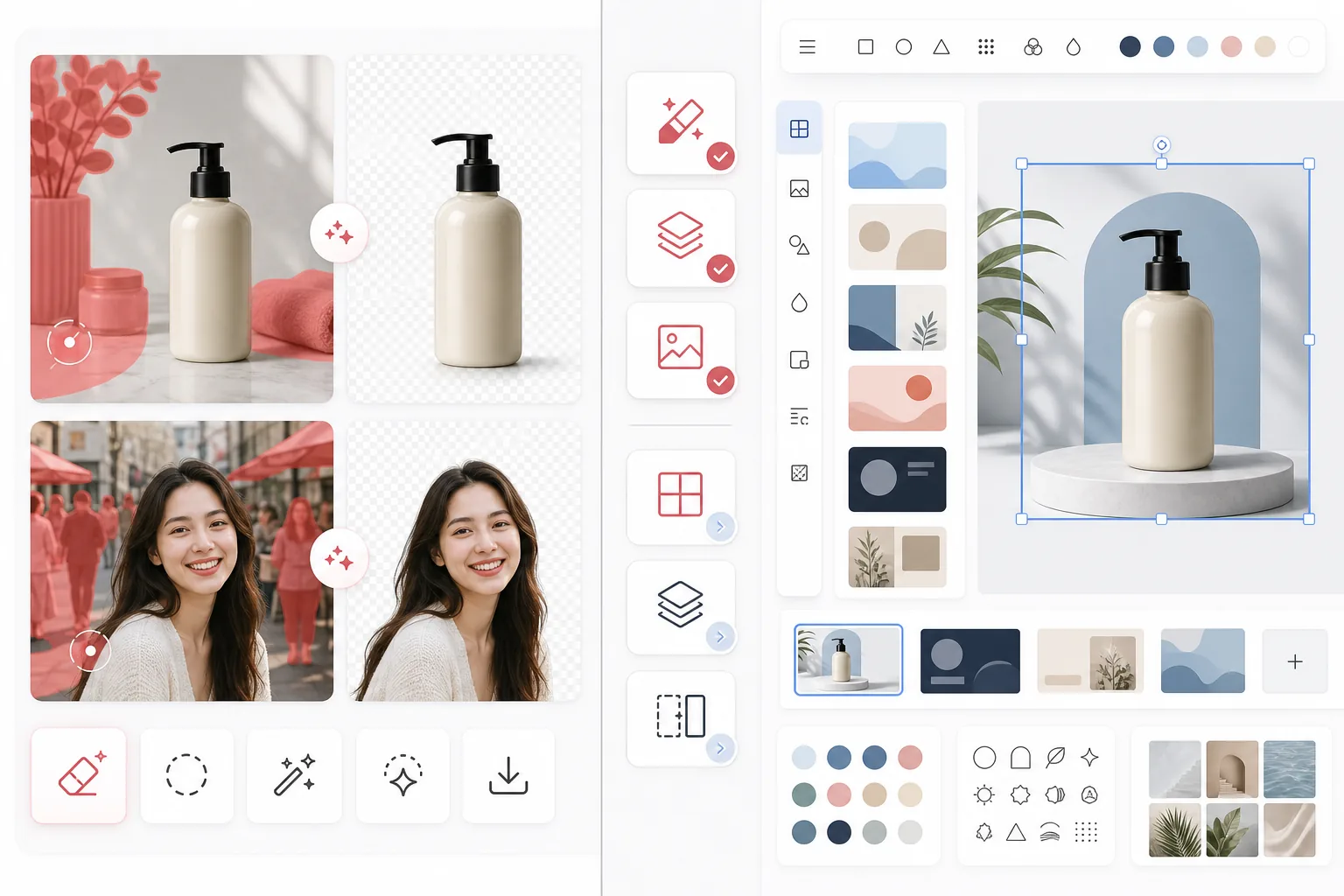
概览
Magic Eraser 专注于 AI 照片编辑任务,例如对象移除、背景清理、图像增强、生成式填充以及在网页和移动端上的快速编辑。
Canva 是一个广泛的设计平台,专为演示文稿、社交帖子、营销素材和模板而构建。它包含一些照片编辑工具,但这些工具是更大设计工作流的一部分。
功能对比
Magic Eraser 专注于 AI 照片编辑任务,例如对象移除、背景清理、图像增强、生成式填充以及在网页和移动端上的快速编辑。
Canva 是一个广泛的设计平台,专为演示文稿、社交帖子、营销素材和模板而构建。它包含一些照片编辑工具,但这些工具是更大设计工作流的一部分。
| Feature | Magic Eraser | Canva |
|---|---|---|
| 对象移除 | 是 — 专用 AI 工具 | 有限 |
| 背景移除 | 是 — 核心功能 | 是 — 通常需 Pro |
| 图像增强 | 是 | 基础 |
| 设计模板 | 否 | 是 — 非常丰富 |
| 生成式填充 | 是 | 有限 |
| 最佳工作流 | 照片清理 | 平面设计 |
| 平台 | Web + iOS + Android | Web + iOS + Android |
| 首次编辑用时 | 非常快 | 取决于设计流程 |
Feature rows summarize visible product positioning and should be rechecked against official product pages before purchase, migration, or compliance decisions.
- Last content review May 1, 2026
- Canva source: official product site (https://www.canva.com/)
- Magic Eraser source: https://magiceraser.live/zh/product/magic-eraser
- Pricing, feature availability, platform support, and limits can change; recheck official sources before relying on a buying decision.
价格对比
| Plan | Magic Eraser | Canva |
|---|---|---|
| 免费版 | 免费 — 编辑受限 | 免费 — 基础功能 |
| 按月 | $9.99/mo | $14.99/mo (Pro) |
| 按年 | $4.99/mo(按年计费) | $12.99/mo(Pro,按年计费) |
价格截至 May 2026。请向各提供商核实当前费率。
Pricing rows are snapshots from review time. Free tiers, subscriptions, trials, export limits, and regional availability can change without notice.
- Last content review May 1, 2026
- Canva source: official product site (https://www.canva.com/)
- Magic Eraser source: https://magiceraser.live/zh/product/magic-eraser
- Pricing, feature availability, platform support, and limits can change; recheck official sources before relying on a buying decision.
为何选择 Magic Eraser
专为照片编辑而打造
Magic Eraser 把编辑操作放在首位。在清理照片之前,你无需进入设计画布、选择布局或浏览模板控件。
更强大的清理工作流
在移除人物、文字、电线、杂物和杂乱背景方面,Magic Eraser 提供比 Canva 更广泛的多用途编辑器更直接、更一致的 AI 编辑流程。
更适合图像密集型团队
处理大量照片的卖家、营销人员、创作者和代理机构往往更看重清理速度而非模板的多样性。Magic Eraser 针对这一使用场景进行了优化。
更顺畅地交接到创意生产
许多团队先使用 Magic Eraser 准备精修的图像素材,然后将这些素材带入 Canva 或其他设计工具进行最终的排版工作。
常见问题
在背景移除方面,Magic Eraser 比 Canva 更好吗?
+
对于专门的背景清理和以图像为先的工作流,Magic Eraser 通常是更快的选择。如果你还需要立即把图像变成一个设计好的素材,那么 Canva 更合适。
Canva 可以从照片中移除对象吗?
+
Canva 包含一些编辑工具,但 Magic Eraser 更专注于可靠的 AI 对象移除和精细的清理任务。
我应该同时使用这两款工具吗?
+
是的。许多团队使用 Magic Eraser 清理图像,然后将最终素材转入 Canva 用于演示文稿、广告、社交图形和基于模板的设计工作。
哪款工具更适合电商产品图像?
+
Magic Eraser 通常更适合电商照片清理,因为移除干扰元素和分离产品正是它的核心工作流。
Magic Eraser 支持移动端编辑吗?
+
是的。Magic Eraser 可在 iOS、Android 和网页上运行,因此你可以从任何设备进行编辑。
相关使用场景
了解专业人士如何在实际工作流程中使用这些工具。
其他对比
了解Magic Eraser与其他照片编辑工具的对比。
我们测试并对比了顶级AI照片编辑工具。从物体移除到背景替换,看看哪个编辑器能为你的工作流程提供最佳效果。
PhotoRoom 专注于背景移除和产品摄影模板。Magic Eraser 不仅具备这些功能,还增加了强大的 AI 工具,可用于物体移除、图像增强、生成式填充和创意设计——在网页和移动端为你提供更强的编辑能力。
Canva 是一个多功能的设计平台,但其照片编辑工具相对于其设计核心而言只是次要功能。Magic Eraser 专为 AI 驱动的照片编辑而打造,为需要专业照片清理工具的用户提供更出色的物体移除、背景移除、图像增强和生成式填充。
我们从抠除质量、替换选项、创意灵活性和易用性等方面测试了领先的 AI 背景生成器。看看哪款工具最容易为你的照片抠除、替换和生成新背景。
我们从质量、真实感、定制化和性价比等方面测试了顶级 AI 头像生成器。无论您需要 LinkedIn 头像、团队照片还是专业肖像,看看哪款工具能带来最佳效果。
TouchRetouch是一款热门的付费移动应用,专注于移除物体和瑕疵。Magic Eraser提供免费的AI编辑功能,无需安装即可在任何设备上使用。比较功能、价格和易用性。