
Remove Emoji Stickers From a TikTok Video Frame
Tìm hiểu cách Xóa emoji khỏi khung hình TikTok với Magic Eraser. Hướng dẫn từng bước đơn giản với công cụ AI miễn phí. Hoạt động trên web, iOS và Android.
Last updated
Thử ngay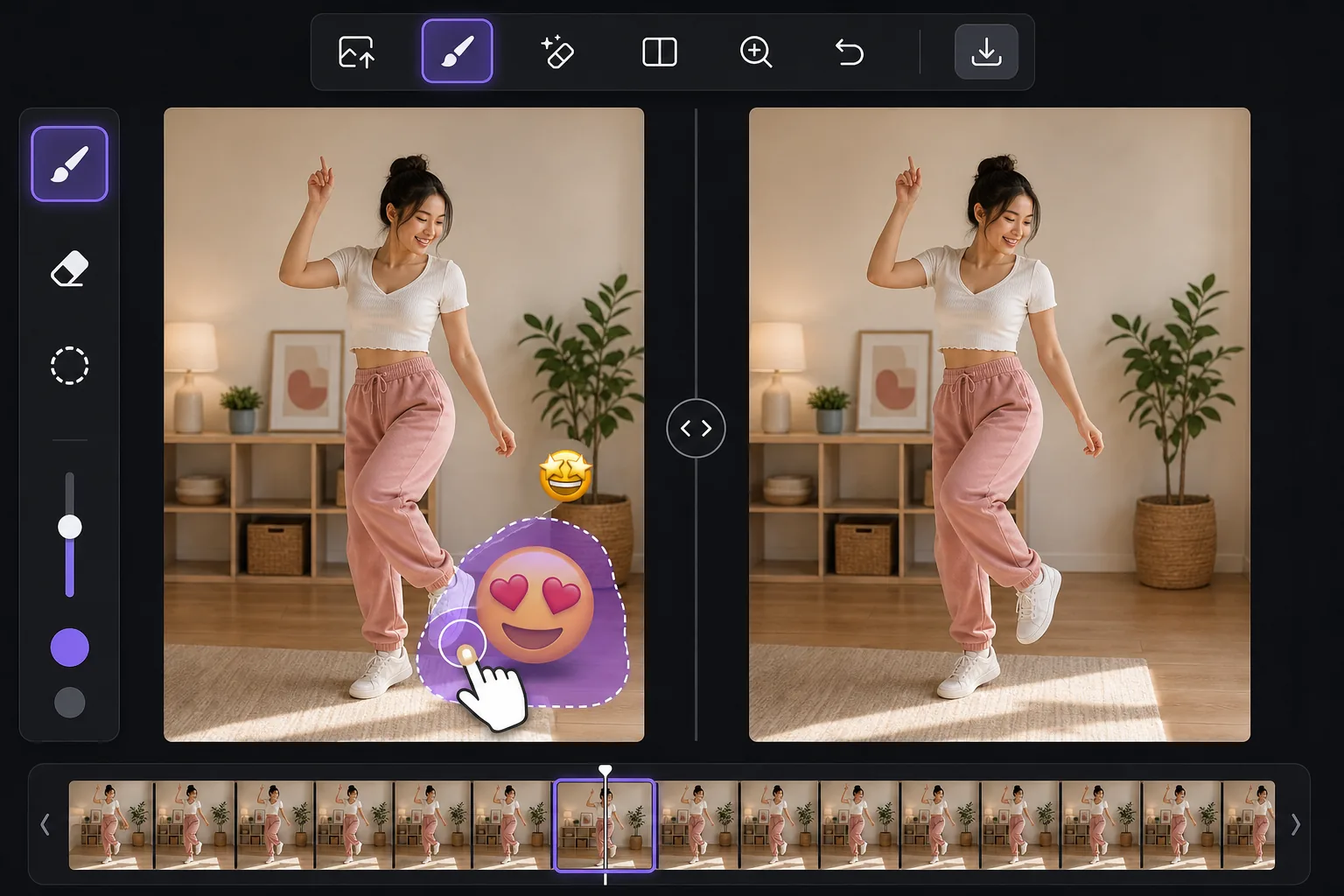
Clean up the still, not the whole video với Magic Eraser
TikTok lets creators slap emoji stickers anywhere on a clip, and they often land over a face, a product, a price tag, or the corner of the shot you actually wanted. You can't peel a sticker off a video the app already baked in, but you can work from a single frame. Take a screenshot mid-playback, or export the frame from your camera roll, and you have a clean still image to edit. Magic Eraser is an AI photo editor for exactly this: brush over the emoji on that TikTok frame and its inpainting model removes the sticker and synthesizes a plausible reconstruction of whatever was behind it. Be clear on what that means — the AI invents a believable fill based on surrounding pixels. If a smiling-face emoji was covering someone's eyes, the result is a convincing guess, not the real hidden face. It's perfect for tidying up backgrounds, walls, skies, and textures behind a sticker, less reliable for recovering fine detail that was never visible.
Before you start
Hướng dẫn từng bước
Start with tải ảnh lên. The result preview above and tips below use this guide's existing content; no separate before-and-after proof is assumed.
- 1
Tải ảnh lên
Mở Magic Eraser trên web, iOS hoặc Android. Kéo thả ảnh JPEG, PNG, HEIC hoặc WebP vào. Không cần tài khoản để bắt đầu.
- 2
Chọn công cụ và vùng cần xử lý
Chọn công cụ phù hợp và đánh dấu vùng cần xử lý. AI sẽ tự động phân tích và thực hiện thay đổi trong vài giây.
- 3
Tải kết quả về
Xem trước kết quả và tải ảnh đã chỉnh sửa về. Xuất dưới dạng PNG hoặc JPEG với chất lượng cao.
Phù hợp nhất cho
- A reaction emoji landed over a face or product in a TikTok you screenshotted and want to repost as a clean still
- Pulling a thumbnail or cover image from a TikTok frame without the creator's emoji clutter
- Saving a recipe, outfit, or DIY frame where an emoji sticker blocks the detail you needed
- Cleaning a TikTok screenshot before adding it to a moodboard, blog post, or slide
- Removing a watermark-style emoji someone stamped across the corner of an exported frame
Mẹo để có kết quả tốt nhất
Grab the highest-resolution frame you can — a full-screen screenshot beats a tiny preview, and more pixels give the AI more to work with. Crop away the TikTok interface first so the model isn't tempted to rebuild text or icons. Emoji over flat areas like a wall, sky, or solid shirt fill almost invisibly; emoji over a busy face or detailed texture take more passes and may need a touch-up brush. If a sticker overlaps the edge of the frame, expand your brush slightly past the border so the fill blends. And remember the honest limit: the tool reconstructs a likely background, it does not reveal the literal pixels the emoji was hiding.
Câu hỏi thường gặp
- Tính năng Xóa emoji khỏi khung hình TikTok có miễn phí không?
- Có, Magic Eraser cho phép bạn Xóa emoji khỏi khung hình TikTok miễn phí với giới hạn hàng ngày. Nâng cấp lên Pro để xử lý không giới hạn và xuất chất lượng cao.
- Xóa emoji khỏi khung hình TikTok mất bao lâu?
- Chỉ mất vài giây. AI của Magic Eraser xử lý ảnh nhanh chóng — hầu hết kết quả có ngay lập tức sau khi tải lên.
- Tôi có thể sử dụng trên điện thoại không?
- Có, Magic Eraser hoạt động trên iOS, Android và mọi trình duyệt web. Bạn có thể chuyển đổi giữa các thiết bị.
- Chất lượng ảnh có bị giảm không?
- Không, Magic Eraser duy trì chất lượng ảnh gốc. AI xử lý thông minh để giữ nguyên chi tiết và độ sắc nét.