
Remove Multiple Emojis From a Photo in One Pass
Узнайте, как Удалить несколько эмодзи с Magic Eraser. Простое пошаговое руководство с бесплатным AI-инструментом. Работает в браузере, на iOS и Android.
Last updated
Попробовать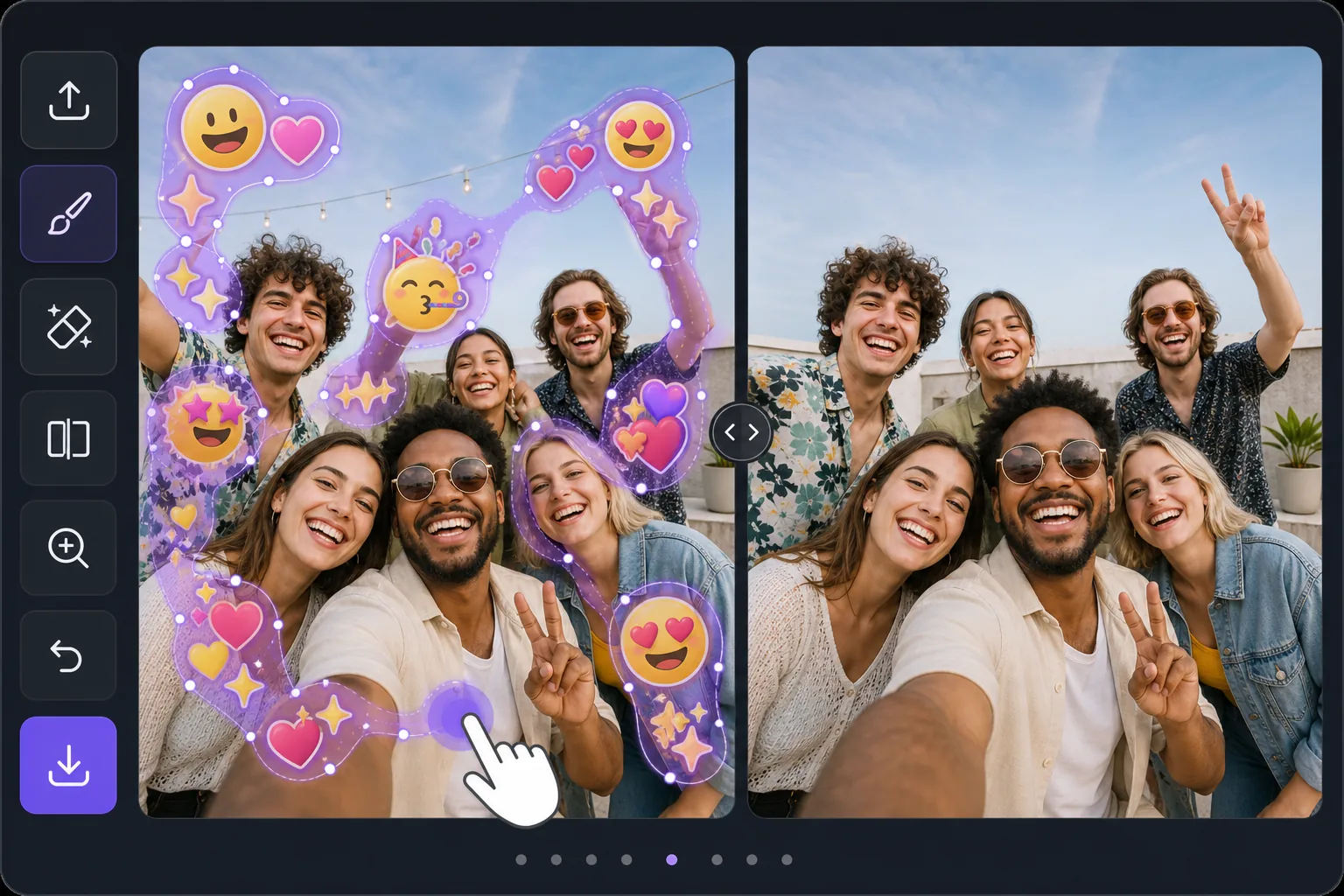
Batch-erase a photo covered in emojis — Magic Eraser
Some photos look like an emoji explosion: smiley faces, hearts, sparkles, and sticker packs piled across faces, backgrounds, and corners. Removing them individually means dozens of taps and re-renders. Magic Eraser is built for the opposite workflow — mark every emoji you want gone in one selection, then let the AI clear them together. Instead of treating each emoji as a separate job, you brush a continuous mask across the whole emoji-covered area, including overlapping stacks and scattered reactions, and process them in a single pass. The AI inpainting studies the surrounding pixels and synthesizes a believable fill for everything underneath at once, so textures like skin, sky, walls, and clothing flow naturally across the cleared zone. Be clear about what this does: it generates a plausible reconstruction of what was likely behind the emojis — it does not recover the literal original pixels or reveal any hidden face or identity. For a photo blanketed in emoji clutter, that one-pass batch approach is the fastest way from chaotic to clean.
Before you start
Пошаговая инструкция
Start with загрузите фото. The result preview above and tips below use this guide's existing content; no separate before-and-after proof is assumed.
- 1
Загрузите фото
Откройте Magic Eraser в браузере, на iOS или Android. Перетащите фото в формате JPEG, PNG, HEIC или WebP. Аккаунт не нужен.
- 2
Выберите инструмент и область
Выберите подходящий инструмент и укажите область обработки. AI автоматически проанализирует и применит изменения за секунды.
- 3
Скачайте результат
Просмотрите результат и скачайте отредактированное фото. Экспорт в высококачественном PNG или JPEG.
Лучше всего подходит для
- Group selfies or party photos plastered with friends' emoji and sticker reactions
- Screenshots where multiple emojis were stamped across faces and the background
- Memes or edits buried under sparkles, hearts, and laughing-face stacks
- Social posts covered in scattered emoji clutter you want cleared before reposting
- Cleaning up a single image with dozens of small emojis faster than erasing each one
Советы для лучших результатов
Work in passes rather than chasing perfection in one go. First, mask the dense clusters and overlapping emoji stacks — these benefit most from being inpainted together so the AI keeps the background consistent across them. Then do a second pass for the small, scattered emojis in corners and edges. Zoom in for emojis that overlap a face or fine detail; a tighter brush leaves more real pixels for the AI to reference, which yields a more believable reconstruction. If a large emoji covered a busy area like a crowd or patterned fabric, expect the fill to be a plausible approximation, not the exact hidden detail — it never restores a true hidden face or identity. For photos that are almost entirely emoji, sometimes a generous single mask over the whole covered zone reconstructs more cohesively than many small separate edits.
Часто задаваемые вопросы
- Функция Удалить несколько эмодзи бесплатна?
- Да, Magic Eraser позволяет Удалить несколько эмодзи бесплатно с ежедневными лимитами. Перейдите на Pro для безлимитной обработки и экспорта в высоком разрешении.
- Сколько времени занимает Удалить несколько эмодзи?
- Всего несколько секунд. AI Magic Eraser обрабатывает фото быстро — большинство результатов доступны сразу после загрузки.
- Можно ли использовать на телефоне?
- Да, Magic Eraser работает на iOS, Android и во всех веб-браузерах. Вы можете свободно переключаться между устройствами.
- Ухудшается ли качество изображения?
- Нет, Magic Eraser сохраняет исходное качество фото. AI обрабатывает интеллектуально, сохраняя детали и резкость.