
Remove the Background in GIMP — or Do It in 1 Click
Узнайте, как Remove the Background in GIMP — or Do It in 1 Click с Magic Eraser. Простое пошаговое руководство с бесплатным AI-инструментом. Работает в браузере, на iOS и Android.
Last updated
Попробовать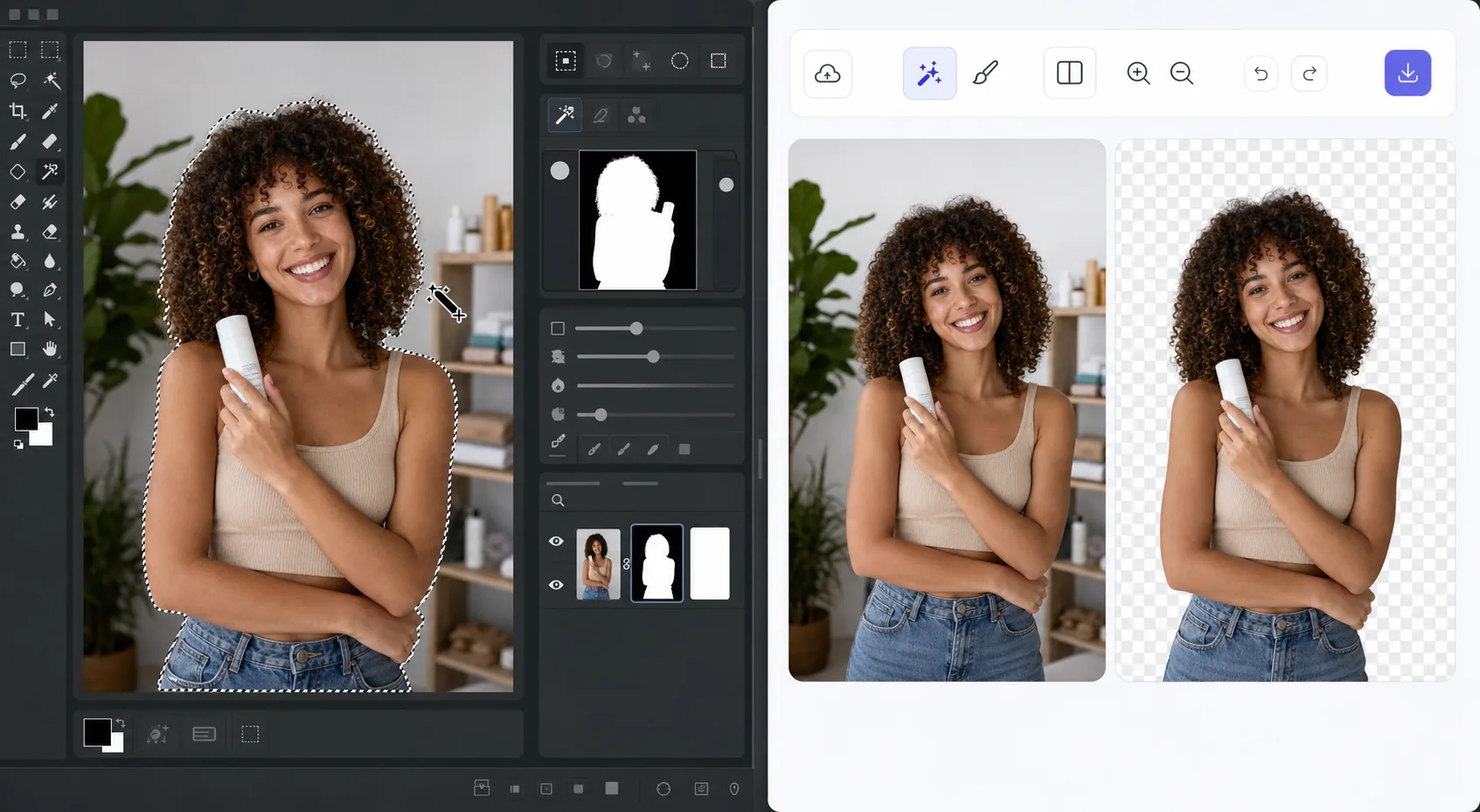
The GIMP method works — it just takes time — Magic Eraser
GIMP is a genuinely capable, free, open-source desktop editor, and removing a background in it is a well-trodden workflow. The usual route: open your image, add an alpha channel, then use the Fuzzy Select (magic wand) or Select by Color tool to grab the background. For clean, high-contrast edges you can often select and delete in a few clicks. For hair, fur, or busy backgrounds, you switch to a layer mask, paint with black to hide and white to reveal, and refine the edge by hand at high zoom. It's powerful and precise — but it's a learn-the-tools, manual process, and it lives on your desktop. If you just need a clean cutout fast, there's a shorter path that needs no install and runs on phone or browser.
Before you start
Пошаговая инструкция
Start with загрузите фото. The result preview above and tips below use this guide's existing content; no separate before-and-after proof is assumed.
- 1
Загрузите фото
Откройте Magic Eraser в браузере, на iOS или Android. Перетащите фото в формате JPEG, PNG, HEIC или WebP. Аккаунт не нужен.
- 2
Выберите инструмент и область
Выберите подходящий инструмент и укажите область обработки. AI автоматически проанализирует и применит изменения за секунды.
- 3
Скачайте результат
Просмотрите результат и скачайте отредактированное фото. Экспорт в высококачественном PNG или JPEG.
Лучше всего подходит для
- Product photos that need a clean white or transparent background for a store listing
- Profile pictures and headshots where you want the subject isolated fast
- Anyone without GIMP installed who needs a cutout right now in the browser
- Mobile editing on iOS or Android with no desktop software at hand
- Batch social and marketing images where per-image manual masking isn't worth the time
Советы для лучших результатов
Use whichever path fits the task. For maximum pixel-level control — compositing, tricky semi-transparent edges, or work you want to keep fully local and offline — GIMP's layer masks reward the effort and cost nothing. For speed and convenience on a clean subject, Magic Eraser's 1-click removal gets you there without the learning curve or the install. A useful workflow: get the fast cutout in Magic Eraser, then open it in GIMP only if you need fine compositing afterward.
Часто задаваемые вопросы
- Функция Remove the Background in GIMP — or Do It in 1 Click бесплатна?
- Да, Magic Eraser позволяет Remove the Background in GIMP — or Do It in 1 Click бесплатно с ежедневными лимитами. Перейдите на Pro для безлимитной обработки и экспорта в высоком разрешении.
- Сколько времени занимает Remove the Background in GIMP — or Do It in 1 Click?
- Всего несколько секунд. AI Magic Eraser обрабатывает фото быстро — большинство результатов доступны сразу после загрузки.
- Можно ли использовать на телефоне?
- Да, Magic Eraser работает на iOS, Android и во всех веб-браузерах. Вы можете свободно переключаться между устройствами.
- Ухудшается ли качество изображения?
- Нет, Magic Eraser сохраняет исходное качество фото. AI обрабатывает интеллектуально, сохраняя детали и резкость.