
Magic Eraser против Luminar Neo: какой ИИ-редактор лучше подходит для повседневной работы?
Luminar Neo мощен для десктопных фотографов, которым нужны глубокое улучшение и творческое управление. Magic Eraser создан для более быстрой очистки, более лёгких рабочих процессов и гибкого редактирования в вебе и на мобильных.
Last updated
Попробовать Magic Eraser бесплатноComparison rows are editorial summaries from the latest page review, not a guarantee of current pricing, limits, watermark policy, batch support, speed, or platform availability.
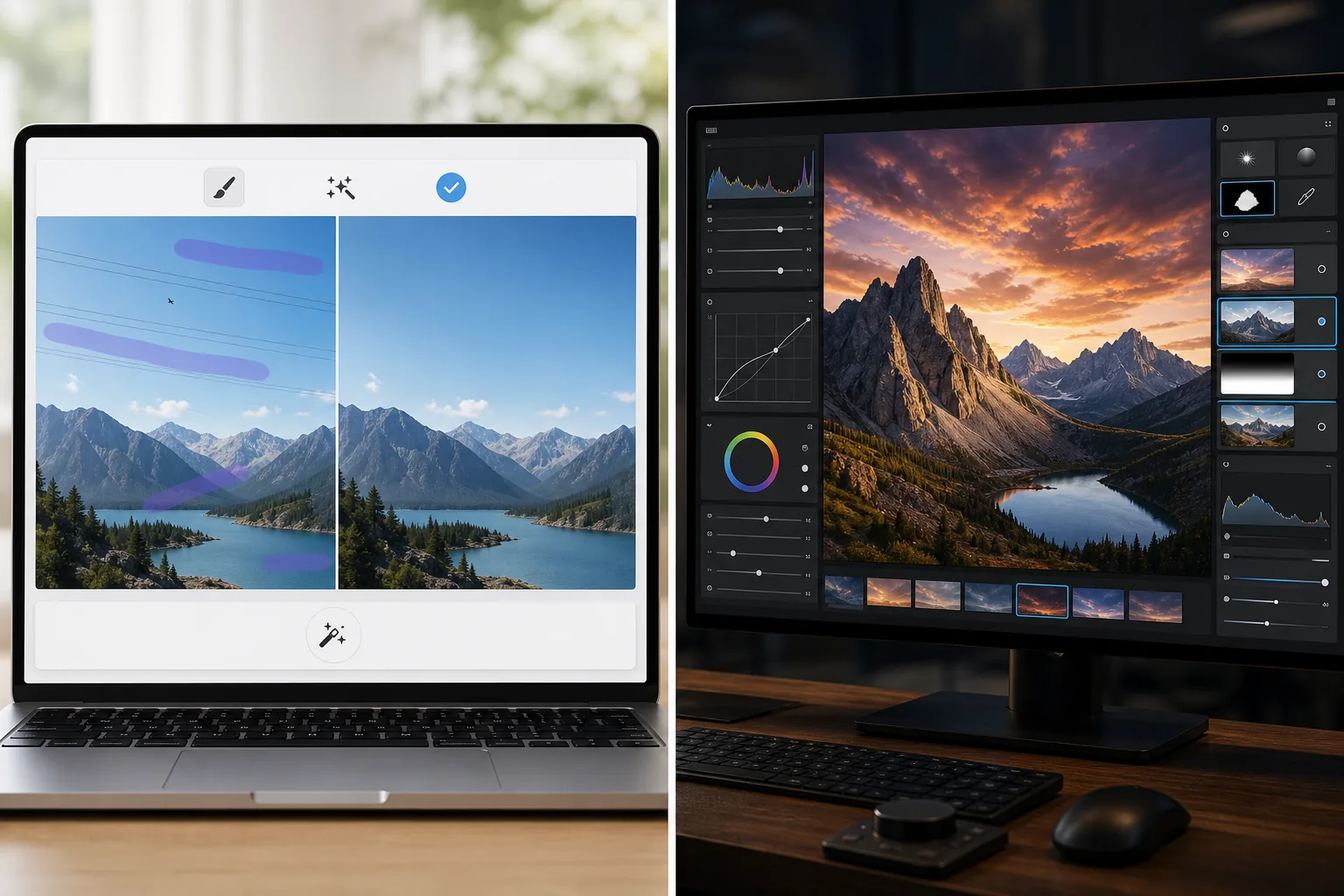
Обзор
Magic Eraser сосредоточен на практических задачах ИИ: удаление отвлекающих элементов, стирание фона, улучшение фотографий и быстрое создание отполированных визуалов с любого устройства.
Luminar Neo — это десктоп-ориентированный ИИ-фоторедактор с продвинутым улучшением, переосвещением, заменой неба, маскированием и творческим управлением, нацеленный на фотографов.
Сравнение функций
Magic Eraser сосредоточен на практических задачах ИИ: удаление отвлекающих элементов, стирание фона, улучшение фотографий и быстрое создание отполированных визуалов с любого устройства.
Luminar Neo — это десктоп-ориентированный ИИ-фоторедактор с продвинутым улучшением, переосвещением, заменой неба, маскированием и творческим управлением, нацеленный на фотографов.
| Feature | Magic Eraser | Luminar Neo |
|---|---|---|
| ИИ-удаление объектов | Да | Да |
| Удаление фона | Да | Ограничено |
| Творческое переосвещение | Нет | Да |
| Улучшение с помощью ИИ | Да | Да — продвинутое |
| Веб-редактирование | Да | Нет |
| Мобильный доступ | Да | Ограничен |
| Лучше всего для | Быстрых практических правок | Десктопных рабочих процессов фотографов |
| Сложность настройки | Низкая | От средней до высокой |
Feature rows summarize visible product positioning and should be rechecked against official product pages before purchase, migration, or compliance decisions.
- Last content review June 21, 2026
- Luminar Neo source: official product site (https://skylum.com/luminar)
- Magic Eraser source: https://magiceraser.live/ru/product/magic-eraser
- Pricing, feature availability, platform support, and limits can change; recheck official sources before relying on a buying decision.
Сравнение цен
| Plan | Magic Eraser | Luminar Neo |
|---|---|---|
| Бесплатный уровень | Бесплатно — ограниченные правки | 7-дневная пробная версия |
| Ежемесячно | $9.99/мес | $14.95/мес |
| Ежегодно | $4.99/мес (при годовой оплате) | $9.95/мес (при годовой оплате) |
Цены по состоянию на май 2026 года. Проверяйте актуальные тарифы у каждого поставщика.
Pricing rows are snapshots from review time. Free tiers, subscriptions, trials, export limits, and regional availability can change without notice.
- Last content review June 21, 2026
- Luminar Neo source: official product site (https://skylum.com/luminar)
- Magic Eraser source: https://magiceraser.live/ru/product/magic-eraser
- Pricing, feature availability, platform support, and limits can change; recheck official sources before relying on a buying decision.
Почему выбрать Magic Eraser
Быстрее для команд, не состоящих из фотографов
Маркетинговые команды, продавцы и создатели часто больше заботятся о скорости и согласованности, чем о десктопном управлении профессионального уровня. Magic Eraser оптимизирован под эту реальность.
Более сильный браузерный рабочий процесс
Luminar Neo сосредоточен на десктопном использовании. Magic Eraser сохраняет редактирование доступным из браузера и с мобильных устройств без необходимости настройки рабочей станции.
Лучше для задач с приоритетом очистки
Когда ваша основная потребность — удаление беспорядка, очистка продуктов, исправление фото объявлений или стирание текста и людей, Magic Eraser добирается туда быстрее.
Легко внедрить в команде
Magic Eraser даёт командам более простой стандартный рабочий процесс для повторяющихся задач очистки изображений без глубокого обучения интерфейсу, ориентированному на фотографов.
Инструменты
Часто задаваемые вопросы
Мощнее ли Luminar Neo, чем Magic Eraser?
+
Для продвинутой десктопной фотографии и творческого управления — да. Для быстрой ИИ-очистки и более простого кроссплатформенного редактирования Magic Eraser часто подходит лучше.
Может ли Magic Eraser улучшать фотографии, как Luminar Neo?
+
Да. Magic Eraser включает инструменты улучшения с ИИ для повышения резкости деталей и улучшения качества изображения, хотя Luminar Neo предлагает более широкий профессиональный набор инструментов улучшения.
Какой инструмент лучше для команд электронной коммерции?
+
Magic Eraser часто лучше для команд электронной коммерции и маркетинга, потому что он быстрее для повторяемой очистки, редактирования фона и подготовки изображений, готовых к презентации.
Работает ли Luminar Neo в браузере?
+
Нет. Luminar Neo в основном ориентирован на десктоп. Magic Eraser основан на браузере и также доступен на мобильных.
Какой редактор проще для начинающих?
+
Magic Eraser проще для начинающих, потому что он построен вокруг чётких задач ИИ-редактирования, а не более сложного фотографического рабочего процесса.
Хотите ИИ-редактирование без десктопной сложности?
Попробуйте Magic Eraser бесплатно и получите более чистые фотографии, более быстрые исправления фона и более резкие визуалы с любого устройства.
Попробовать Magic Eraser бесплатноСвязанные сценарии использования
Узнайте, как профессионалы используют эти инструменты в реальных рабочих процессах.
Фотографии объявлений, заваленные личными вещами, припаркованными машинами или стройматериалами, отпугивают покупателей. Magic Eraser использует ИИ для мгновенной очистки ваших фото — навыки Photoshop не нужны.
Грязный фон и неопрятные фотографии товаров каждый день стоят вам продаж. Magic Eraser помогает создавать чистые, профессиональные изображения за секунды — без навыков Photoshop. Загрузите фото, удалите всё лишнее и размещайте с уверенностью.
Случайные прохожие портят ваши фото из путешествий? Беспорядок на фоне убивает ваши селфи? Хватит тратить часы в Фотошопе. Magic Eraser удаляет всё лишнее, очищает фон и адаптирует фото под любой формат — в одно касание.
Похожие руководства
Изучите другие руководства и редакционный контент, связанные с этим сценарием.
Узнайте, как с помощью Magic Eraser удалять объекты, людей, текст и отвлекающие детали с фото и получать более чистый результат ИИ.
Узнайте, как убрать людей с фото с помощью ИИ за секунды. Руководство для тревел-фото, недвижимости и товаров.
Пошаговое руководство по удалению водяных знаков с собственных фото с помощью ИИ. Когда это уместно, техники и советы.
Другие сравнения
Узнайте, как Magic Eraser сравнивается с другими инструментами для редактирования фото.
Fotor предлагает широкий онлайн-фоторедактор с шаблонами и инструментами для ретуши. Magic Eraser сосредоточен на практичной ИИ-очистке, удалении фона, улучшении и генеративном редактировании для более быстрых ежедневных рабочих процессов.
RetouchMe использует ручных ретушёров для редактирования портретов и фигуры с результатами за несколько минут. Magic Eraser использует AI для мгновенных результатов при удалении объектов, редактировании фона, улучшении и генеративных инструментах — давая вам больше контроля и более быструю обработку.
AirBrush — это редактор селфи и красоты, ориентированный на ретушь портретов и фильтры. Magic Eraser — это универсальный AI-фоторедактор, созданный для удаления объектов, удаления фона, улучшения и генеративного редактирования любых типов фотографий.
Мы протестировали лучшие приложения для редактирования фото на iPhone, чтобы выяснить, какие из них дают наилучшие результаты при ИИ-редактировании, удалении объектов, улучшении и креативных эффектах. Вот наш выбор лучших фоторедакторов для iPhone в этом году.
Мы протестировали лучшие приложения для редактирования фото на Android, чтобы сравнить редактирование с ИИ, удаление объектов, улучшение и творческие инструменты. Вот лучшие фоторедакторы для Android в этом году и их сравнение.
Meitu — популярный редактор для бьюти-обработки и селфи с обширными портретными фильтрами. Magic Eraser охватывает более широкий круг задач редактирования — ИИ-удаление объектов, удаление фона, улучшение изображений, генеративное заполнение и творческие инструменты — что делает его лучшим выбором для тех, кто редактирует не только селфи.