
LinkedIn プロフェッショナル顔写真
十分な明るさの写真を、LinkedIn にふさわしいプロの顔写真に変換します。きれいな背景、自然な仕上げ、そしてプロフィール閲覧数を 14 倍に増やす洗練された見栄え。
このテンプレートを無料で試すProfessional template preview
このテンプレートでできること
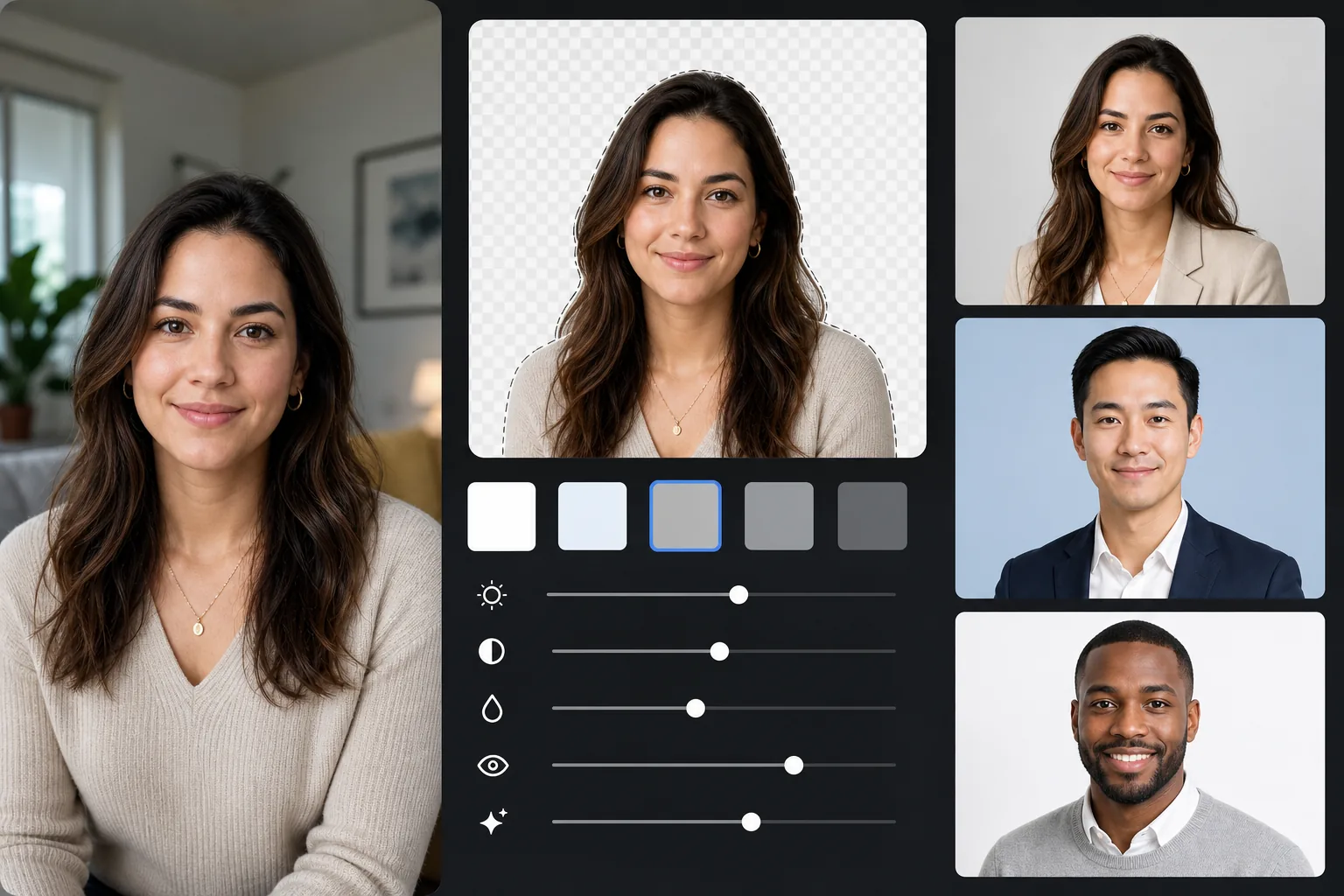
あらゆる背景をプロフェッショナルな単色(ライトグレー、ソフトブルー、ホワイト)に置き換え、自然な肌と照明の補正を施し、LinkedIn 推奨サイズで書き出します。仕上がりはまるでスタジオ撮影の顔写真のようです。
テンプレート設定
| 背景 | ライトグレー (#E8E8E8) — プロフェッショナルの標準 |
| 出力サイズ | 800×800px (LinkedIn 推奨) |
| 補正 | 自然な肌、均一な照明、くっきりとした目 |
| トリミング | 頭と肩、顔は上 3 分の 1 に配置 |
| ファイル形式 | JPEG (品質 95%) |
このテンプレートの使い方
写真を撮る
自然光のために窓のそばに立ちましょう。面接にふさわしい服装を着てください。約 4 フィート離れた位置から目線の高さで、肩から上が収まるように誰かに撮ってもらいます。
背景を消す
Background Eraser はあらゆる環境をきれいなプロフェッショナルグレーに置き換えます。AI が髪の輪郭、衣服の縁、自然な体の輪郭を正確に保持します。
自然に補正する
AI Enhance は顔全体の照明を均一にし、屋内の色かぶりを補正して自然な肌色に整え、どの顔写真でも焦点となる目をくっきりとさせます。
LinkedIn 用に書き出す
LinkedIn プロフィール用に 800×800px でダウンロードします。同じ元データから他のサイズにも書き出せます。LinkedIn のサムネイル用に 400×400、履歴書や印刷用にフル解像度で。
最高の結果を得るためのプロのコツ
- ✓リラックスした目元でのほのかな自然な笑みは、親しみやすく自信があるという印象を与えます — LinkedIn に理想的な表情です。
- ✓グレーの背景と対照的な色を着ましょう。ネイビー、ダークグリーン、バーガンディ、ブラックはどれもよく映えます。
- ✓少なくとも 20 枚は撮りましょう — 表情が自然で目が完全にくっきりした 1 枚が必要です。
- ✓ブランドの一貫性のため、同じ顔写真を LinkedIn、履歴書、すべてのプロフェッショナルプロフィールで使うべきです。
よくある質問
LinkedIn に最適な背景色は何ですか?
+
ライトグレー (#E8E8E8) が最も普遍的にプロフェッショナルな選択です。ソフトブルーは企業の役職に信頼感を与えます。ホワイトはすっきりしていますが、明るい肌色を白飛びさせることがあります。この 3 色すべてがこのテンプレートで利用できます。
プロのスタジオ写真のように見えますか?
+
良い自然光と自然な表情があれば、AI で補正した仕上がりはスタジオの顔写真と見分けがつきません。背景の置き換え、照明の補正、繊細な肌の補正が、プロの写真家が提供するものを再現します。
他のプロフェッショナルなプロフィールにも使えますか?
+
はい。同じテンプレートは会社の経歴、カンファレンス登壇者ページ、著者写真、プロの顔写真が求められるあらゆるプラットフォームで使えます。各プラットフォーム向けに異なるサイズで書き出してください。
Related templates
More professional templates for your workflow.