
How to remove reflection from glasses in photos
Magic EraserでHow to remove reflection from glasses in photosする方法を学びましょう。無料のAIツールを使ったシンプルなステップバイステップガイド。Web、iOS、Androidで利用可能。
Last updated
今すぐ試す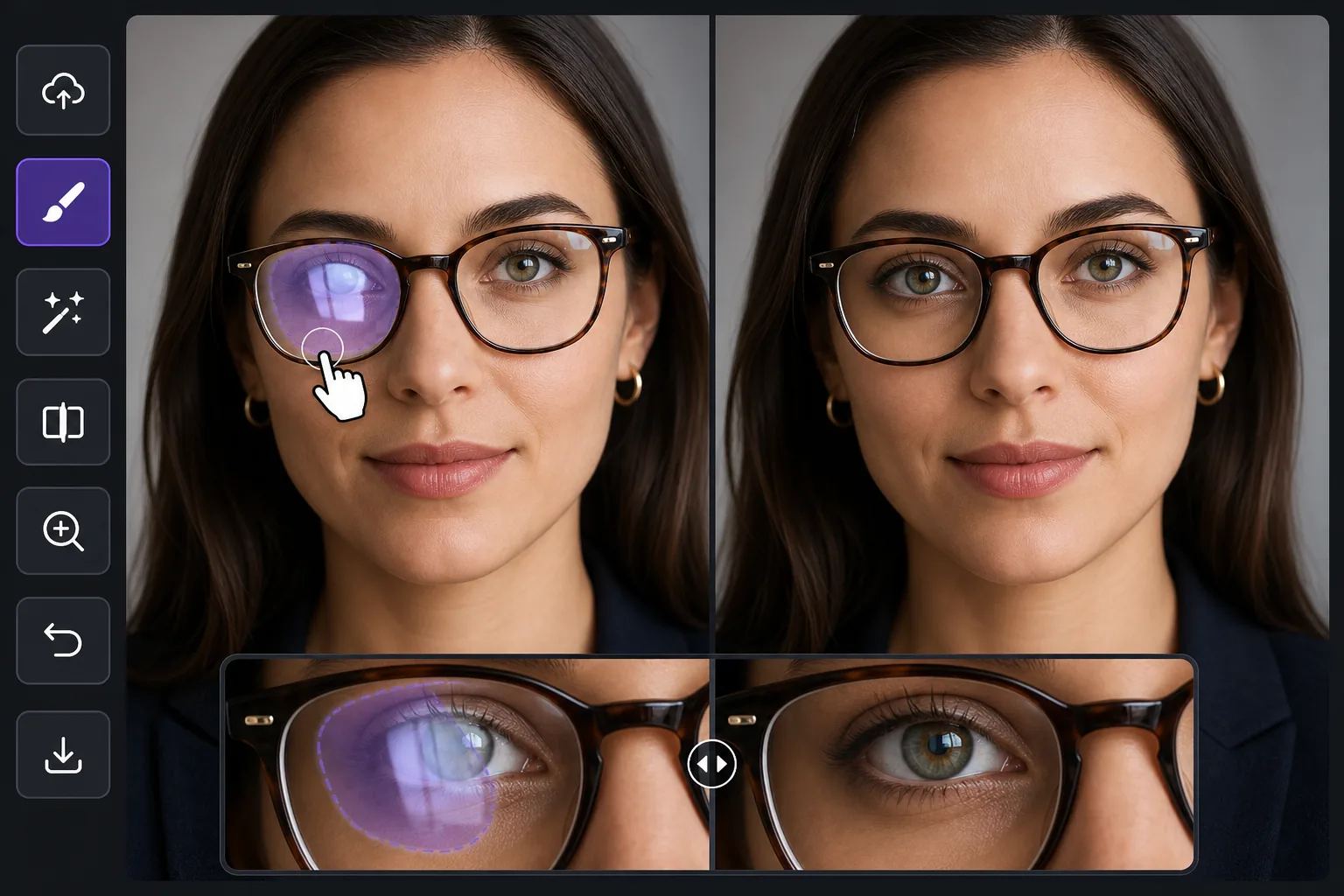
Why glasses glare is harder than ordinary reflection removal — Magic Eraser
Most reflection cleanup happens over a mirror, a window, or a glossy product surface — areas the AI can rebuild as flat, predictable texture. Glasses glare is different because the bright patch sits directly on top of the eyes, the single most important feature in a portrait. Wipe the reflection without care and you flatten the iris, lose a catchlight, or leave one eye looking different from the other. The goal here is not just to remove the white hotspot but to put a believable eye back where the glare was: matching iris color, eyelid line, lashes, and the natural asymmetry of a real face. Magic Eraser synthesizes a plausible reconstruction of the hidden eye from the rest of the face — the visible eye, skin tone, and lighting direction — rather than recovering literal pixels the glare destroyed. That distinction matters: it works beautifully when one eye is clear and only the other is blown out, because the model has a real reference to draw from, and it works on partial glare where part of the eye still shows through the lens.
Before you start
ステップバイステップ手順
Start with 写真をアップロード. The result preview above and tips below use this guide's existing content; no separate before-and-after proof is assumed.
- 1
写真をアップロード
Web、iOS、またはAndroidでMagic Eraserを開きます。JPEG、PNG、HEIC、WebP形式の写真をドラッグ&ドロップ。アカウント不要で始められます。
- 2
ツールと範囲を選択
適切なツールを選択し、処理する範囲を指定します。AIが自動的に分析し、数秒で変更を適用します。
- 3
結果をダウンロード
結果をプレビューして、編集済みの写真をダウンロード。高品質のPNGまたはJPEGでエクスポートできます。
こんな方におすすめ
- Headshots and LinkedIn portraits where one lens catches a window and washes out an eye
- Family and group photos where overhead light glares off several pairs of glasses at once
- Selfies and video-call screenshots where the screen or phone reflects in the lenses
- Wedding and event portraits shot under bright venue lighting that hits eyeglass lenses
- Profile and dating-app photos where lens glare hides the subject's eyes and expression
ベストな結果を得るコツ
Work one eye at a time when both lenses are blown out — clear the lighter side first so the AI has a freshly clean eye to reference for the harder one. Keep your brush inside the lens; painting over the frame or eyebrow gives the model less facial structure to anchor the reconstruction. For mild glare where the iris still shows faintly through the reflection, a tight selection over just the hotspot often preserves the real eye and only fills the bright spot. Remember the result is a synthesized, plausible eye, not the exact eye hidden under the glare, so on important portraits zoom to 100% and confirm the gaze and catchlight read naturally before exporting. If a rebuilt eye looks too symmetrical or glassy, a second pass with a smaller brush usually restores a more natural, slightly imperfect look. When you can, prevent it at capture time by tilting the head down a few degrees or moving the light off-axis — but when the shot is already taken, this is the fastest fix.
よくある質問
- How to remove reflection from glasses in photos機能は無料ですか?
- はい、Magic Eraserでは毎日の無料枠内でHow to remove reflection from glasses in photosが可能です。Pro にアップグレードすると無制限に処理でき、高解像度でエクスポートできます。
- How to remove reflection from glasses in photosにはどのくらい時間がかかりますか?
- ほんの数秒です。Magic EraserのAIは写真を高速処理し、ほとんどの場合アップロード直後に結果が得られます。
- スマートフォンでも使えますか?
- はい、Magic EraserはiOS、Android、およびすべてのWebブラウザで利用できます。デバイス間で自由に切り替え可能です。
- 画質は低下しますか?
- いいえ、Magic Eraserは元の写真の品質を維持します。AIがスマートに処理し、ディテールとシャープネスを保ちます。