
Remove Emoji Stickers From a TikTok Video Frame
Magic EraserでTikTokフレームから絵文字を除去する方法を学びましょう。無料のAIツールを使ったシンプルなステップバイステップガイド。Web、iOS、Androidで利用可能。
Last updated
今すぐ試す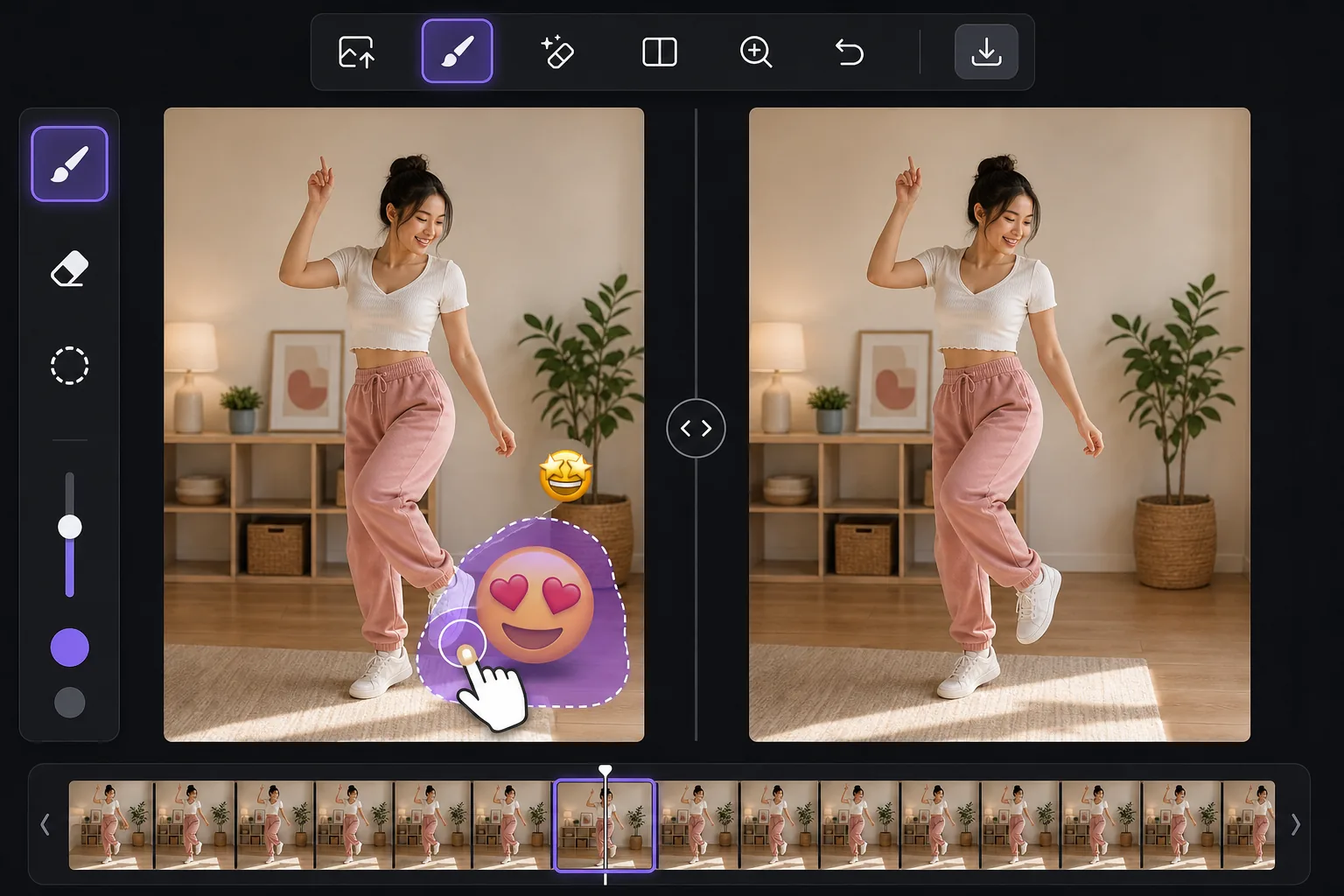
Clean up the still, not the whole video — Magic Eraser
TikTok lets creators slap emoji stickers anywhere on a clip, and they often land over a face, a product, a price tag, or the corner of the shot you actually wanted. You can't peel a sticker off a video the app already baked in, but you can work from a single frame. Take a screenshot mid-playback, or export the frame from your camera roll, and you have a clean still image to edit. Magic Eraser is an AI photo editor for exactly this: brush over the emoji on that TikTok frame and its inpainting model removes the sticker and synthesizes a plausible reconstruction of whatever was behind it. Be clear on what that means — the AI invents a believable fill based on surrounding pixels. If a smiling-face emoji was covering someone's eyes, the result is a convincing guess, not the real hidden face. It's perfect for tidying up backgrounds, walls, skies, and textures behind a sticker, less reliable for recovering fine detail that was never visible.
Before you start
ステップバイステップ手順
Start with 写真をアップロード. The result preview above and tips below use this guide's existing content; no separate before-and-after proof is assumed.
- 1
写真をアップロード
Web、iOS、またはAndroidでMagic Eraserを開きます。JPEG、PNG、HEIC、WebP形式の写真をドラッグ&ドロップ。アカウント不要で始められます。
- 2
ツールと範囲を選択
適切なツールを選択し、処理する範囲を指定します。AIが自動的に分析し、数秒で変更を適用します。
- 3
結果をダウンロード
結果をプレビューして、編集済みの写真をダウンロード。高品質のPNGまたはJPEGでエクスポートできます。
こんな方におすすめ
- A reaction emoji landed over a face or product in a TikTok you screenshotted and want to repost as a clean still
- Pulling a thumbnail or cover image from a TikTok frame without the creator's emoji clutter
- Saving a recipe, outfit, or DIY frame where an emoji sticker blocks the detail you needed
- Cleaning a TikTok screenshot before adding it to a moodboard, blog post, or slide
- Removing a watermark-style emoji someone stamped across the corner of an exported frame
ベストな結果を得るコツ
Grab the highest-resolution frame you can — a full-screen screenshot beats a tiny preview, and more pixels give the AI more to work with. Crop away the TikTok interface first so the model isn't tempted to rebuild text or icons. Emoji over flat areas like a wall, sky, or solid shirt fill almost invisibly; emoji over a busy face or detailed texture take more passes and may need a touch-up brush. If a sticker overlaps the edge of the frame, expand your brush slightly past the border so the fill blends. And remember the honest limit: the tool reconstructs a likely background, it does not reveal the literal pixels the emoji was hiding.
よくある質問
- TikTokフレームから絵文字を除去機能は無料ですか?
- はい、Magic Eraserでは毎日の無料枠内でTikTokフレームから絵文字を除去が可能です。Pro にアップグレードすると無制限に処理でき、高解像度でエクスポートできます。
- TikTokフレームから絵文字を除去にはどのくらい時間がかかりますか?
- ほんの数秒です。Magic EraserのAIは写真を高速処理し、ほとんどの場合アップロード直後に結果が得られます。
- スマートフォンでも使えますか?
- はい、Magic EraserはiOS、Android、およびすべてのWebブラウザで利用できます。デバイス間で自由に切り替え可能です。
- 画質は低下しますか?
- いいえ、Magic Eraserは元の写真の品質を維持します。AIがスマートに処理し、ディテールとシャープネスを保ちます。