
Remove an Emoji From Your Profile Picture
Magic Eraserでプロフィール写真から絵文字を除去する方法を学びましょう。無料のAIツールを使ったシンプルなステップバイステップガイド。Web、iOS、Androidで利用可能。
Last updated
今すぐ試す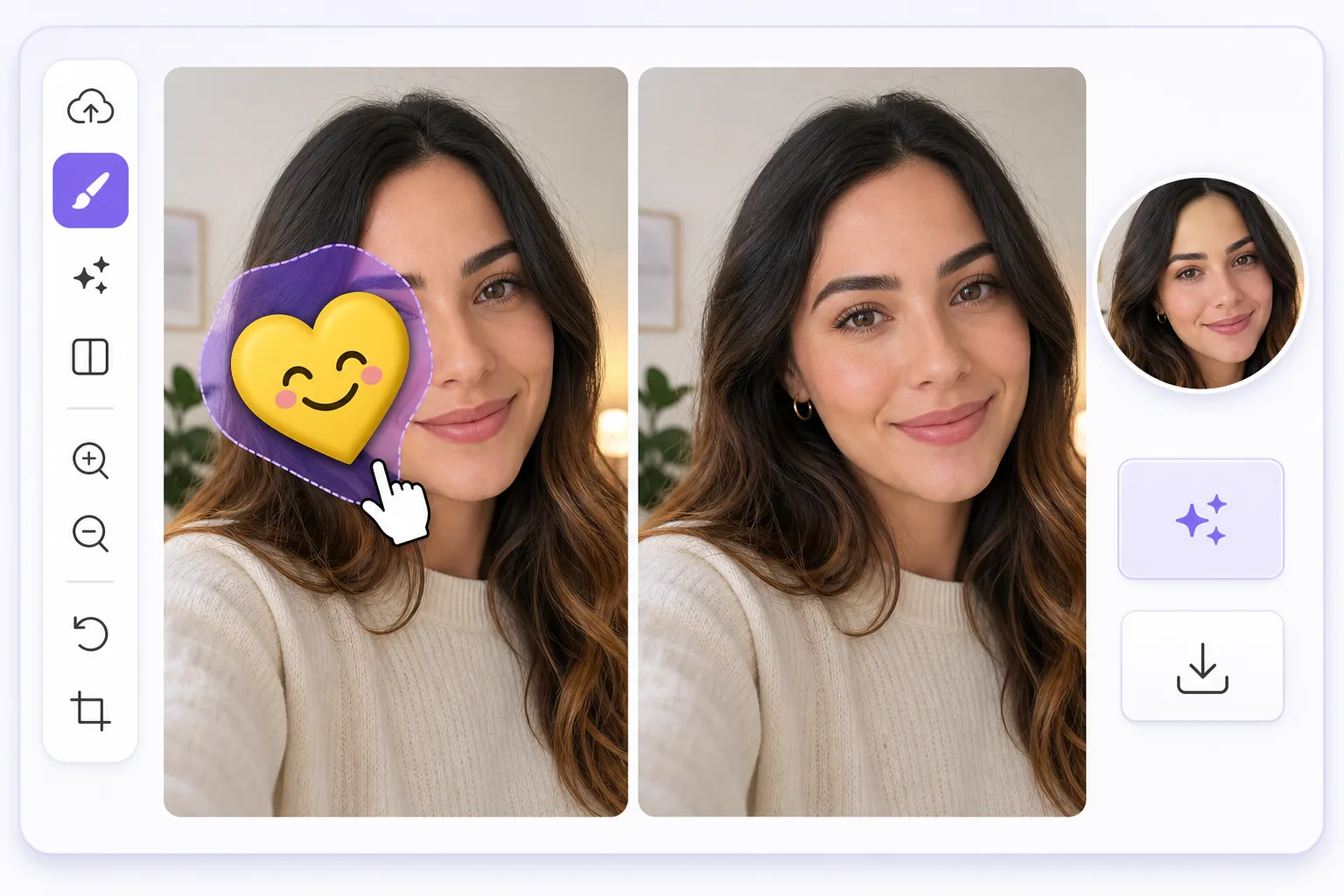
Turn a meme-covered selfie into a clean headshot — Magic Eraser
We have all done it: slapped a sunglasses emoji over our eyes or a sticker across a forehead before posting a selfie, then later wished we had the plain version for a real profile picture. Often that decorated image is the only good shot you have. Magic Eraser fixes this by erasing the emoji or sticker and using AI inpainting to fill in what was behind it. One honest note up front: the AI synthesizes a believable reconstruction of skin, hair, or background, it does not recover the literal pixels that were hidden underneath. For an emoji parked over a cheek, forehead, shoulder, or in the corner of the frame, that reconstruction is usually seamless and avatar-ready. For an emoji sitting directly over your eyes, nose, or mouth, the result is a flattering composite rather than your true hidden features, so pick a shot where the emoji is off to the side when you can. It works the same on web, iOS, and Android, with a free tier and no watermark, so the headshot you export is ready to drop straight into any profile.
Before you start
ステップバイステップ手順
Start with 写真をアップロード. The result preview above and tips below use this guide's existing content; no separate before-and-after proof is assumed.
- 1
写真をアップロード
Web、iOS、またはAndroidでMagic Eraserを開きます。JPEG、PNG、HEIC、WebP形式の写真をドラッグ&ドロップ。アカウント不要で始められます。
- 2
ツールと範囲を選択
適切なツールを選択し、処理する範囲を指定します。AIが自動的に分析し、数秒で変更を適用します。
- 3
結果をダウンロード
結果をプレビューして、編集済みの写真をダウンロード。高品質のPNGまたはJPEGでエクスポートできます。
こんな方におすすめ
- Reusing a great selfie for LinkedIn or a work profile after a sunglasses or laughing emoji covered part of your face
- Cleaning a heart or sticker off a dating-app photo so your avatar looks genuine, not gimmicky
- Removing a Snapchat or Instagram sticker from a portrait you want as a clean Slack or Teams avatar
- Erasing a censoring emoji a friend added before reusing the shot as a polished headshot
- Tidying a meme-style overlay or text off a casual photo so it works as a professional profile picture
ベストな結果を得るコツ
Choose a source photo where the emoji sits over a simple area like a cheek, shoulder, or plain background rather than across your eyes or mouth, since the AI reconstructs those flat regions most convincingly. Brush slightly beyond the emoji's edge to catch its drop shadow or glow, which otherwise leaves a faint halo. If the first pass looks blurry, undo and erase in smaller sections so the inpainting blends skin tone and lighting step by step. For headshots, crop after erasing so the cleaned region sits comfortably inside the avatar frame and the join is harder to notice on a small thumbnail.
よくある質問
- プロフィール写真から絵文字を除去機能は無料ですか?
- はい、Magic Eraserでは毎日の無料枠内でプロフィール写真から絵文字を除去が可能です。Pro にアップグレードすると無制限に処理でき、高解像度でエクスポートできます。
- プロフィール写真から絵文字を除去にはどのくらい時間がかかりますか?
- ほんの数秒です。Magic EraserのAIは写真を高速処理し、ほとんどの場合アップロード直後に結果が得られます。
- スマートフォンでも使えますか?
- はい、Magic EraserはiOS、Android、およびすべてのWebブラウザで利用できます。デバイス間で自由に切り替え可能です。
- 画質は低下しますか?
- いいえ、Magic Eraserは元の写真の品質を維持します。AIがスマートに処理し、ディテールとシャープネスを保ちます。