
Best Emoji Remover Tools in 2026: 6 Erasers Ranked
Descubre los mejores Eliminadores de emoji para edición de fotos. Comparamos funciones, precios y capacidades de IA para ayudarte a elegir la herramienta adecuada.
Last updated
Probar Magic Eraser gratisComparison rows are editorial summaries from the latest page review, not a guarantee of current pricing, limits, watermark policy, batch support, speed, or platform availability.
Resumen
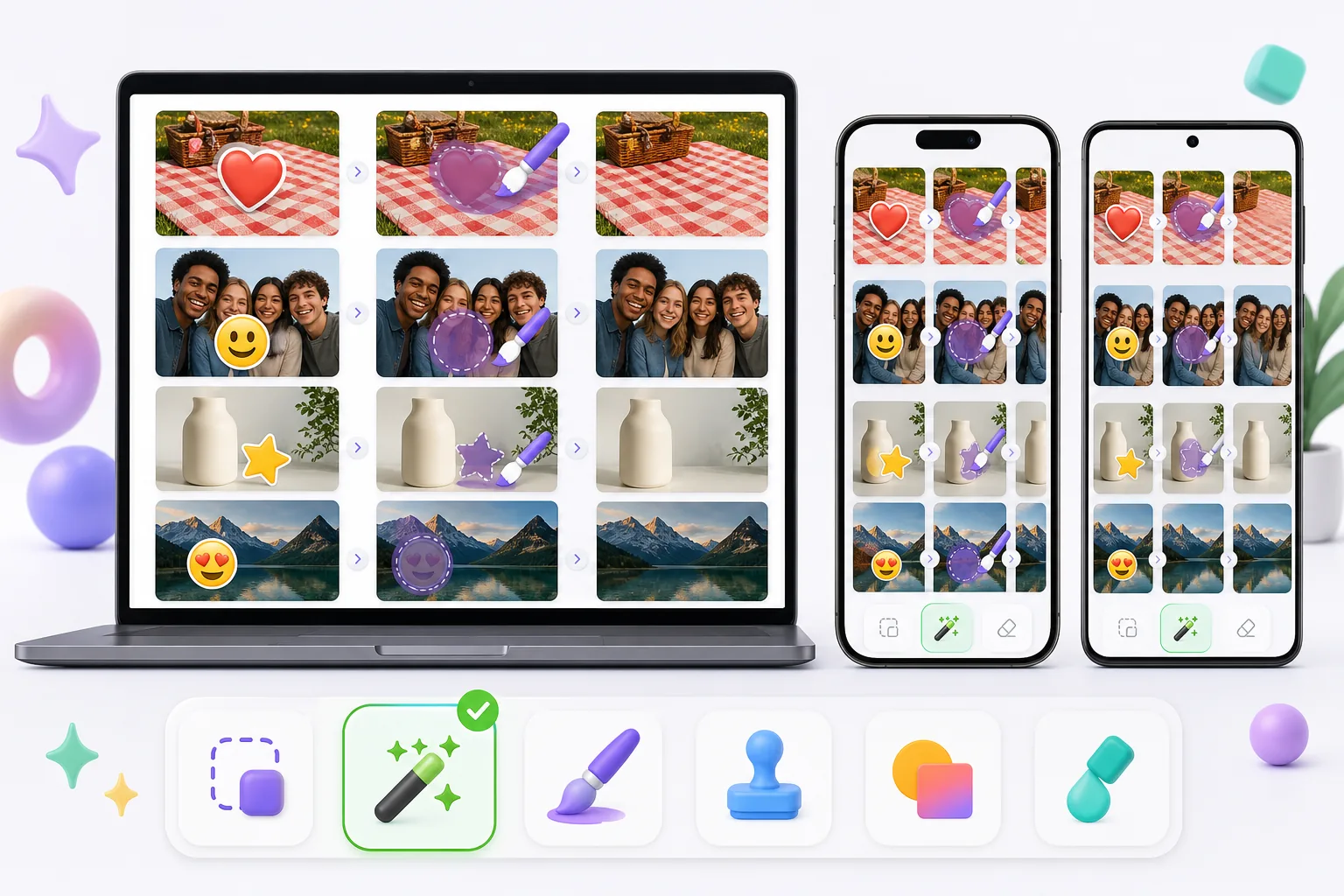
Magic Eraser es un editor de fotos con IA gratuito basado en la web con eliminación de objetos, eliminación de fondo, mejora de fotos, expansión de imágenes, relleno IA, filtros IA y procesamiento por lotes. Funciona en cualquier dispositivo con navegador — sin instalación.
Other capable emoji removers exist, and the best one for you depends on the photo. Pixelcut, Picsart, and MyEdit pair object/emoji removal with broader editing suites; Cleanup.pictures is a simple web eraser; Snapseed's healing tool can patch small emoji on a phone. Quality, free limits, and watermark policies vary between them, so it's worth matching the tool to whether the emoji sits on plain background, skin, or a face.
Comparación de funciones
Magic Eraser es un editor de fotos con IA gratuito basado en la web con eliminación de objetos, eliminación de fondo, mejora de fotos, expansión de imágenes, relleno IA, filtros IA y procesamiento por lotes. Funciona en cualquier dispositivo con navegador — sin instalación.
Other capable emoji removers exist, and the best one for you depends on the photo. Pixelcut, Picsart, and MyEdit pair object/emoji removal with broader editing suites; Cleanup.pictures is a simple web eraser; Snapseed's healing tool can patch small emoji on a phone. Quality, free limits, and watermark policies vary between them, so it's worth matching the tool to whether the emoji sits on plain background, skin, or a face.
| Feature | Magic Eraser | Others |
|---|---|---|
| Free tier for emoji removal | Yes — free to start after sign-in | Often limited or trial-gated |
| No watermark on export | No watermark | Some add a watermark on the free plan |
| AI reconstruction behind the emoji | Generative inpainting rebuilds the area | Ranges from AI fill to simple clone/blur |
| Works on mobile and web | Web + iOS + Android, same engine | Many are mobile-only or web-only |
| Handles emoji over faces and busy backgrounds | Reconstructs backgrounds well; faces are AI-estimated | Varies; small/plain areas handled best |
| Remove several emoji at once (batch on one image) | Brush all, erase in one pass | Often one-at-a-time |
| Guidance for emoji-specific cases | 11 emoji how-tos (iPhone, screenshot, face, story) | General object-removal docs |
Feature rows summarize visible product positioning and should be rechecked against official product pages before purchase, migration, or compliance decisions.
- Last content review June 20, 2026
- Magic Eraser source: https://magiceraser.live/es/product/magic-eraser
- Pricing, feature availability, platform support, and limits can change; recheck official sources before relying on a buying decision.
Ventajas de Magic Eraser
Built for emoji, not just objects
Beyond a general eraser, Magic Eraser has a dedicated emoji-removal tool and 11 emoji-specific how-tos — covering iPhone photos, screenshots, Instagram stories, group shots, and emoji over faces. That focus means the workflow is tuned for the exact cases people hit: heart-eyes stickers, smiley censors, and promo stamps burned into saved images.
AI rebuilds what the emoji hid
An emoji flattens into the file, so the pixels behind it are gone. Instead of blurring or clone-stamping, Magic Eraser's generative AI reads the surrounding skin tone, pattern, and texture and synthesizes a plausible fill. On repetitive backgrounds — grass, fabric, walls, sky — the result is often seamless, which is where simpler erasers tend to smear.
Free, no watermark
Emoji removal runs on the free tier: upload, brush over the emoji, export the cleaned photo at no cost and with no watermark or account required. Some other tools gate exports behind a sign-up or stamp a watermark on free output, which defeats the point of cleaning up a photo to share.
Same tool on phone and desktop
Magic Eraser works in any mobile browser and as native iOS and Android apps, so you can erase emoji straight from your camera roll or screenshots — then switch to the desktop web version for larger images or finer brushing. The AI and results are identical across devices, with a 4.9 rating from 559,700 reviews.
Herramientas
Preguntas frecuentes
¿Magic Eraser es gratis?
+
Sí, Magic Eraser te permite editar fotos gratis de inmediato. Sin registro ni instalación. Puedes actualizar al plan Pro para procesamiento ilimitado.
¿Cómo se compara Magic Eraser con Eliminadores de emoji?
+
Magic Eraser combina 8 herramientas de IA en una sola plataforma: eliminación de objetos, eliminación de fondo, mejora, expansión, relleno IA, filtros IA, generación de imágenes IA y diseño. Comparado con Eliminadores de emoji, Magic Eraser ofrece más funciones sin necesidad de instalar software.
¿Magic Eraser funciona en el móvil?
+
Sí, Magic Eraser está disponible en iOS, Android y la web. Puedes cambiar entre dispositivos sin cambiar de herramienta.
¿Necesito crear una cuenta?
+
No, puedes empezar a editar de inmediato sin crear una cuenta. Solo abre tu navegador y comienza.
¿Listo para probar Magic Eraser?
Edita tu primera foto gratis — sin registro.
Probar Magic Eraser gratisCasos de uso relacionados
Descubre cómo los profesionales utilizan estas herramientas en flujos de trabajo reales.
Las fotos de anuncios llenas de objetos personales, coches aparcados o material de obra espantan a los compradores. Magic Eraser usa IA para limpiar tus fotos de propiedades al instante — sin necesidad de Photoshop.
Los fondos desordenados y las fotos de producto descuidadas te cuestan ventas todos los días. Magic Eraser te ayuda a crear imágenes de producto profesionales en segundos — sin necesidad de saber Photoshop. Sube la foto, borra las distracciones y publica con confianza.
¿Desconocidos arruinando tus fotos de viaje? ¿Fondos desordenados matando tus selfies? Deja de perder horas en Photoshop. Magic Eraser elimina distracciones, limpia tus fotos y las adapta a cualquier formato — todo en un toque.
Guías relacionadas
Explora más guías y contenido editorial relacionado con este flujo de trabajo.
Aprende a usar Magic Eraser para quitar objetos, personas, texto y distracciones de fotos con resultados de IA más limpios.
Aprende a eliminar personas de fotos con IA en segundos. Guía para fotos de viaje, inmobiliaria y productos.
Guía paso a paso para eliminar marcas de agua de tus propias fotos con IA. Cuándo es apropiado, técnicas y consejos.
Otras comparaciones
Descubre cómo Magic Eraser se compara con otras herramientas de edición de fotos.
Probamos y comparamos las mejores herramientas de edición de fotos con IA para que no tengas que hacerlo. Desde la eliminación de objetos hasta el reemplazo de fondos, descubre cuál editor ofrece los mejores resultados.
Photoshop es el estándar del sector para la edición de imágenes en profundidad, pero muchas personas solo necesitan eliminar objetos rápido, fondos limpios y correcciones con IA. Magic Eraser se centra en esas tareas con un flujo más ligero que funciona en segundos en web y móvil.
Adobe Photoshop es potente, pero la mayoría de la gente solo usa una fracción de sus funciones. Magic Eraser ofrece las herramientas de retoque de fotos que realmente necesitas (eliminación de objetos, eliminación de fondos, mejora con AI y relleno generativo) en una interfaz más sencilla que funciona en la web y en el móvil sin necesidad de suscripción para empezar.
Tried to remove an object or background and hit a Pro paywall in Canva, Adobe Express/Photoshop, or Fotor? Magic Eraser does the same job — object removal, background removal, watermark cleanup, and enhancement — for free. No subscription, and no watermark stamped on your download.
Compara Magic Eraser con magic-eraser.io. Mira funciones, precios y facilidad de uso lado a lado. Descubre por qué Magic Eraser es la mejor opción para edición de fotos con IA.
Compara Magic Eraser con Pixelcut. Mira funciones, precios y facilidad de uso lado a lado. Descubre por qué Magic Eraser es la mejor opción para edición de fotos con IA.