
La alternativa a Photoshop más rápida para la edición diaria de fotos
Adobe Photoshop es potente, pero la mayoría de la gente solo usa una fracción de sus funciones. Magic Eraser ofrece las herramientas de retoque de fotos que realmente necesitas (eliminación de objetos, eliminación de fondos, mejora con AI y relleno generativo) en una interfaz más sencilla que funciona en la web y en el móvil sin necesidad de suscripción para empezar.
Last updated
Prueba Magic Eraser gratisComparison rows are editorial summaries from the latest page review, not a guarantee of current pricing, limits, watermark policy, batch support, speed, or platform availability.
Resumen
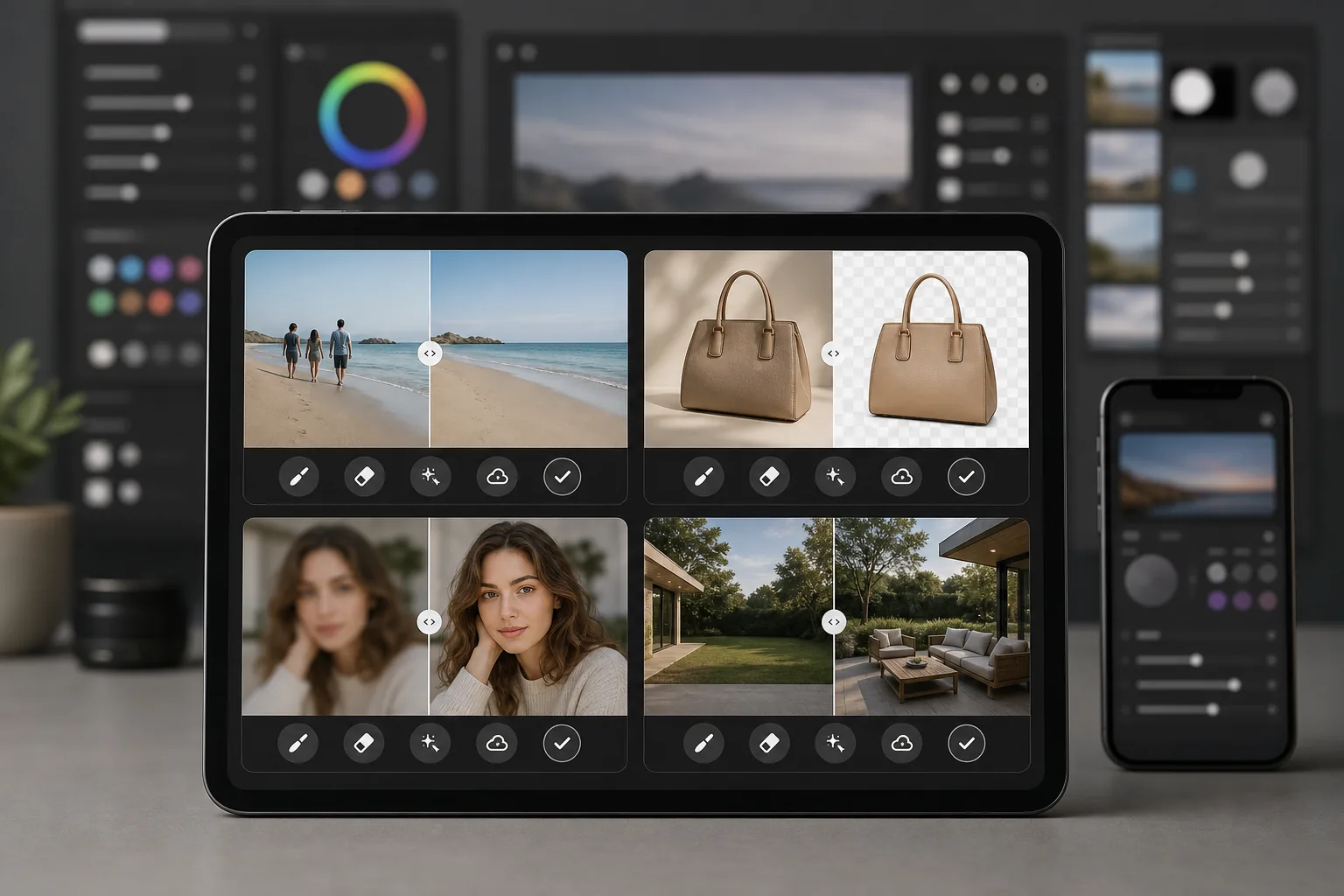
Magic Eraser es un editor de fotos impulsado por AI creado específicamente para un retoque de fotos rápido y práctico. Elimina objetos, borra fondos, mejora la calidad de la imagen y rellena las zonas que faltan, todo desde tu navegador o teléfono sin instalar pesado software de escritorio.
Adobe Photoshop es el conjunto de edición de imágenes profesional estándar del sector, con capas, máscaras, composición, retoque y herramientas de AI generativa. Requiere una suscripción a Creative Cloud y una considerable inversión de tiempo para aprenderlo.
Comparación de funciones
Magic Eraser es un editor de fotos impulsado por AI creado específicamente para un retoque de fotos rápido y práctico. Elimina objetos, borra fondos, mejora la calidad de la imagen y rellena las zonas que faltan, todo desde tu navegador o teléfono sin instalar pesado software de escritorio.
Adobe Photoshop es el conjunto de edición de imágenes profesional estándar del sector, con capas, máscaras, composición, retoque y herramientas de AI generativa. Requiere una suscripción a Creative Cloud y una considerable inversión de tiempo para aprenderlo.
| Feature | Magic Eraser | Adobe Photoshop |
|---|---|---|
| Eliminación de objetos | Sí — impulsada por AI, una sola pincelada | Sí — relleno según el contenido, enmascarado manual |
| Eliminación de fondos | Sí — al instante con un clic | Sí — seleccionar sujeto + refinamiento manual |
| Mejora con AI | Sí — escalado y enfoque automáticos | Sí — filtros neuronales |
| Relleno generativo | Sí — sencillo, basado en indicaciones | Sí — avanzado con control de capas |
| Curva de aprendizaje | Minutos para aprenderlo | De semanas a meses |
| Plataforma | Web + iOS + Android | Escritorio + iPad + web (beta) |
| Precio para empezar | Gratis para probar, sin suscripción | Requiere suscripción mensual |
| Ideal para | Retoque y mejora rápidos de fotos | Producción creativa profesional |
Feature rows summarize visible product positioning and should be rechecked against official product pages before purchase, migration, or compliance decisions.
- Last content review May 8, 2026
- Adobe Photoshop source: official product site (https://www.adobe.com/products/photoshop.html)
- Magic Eraser source: https://magiceraser.live/es/product/magic-eraser
- Pricing, feature availability, platform support, and limits can change; recheck official sources before relying on a buying decision.
Por qué elegir Magic Eraser en lugar de Photoshop
Obtén resultados en segundos, no en horas
Magic Eraser se salta la complejidad. Pasa el pincel sobre un objeto para eliminarlo, haz clic para borrar un fondo o toca para mejorar la calidad. Sin capas, sin máscaras, sin paneles que configurar, solo resultados rápidos de una AI que se encarga del trabajo difícil.
No se requiere suscripción para empezar
Photoshop requiere una suscripción a Creative Cloud antes de que puedas abrir un archivo. Magic Eraser te permite probar todas las herramientas gratis para que veas los resultados antes de comprometerte, y los precios siguen siendo sencillos cuando decides mejorar tu plan.
Funciona en cualquier dispositivo, en cualquier lugar
Edita fotos desde tu navegador, iPhone o dispositivo Android con las mismas herramientas completas. No hay software pesado que instalar ni requisitos de hardware de escritorio que cumplir, lo que lo hace ideal para editar sobre la marcha.
Todas las herramientas de retoque en un solo lugar
Magic Eraser reúne la eliminación de objetos, la eliminación de fondos, la mejora con AI, el relleno generativo y mucho más en un único editor enfocado. Obtienes las herramientas diarias que necesitas sin pagar por un conjunto creativo completo que nunca aprovecharás del todo.
Herramientas
Preguntas frecuentes
¿Puede Magic Eraser reemplazar realmente a Photoshop?
+
Para las tareas cotidianas de retoque de fotos como la eliminación de objetos, la eliminación de fondos y la mejora de imágenes, sí. Si necesitas composición avanzada, retoque detallado basado en capas o herramientas especializadas de producción para impresión, Photoshop sigue ofreciendo más profundidad.
¿Es Magic Eraser más fácil de usar que Photoshop?
+
Mucho más fácil. Magic Eraser está diseñado para que cualquiera pueda obtener resultados de aspecto profesional en segundos. No hay curva de aprendizaje para las tareas básicas: pincela para eliminar, haz clic para mejorar, y listo.
¿Necesito instalar algo para usar Magic Eraser?
+
No. Magic Eraser funciona directamente en tu navegador web y también está disponible como aplicación móvil para iOS y Android. No hay software de escritorio que descargar o actualizar.
¿Cómo se comparan los precios de Magic Eraser con los de Photoshop?
+
Magic Eraser te permite empezar gratis sin necesidad de tarjeta de crédito. Photoshop requiere una suscripción a Creative Cloud que empieza en alrededor de $22.99 per month, lo que supone costos anuales considerables incluso si solo necesitas funciones de edición básicas.
¿Puedo usar Magic Eraser para fotografía de productos?
+
Sí. Magic Eraser se usa ampliamente para fotos de productos de comercio electrónico. Puedes eliminar fondos, limpiar distracciones, mejorar la calidad de la imagen y procesar lotes de fotos mucho más rápido que haciendo el mismo trabajo en Photoshop.
¿Listo para una alternativa más sencilla a Photoshop?
Prueba Magic Eraser gratis y descubre lo rápida que puede ser la edición de fotos impulsada por AI. Elimina objetos, borra fondos y mejora imágenes en segundos, sin suscripción y sin curva de aprendizaje.
Prueba Magic Eraser gratisCasos de uso relacionados
Descubre cómo los profesionales utilizan estas herramientas en flujos de trabajo reales.
Las fotos de anuncios llenas de objetos personales, coches aparcados o material de obra espantan a los compradores. Magic Eraser usa IA para limpiar tus fotos de propiedades al instante — sin necesidad de Photoshop.
Los fondos desordenados y las fotos de producto descuidadas te cuestan ventas todos los días. Magic Eraser te ayuda a crear imágenes de producto profesionales en segundos — sin necesidad de saber Photoshop. Sube la foto, borra las distracciones y publica con confianza.
¿Desconocidos arruinando tus fotos de viaje? ¿Fondos desordenados matando tus selfies? Deja de perder horas en Photoshop. Magic Eraser elimina distracciones, limpia tus fotos y las adapta a cualquier formato — todo en un toque.
Guías relacionadas
Explora más guías y contenido editorial relacionado con este flujo de trabajo.
Aprende a usar Magic Eraser para quitar objetos, personas, texto y distracciones de fotos con resultados de IA más limpios.
Aprende a eliminar personas de fotos con IA en segundos. Guía para fotos de viaje, inmobiliaria y productos.
Guía paso a paso para eliminar marcas de agua de tus propias fotos con IA. Cuándo es apropiado, técnicas y consejos.
Otras comparaciones
Descubre cómo Magic Eraser se compara con otras herramientas de edición de fotos.
Probamos y comparamos las mejores herramientas de edición de fotos con IA para que no tengas que hacerlo. Desde la eliminación de objetos hasta el reemplazo de fondos, descubre cuál editor ofrece los mejores resultados.
Tried to remove an object or background and hit a Pro paywall in Canva, Adobe Express/Photoshop, or Fotor? Magic Eraser does the same job — object removal, background removal, watermark cleanup, and enhancement — for free. No subscription, and no watermark stamped on your download.
Compara Magic Eraser con magic-eraser.io. Mira funciones, precios y facilidad de uso lado a lado. Descubre por qué Magic Eraser es la mejor opción para edición de fotos con IA.
Compara Magic Eraser con Pixelcut. Mira funciones, precios y facilidad de uso lado a lado. Descubre por qué Magic Eraser es la mejor opción para edición de fotos con IA.
Adobe Express integra la edición de fotos dentro de una suite de diseño y creación de contenido vinculada a Adobe Firefly. Magic Eraser está creado específicamente para la limpieza de fotos con IA: eliminación de objetos, reemplazo de fondos, relleno generativo y mejora. Esta comparativa muestra dónde encaja mejor cada herramienta.
Magic Eraser y Pixelcut ofrecen edición de fotos con IA en web, iOS y Android, con planes gratuitos y planes Pro de pago. Pixelcut se inclina con fuerza hacia las fotos de producto de e-commerce con plantillas. Magic Eraser está diseñado específicamente para tareas de limpieza con IA en toda la gama del trabajo fotográfico. Esta comparativa muestra dónde gana cada herramienta.