
Vintage Photo Restoration
Bring treasured old photographs back to life. This template repairs the damage that decades inflict on printed photos — removing scratches, creases, and stains, recovering color from faded prints, and even converting sepia or black-and-white originals to realistic full color while preserving the period-appropriate character of the image.
Try this template freeRestoration template preview
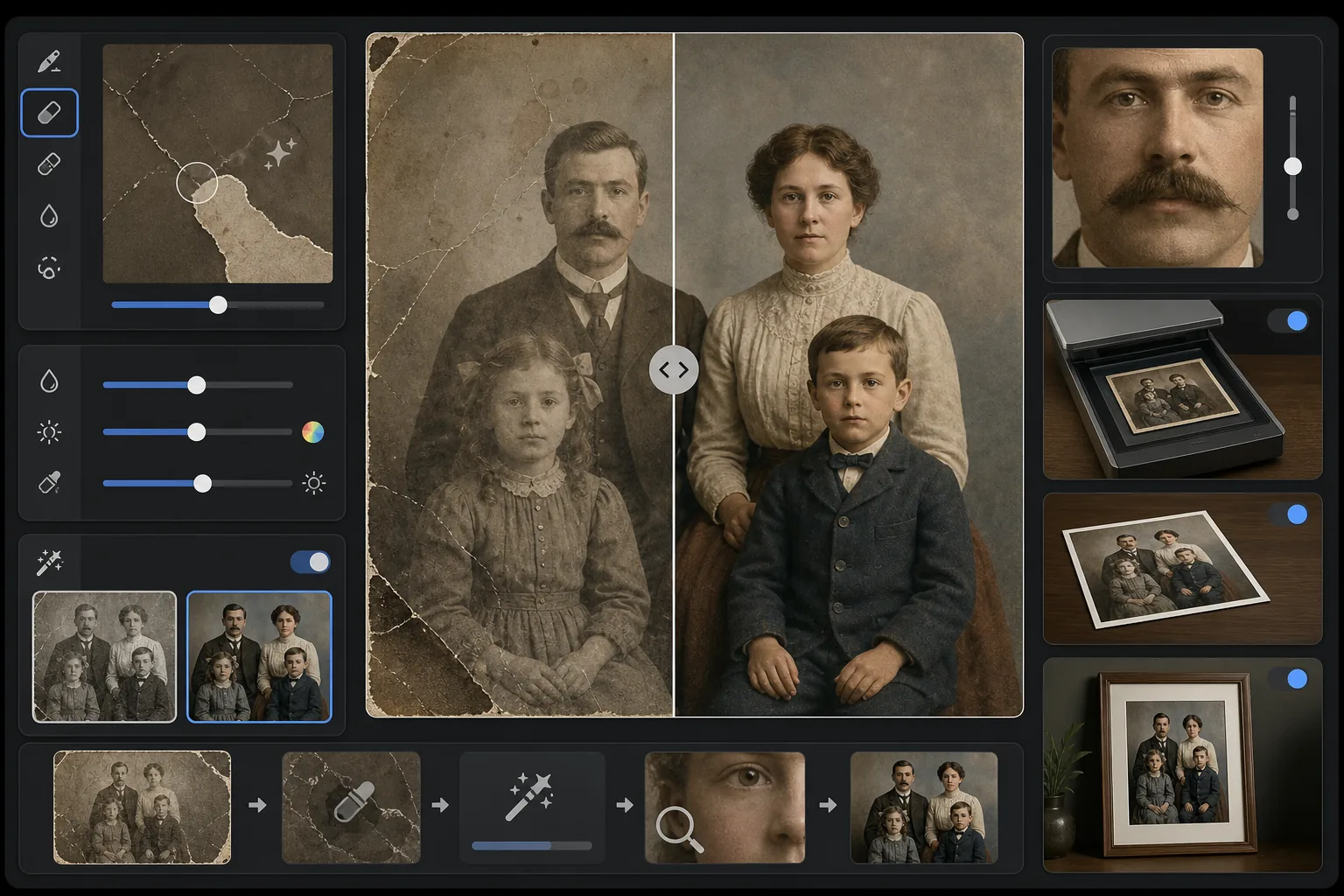
What this template does
Repairs physical damage and aging effects on scanned vintage photographs. Magic Eraser removes scratches, creases, water stains, mold spots, and torn edges by reconstructing the missing image content from surrounding context. AI Enhance recovers color that has shifted or faded over decades, sharpens detail softened by age, and can colorize black-and-white or sepia photos with period-accurate color that respects the era of the original image.
Template settings
| Damage repair | Aggressive — removes scratches, creases, stains, and torn edges |
| Color recovery | Full spectrum — restores faded pigments to original vibrancy |
| Colorization mode | Off, Subtle, or Full (for B&W and sepia originals) |
| Detail recovery | Reconstructs faces and fine details softened by age and low scan resolution |
| Output size | Matches original scan dimensions with optional 2× upscale |
| Period preservation | Retains era-appropriate grain texture and tonal quality |
How to use this template
Scan or photograph the original
Scan the vintage photo at 600 DPI or higher for the most recoverable detail. If scanning is not available, photograph the print on a flat surface in even, diffused light — avoid flash, which creates glare spots on glossy prints.
Repair physical damage
Magic Eraser identifies and removes scratches, creases, water damage, mold spots, and tape residue. The AI reconstructs missing areas by analyzing the surrounding image content — filling in torn corners, bridging cracks across faces, and removing stain discoloration.
Recover or add color
For faded color prints, AI Enhance restores the original color palette by reversing the specific ways different dye layers degrade over time. For black-and-white or sepia originals, optional colorization adds realistic color based on contextual clues like skin tones, foliage, sky, and fabric patterns.
Sharpen and export
Detail recovery sharpens facial features, text, and fine details that decades of aging have softened. Export at the original scan resolution or upscale to 2× for printing at larger sizes than the original.
Pro tips for best results
- ✓Scan at the highest resolution your scanner supports — 600 DPI minimum, 1200 DPI preferred. More captured detail gives the AI more to work with when reconstructing damaged areas.
- ✓If the photo is stuck in a frame or album, photograph it in place rather than risk tearing — the template can remove frame edges and album page artifacts.
- ✓For colorization of historical photos, provide context about the era (decade) and location if possible — clothing colors, car colors, and building materials varied significantly by time period and region.
- ✓Process the most damaged area of the photo first as a test before running the full restoration — this lets you confirm the reconstruction quality meets your expectations.
Common questions
Can it fix photos with missing sections like torn-off corners?
+
Yes. The AI reconstructs missing areas using context from the surrounding image. For backgrounds like sky, walls, and foliage, the results are seamless. For missing portions of faces or important details, the reconstruction is impressive but may require minor manual adjustment for critical features.
How accurate is the colorization of black-and-white photos?
+
Colorization uses contextual analysis to assign realistic colors — skin tones, sky blues, foliage greens, and common fabric colors are highly accurate. Specific colors of objects the AI cannot determine from context (like the exact shade of a dress) will be plausible rather than guaranteed accurate.
Will restoration remove the vintage character of the photo?
+
No. The period preservation setting retains the era-appropriate grain texture and tonal quality that give vintage photos their character. Physical damage like scratches and stains is removed, but the photographic quality of the original era is respected — a 1940s photo still looks like a 1940s photo, just undamaged.
Rescue your family memories
Upload a scan of any damaged, faded, or aging photograph and watch decades of wear disappear. Scratches gone, color restored, memories preserved.
Try it free