
Landscape Print-Ready
Transform landscape photographs into large format print-ready files at 300 DPI. This template upscales images for 16x20 inch prints and larger while removing visual clutter like power lines, road signs, and fences that distract from natural scenery. Color grading is optimized for canvas, metal, and fine art paper substrates.
Try this template freePhotography template preview
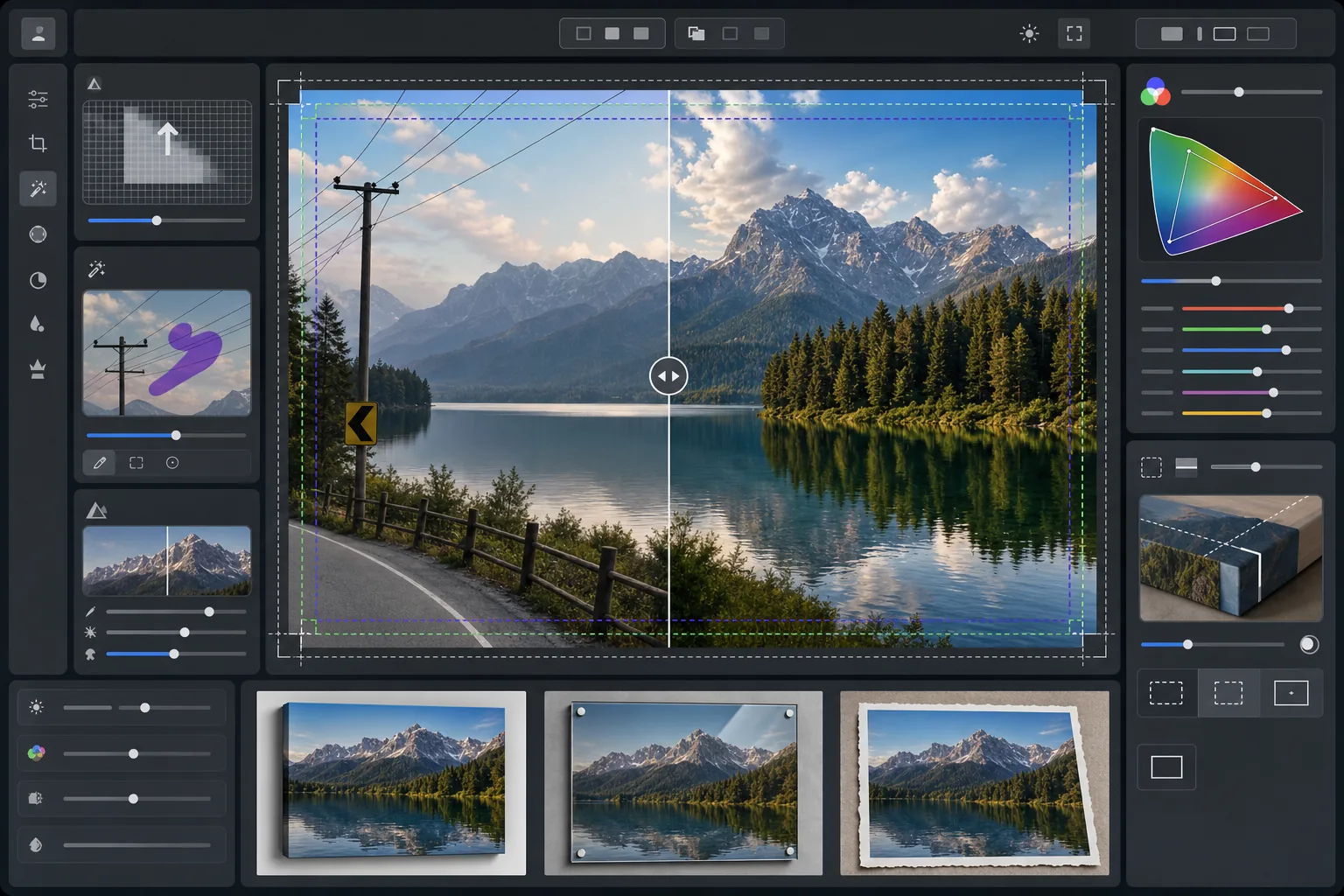
What this template does
Prepares landscape photographs for professional large format printing by upscaling resolution to meet 300 DPI requirements at 16x20 inches and beyond. AI Enhance increases pixel count without introducing artifacts, preserving fine detail in foliage, water textures, and cloud formations. Magic Eraser removes power lines, utility poles, road signs, fences, and other man-made distractions that interrupt the natural composition. Color is adjusted for the wider gamut and different reflective properties of canvas wraps, aluminum metal prints, and fine art cotton rag paper.
Template settings
| Upscale target | 6000×4000px minimum (300 DPI at 20×13 inches) |
| Sharpening | Print-optimized unsharp mask (radius 1.2, amount 80%) |
| Color profile | ProPhoto RGB (maximum gamut for fine art printing) |
| Dynamic range | Shadow +0.8 EV, highlight recovery -0.3 EV |
| Noise reduction | Luminance-aware (preserves grain in skies, smooths foliage) |
| Output format | 16-bit TIFF with embedded ICC profile |
How to use this template
Upload your landscape photo
Upload a landscape image from any camera or smartphone. The AI analyzes the source resolution and calculates the upscale factor needed to reach 300 DPI at your target print size. Even 12-megapixel smartphone photos can be upscaled cleanly for 16x20 prints.
Remove visual distractions
Magic Eraser identifies and removes power lines, utility poles, road signs, fencing, litter, and other man-made elements that pull attention from the natural scene. The AI reconstructs sky gradients, treeline edges, and terrain textures behind removed objects.
Enhance for print output
AI Enhance upscales the image to your target resolution while sharpening for print viewing distance. Color is shifted to the ProPhoto RGB gamut to preserve the full range of greens, blues, and sunset tones that consumer sRGB clips.
Export for your print substrate
Download as a 16-bit TIFF with the embedded ICC profile matched to your output — canvas wrap, metal print, or fine art paper. The file includes the bleed margin and crop marks needed by most professional print labs.
Pro tips for best results
- ✓For canvas wraps, add 1.5 inches of bleed on each side so the image wraps around the stretcher bars without cropping into the main composition. The template includes a gallery-wrap safe-area guide in the output.
- ✓Metal prints reflect light and amplify contrast, so reduce the contrast slider by 10-15% compared to what looks good on screen. Shadows that appear detailed on your monitor may block up completely on aluminum substrates.
- ✓When removing long power lines that span the entire frame, the AI handles them in segments. For the cleanest result, use a source photo where the sky behind the lines has a smooth gradient rather than complex cloud patterns.
- ✓Process at the largest size you might ever print, even if your current order is smaller. Downsampling a 24x36 file to 16x20 is lossless, but you cannot upscale a 16x20 file to 24x36 later without quality loss.
Common questions
How large can I print from a smartphone photo?
+
A 12-megapixel smartphone photo (4032x3024) can be upscaled cleanly to 8000x6000 pixels, which supports 300 DPI printing at 26x20 inches. At standard viewing distances for large prints (3-4 feet), even 24x36 inch prints look sharp from AI-upscaled smartphone originals.
Will removing power lines leave visible traces?
+
The AI reconstructs the sky gradient, cloud edges, and treeline behind removed power lines using surrounding pixel data. In smooth-sky conditions, removal is virtually undetectable. Complex skies with dramatic clouds may show subtle blending at very close inspection distances, but at normal print viewing distances the result is clean.
What file format should I send to a print lab?
+
Most professional labs accept 16-bit TIFF files with embedded ICC profiles, which is the default output of this template. If your lab requests JPEG, export at quality 100 in the Adobe RGB color space. Avoid sRGB for large format prints as it clips vivid greens and deep blues common in landscape photography.
Print your landscapes at any size with confidence
Upload a landscape photo and get a print-ready file with power lines removed, resolution upscaled, and color optimized for canvas, metal, or fine art paper.
Try it free