
Fashion Lookbook Photo
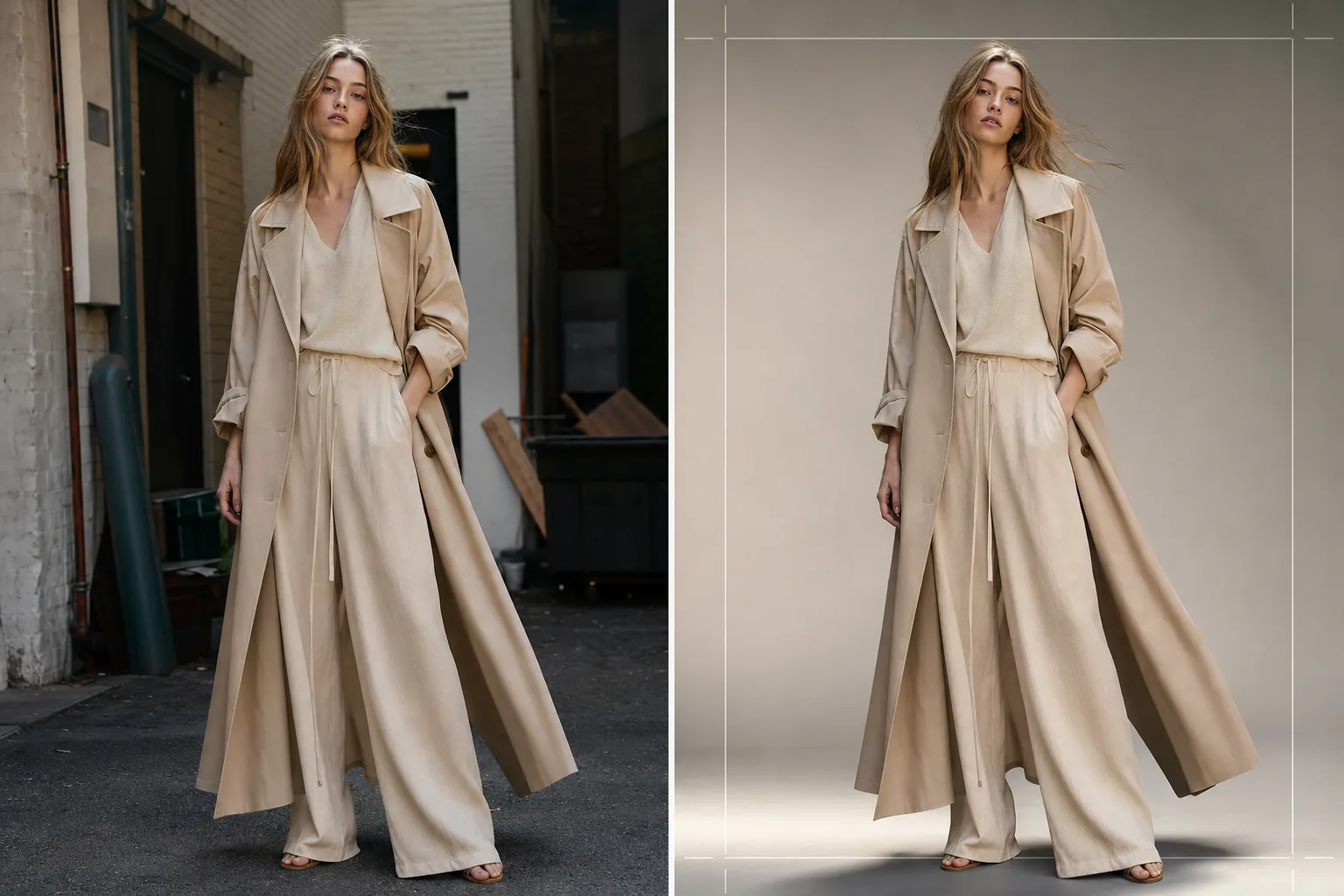
Produce editorial-quality lookbook images for seasonal collections, wholesale presentations, and e-commerce campaigns. This template removes location backgrounds and replaces them with clean studio backdrops or curated editorial environments, applies fashion-grade color grading that makes fabrics pop, and enhances skin with natural retouching that keeps the focus on the clothing.
Try this template freeFashion template preview
What this template does
Streamlines the entire lookbook post-production pipeline from raw on-location or studio shoot to polished, brand-consistent imagery. Background Eraser isolates the model and garment from any environment and offers replacement with solid studio colors, gradient sweeps, or curated editorial backdrops such as concrete walls, natural greenery, or urban street scenes. AI Enhance applies color grading tailored to fabric types — warm tones for earth-toned linen and wool, cooler tones for denim and technical fabrics — so the garment's texture and drape are the visual hero. Skin retouching is light and editorial, evening out temporary imperfections without removing freckles, moles, or natural features that keep the model looking authentic.
Template settings
| Background style | Studio white, seamless grey, gradient sweep, or editorial environment |
| Color grading | Fashion editorial (fabric-adaptive: warm for naturals, cool for technicals) |
| Skin retouching | Light editorial (blemish removal, tone evening, natural features preserved) |
| Fabric enhancement | Texture sharpening and drape emphasis for garment detail visibility |
| Crop and framing | Full body, three-quarter, or close-up crop with safe margin for text overlay |
| Output resolution | 4000×6000px (portrait orientation, print-ready at 300 DPI) |
How to use this template
Upload your lookbook photo
Upload a full-body or three-quarter model shot wearing the featured garment. Photos from studio shoots, outdoor locations, and showrooms all work. The template handles RAW conversions, JPEGs, and high-resolution TIFFs.
Replace or refine the background
Background Eraser isolates the model with edge detection precise enough to preserve loose fabric edges, flowing hair, and translucent materials like chiffon. Replace the background with a studio color matching your brand guidelines or select an editorial environment that complements the collection's mood.
Apply color grading and enhancement
AI Enhance applies a color grade that emphasizes the garment's fabric texture and true color. Skin retouching is applied at editorial intensity — evening out redness and temporary blemishes without flattening the skin or removing natural features. Fabric sharpening brings out weave patterns, stitching, and drape lines.
Export for lookbook and e-commerce
Download at 4000×6000px for print lookbooks and linesheet PDFs, or at web-optimized sizes for Shopify, wholesale portals, and social media. The template can output consistent crops across an entire collection for a unified lookbook layout.
Pro tips for best results
- ✓Shoot garments on a model rather than a mannequin whenever possible. The AI's background removal and skin retouching produce the most natural results with real human forms, and buyers respond more positively to images showing how fabric drapes on a body.
- ✓Use a hair tie or clip to keep long hair away from the neckline of tops and jackets during the shoot. The background removal handles loose hair well, but hair that covers collar details and neckline construction obscures the very features buyers are evaluating.
- ✓Maintain consistent lighting direction across all shots in a collection. When the AI applies the same color grade and the light direction is consistent, the lookbook reads as a cohesive editorial story rather than a patchwork of different shoots.
Common questions
Can I use this for flat-lay garment shots?
+
This template is optimized for on-model photography. For flat-lay garment shots on tables or hanging arrangements, the Clothing Flat Lay Cleanup template handles those compositions more effectively because it understands the geometry of fabric laid flat rather than draped on a body.
Will translucent fabrics like chiffon be preserved?
+
Yes. The edge detection in Background Eraser preserves semi-transparent fabric edges. The replacement background is visible through sheer material just as the original environment would be, maintaining the garment's intended silhouette and layering effect.
Can I match the background to my brand's exact hex color?
+
Yes. You can specify an exact hex code for the solid background color, and the AI generates a seamless backdrop in that color with appropriate shadow fall-off beneath the model's feet for a grounded, realistic look.
Produce a polished lookbook from any shoot location
Upload model shots and get brand-consistent, editorial-grade lookbook images ready for print, web, and wholesale presentations.
Try it free