
Car Listing Photo
Make any vehicle look showroom-ready in listing photos. This template removes parking-lot clutter, corrects paint color accuracy under mixed outdoor lighting, cleans up reflections in glass and clearcoat, and exports at the dimensions AutoTrader, Cars.com, Carvana, and Facebook Marketplace recommend — whether you are a dealership or a private seller.
Try this template freeAutomotive template preview
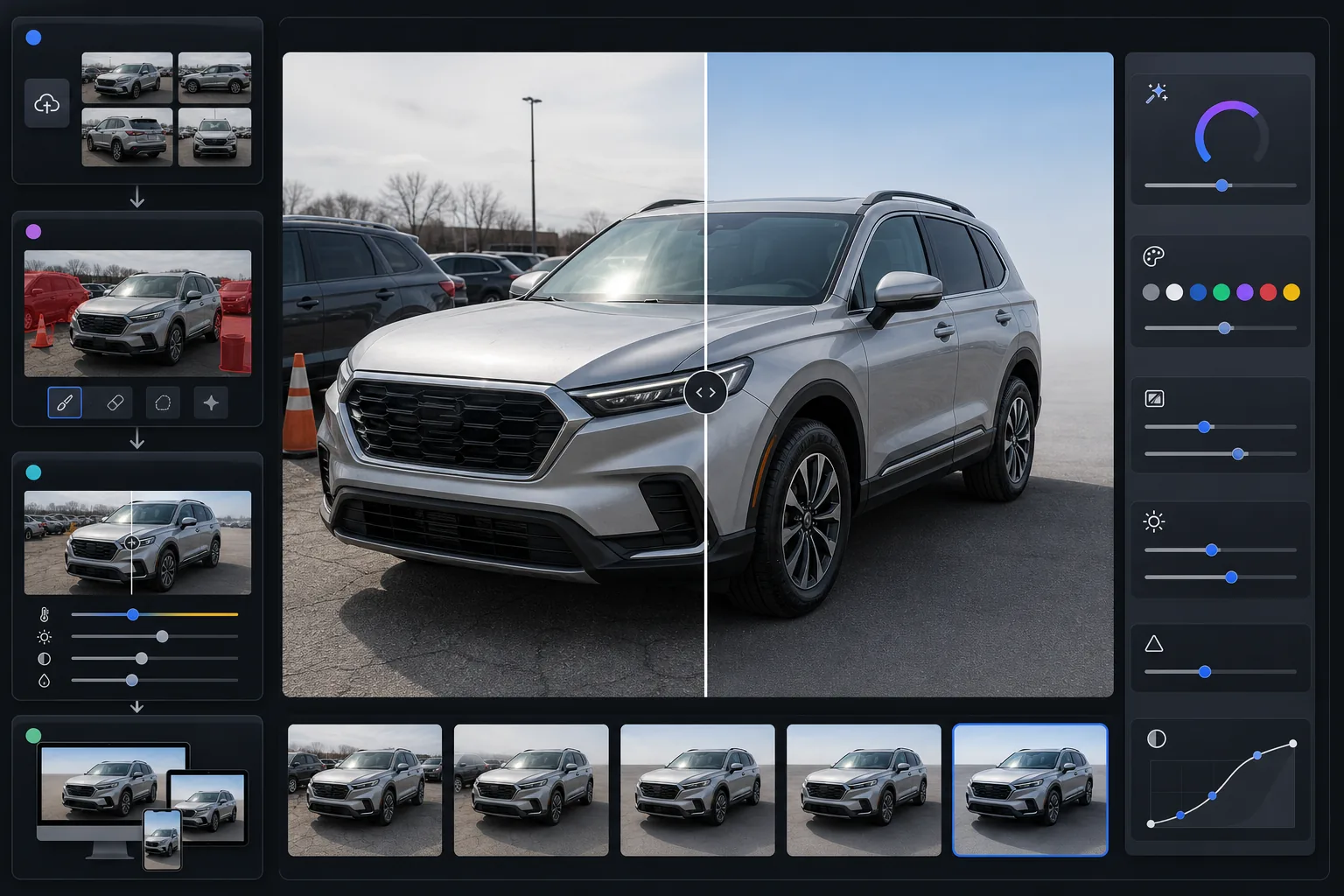
What this template does
Transforms ordinary lot or driveway photos into professional automotive listing images. Magic Eraser removes background vehicles, lot signage, trash cans, and other cars from the scene. AI Enhance corrects paint color that appears off due to overcast skies, sodium-vapor lot lights, or golden-hour orange tint — making the vehicle's actual paint color read accurately on screen. Reflections in windshields and body panels are softened so the vehicle itself is the focus, not the photographer.
Template settings
| Output size | 2400×1600px (3:2 landscape, automotive listing standard) |
| Paint color correction | Neutral white-balance with metallic-aware color mapping |
| Reflection reduction | Glass and clearcoat glare softening (preserves body lines) |
| Background cleanup | Auto-detect and remove adjacent vehicles and lot clutter |
| File format | JPEG 92% quality (under 5MB for listing platforms) |
| Color profile | sRGB (screen-accurate across listing sites) |
How to use this template
Upload your vehicle photos
Photograph the vehicle from all four corners (front 3/4 and rear 3/4 angles), plus straight-on shots of the front, rear, and both sides. Include interior shots, engine bay, wheels, and any condition details. Overcast days produce the most even lighting on reflective surfaces.
Remove lot and background clutter
Magic Eraser removes other vehicles, lot inventory, shopping carts, signage, utility poles, and any background elements that distract from the listing vehicle. The AI fills in the background with a clean continuation of the parking surface and sky.
Correct paint color and reflections
AI Enhance neutralizes the color cast from lot lighting, overcast skies, or golden-hour sun that shifts how paint reads on camera. Metallic, pearl, and matte finishes are handled differently to preserve their characteristic appearance. Windshield and body-panel reflections are reduced without flattening the natural shape highlights.
Export for your listing platform
Download at 2400×1600px for maximum quality across all major platforms. AutoTrader, Cars.com, CarGurus, Carvana, and Facebook Marketplace all display landscape-format photos, and the 3:2 ratio fits every platform's gallery layout.
Pro tips for best results
- ✓Photograph the vehicle on an overcast day or in open shade. Direct sunlight creates harsh reflections on glass and body panels that are difficult to fully correct, and produces hard shadows under the vehicle that make background cleanup less seamless.
- ✓For the primary listing photo, use the front 3/4 angle (standing at the driver-side headlight, shooting toward the passenger-side taillight). This angle shows the most surface area of the vehicle and is the industry standard for automotive listings.
- ✓Walk around the vehicle and remove any loose items before shooting — license plate frames with dealership names, windshield stickers, and parking permits are easier to remove physically than digitally, and the result looks more natural.
- ✓Include a close-up of the odometer, VIN plate, and any trim badges. AI Enhance's detail sharpening makes these legible even from smartphone photos, which builds buyer trust for private-sale listings where verification matters.
Common questions
Will the paint color be accurate after editing?
+
The template's color correction is designed to show the vehicle's true paint color by removing environmental color casts (orange from sodium lights, blue from overcast sky, green from surrounding foliage). Metallic and pearl paints are handled with a specialized algorithm that preserves the flake and depth that makes these finishes distinctive.
Can I remove other cars from the background?
+
Yes. Magic Eraser handles vehicles, signage, people, and lot infrastructure in the background. The AI reconstructs a clean background behind the removed objects — typically continuing the parking surface and sky. For the most natural result, leave some space between the listing vehicle and adjacent cars when shooting.
Does this work for motorcycle and boat listings?
+
The template is optimized for cars, trucks, and SUVs but works on any vehicle. Motorcycles and boats benefit from the same background cleanup, reflection reduction, and color correction. The 3:2 landscape output fits every major listing platform regardless of vehicle type.
Make every vehicle look showroom-ready
Upload your car photos and get clean, color-accurate listing images in seconds. Works for dealerships and private sellers alike.
Try it free