
How to make a photo black and white
Black and white photography strips away color distractions to reveal form, texture, light, and emotion. Magic Eraser's AI converts photos to monochrome with intelligent tonal mapping — not just desaturation, but true black and white processing.
Last updated
Convert to B&W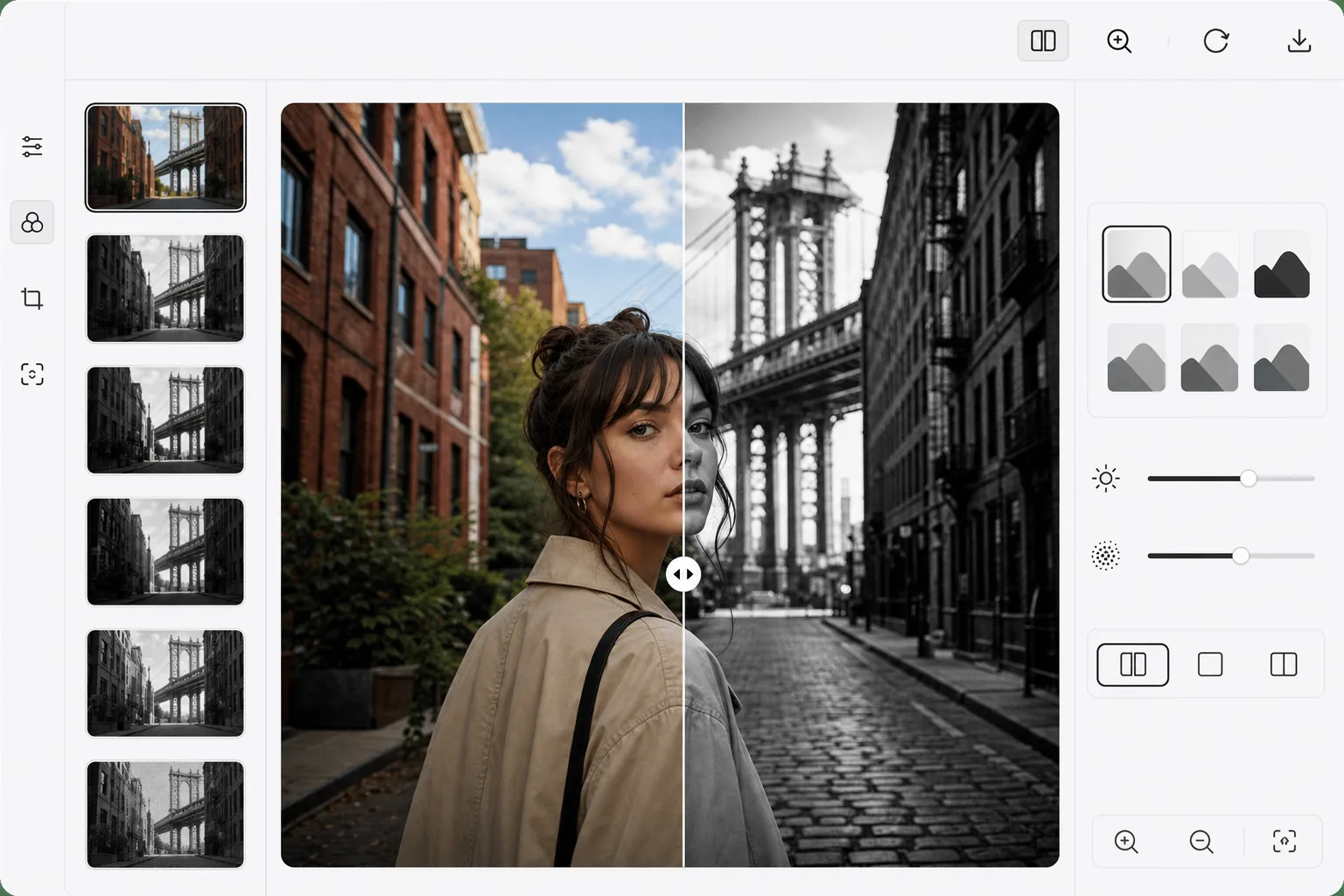
How to make a photo black and white
To make a photo black and white, open Magic Eraser on the web, iOS, or Android, select AI Filter, upload the color photo, pick a monochrome style, and export. It includes limited free edits after sign-in. It's not a simple desaturation: the AI mixes the color channels so a red rose and a green leaf of the same brightness still separate into different greys, giving the image depth and contrast instead of a flat, muddy look. Choose High Contrast for drama, Soft for gentle portraits, or Film Noir for moody shadows, and add a little grain for a film feel. Simply removing color (desaturation) produces flat, muddy monochrome images because it treats all colors as equal shades of gray. A red rose and green leaf with the same luminance become indistinguishable. True black and white conversion uses channel mixing: adjusting how much each color contributes to the final grayscale value. In darkroom photography, colored filters (red, orange, yellow, green) controlled this mapping. AI-powered conversion goes further — it analyzes the image content and applies intelligent tonal mapping that maximizes contrast, preserves tonal separation, and creates depth. Skin tones get careful treatment to avoid blotchy gradients. Skies darken dramatically for landscape impact. The result has the richness and intention of professionally processed monochrome.
Before you start
Convert to black and white in three steps
Start with upload your photo. The result preview above and tips below use this guide's existing content; no separate before-and-after proof is assumed.
- 1
Upload your photo
Open Magic Eraser on web, iOS, or Android and select AI Filter. Upload any color photo. Portraits, landscapes, architecture, and street photography all convert beautifully to black and white.
- 2
Choose a monochrome style
Select from preset styles: High Contrast (deep blacks, bright whites), Soft (gentle gradients, lifted shadows), Film Noir (dramatic shadows, moody midtones), Documentary (natural tones, full range), or Matte (soft highlights, vintage feel). Each style applies different tonal mapping optimized for its aesthetic.
- 3
Fine-tune and export
Adjust overall intensity, contrast, and grain amount. The before/after slider shows the conversion impact. Export in your preferred format — black and white photos are often smaller files since they lack color channel data.
Best for
- Portrait photographers creating dramatic, timeless monochrome portraits
- Street photographers emphasizing form, shadow, and human moments
- Instagram creators establishing a cohesive black and white aesthetic
- Fine art photographers preparing gallery-ready monochrome prints
- Wedding photographers offering classic B&W versions alongside color
Tips for best results
Photos with strong directional light convert best — side lighting creates the dramatic shadows that make black and white compelling. Overcast, flat lighting produces flat monochrome. Look for images with a wide tonal range: bright highlights and deep shadows in the same frame. Textures (brick, fabric, wood, water) become more prominent in B&W. For portraits, the High Contrast style is dramatic but unflattering on older skin — use Soft for gentler results. Add subtle grain to digital B&W photos to mimic the organic quality of film.
Frequently asked questions
- Is this better than just sliding saturation to zero?
- Yes, significantly. Simple desaturation treats all colors identically, losing tonal separation. AI conversion applies intelligent channel mixing that creates richer, more dimensional monochrome with better contrast and depth.
- Can I convert back to color afterwards?
- No — B&W conversion discards color information. Always keep your original color file. If you want to colorize a B&W photo, use Magic Eraser's colorize feature to add AI-generated color.
- Is black and white conversion free?
- Yes. AI Filter features including B&W conversion are available in the free tier with daily usage limits. Premium removes limits and adds batch processing.
- How do I make a photo black and white on Android or iPhone?
- Open Magic Eraser in any mobile browser or the iOS or Android app, load the color photo from your camera roll, and select AI Filter. Tap a monochrome style to preview it, fine-tune the contrast and grain, then export — the black-and-white version saves straight back to your camera roll. It works the same as the desktop version, with no app install required if you use the browser. Keep the original color photo too, since the conversion drops the color data.
- Which black and white style should I choose?
- It depends on the subject. High Contrast — deep blacks and bright whites — suits architecture, street scenes, and bold compositions, but can be harsh on skin. Soft, with lifted shadows and gentle gradients, flatters portraits. Film Noir leans into dramatic shadows for a moody look, Documentary keeps a natural full tonal range, and Matte gives a soft, vintage feel. Try a couple on the same photo with the before/after slider — strong side lighting and a wide range of tones make any of them look best.