
How to remove reflection from glasses in photos
تعلم كيفية How to remove reflection from glasses in photos باستخدام Magic Eraser. دليل بسيط خطوة بخطوة مع أداة ذكاء اصطناعي مجانية. يعمل على الويب وiOS وAndroid.
Last updated
جرب الآن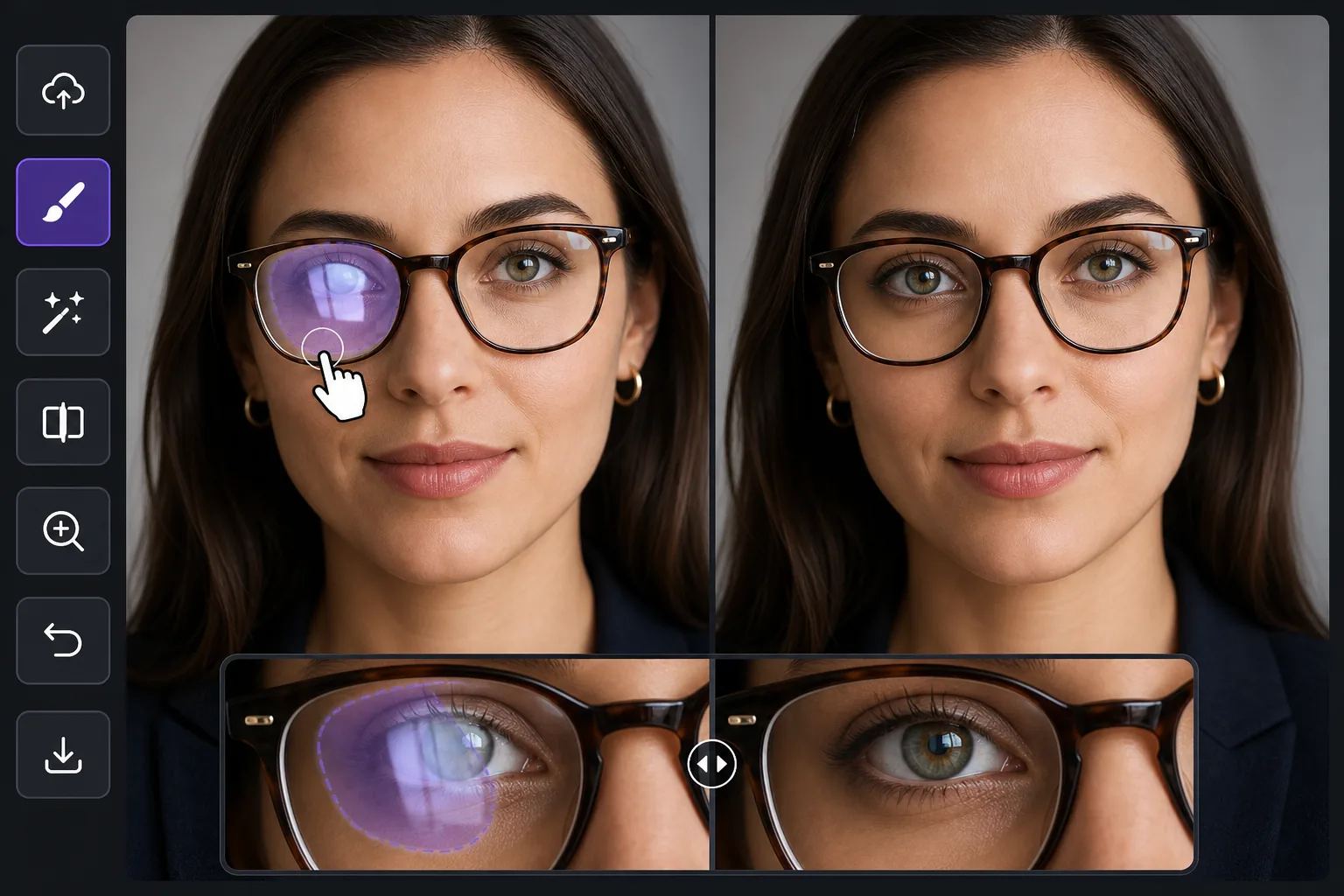
Why glasses glare is harder than ordinary reflection removal — Magic Eraser
Most reflection cleanup happens over a mirror, a window, or a glossy product surface — areas the AI can rebuild as flat, predictable texture. Glasses glare is different because the bright patch sits directly on top of the eyes, the single most important feature in a portrait. Wipe the reflection without care and you flatten the iris, lose a catchlight, or leave one eye looking different from the other. The goal here is not just to remove the white hotspot but to put a believable eye back where the glare was: matching iris color, eyelid line, lashes, and the natural asymmetry of a real face. Magic Eraser synthesizes a plausible reconstruction of the hidden eye from the rest of the face — the visible eye, skin tone, and lighting direction — rather than recovering literal pixels the glare destroyed. That distinction matters: it works beautifully when one eye is clear and only the other is blown out, because the model has a real reference to draw from, and it works on partial glare where part of the eye still shows through the lens.
Before you start
التعليمات خطوة بخطوة
Start with ارفع الصورة. The result preview above and tips below use this guide's existing content; no separate before-and-after proof is assumed.
- 1
ارفع الصورة
افتح Magic Eraser على الويب أو iOS أو Android. اسحب وأفلت صورتك بتنسيق JPEG أو PNG أو HEIC أو WebP. لا حاجة لحساب.
- 2
اختر الأداة والمنطقة
اختر الأداة المناسبة وحدد المنطقة المراد معالجتها. سيحلل الذكاء الاصطناعي ويطبق التغييرات تلقائيًا في ثوانٍ.
- 3
حمّل النتيجة
معاينة النتيجة وتحميل الصورة المعدلة. تصدير بصيغة PNG أو JPEG عالي الجودة.
الأنسب لـ
- Headshots and LinkedIn portraits where one lens catches a window and washes out an eye
- Family and group photos where overhead light glares off several pairs of glasses at once
- Selfies and video-call screenshots where the screen or phone reflects in the lenses
- Wedding and event portraits shot under bright venue lighting that hits eyeglass lenses
- Profile and dating-app photos where lens glare hides the subject's eyes and expression
نصائح للحصول على أفضل النتائج
Work one eye at a time when both lenses are blown out — clear the lighter side first so the AI has a freshly clean eye to reference for the harder one. Keep your brush inside the lens; painting over the frame or eyebrow gives the model less facial structure to anchor the reconstruction. For mild glare where the iris still shows faintly through the reflection, a tight selection over just the hotspot often preserves the real eye and only fills the bright spot. Remember the result is a synthesized, plausible eye, not the exact eye hidden under the glare, so on important portraits zoom to 100% and confirm the gaze and catchlight read naturally before exporting. If a rebuilt eye looks too symmetrical or glassy, a second pass with a smaller brush usually restores a more natural, slightly imperfect look. When you can, prevent it at capture time by tilting the head down a few degrees or moving the light off-axis — but when the shot is already taken, this is the fastest fix.
الأسئلة الشائعة
- هل ميزة How to remove reflection from glasses in photos مجانية؟
- نعم، يتيح لك Magic Eraser How to remove reflection from glasses in photos مجانًا ضمن الحد اليومي. قم بالترقية إلى Pro للمعالجة غير المحدودة والتصدير بدقة عالية.
- كم يستغرق How to remove reflection from glasses in photos؟
- بضع ثوانٍ فقط. يعالج الذكاء الاصطناعي في Magic Eraser الصور بسرعة — معظم النتائج متاحة فور الرفع.
- هل يمكنني استخدامه على الهاتف؟
- نعم، Magic Eraser يعمل على iOS وAndroid وجميع متصفحات الويب. يمكنك التبديل بين الأجهزة بحرية.
- هل تتأثر جودة الصورة؟
- لا، يحافظ Magic Eraser على جودة الصورة الأصلية. يعالج الذكاء الاصطناعي بذكاء للحفاظ على التفاصيل والوضوح.