
Remove an Emoji From Your Profile Picture
تعلم كيفية إزالة الإيموجي من صورة الملف الشخصي باستخدام Magic Eraser. دليل بسيط خطوة بخطوة مع أداة ذكاء اصطناعي مجانية. يعمل على الويب وiOS وAndroid.
Last updated
جرب الآن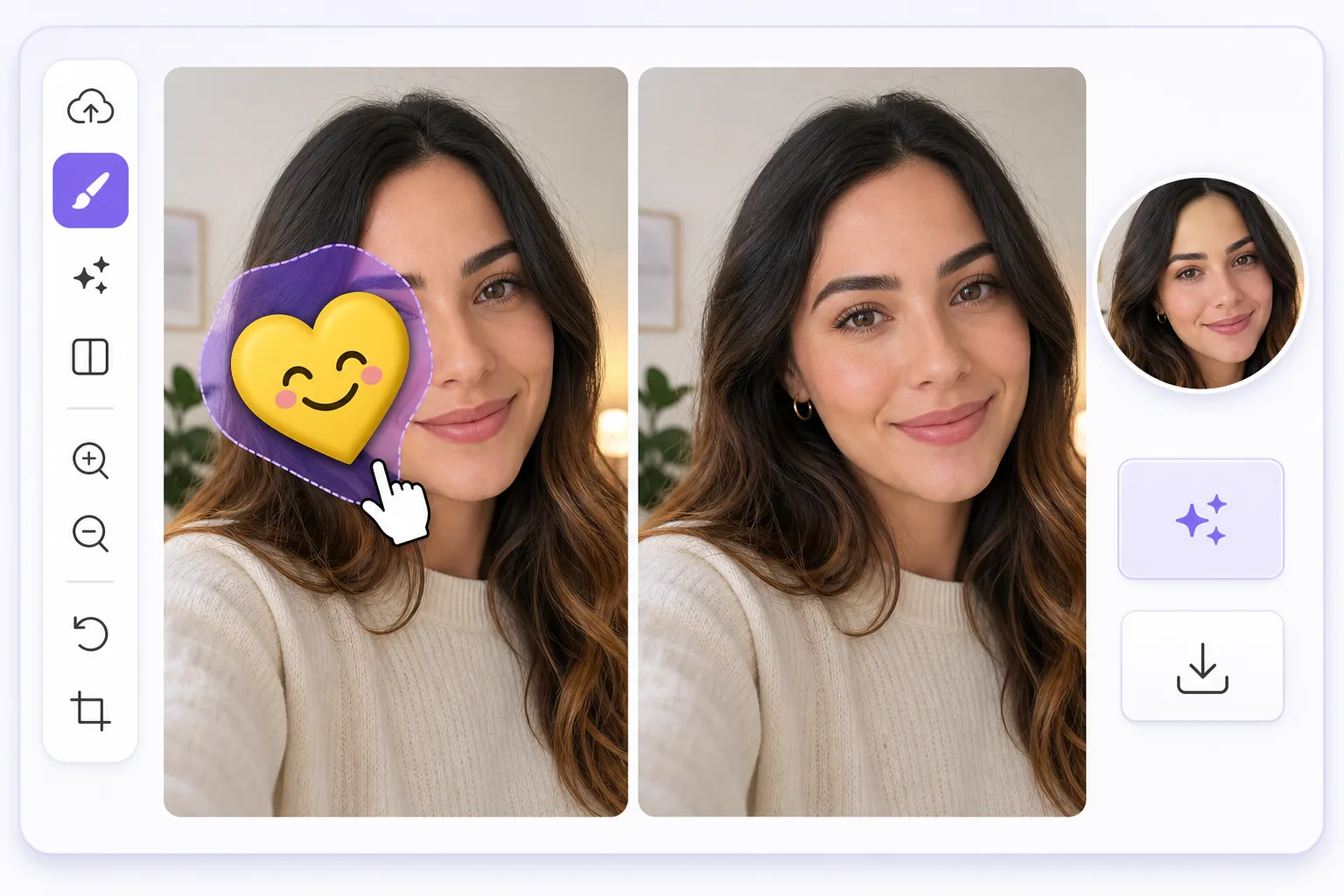
Turn a meme-covered selfie into a clean headshot — Magic Eraser
We have all done it: slapped a sunglasses emoji over our eyes or a sticker across a forehead before posting a selfie, then later wished we had the plain version for a real profile picture. Often that decorated image is the only good shot you have. Magic Eraser fixes this by erasing the emoji or sticker and using AI inpainting to fill in what was behind it. One honest note up front: the AI synthesizes a believable reconstruction of skin, hair, or background, it does not recover the literal pixels that were hidden underneath. For an emoji parked over a cheek, forehead, shoulder, or in the corner of the frame, that reconstruction is usually seamless and avatar-ready. For an emoji sitting directly over your eyes, nose, or mouth, the result is a flattering composite rather than your true hidden features, so pick a shot where the emoji is off to the side when you can. It works the same on web, iOS, and Android, with a free tier and no watermark, so the headshot you export is ready to drop straight into any profile.
Before you start
التعليمات خطوة بخطوة
Start with ارفع الصورة. The result preview above and tips below use this guide's existing content; no separate before-and-after proof is assumed.
- 1
ارفع الصورة
افتح Magic Eraser على الويب أو iOS أو Android. اسحب وأفلت صورتك بتنسيق JPEG أو PNG أو HEIC أو WebP. لا حاجة لحساب.
- 2
اختر الأداة والمنطقة
اختر الأداة المناسبة وحدد المنطقة المراد معالجتها. سيحلل الذكاء الاصطناعي ويطبق التغييرات تلقائيًا في ثوانٍ.
- 3
حمّل النتيجة
معاينة النتيجة وتحميل الصورة المعدلة. تصدير بصيغة PNG أو JPEG عالي الجودة.
الأنسب لـ
- Reusing a great selfie for LinkedIn or a work profile after a sunglasses or laughing emoji covered part of your face
- Cleaning a heart or sticker off a dating-app photo so your avatar looks genuine, not gimmicky
- Removing a Snapchat or Instagram sticker from a portrait you want as a clean Slack or Teams avatar
- Erasing a censoring emoji a friend added before reusing the shot as a polished headshot
- Tidying a meme-style overlay or text off a casual photo so it works as a professional profile picture
نصائح للحصول على أفضل النتائج
Choose a source photo where the emoji sits over a simple area like a cheek, shoulder, or plain background rather than across your eyes or mouth, since the AI reconstructs those flat regions most convincingly. Brush slightly beyond the emoji's edge to catch its drop shadow or glow, which otherwise leaves a faint halo. If the first pass looks blurry, undo and erase in smaller sections so the inpainting blends skin tone and lighting step by step. For headshots, crop after erasing so the cleaned region sits comfortably inside the avatar frame and the join is harder to notice on a small thumbnail.
الأسئلة الشائعة
- هل ميزة إزالة الإيموجي من صورة الملف الشخصي مجانية؟
- نعم، يتيح لك Magic Eraser إزالة الإيموجي من صورة الملف الشخصي مجانًا ضمن الحد اليومي. قم بالترقية إلى Pro للمعالجة غير المحدودة والتصدير بدقة عالية.
- كم يستغرق إزالة الإيموجي من صورة الملف الشخصي؟
- بضع ثوانٍ فقط. يعالج الذكاء الاصطناعي في Magic Eraser الصور بسرعة — معظم النتائج متاحة فور الرفع.
- هل يمكنني استخدامه على الهاتف؟
- نعم، Magic Eraser يعمل على iOS وAndroid وجميع متصفحات الويب. يمكنك التبديل بين الأجهزة بحرية.
- هل تتأثر جودة الصورة؟
- لا، يحافظ Magic Eraser على جودة الصورة الأصلية. يعالج الذكاء الاصطناعي بذكاء للحفاظ على التفاصيل والوضوح.