
ملفات الألوان: sRGB مقابل CMYK
تنقّل بين خيارات إدارة الألوان لضمان مطابقة صورك المطبوعة لما تراه على الشاشة من خلال فهم ملفات الألوان الصحيحة واستخدامها.
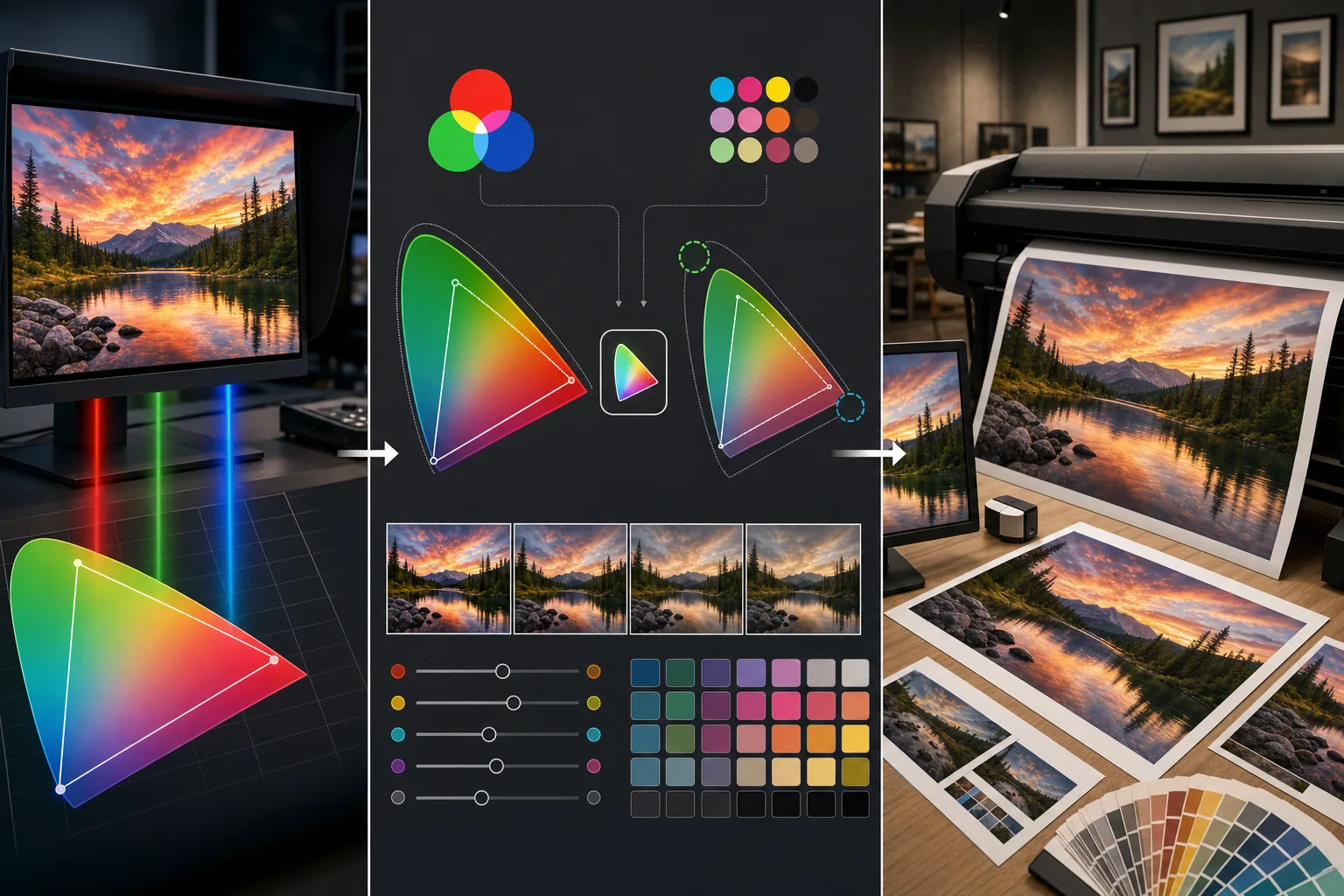
Lesson context before the long read
Review the result preview above, then scan the learning objectives below before reading the full lesson. Updated 2026-05-17.
Example visual uses an existing public asset: /content-images/print-color-profiles-academy.webp.
Learning Objectives
- 1اشرح الفرق بين نموذجي الألوان RGB وCMYK ولماذا يوجد كل منهما
- 2اختر ملف الألوان الصحيح لإخراجك: sRGB للويب، وAdobe RGB للطباعة الراقية، وCMYK للمطابع التجارية
- 3نفّذ معاينة ناعمة لاستعراض شكل صورتك بعد تحويل مساحة الألوان قبل الطباعة
شرح مساحتي الألوان RGB وCMYK
تحدّد ملفات الألوان نطاق الألوان، الذي يُسمى التدرّج اللوني، الذي يمكن تمثيله في نظام ألوان معيّن. وملفات RGB، بما في ذلك sRGB وAdobe RGB، تصف الألوان باستخدام قنوات الضوء الأحمر والأخضر والأزرق، وهي الطريقة التي تعرض بها شاشتك الصور. أما CMYK فيصف الألوان باستخدام حبر السماوي والأرجواني والأصفر والأسود، وهي الطريقة التي تعيد بها المطابع التجارية إنتاج الصور. وهذان النظامان لا يغطيان النطاق نفسه من الألوان، ولهذا قد يُطبع اللون الأخضر النيوني الزاهي على الشاشة كنسخة أبهت وأقل تشبعًا منه.
المعاينة الناعمة قبل الإرسال إلى الطباعة
بالنسبة لمعظم الطباعة الاستهلاكية، بما في ذلك طابعات نفث الحبر المنزلية وخدمات طباعة الصور عبر الإنترنت، يُعدّ sRGB الملف القياسي لأن هذه الطابعات معايرة لتفسير قيم ألوان sRGB. ولـ Adobe RGB تدرّج لوني أوسع يشمل ألوانًا خضراء وسماوية أكثر تشبعًا، مما يجعله مفضّلًا لإعادة الإنتاج الفني الراقي وسير عمل الطباعة الاحترافية حيث تدعم الطابعة النطاق الموسّع. ويُطلب تحويل CMYK للطباعة الأوفست التجارية مثل المجلات والكتيبات وتغليف المنتجات. وسيحدّد لك مورّد الطباعة الملف الذي يحتاجه، وتحويل ملفك بشكل غير صحيح قد يؤدي إلى ألوان باهتة ومنزاحة.
تجنّب الانزياحات اللونية غير المتوقعة
المعاينة الناعمة هي التقنية الأساسية لاستعراض كيف ستتغير ألوانك بعد التحويل. ويمكن لمعظم برامج التحرير محاكاة ملف الألوان المستهدف على شاشتك، مبيّنةً لك أي الألوان الزاهية ستصبح خافتة وأي المناطق الساطعة ستفقد تشبّعها. وإذا كشفت المعاينة الناعمة عن انزياحات غير مقبولة، فيمكنك تعديل ألوان محددة في صورتك قبل التحويل بحيث تطابق النتيجة المطبوعة قصدك الإبداعي. وضمّن دائمًا ملف الألوان الصحيح في ملفك المُصدَّر وتواصل مع طابعك حول ما إذا كانوا يريدون منك التحويل إلى CMYK أو يفضّلون التعامل مع التحويل بأنفسهم.
Key Takeaways
- ✓RGB للشاشات والعرض القائم على الضوء؛ وCMYK للطباعة القائمة على الحبر بتدرّج لوني أصغر
- ✓استخدم sRGB لخدمات الطباعة الاستهلاكية، وAdobe RGB للمطبوعات الفنية الراقية، وCMYK للمطابع التجارية
- ✓نفّذ معاينة ناعمة لصورك قبل التحويل لرصد الانزياحات اللونية وتعديلها بشكل استباقي