
"I had blurry photos from a poorly lit product shoot. AI Enhance made them sharp enough for my Amazon listings without reshooting. Huge time saver."
K. Patel
March 10, 2026 • 78 helpful
Use Magic Eraser's AI Enhance tool to improve clarity, color, face details, and image resolution in seconds. Upgrade product photos, portraits, social media images, and low-quality visuals with a faster editing workflow.
Magic Eraser AI Enhance upscales and improves photo quality using AI. It increases resolution, reduces noise, sharpens details, and recovers lost information from low-quality images — commonly used for improving old or blurry photos, upscaling for print, and sharpening mobile photos for professional use.


Upgrade soft, dim, or flat images without rebuilding them manually. AI Enhance helps recover cleaner color, sharper detail, and a more polished look for ecommerce, social content, and portraits.
Open AI Enhance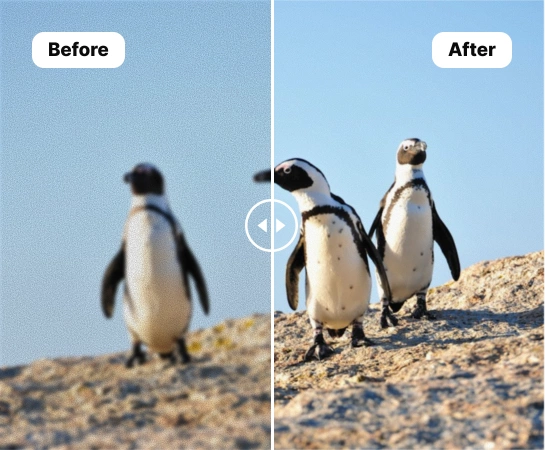
When source images are too soft, dim, or inconsistent, AI Enhance helps creators, sellers, and marketers improve them faster without opening a complex editing stack. It is a practical way to clean up everyday images before publishing, listing, or repurposing them.
Open AI Enhance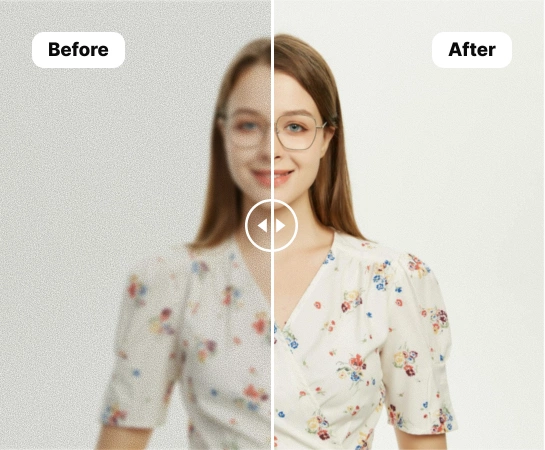
From ecommerce product shots and portraits to marketplace listings and social visuals, AI Enhance helps improve sharpness, lighting, and subject clarity. It is especially useful for images that need color recovery, facial detail, or a cleaner high-resolution export.
Open AI Enhance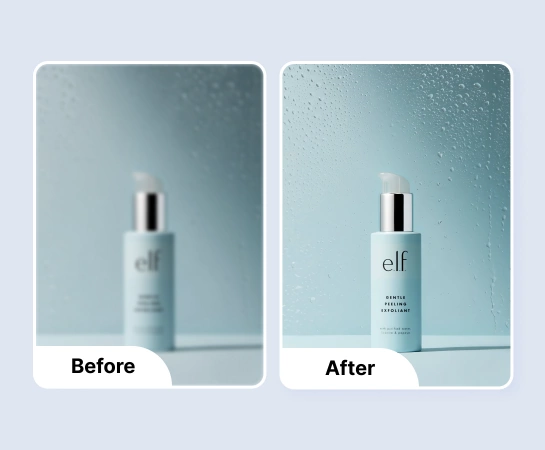
Enhancement is often just the cleanup step before the rest of the workflow. Once your image looks clearer and more polished, you can move into background removal, design, resizing, or canvas expansion. This creates a faster path from average source image to production-ready asset.
Open AI Enhance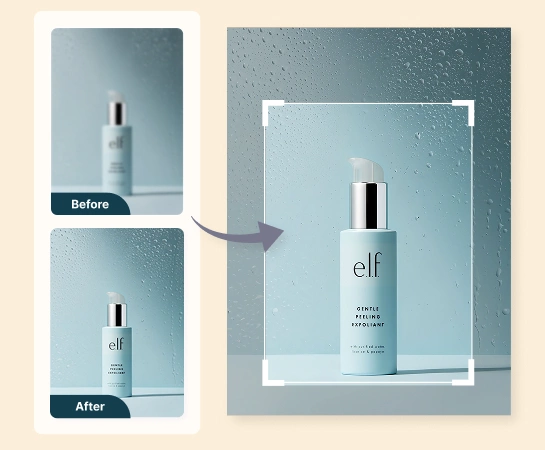
Choose a product photo, portrait, or any image that needs better sharpness, color, or overall clarity.
Turn on color enhancement, face enhancement, or high-resolution processing based on what the image needs.
Let Magic Eraser process the image and improve detail, brightness, color, and facial clarity automatically.
Export the improved image or continue into other workflows like Remove Background, Design, or AI Expand.
Explore the main editing capabilities currently available in Magic Eraser Web, from cleanup and enhancement to generation and design.

Improve image clarity and overall polish with a faster AI-based enhancement workflow.
Recover cleaner color and better visual vibrancy for flatter or dull-looking images.
Bring out clearer facial detail for portraits, profile photos, and creator content.

Improve image resolution so the result works better in larger layouts and exports.

Move the improved image into a cutout workflow when you need a cleaner composition or transparent asset.
Extend the enhanced image into wider layouts for ads, banners, and presentation formats.

Use the enhanced image inside simple design flows to add text and publish-ready layout elements.

Clean up distractions after enhancement when you want a simpler or more focused final visual.
These examples reflect common ways creators, marketers, and sellers use AI Enhance to improve image quality faster.
"I had blurry photos from a poorly lit product shoot. AI Enhance made them sharp enough for my Amazon listings without reshooting. Huge time saver."
"The face enhancement is incredible for headshots. I enhanced an old phone selfie and it looked good enough for my professional portfolio."
"We run a real estate agency and use this to fix dark interior photos. The lighting correction alone makes rooms look twice as appealing in listings."
"Old family photos from the 90s came out looking so much better. The detail recovery is surprisingly good for an app this simple to use."
Upload an image, choose the enhancement options you want, and let Magic Eraser improve clarity, color, facial detail, or resolution automatically. You can then download the result or continue editing it.
AI Enhance works well for product images, portraits, profile pictures, social content, and everyday visuals that need better sharpness, lighting, or overall image quality.
The main modes currently focus on color enhancement, face enhancement, and high-resolution output so you can improve the image based on the type of problem you are fixing.
Yes. After enhancement, you can continue into other Magic Eraser Web tools such as Remove Background, AI Expand, Remove Objects, or Design depending on your workflow.
The typical flow is simple: upload the image, choose enhancement settings, run the edit, compare before and after, and export the improved version.
See how Magic Eraser compares to other photo editing tools.
Cleanup.pictures is a free web tool with one generic eraser brush. Magic Eraser gives you 100+ purpose-built removal tools — one for emoji, glasses, watermarks, sky, power lines, and dozens more — plus background removal, AI enhance, and mobile apps, in 16 languages. See how breadth changes the result.
remove.bg is the market leader for background removal, offering a powerful API and integrations with Photoshop and Figma. Magic Eraser goes further with eight AI-powered editing tools — from object removal and generative fill to AI enhance and design — all in one editor.
Two powerful AI photo editors with different strengths. Magic Eraser offers a broader set of generative AI tools for creative editing, while Photoroom excels at e-commerce product photography and batch processing. See which fits your workflow.
We tested and compared the top AI photo editing tools so you don't have to. From object removal to background replacement, see which editor delivers the best results for your workflow.
Fotor is a capable all-round AI editor that competes on the big head-term features. Magic Eraser wins on depth: 130+ task-specific removal tools — including the emoji and sticker niches Fotor has no dedicated tool for — each tuned for that exact job. When your need is "remove THIS specific thing," the depth is the difference.
Snapseed remains a popular free mobile editor, but it depends more on manual adjustments and traditional photo tools. Magic Eraser adds modern AI workflows for users who want faster cleanup and enhancement with less effort.
See how professionals use these tools in real-world workflows.
Blurry backgrounds and cluttered product shots cost you sales every day. Magic Eraser helps you create clean, professional product images in seconds — no Photoshop skills required. Just upload, erase distractions, and list with confidence.
Passport and visa offices reject thousands of photos every day for incorrect backgrounds. Magic Eraser removes any background and replaces it with the exact color you need — white, light gray, or blue — in seconds.
Tired of the same stock photos your competitors use? Stop paying designers hundreds per post. AI Create generates original illustrations, artwork, and visuals from simple text prompts — then AI Filter and AI Enhance polish them to perfection. Unique, on-brand content for every platform, every day.
Wedding photos deserve perfection, but manual retouching takes hours. Magic Eraser helps photographers and couples remove distracting elements, clean backgrounds, and enhance details so every shot looks its best.
Yearbook photos need consistent backgrounds, even lighting, and clean portraits. Magic Eraser helps schools, studios, and parents get professional-looking results without expensive retouching workflows.
Vehicle listings with clean, professional photos sell faster. Magic Eraser helps dealers, private sellers, and automotive marketers remove background clutter, fix reflections, and enhance car images without a photo studio.
Explore more guides and editorial content related to this workflow.
Step-by-step guide to removing watermarks from your own photos using AI. Learn when it is appropriate, the best techniques, and how Magic Eraser handles it.
Fix blurry, low-resolution, and out-of-focus photos using AI enhancement. Learn how AI upscaling works and when it delivers the best results.
Discover the top photo editing apps for iPhone in 2026. Compare Magic Eraser, Snapseed, VSCO, and Lightroom Mobile to find the best fit for your needs.