Skip to content
移除对象

Remove oil stains from photos

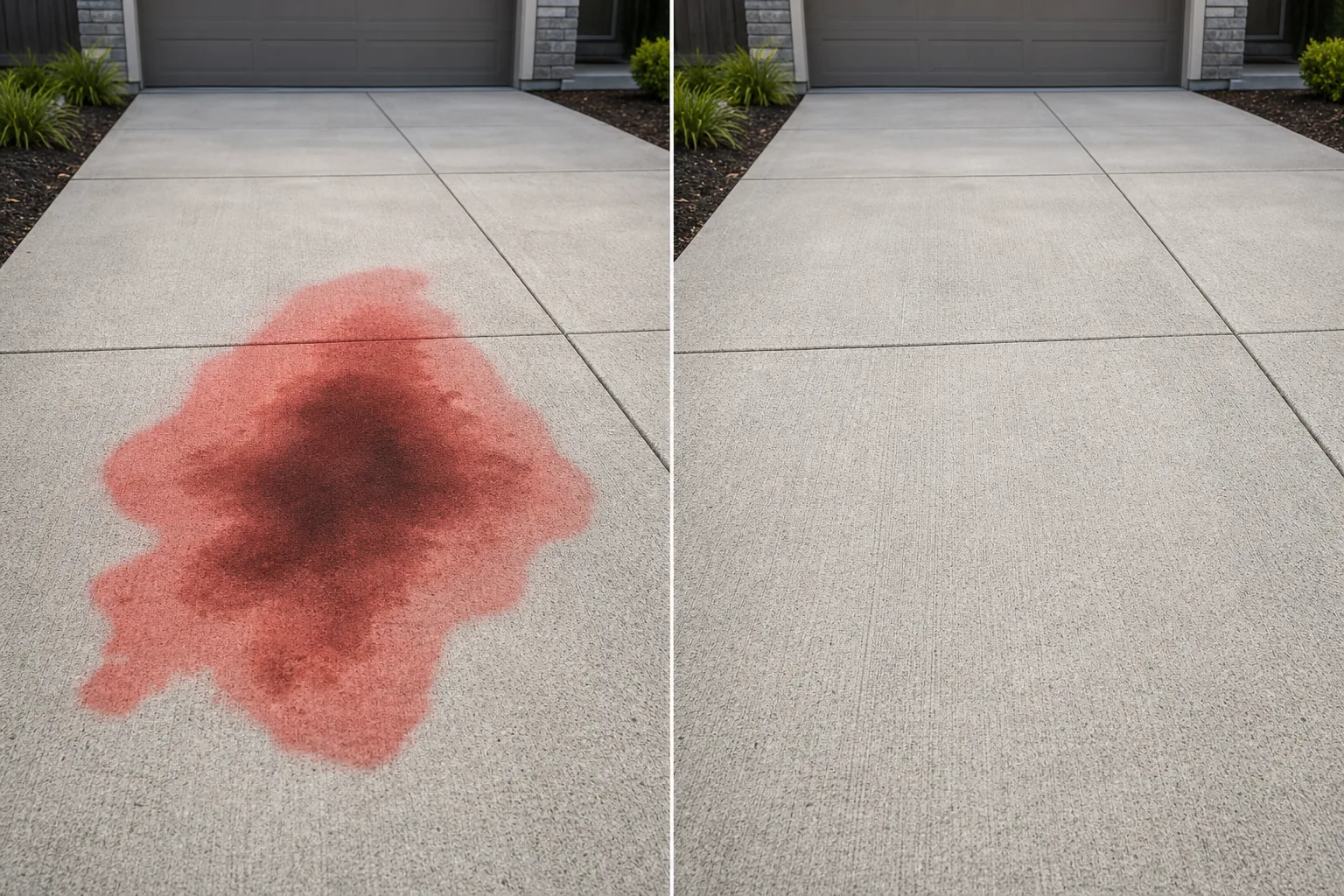
Erase oil stains, grease spots, transmission fluid marks, and coolant spills from driveway, garage floor, and parking lot photos. Magic Eraser removes the discoloration and reconstructs clean, uniform concrete or asphalt so the surface looks freshly poured.

Last updated

立即尝试

Why oil stains on driveways and garages ruin property photos — Magic Eraser

Oil stains are one of the most common and most stubborn eyesores in property photography. A dark, irregular blotch in the center of an otherwise clean concrete driveway immediately signals deferred maintenance to prospective buyers. In real-estate listing photos, the driveway is often the first surface visible in the hero exterior shot — and an oil stain right where the car parks tells a story of leaking vehicles and neglected surfaces. The problem is worse in garage photos, where oil stains on an epoxy or bare concrete floor dominate the visual field because the garage is a confined space with limited visual variety. In commercial property marketing, stained parking lots suggest a poorly maintained facility. Physically cleaning oil stains from concrete requires pressure washing, chemical degreasers, and sometimes resurfacing — a process that takes days and may not fully succeed on old, deep stains. Magic Eraser eliminates the stain digitally in seconds. The AI identifies the discolored area, removes it, and fills the region with clean concrete or asphalt that matches the surrounding surface in color, texture, aggregate pattern, and weathering level.

分步教程

  1. 1

    Upload your photo

    Open Magic Eraser on the web, iOS, or Android and upload the driveway, garage, or parking lot photo with the oil stain you want removed. JPEG, PNG, HEIC, and WebP are all supported.

  2. 2

    Brush over the oil stain

    Paint over the entire stained area including the darkest center and any lighter halo or spread marks around it. Oil stains often have irregular, feathered edges — extend your brush beyond the visible boundary to ensure you capture the full discoloration. For multiple stains, brush over each one.

  3. 3

    Erase and review

    Tap Erase and Magic Eraser replaces the stain with clean concrete or asphalt matching the surrounding surface. Check at 100% zoom that the surface texture, expansion joints, and color tone are consistent. Run a second pass on any residual discoloration at the edges, then export at full resolution.

最适合

重要提示

Oil stains are flat, surface-level discolorations with no three-dimensional geometry, which makes them among the easiest objects to remove — but two details need attention. First, the stain boundary: oil stains spread outward with a gradient from dark center to lighter edge. If you mask only the darkest area, a faint ring of discoloration remains and looks unnatural. Always extend your brush well beyond the visible edge of the stain into clean concrete. Second, surface texture continuity: concrete driveways have expansion joints (scored lines), broom-finish texture, and aggregate patterns. The AI reconstructs these features, but verify at 100% zoom that expansion joints run through the filled area continuously — a joint that stops at the edge of the old stain and resumes on the other side is a telltale artifact. For large stains covering several square feet of driveway, work in sections if the stain crosses an expansion joint, using the joint as a natural break between passes. For garage floors with epoxy or painted coatings, ensure the fill matches the coating color and sheen, not the underlying bare concrete.

常见问题

Is it free to remove oil stains from a photo?
Yes. Magic Eraser's free tier handles oil stain removal with daily usage limits. Premium ($29.99/year) removes limits and unlocks higher-resolution exports.
Will the concrete look uniform after removing the stain?
Yes. The AI matches the surrounding concrete in color, texture, and weathering level. Expansion joints and broom-finish lines are reconstructed through the filled area for a seamless result.
Can it handle stains on asphalt as well as concrete?
Yes. The AI adapts to the surface material — concrete, asphalt, pavers, brick, or epoxy-coated garage floors. It reconstructs the appropriate texture and color for each surface type.
What about multiple overlapping stains in a parking area?
Brush over the entire stained region in one stroke. The AI treats the full selection as a single removal area and fills it with clean surface. For very large areas, work in overlapping sections.