
Magic Eraser 对比 GIMP:AI 优先的云端编辑器 vs 开源桌面传统
GIMP(GNU Image Manipulation Program)自 1996 年以来一直是注重预算的设计师、摄影师和爱好者首选的免费开源图像编辑器——完整的基于图层的编辑、蒙版、混合模式、通过 Script-Fu 和 Python 的脚本、第三方插件生态系统,以及永远零订阅成本。Magic Eraser 是相反的定位:一个为结果速度优化的 AI 优先云端编辑器,提供一键清理、生成式填充、AI Enhance 和跨平台移动编辑,Premium 每年 $29.99。这两款工具位于同一问题空间的两个相反极端,正确的选择取决于你是想通过开源桌面软件进行像素级手动控制,还是通过订阅式云端编辑获得 AI 驱动的速度。
Last updated
免费试用 Magic EraserComparison rows are editorial summaries from the latest page review, not a guarantee of current pricing, limits, watermark policy, batch support, speed, or platform availability.
概览
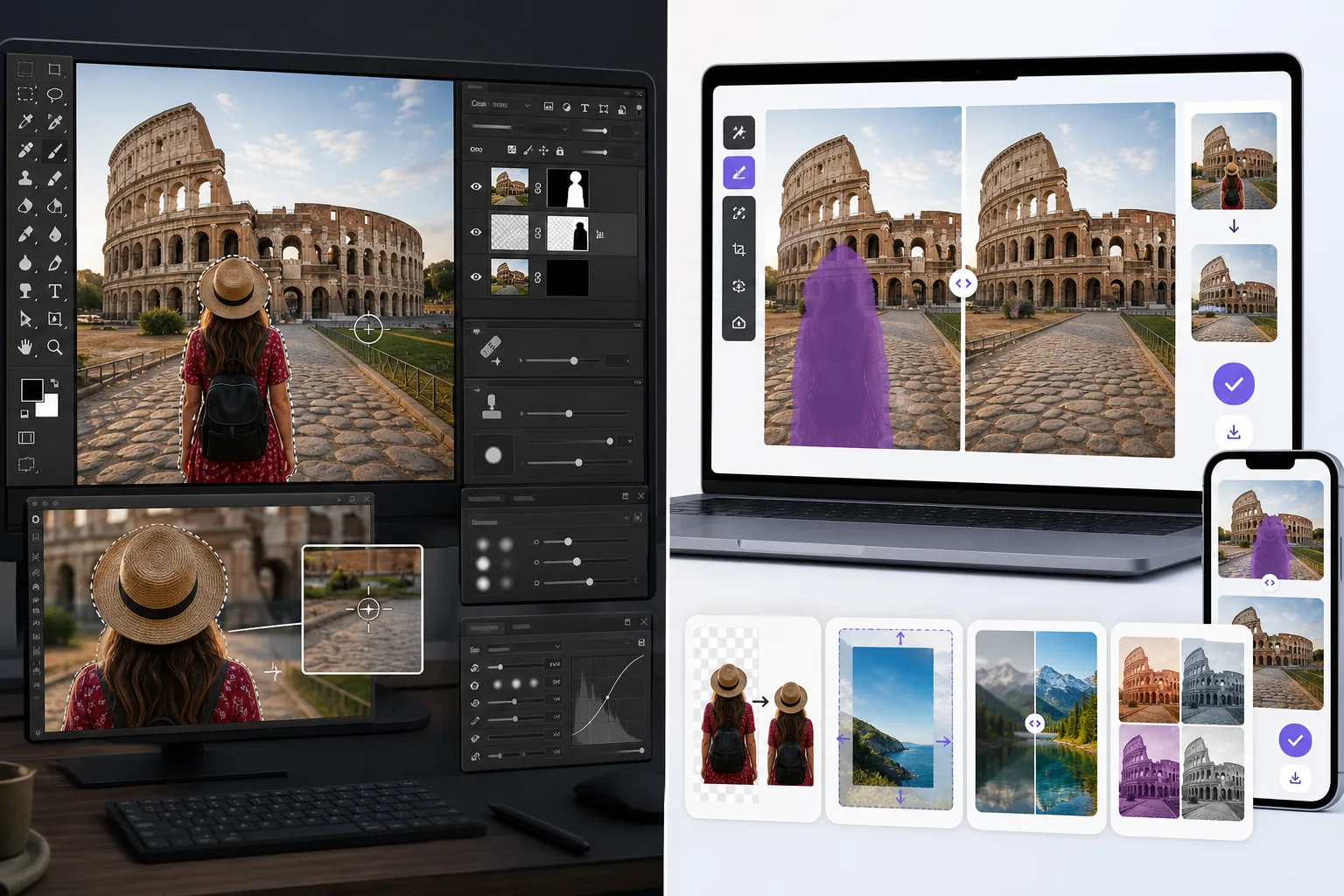
Magic Eraser 是一款专注于结果速度的 AI 优先照片编辑器:用于去除干扰物的 Magic Eraser 画笔、用于背景替换的 Background Eraser、用于生成式填充和扩图的 AI Fill、用于锐化 / 降噪 / 放大的 AI Enhance、用于调色的 AI Filter。完整的功能集在 web、iOS 和 Android 上运行,每个平台都有免费层级和每年 $29.99 的 Premium 层级。每个工具都是单画布操作——没有图层面板、没有手动蒙版、没有需要学习的脚本语言、没有需要浏览的插件生态系统。该产品是为想在每张照片 30-90 秒内完成编辑的用户构建的,而非为想通过图层堆栈工程来构建编辑的用户。
GIMP 是占主导地位的免费开源光栅图像编辑器,自 1996 年作为 GNU 项目维护,可在 Windows、macOS 和 Linux 上使用。功能集涵盖带调整图层和蒙版的基于图层的编辑、混合模式、路径和选区、色彩和色调校正、跨越 JPEG、PNG、TIFF、GIF、PSD(读取)、XCF(原生)等多种格式的文件格式支持、通过 Script-Fu(基于 Scheme)和 Python-Fu 的脚本,以及第三方插件生态系统(用于高级滤镜的 G'MIC、用于内容感知填充的 Resynthesizer、用于批处理的 BIMP)。该产品在 GPL 许可下免费,无订阅、无账户、无云同步——它是一个你下载并在本地运行的桌面应用程序,源代码公开可用。GIMP 3.0(期待已久的主要版本)于 2024-2025 年发布,带来了非破坏性编辑、GTK3 现代化以及改进的 CMYK / 广色域支持。
功能对比
Magic Eraser 是一款专注于结果速度的 AI 优先照片编辑器:用于去除干扰物的 Magic Eraser 画笔、用于背景替换的 Background Eraser、用于生成式填充和扩图的 AI Fill、用于锐化 / 降噪 / 放大的 AI Enhance、用于调色的 AI Filter。完整的功能集在 web、iOS 和 Android 上运行,每个平台都有免费层级和每年 $29.99 的 Premium 层级。每个工具都是单画布操作——没有图层面板、没有手动蒙版、没有需要学习的脚本语言、没有需要浏览的插件生态系统。该产品是为想在每张照片 30-90 秒内完成编辑的用户构建的,而非为想通过图层堆栈工程来构建编辑的用户。
GIMP 是占主导地位的免费开源光栅图像编辑器,自 1996 年作为 GNU 项目维护,可在 Windows、macOS 和 Linux 上使用。功能集涵盖带调整图层和蒙版的基于图层的编辑、混合模式、路径和选区、色彩和色调校正、跨越 JPEG、PNG、TIFF、GIF、PSD(读取)、XCF(原生)等多种格式的文件格式支持、通过 Script-Fu(基于 Scheme)和 Python-Fu 的脚本,以及第三方插件生态系统(用于高级滤镜的 G'MIC、用于内容感知填充的 Resynthesizer、用于批处理的 BIMP)。该产品在 GPL 许可下免费,无订阅、无账户、无云同步——它是一个你下载并在本地运行的桌面应用程序,源代码公开可用。GIMP 3.0(期待已久的主要版本)于 2024-2025 年发布,带来了非破坏性编辑、GTK3 现代化以及改进的 CMYK / 广色域支持。
| Feature | Magic Eraser | GIMP |
|---|---|---|
| 对象 / 干扰物去除 | 一键 Magic Eraser 画笔 | 修复工具 + 仿制图章 + Resynthesizer 插件(手动) |
| 背景去除 / 替换 | 一键 Background Eraser | 前景选择 + 手动蒙版 |
| 生成式 AI 填充(文本提示) | 是——带文本提示的 AI Fill | 否(Resynthesizer 插件处理内容感知填充,但无 AI 生成) |
| AI 锐化 / 降噪 / 放大 | AI Enhance,单一操作 | 通过滤镜手动(Unsharp Mask、NL Means 降噪) |
| 调色 / 滤镜 | AI Filter 预设 + 调整 | 曲线、色阶、色彩平衡,外加 G'MIC 插件 |
| 基于图层的编辑 + 蒙版 + 混合模式 | 否——单画布 AI 操作 | 是——完整图层面板,核心功能 |
| 脚本 / 自动化 | 未公开 | Script-Fu(Scheme)+ Python-Fu |
| 插件生态系统 | 不适用 | 广泛(G'MIC、Resynthesizer、BIMP 等) |
| 文件格式支持 | JPEG、PNG、WebP、HEIC | 广泛:JPEG、PNG、TIFF、GIF、PSD 读取、XCF 原生等多种 |
| 移动端(iOS / Android) | 是——两者均有完整功能集 | 否——仅桌面 |
| 网页应用(无需安装) | 是 | 否——需要桌面安装 |
| 定价 | 免费 + Premium 每年 $29.99 | GPL 下免费——永不订阅 |
| 最佳工作流形态 | 几秒内从手机到发布 | 具有完全控制的桌面合成工作 |
| 典型用户 | 任何编辑照片的人,尤其是移动端 | 爱好者、注重预算的设计师、Linux 用户、开源拥护者 |
Feature rows summarize visible product positioning and should be rechecked against official product pages before purchase, migration, or compliance decisions.
- Last content review May 16, 2026
- GIMP source: official product site (https://www.gimp.org/)
- Magic Eraser source: https://magiceraser.live/zh/product/magic-eraser
- Pricing, feature availability, platform support, and limits can change; recheck official sources before relying on a buying decision.
价格对比
| Plan | Magic Eraser | GIMP |
|---|---|---|
| 免费层级 | 免费——有限编辑 | 免费——开源 |
| 月付 | $9.99/月 | 免费——无付费计划 |
| 年付 | $4.99/月(按年计费) | 免费——无付费计划 |
价格截至 2026 年 5 月。请向各提供商核实当前费率。
Pricing rows are snapshots from review time. Free tiers, subscriptions, trials, export limits, and regional availability can change without notice.
- Last content review May 16, 2026
- GIMP source: official product site (https://www.gimp.org/)
- Magic Eraser source: https://magiceraser.live/zh/product/magic-eraser
- Pricing, feature availability, platform support, and limits can change; recheck official sources before relying on a buying decision.
为什么选择 Magic Eraser
无需 GIMP 级别操作技能的 AI 优先清理
GIMP 的修复工具、仿制图章和 Resynthesizer 插件能产生出色的清理结果——在一位经验丰富的 GIMP 操作者手中,他知道针对哪种情况选择哪种工具、如何设置源区域、如何羽化选区,以及如何跨多次操作进行融合。学习曲线是真实的:GIMP 在功能深度上与 Photoshop 相当,达到熟练工水平需要 40-80 小时的专注练习。Magic Eraser 的画笔只需一笔一点——AI 在单一操作中处理源选择、融合和重建。对于想要结果而不学习技术的用户,差距是显著的。正确的框架不是「GIMP 不好」;而是「GIMP 是你必须驾驭的强力工具,Magic Eraser 是你委派的 AI 助手」。
GIMP 根本不具备的生成式 AI 填充
GIMP 的内容感知填充能力来自 Resynthesizer 插件(需要第三方安装),它对现有像素进行采样以填充标记区域——而非生成式 AI。Resynthesizer 无法生成照片中尚未存在于某处的内容,也没有引导填充的文本提示机制。Magic Eraser 的 AI Fill 通过文本提示生成新内容(「与前景匹配的温暖木纹纹理」「现有地平线之上的日落天空」「带三个拱形窗户的米色石灰岩外墙」)并将风景照片扩图为纵向或正方形宽高比。对于需要生成新内容而非仅仅是更干净的现有内容的工作流,Magic Eraser 是两款工具中唯一能完成此工作的。
在 iOS 和 Android 上原生运行并带云同步——GIMP 仅限桌面
GIMP 仅限 Windows、macOS 和 Linux 桌面。没有 iOS 版本、没有 Android 版本、没有网页应用、没有云同步、没有移动到桌面的交接。对于主要在 Android 手机、iPhone、iPad 或浏览器上编辑照片的用户,GIMP 不是一个选项——你必须通过 AirDrop 或同步到桌面,在 GIMP 中编辑,然后将结果移回手机以发布。Magic Eraser 提供与网页应用功能完全对等的原生 iOS 和 Android 应用,并跨设备云同步。对于 2026 年占主导地位的移动优先编辑模式,Magic Eraser 符合 GIMP 根本不具备的工作流形态。
在 30-90 秒内完成编辑的单一操作工作流
从地标照片中去除游客的 GIMP 工作流:启动 GIMP、打开文件、选择正确的工具(视情况而定的修复工具或仿制图章或 Resynthesizer)、用 Ctrl-单击设置源点、绘制画笔笔触、评估结果、必要时切换工具、在游客的整个轮廓上重复、手动平滑边缘、导出。对于经验丰富的操作者每张照片 8-20 分钟,对于正在学习的人更长。同一任务的 Magic Eraser 工作流:打开照片、在游客上涂抹画笔、点击应用、完成。30-60 秒。对于在一次会话中处理 10-50 张照片的用户(假期回顾、产品目录、房地产挂牌、社交推广批次),速度差异累积成每次会话节省的数小时。
无下载、无安装、无兼容性意外
GIMP 的安装在 Windows 和 macOS 上很简单,但在 Linux 发行版之间存在差异,偶尔与 macOS 主要版本更新存在兼容性问题(GIMP 传统上落后于 Apple 的发布周期),以及 1.5-2GB 的安装占用。首次启动的 UI 历来褒贬不一——GIMP 2.x 的单窗口模式切换、面板排列、菜单层级——许多新用户在学习曲线面前退缩。Magic Eraser 无需安装即可在浏览器中运行——打开 URL、编辑、完成。iOS 和 Android 应用是 App Store / Play Store 下载,采用标准安装模式。对于想在 30 秒内开始编辑而无需安装 + 首次启动定位周期的用户,无需安装的网页应用是运营上更简单的形态。
常见问题
GIMP 真的免费吗,还是有隐藏成本的免费?
+
GIMP 在 GPL(GNU General Public License)下确实免费——无订阅、无账户、无高级层级、无遥测、无广告。源代码公开可用;你可以自托管、修改、再分发。软件本身没有隐藏成本。GIMP 批评者有时引用的「隐藏成本」是操作者时间成本:达到熟练的学习曲线(40-80 小时专注练习)、在熟练工水平下每张照片 8-20 分钟的清理工作流(相比之下 AI 驱动工具为 30-60 秒),以及查找并安装 Resynthesizer / G'MIC / BIMP 的插件发现时间。对于时间有其他有价值用途的用户而言,这些是真实成本,但它们不是软件的成本——它们是 GIMP 所优化的工作流形态的成本。
GIMP 是真正的 Photoshop 替代品吗?
+
对于大多数摄影师和设计师工作流是的,但有保留。GIMP 支持带调整图层和蒙版的图层、混合模式、路径和选区、色彩和色调校正、包括 PSD 读取在内的广泛文件格式支持、通过 Script-Fu 和 Python-Fu 的脚本,以及填补核心功能集大部分空白的第三方插件生态系统。Photoshop 相对 GIMP 的明显优势:具有完整功能对等的行业标准 PSD 往返(GIMP 可读取 PSD 但会丢失部分智能对象和效果图层保真度)、Adobe Camera Raw 的 RAW 处理流程(GIMP 需要 darktable 或 RawTherapee 作为单独工具)、Photoshop 插件生态系统(远大于 GIMP 的插件生态系统),以及跨桌面 / iPad / 移动的 Adobe Cloud 同步。对于不需要那些特定功能的 80% 以上的照片编辑任务,GIMP 是零成本的完整替代品。
如果 GIMP 免费,为什么选择 Magic Eraser?
+
公平的框架不是「GIMP 免费,Magic Eraser 收费,所以 GIMP 在成本上胜出」。公平的框架是「GIMP 优化控制和免费;Magic Eraser 优化速度和 AI;哪种优化适合你的工作?」。对于每周在手机或笔记本电脑上编辑 5-20 张照片、目标是快速完成编辑并继续的用户,Magic Eraser 中 AI 驱动的单一操作工作流每张照片节省可衡量的时间。对于进行深度桌面合成工作、目标是像素级控制且时间投入值得结果的用户,GIMP 的深度是有意义的。许多用户两者都用:GIMP 用于偶尔的深度桌面工作,Magic Eraser 用于日常的清理和编辑量。组合成本为每年 $29.99——相当于一本设计书。
Magic Eraser 能打开 GIMP 的 XCF 文件或 PSD 文件吗?
+
不能直接打开。Magic Eraser 接受 JPEG、PNG、WebP 和 HEIC 输入——手机、大多数数码相机和大多数网页平台用作最终交付物的格式。对于 XCF 文件(GIMP 的原生分层格式)或 PSD 文件(Photoshop 的分层格式),你需要先从 GIMP 或 Photoshop 拼合并导出为 JPEG / PNG,然后在 Magic Eraser 中编辑。对于运行混合工作流的用户,自然的交接是:深度合成工作在 GIMP 中使用分层 XCF 进行,然后拼合后的导出成为 Magic Eraser 中任何 AI 清理或背景替换的源。两阶段工作流对于做两种工作的用户在运营上是干净的。
GIMP 能像 Magic Eraser 一样进行 AI 锐化或放大吗?
+
GIMP 的核心锐化工具(Unsharp Mask、锐化滤镜)是手动频域调整,而非基于 AI 的细节恢复。G'MIC 插件包含一些基于神经网络的滤镜,但不如专用 AI 工具那样精致或快速。具体到 AI 放大(从低分辨率源照片中恢复打印分辨率细节),GIMP 用户通常运行单独的工具——Topaz Photo AI、Gigapixel AI 或 upscayl.org(一款免费开源 AI 放大器,与 GIMP 在注重预算的开源工作流中配合良好)。Magic Eraser 的 AI Enhance 将锐化、降噪和放大捆绑到单一操作中,质量与专门的专用工具相竞争,且与编辑工作流的其余部分在同一产品中。
我能同时使用 GIMP 和 Magic Eraser 吗?
+
可以,许多用户都这么做。一种常见的混合:GIMP 用于分层合成工作、RAW 处理流程(与 darktable 或 RawTherapee 配合处理 RAW)以及像素级控制重要的详细手动修饰;Magic Eraser 用于清理和编辑量(对象去除、背景替换、AI 生成式填充、AI Enhance)、工作流的移动编辑环节,以及任何速度比深度更重要的任务。成本:GIMP $0 + Magic Eraser Premium 每年 $29.99 = 组合工具包每年不到 $30,不到 Adobe Creative Cloud Photography 计划年度成本的 10%。对于有严肃摄影实践但不想租用 Adobe 的用户,GIMP + Magic Eraser 混合是一个真正有竞争力的替代方案。
哪个的 Linux 支持更好?
+
GIMP 在 Linux 上胜出。GIMP 在所有主要 Linux 发行版(Ubuntu、Fedora、Arch、Debian、openSUSE 以及小众发行版的长尾)上原生运行,每个发行版的标准仓库中都有软件包。Magic Eraser 在 Linux 的浏览器中运行(网页应用在 Linux 上任何现代基于 Chromium 或 Firefox 的浏览器中工作),但没有 Linux 原生桌面应用。对于特别想要桌面原生图像编辑器的 Linux 用户,GIMP 是正确的工具;对于乐于在浏览器中进行网页应用编辑的 Linux 用户,Magic Eraser 运行良好。Linux 原生 vs 网页应用的区别是 Linux 用户在两者之间选择时的实际运营差异。
无需 GIMP 学习曲线的 AI 驱动编辑
Magic Eraser 以每张照片 30-90 秒内完成的单一操作工作流处理常见的照片编辑任务——去除干扰物、背景替换、生成式填充、AI Enhance、调色。Web、iOS 和 Android,每个平台都有免费层级。
免费试用 Magic Eraser相关使用场景
了解专业人士如何在实际工作流程中使用这些工具。
其他对比
了解Magic Eraser与其他照片编辑工具的对比。
我们测试并对比了顶级AI照片编辑工具。从物体移除到背景替换,看看哪个编辑器能为你的工作流程提供最佳效果。
Adobe Photoshop 功能强大,但大多数人只用到了它的一小部分功能。Magic Eraser 为你提供真正需要的照片清理工具 — 物体移除、背景移除、AI 增强和生成式填充 — 界面更简洁,可在网页和移动端使用,起步无需任何订阅。
Tried to remove an object or background and hit a Pro paywall in Canva, Adobe Express/Photoshop, or Fotor? Magic Eraser does the same job — object removal, background removal, watermark cleanup, and enhancement — for free. No subscription, and no watermark stamped on your download.
将 Magic Eraser 与 magic-eraser.io 进行对比。并排查看功能、价格和易用性。了解为什么 Magic Eraser 是 AI 照片编辑的更好选择。
将 Magic Eraser 与 Pixelcut 进行对比。并排查看功能、价格和易用性。了解为什么 Magic Eraser 是 AI 照片编辑的更好选择。
Adobe Express 将照片编辑捆绑在与 Adobe Firefly 关联的设计和内容创作套件中。Magic Eraser 专为 AI 照片清理而打造:物体移除、背景替换、生成式填充和增强。本对比展示了每款工具的最佳适用场景。