
Magic Eraser เทียบกับ Inpaint: เครื่องมือไหนลบสิ่งรบกวนได้มีประสิทธิภาพกว่า?
Inpaint เป็นชื่อที่รู้จักกันดีสำหรับการลบวัตถุที่ไม่ต้องการออกจากภาพ Magic Eraser ต่อยอดจากเวิร์กโฟลว์นั้นด้วยเครื่องมือแก้ไข AI ที่กว้างกว่า การเข้าถึงข้ามอุปกรณ์ที่เร็วกว่า และฟีเจอร์การล้างที่มีประโยชน์มากขึ้นเกินกว่างานเดียว
Last updated
ลองใช้ Magic Eraser ฟรีComparison rows are editorial summaries from the latest page review, not a guarantee of current pricing, limits, watermark policy, batch support, speed, or platform availability.
ภาพรวม
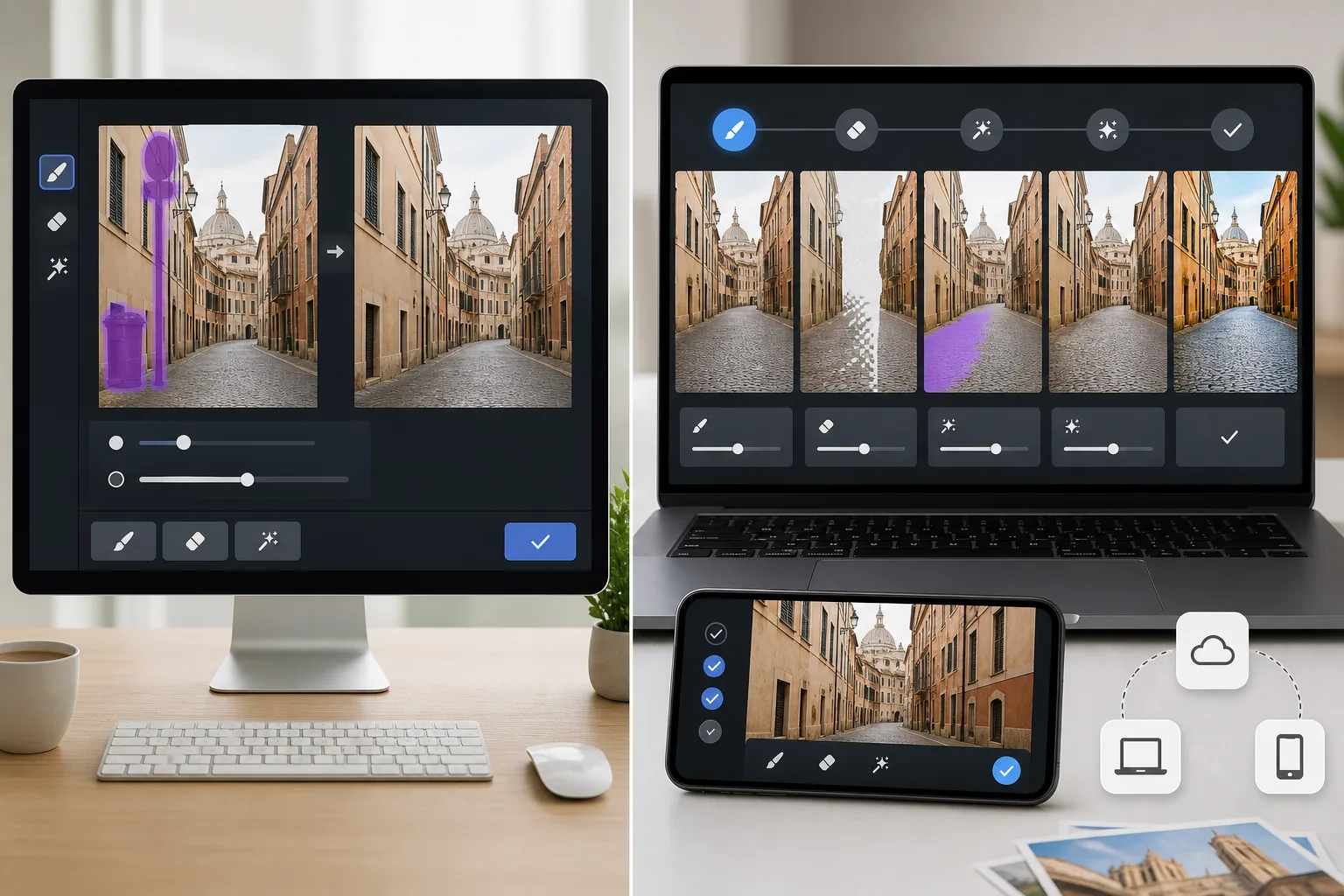
Magic Eraser เป็นโปรแกรมแก้ไขภาพ AI ที่ลบวัตถุ ข้อความ สิ่งรกรุงรัง และสิ่งรบกวนในพื้นหลัง พร้อมทั้งมีเครื่องมือปรับปรุง เติม และล้างภาพที่กว้างกว่า
Inpaint มุ่งเน้นการลบองค์ประกอบที่ไม่ต้องการออกจากภาพ มันมีประสิทธิภาพสำหรับงานล้างที่เรียบง่าย แต่ไม่ได้ให้ชุดเครื่องมือแก้ไขที่กว้างกว่าเหมือน Magic Eraser
การเปรียบเทียบฟีเจอร์
Magic Eraser เป็นโปรแกรมแก้ไขภาพ AI ที่ลบวัตถุ ข้อความ สิ่งรกรุงรัง และสิ่งรบกวนในพื้นหลัง พร้อมทั้งมีเครื่องมือปรับปรุง เติม และล้างภาพที่กว้างกว่า
Inpaint มุ่งเน้นการลบองค์ประกอบที่ไม่ต้องการออกจากภาพ มันมีประสิทธิภาพสำหรับงานล้างที่เรียบง่าย แต่ไม่ได้ให้ชุดเครื่องมือแก้ไขที่กว้างกว่าเหมือน Magic Eraser
| Feature | Magic Eraser | Inpaint |
|---|---|---|
| การลบวัตถุ | ใช่ — เน้น AI | ใช่ |
| การลบข้อความ | ใช่ | ใช่ |
| การลบพื้นหลัง | ใช่ | ไม่ |
| การเติมด้วย AI | ใช่ | ไม่ |
| การปรับปรุงภาพ | ใช่ | ไม่ |
| แพลตฟอร์ม | เว็บ + มือถือ | เว็บ + เดสก์ท็อป |
| เหมาะที่สุดสำหรับ | การล้างหลายขั้นตอน | การลบวัตถุงานเดียว |
| ความกว้างของเวิร์กโฟลว์ | กว้าง | แคบ |
Feature rows summarize visible product positioning and should be rechecked against official product pages before purchase, migration, or compliance decisions.
- Last content review June 21, 2026
- Inpaint source: official product site (https://theinpaint.com/)
- Magic Eraser source: https://magiceraser.live/th/product/magic-eraser
- Pricing, feature availability, platform support, and limits can change; recheck official sources before relying on a buying decision.
การเปรียบเทียบราคา
| Plan | Magic Eraser | Inpaint |
|---|---|---|
| ระดับฟรี | ฟรี — แก้ไขได้จำกัด | ไม่มีระดับฟรี |
| รายเดือน | $9.99/เดือน | ไม่มี — ชำระครั้งเดียว $19.99 |
| รายปี | $4.99/เดือน (เรียกเก็บรายปี) | ไม่มี — ซื้อครั้งเดียว |
ราคา ณ เดือนพฤษภาคม 2026 โปรดตรวจสอบกับผู้ให้บริการแต่ละรายสำหรับอัตราปัจจุบัน
Pricing rows are snapshots from review time. Free tiers, subscriptions, trials, export limits, and regional availability can change without notice.
- Last content review June 21, 2026
- Inpaint source: official product site (https://theinpaint.com/)
- Magic Eraser source: https://magiceraser.live/th/product/magic-eraser
- Pricing, feature availability, platform support, and limits can change; recheck official sources before relying on a buying decision.
ทำไมต้องเลือก Magic Eraser
จัดการเวิร์กโฟลว์การล้างทั้งหมด
Magic Eraser สามารถลบปัญหา แก้ไขพื้นหลัง ปรับปรุงคุณภาพภาพ และช่วยสร้างบริบทที่ขาดหายไปได้หากภาพต้องการมากกว่าการลบครั้งเดียว
ดีกว่าสำหรับทีมเนื้อหาสมัยใหม่
ทีมในปัจจุบันต้องการเครื่องมือเดียวที่สามารถรองรับทรัพยากรโซเชียล ภาพถ่ายสินค้า รายการขาย และภาพการตลาด Magic Eraser ครอบคลุมงานประจำวันเหล่านั้นมากกว่าในโปรแกรมแก้ไขเดียว
การเข้าถึงข้ามอุปกรณ์ที่แข็งแกร่งกว่า
Magic Eraser ทำงานบนเว็บและมือถือ ทำให้ล้างและเผยแพร่ภาพได้ง่ายขึ้นโดยไม่ต้องผูกกับเครื่องเดียว
พื้นที่สำหรับทำซ้ำมากขึ้น
เมื่อลบวัตถุแล้ว ผู้ใช้มักต้องแก้ไขต่อ Magic Eraser ให้ความสามารถในขั้นตอนถัดไปมากกว่าเครื่องมือลบวัตถุที่มีจุดประสงค์เดียว
เครื่องมือ
คำถามที่พบบ่อย
Magic Eraser ดีกว่า Inpaint สำหรับการลบวัตถุหรือไม่?
+
สำหรับการลบวัตถุที่เรียบง่าย ทั้งสองทำงานได้ดี Magic Eraser มีประโยชน์มากขึ้นเมื่อภาพต้องการการล้างพื้นหลัง การปรับปรุง หรือการเติมแบบสร้างสรรค์หลังจากการลบด้วย
Inpaint สามารถลบข้อความออกจากภาพได้หรือไม่?
+
ได้ Inpaint สามารถลบข้อความและลายน้ำออกจากพื้นหลังที่เรียบง่ายได้ Magic Eraser ก็จัดการงานเหล่านั้นได้เช่นกัน พร้อมให้ตัวเลือกการแก้ไขเพิ่มเติมหลังจากนั้น
เครื่องมือไหนดีกว่าสำหรับทีมธุรกิจ?
+
Magic Eraser มักเหมาะกว่าเพราะทีมมักต้องการเวิร์กโฟลว์ที่กว้างกว่าการล้างภาพที่มีจุดประสงค์เดียว
Magic Eraser ลบพื้นหลังได้ด้วยหรือไม่?
+
ได้ Magic Eraser มีการลบพื้นหลังโดยเฉพาะ รวมถึงเครื่องมือลบวัตถุและเติม
เครื่องมือไหนง่ายกว่าสำหรับงานแก้ไขซ้ำๆ?
+
Magic Eraser ง่ายกว่าสำหรับเวิร์กโฟลว์ซ้ำๆ เพราะรวมงานแก้ไข AI หลายอย่างไว้ในอินเทอร์เฟซเดียวแทนที่จะบังคับให้ผู้ใช้ใช้เครื่องมือแยกหรือขั้นตอนต่อเนื่อง
ต้องการมากกว่าเครื่องมือลบวัตถุงานเดียว?
ลองใช้ Magic Eraser ฟรี และไปจากการล้างสู่การปรับปรุงจนถึงการส่งออกสุดท้ายโดยไม่ต้องเปลี่ยนเครื่องมือ
ลองใช้ Magic Eraser ฟรีกรณีการใช้งานที่เกี่ยวข้อง
ดูว่ามืออาชีพใช้เครื่องมือเหล่านี้ในเวิร์กโฟลว์จริงอย่างไร
ภาพประกาศที่เต็มไปด้วยของส่วนตัว รถจอด หรืออุปกรณ์ก่อสร้าง ทำให้ผู้ซื้อไม่สนใจ Magic Eraser ใช้ AI ทำความสะอาดภาพอสังหาริมทรัพย์ของคุณทันที — ไม่ต้องมีทักษะ Photoshop
รูปสินค้าที่พื้นหลังรกรุงรังทำให้ลูกค้าเลื่อนผ่านร้านคุณทุกวัน Magic Eraser ช่วยสร้างรูปสินค้ามืออาชีพได้ในไม่กี่วินาที ไม่ต้องเก่ง Photoshop อัปโหลด ลบสิ่งรบกวน แล้วลงขายได้เลย
คนแปลกหน้าทำลายรูปท่องเที่ยวของคุณ? พื้นหลังรกๆ ทำให้เซลฟี่ดูไม่ดี? เลิกเสียเวลาหลายชั่วโมงกับ Photoshop ได้แล้ว Magic Eraser ลบสิ่งรบกวน ทำความสะอาดฉากหลัง และขยายรูปให้พอดีทุกแพลตฟอร์ม — แค่แตะครั้งเดียว
คู่มือที่เกี่ยวข้อง
ดูคู่มือและเนื้อหาเชิงบรรณาธิการเพิ่มเติมที่เกี่ยวข้องกับเวิร์กโฟลว์นี้
เรียนรู้วิธีใช้ Magic Eraser เพื่อลบวัตถุ คน ข้อความ และสิ่งรบกวนออกจากรูปภาพ พร้อมผลลัพธ์ AI ที่สะอาดขึ้น
เรียนรู้วิธีลบคนออกจากรูปภาพด้วย AI ภายในไม่กี่วินาที สำหรับรูปท่องเที่ยว อสังหาริมทรัพย์ และรูปสินค้า
คำแนะนำทีละขั้นตอนในการลบลายน้ำจากรูปภาพของคุณด้วย AI เมื่อไหร่ที่เหมาะสม เทคนิค และวิธีใช้ Magic Eraser
การเปรียบเทียบอื่นๆ
ดูว่า Magic Eraser เปรียบเทียบกับเครื่องมือแก้ไขรูปภาพอื่นอย่างไร
เราทดสอบและเปรียบเทียบเครื่องมือแต่งรูป AI ชั้นนำเพื่อคุณ จากการลบวัตถุไปจนถึงการเปลี่ยนพื้นหลัง ดูว่าโปรแกรมไหนให้ผลลัพธ์ที่ดีที่สุด
Photoshop เป็นมาตรฐานอุตสาหกรรมสำหรับการแก้ไขภาพเชิงลึก แต่หลายคนต้องการแค่การลบวัตถุอย่างรวดเร็ว พื้นหลังที่สะอาด และการแก้ไขด้วย AI Magic Eraser มุ่งเน้นงานเหล่านั้นด้วยเวิร์กโฟลว์ที่เบากว่า ทำงานได้ในไม่กี่วินาทีบนเว็บและมือถือ
Adobe Photoshop นั้นทรงพลัง แต่คนส่วนใหญ่ใช้เพียงเศษเสี้ยวของฟีเจอร์ทั้งหมด Magic Eraser มอบเครื่องมือลบสิ่งรบกวนในภาพที่คุณต้องการจริง ๆ — การลบวัตถุ การลบพื้นหลัง การปรับปรุงด้วย AI และ generative fill — ในอินเทอร์เฟซที่เรียบง่ายกว่า ใช้งานได้ทั้งบนเว็บและมือถือ ในอินเทอร์เฟซที่เริ่มต้นได้ง่าย
Tried to remove an object or background and hit a Pro paywall in Canva, Adobe Express/Photoshop, or Fotor? Magic Eraser does the same job — object removal, background removal, watermark cleanup, and enhancement — for free. No subscription, and no watermark stamped on your download.
เปรียบเทียบ Magic Eraser กับ magic-eraser.io ดูฟีเจอร์ ราคา และความง่ายในการใช้งานแบบเทียบกัน ค้นพบว่าทำไม Magic Eraser ถึงเป็นตัวเลือกที่ดีกว่าสำหรับการแต่งรูปด้วย AI
เปรียบเทียบ Magic Eraser กับ Pixelcut ดูฟีเจอร์ ราคา และความง่ายในการใช้งานแบบเทียบกัน ค้นพบว่าทำไม Magic Eraser ถึงเป็นตัวเลือกที่ดีกว่าสำหรับการแต่งรูปด้วย AI