
The Free Magic Eraser You Don't Need Pro For
Tried to remove an object or background and hit a Pro paywall in Canva, Adobe Express/Photoshop, or Fotor? Magic Eraser does the same job — object removal, background removal, watermark cleanup, and enhancement — for free. No subscription, and no watermark stamped on your download.
Last updated
Erase free, no ProComparison rows are editorial summaries from the latest page review, not a guarantee of current pricing, limits, watermark policy, batch support, speed, or platform availability.
Overview
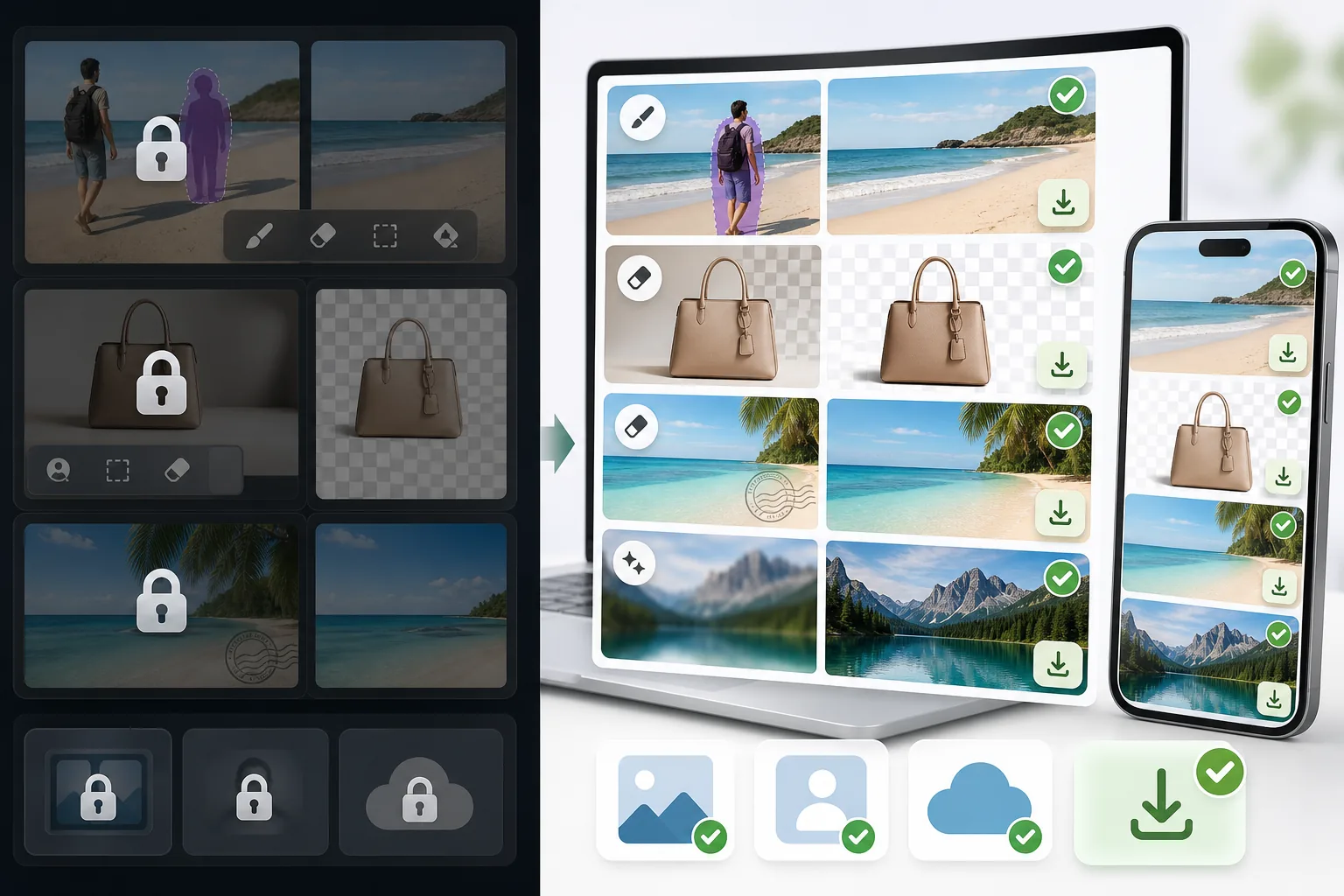
Magic Eraser is a dedicated AI photo editor built around cleanup. Object removal, background removal, watermark and emoji removal, and image enhancement include limited free edits on web and mobile after sign-in, with no watermark added to exported images.
Canva, Adobe (Express and Photoshop), and Fotor are powerful, well-made editors. The catch for many people is that their object and background removal — the exact feature you came for — is often placed behind a Pro or paid tier, so the cleanup step triggers an upgrade prompt before you can export.
Magic Eraser vs Pro-Gated Editors
Magic Eraser is a dedicated AI photo editor built around cleanup. Object removal, background removal, watermark and emoji removal, and image enhancement include limited free edits on web and mobile after sign-in, with no watermark added to exported images.
Canva, Adobe (Express and Photoshop), and Fotor are powerful, well-made editors. The catch for many people is that their object and background removal — the exact feature you came for — is often placed behind a Pro or paid tier, so the cleanup step triggers an upgrade prompt before you can export.
| Feature | Magic Eraser | Others |
|---|---|---|
| Object removal | Yes — free, core feature | Yes — but often behind a Pro / paid tier |
| Background removal | Yes — free | Yes — frequently Pro-gated or limited on free |
| Watermark & emoji removal | Yes — free | Limited or Pro-only |
| Watermark on your export | None | Sometimes added on the free tier |
| Signup required | No — start editing instantly | Usually an account is required |
| Image enhancement | Yes — free | Often Pro-gated |
| Task-specific removal tools | 100+ (emoji, watermark, date stamp, person, sky…) | Typically one general brush, Pro-gated |
| Cost to do the cleanup job | Free | Often requires a paid subscription |
| Platform | Web + iOS + Android | Web + iOS + Android |
Feature rows summarize visible product positioning and should be rechecked against official product pages before purchase, migration, or compliance decisions.
- Last content review June 20, 2026
- Pro-gated editors source: official product site (https://www.canva.com/)
- Magic Eraser source: https://magiceraser.live/th/product/magic-eraser
- Pricing, feature availability, platform support, and limits can change; recheck official sources before relying on a buying decision.
Why Switch When You Hit the Paywall
The cleanup step is free, not the upgrade prompt
In Canva, Adobe Express/Photoshop, and Fotor, the object- or background-removal action is often what triggers an upgrade screen. In Magic Eraser, that same action is the free core of the product — you remove the object, remove the background, or clean a watermark and export, with no Pro tier standing between you and the result.
No watermark on what you download
Some free tiers let you edit but stamp a watermark on the export, which defeats the point. Magic Eraser never adds a watermark to your image — what you erase is what you download, at full usable quality.
Sign in, use free edits, no card
You don't create an account, start a trial, or enter payment details to do the job. Open Magic Eraser, upload your photo, brush over what you want gone, and save. The whole flow is built to skip the friction those tools put in front of cleanup.
100+ purpose-built removal tools
Instead of one general-purpose brush gated behind Pro, Magic Eraser offers task-specific tools — remove emoji, watermark, date stamp, person, glasses, sky, glare, and more — each tuned for that exact job, and each available with limited free edits after sign-in.
Frequently Asked Questions
Is Magic Eraser really free?
+
Yes. Object removal, background removal, watermark and emoji removal, and enhancement include limited free edits after sign-in, with no watermark added to your export. There is an optional paid plan with higher limits and extras, but the core cleanup tasks people hit paywalls for elsewhere are free here.
Can I remove objects or backgrounds without Canva Pro or Adobe's paid plan?
+
Yes. Magic Eraser is a free alternative for exactly that. Canva, Adobe Express/Photoshop, and Fotor are capable tools, but their object and background removal is often behind a Pro or paid tier. Magic Eraser does the same job for free — so you can finish the edit instead of hitting an upgrade screen.
What's the catch?
+
There's no watermark and sign-in required wall on the core tools. The honest caveat is technical, not commercial: like every AI eraser (including the Pro ones), Magic Eraser reconstructs the area behind whatever you remove, so busy textures or complex backgrounds may need a second pass or light touch-up. Most everyday removals are clean in one go.
Do I have to create an account or enter a credit card?
+
No. You can start editing immediately on the web with sign-in required and no payment details. That's the main difference from the paywalled flows — there's nothing to unlock before you export.
Will there be a watermark on my downloaded image?
+
No. Magic Eraser does not stamp a watermark on your exported image. You download the cleaned photo at full usable quality, free.
Skip the Pro paywall — erase it free
Remove the object, clear the background, or wipe a watermark without a subscription, a signup, or a watermark on your download. Open Magic Eraser and finish the edit you came to do.
Erase free, no Proกรณีการใช้งานที่เกี่ยวข้อง
ดูว่ามืออาชีพใช้เครื่องมือเหล่านี้ในเวิร์กโฟลว์จริงอย่างไร
ภาพประกาศที่เต็มไปด้วยของส่วนตัว รถจอด หรืออุปกรณ์ก่อสร้าง ทำให้ผู้ซื้อไม่สนใจ Magic Eraser ใช้ AI ทำความสะอาดภาพอสังหาริมทรัพย์ของคุณทันที — ไม่ต้องมีทักษะ Photoshop
รูปสินค้าที่พื้นหลังรกรุงรังทำให้ลูกค้าเลื่อนผ่านร้านคุณทุกวัน Magic Eraser ช่วยสร้างรูปสินค้ามืออาชีพได้ในไม่กี่วินาที ไม่ต้องเก่ง Photoshop อัปโหลด ลบสิ่งรบกวน แล้วลงขายได้เลย
คนแปลกหน้าทำลายรูปท่องเที่ยวของคุณ? พื้นหลังรกๆ ทำให้เซลฟี่ดูไม่ดี? เลิกเสียเวลาหลายชั่วโมงกับ Photoshop ได้แล้ว Magic Eraser ลบสิ่งรบกวน ทำความสะอาดฉากหลัง และขยายรูปให้พอดีทุกแพลตฟอร์ม — แค่แตะครั้งเดียว
คู่มือที่เกี่ยวข้อง
ดูคู่มือและเนื้อหาเชิงบรรณาธิการเพิ่มเติมที่เกี่ยวข้องกับเวิร์กโฟลว์นี้
เรียนรู้วิธีใช้ Magic Eraser เพื่อลบวัตถุ คน ข้อความ และสิ่งรบกวนออกจากรูปภาพ พร้อมผลลัพธ์ AI ที่สะอาดขึ้น
เรียนรู้วิธีลบคนออกจากรูปภาพด้วย AI ภายในไม่กี่วินาที สำหรับรูปท่องเที่ยว อสังหาริมทรัพย์ และรูปสินค้า
คำแนะนำทีละขั้นตอนในการลบลายน้ำจากรูปภาพของคุณด้วย AI เมื่อไหร่ที่เหมาะสม เทคนิค และวิธีใช้ Magic Eraser
การเปรียบเทียบอื่นๆ
ดูว่า Magic Eraser เปรียบเทียบกับเครื่องมือแก้ไขรูปภาพอื่นอย่างไร
เราทดสอบและเปรียบเทียบเครื่องมือแต่งรูป AI ชั้นนำเพื่อคุณ จากการลบวัตถุไปจนถึงการเปลี่ยนพื้นหลัง ดูว่าโปรแกรมไหนให้ผลลัพธ์ที่ดีที่สุด
Adobe Photoshop นั้นทรงพลัง แต่คนส่วนใหญ่ใช้เพียงเศษเสี้ยวของฟีเจอร์ทั้งหมด Magic Eraser มอบเครื่องมือลบสิ่งรบกวนในภาพที่คุณต้องการจริง ๆ — การลบวัตถุ การลบพื้นหลัง การปรับปรุงด้วย AI และ generative fill — ในอินเทอร์เฟซที่เรียบง่ายกว่า ใช้งานได้ทั้งบนเว็บและมือถือ ในอินเทอร์เฟซที่เริ่มต้นได้ง่าย
เปรียบเทียบ Magic Eraser กับ magic-eraser.io ดูฟีเจอร์ ราคา และความง่ายในการใช้งานแบบเทียบกัน ค้นพบว่าทำไม Magic Eraser ถึงเป็นตัวเลือกที่ดีกว่าสำหรับการแต่งรูปด้วย AI
เปรียบเทียบ Magic Eraser กับ Pixelcut ดูฟีเจอร์ ราคา และความง่ายในการใช้งานแบบเทียบกัน ค้นพบว่าทำไม Magic Eraser ถึงเป็นตัวเลือกที่ดีกว่าสำหรับการแต่งรูปด้วย AI
Adobe Express รวมการแต่งภาพไว้ในชุดเครื่องมือออกแบบและสร้างคอนเทนต์ที่เชื่อมต่อกับ Adobe Firefly ส่วน Magic Eraser ถูกสร้างขึ้นมาเพื่อการทำความสะอาดภาพด้วย AI โดยเฉพาะ ได้แก่ การลบวัตถุ การเปลี่ยนพื้นหลัง การเติมภาพแบบ generative และการเพิ่มคุณภาพ การเปรียบเทียบนี้แสดงให้เห็นว่าเครื่องมือแต่ละตัวเหมาะกับงานแบบใดมากที่สุด
ทั้ง Magic Eraser และ Pixelcut ต่างก็มีการแก้ไขภาพด้วย AI บนเว็บ iOS และ Android พร้อมระดับฟรีและระดับ Pro แบบเสียเงิน Pixelcut เน้นหนักไปที่ภาพสินค้าอีคอมเมิร์ซพร้อมเทมเพลต Magic Eraser ถูกสร้างขึ้นมาเพื่องานทำความสะอาดภาพด้วย AI โดยเฉพาะครอบคลุมงานภาพทุกรูปแบบ การเปรียบเทียบนี้แสดงให้เห็นว่าเครื่องมือแต่ละตัวโดดเด่นตรงไหน