
ออกแบบรูปภาพได้เร็วขึ้นด้วยโปรแกรมแก้ไขออนไลน์สำหรับข้อความ เลเยอร์ พื้นหลัง และการปรับขนาด
ใช้โปรแกรมแก้ไขดีไซน์ของ Magic Eraser เพื่อสร้างโพสต์บนโซเชียลมีเดีย ภาพขนาดย่อ แบนเนอร์ โปสเตอร์ ภาพผลิตภัณฑ์ และเนื้อหาทางการตลาดได้รวดเร็วยิ่งขึ้นภายในผืนผ้าใบออนไลน์เดียว
Magic Eraser Design คือโปรแกรมแก้ไขแคนวาสออนไลน์สำหรับสร้างโพสต์บนโซเชียลมีเดีย แบนเนอร์ ภาพขนาดย่อ และเนื้อหาทางการตลาด มันรวมข้อความ รูปร่าง รูปภาพ และองค์ประกอบแบบเลเยอร์ด้วยการปรับขนาดด้วยคลิกเดียวสำหรับหลายแพลตฟอร์ม — โดยทั่วไปใช้โดยนักการตลาด ผู้ขาย และผู้สร้างเนื้อหาที่ต้องการเค้าโครงภาพที่รวดเร็วโดยไม่ต้องใช้ซอฟต์แวร์การออกแบบเฉพาะ
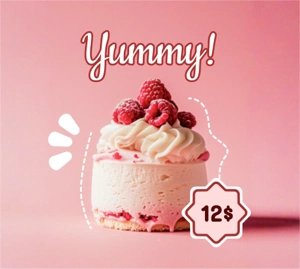
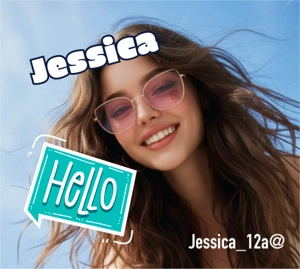
สร้างภาพที่พร้อมสำหรับแคมเปญจากผืนผ้าใบออนไลน์ที่เดียว
ใช้ตัวแก้ไขการออกแบบเพื่อรวมรูปภาพ ข้อความ รูปร่าง และการจัดรูปแบบพื้นหลังโดยไม่ต้องสร้างเนื้อหาขึ้นมาใหม่ในเครื่องมือที่แยกจากกัน มันทำงานได้ดีกับเลย์เอาต์การโปรโมตที่รวดเร็ว เนื้อหาอีคอมเมิร์ซ และงานออกแบบโซเชียลในชีวิตประจำวัน
เริ่มทดลองใช้ฟรี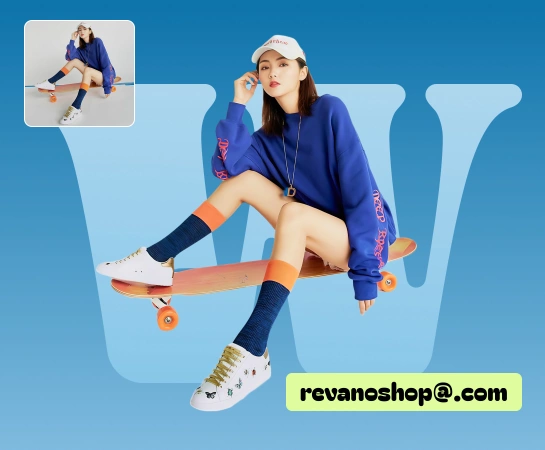
ย้ายจากภาพต้นฉบับไปยังเนื้อหาที่เสร็จสมบูรณ์โดยไม่ต้องข้ามไปมาระหว่างเครื่องมือต่างๆ
เมื่อทีมจำเป็นต้องเพิ่มหัวข้อข่าว สลับพื้นหลัง จัดเรียงเลเยอร์ ปรับขนาดเค้าโครง หรือเตรียมรูปแบบต่างๆ ของแคมเปญ ตัวแก้ไขการออกแบบจะเก็บทุกอย่างไว้ในที่เดียวและลดการสลับเครื่องมือ
เริ่มทดลองใช้ฟรี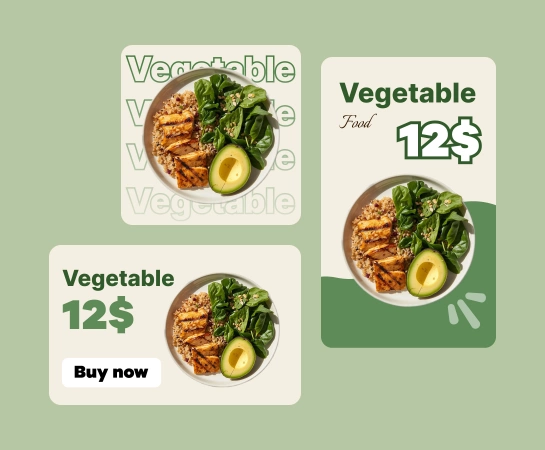
ใช้การออกแบบสำหรับโพสต์บนโซเชียลมีเดีย โฆษณา ภาพขนาดย่อ แบนเนอร์ และเนื้อหาผลิตภัณฑ์
ตั้งแต่รูปภาพผลิตภัณฑ์และโพสต์โซเชียลไปจนถึงแบนเนอร์ฮีโร่และภาพแคมเปญ ตัวแก้ไขการออกแบบช่วยให้คุณสร้างเลย์เอาต์ได้เร็วขึ้นด้วยข้อความ รูปร่าง รูปภาพ พื้นหลัง และปรับขนาดที่ตั้งไว้ล่วงหน้า
เริ่มทดลองใช้ฟรี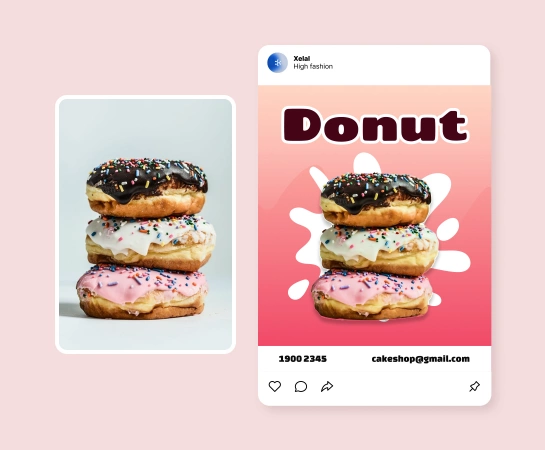
รวมงานออกแบบเข้ากับชุดเครื่องมือ Magic Eraser AI ที่เหลือ
เมื่อรูปภาพอยู่ในตัวแก้ไข คุณสามารถดำเนินการลบพื้นหลัง การล้างวัตถุ การปรับปรุง การขยาย หรือภาพที่สร้างโดย AI ต่อไปได้ เพื่อสิ้นสุดเนื้อหาภายในสแต็กที่เชื่อมต่อเพียงสแต็กเดียว
เริ่มทดลองใช้ฟรี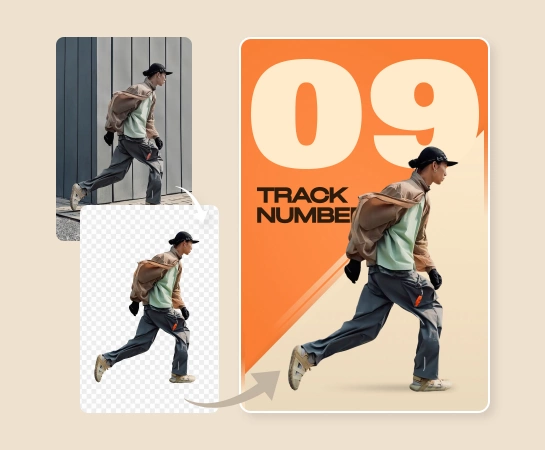
วิธีการออกแบบภาพภายใน Magic Eraser
เริ่มต้นด้วยรูปภาพหรือผืนผ้าใบเปล่า
อัปโหลดรูปภาพต้นฉบับหรือเปิดตัวแก้ไข และเริ่มสร้างเลย์เอาต์จากผืนผ้าใบที่สะอาดตา
เพิ่มข้อความ รูปร่าง และองค์ประกอบการออกแบบ
สร้างองค์ประกอบด้วยเลเยอร์ การจัดรูปแบบข้อความ รูปร่าง ตัวเลือกพื้นหลัง และการปรับแต่งภาพ
ปรับขนาดและปรับแต่งเค้าโครง
ปรับการออกแบบให้เข้ากับรูปแบบที่คุณต้องการ ปรับระยะห่าง และเตรียมรูปแบบต่างๆ สำหรับช่องต่างๆ
ดาวน์โหลดหรือแก้ไขต่อด้วยเครื่องมือ AI
ส่งออกเนื้อหาขั้นสุดท้ายหรือย้ายไปยังเวิร์กโฟลว์ AI เช่น ลบพื้นหลัง, AI Enhance, ตัวกรอง AI หรือ AI Create
เครื่องมือแก้ไขภาพ AI ทั้งหมดที่คุณต้องการ
สำรวจความสามารถในการแก้ไขหลักที่มีอยู่ใน Magic Eraser Web ในปัจจุบัน ตั้งแต่การล้างข้อมูลและการปรับปรุง ไปจนถึงการสร้างและการออกแบบ

บรรณาธิการออกแบบ
สร้างเค้าโครงที่สวยงามด้วยข้อความ รูปร่าง รูปภาพ เลเยอร์ และพื้นหลังภายในเครื่องมือแก้ไขบนเบราว์เซอร์ตัวเดียว

ปรับขนาดที่ตั้งไว้ล่วงหน้า
สลับระหว่างรูปแบบเอาต์พุตทั่วไปได้เร็วขึ้นเมื่อคุณต้องการเวอร์ชันสำหรับโพสต์โซเชียล โฆษณา แบนเนอร์ และอื่นๆ

ข้อความและรูปร่าง
เพิ่มพาดหัว ข้อความสนับสนุน ป้าย และองค์ประกอบกราฟิกที่เรียบง่ายโดยไม่ต้องออกจากผืนผ้าใบ

การปรับภาพ
ปรับแต่งลักษณะการวางรูปภาพภายในเลย์เอาต์ก่อนส่งออกเนื้อหาขั้นสุดท้าย

ลบพื้นหลัง
ย้ายไปยังขั้นตอนการทำงานแบบคัตเอาต์เมื่อองค์ประกอบต้องการวัตถุที่สะอาดตาหรือเนื้อหาที่โปร่งใส

เอไอ สร้าง
สร้างภาพที่สดใหม่และดึงเข้าสู่ขั้นตอนการออกแบบโดยตรงเพื่อการสำรวจความคิดสร้างสรรค์ที่รวดเร็วยิ่งขึ้น

ฟิลเตอร์เอไอ
ใช้รูปลักษณ์ที่มีสไตล์กับรูปภาพก่อนหรือหลังวางรูปภาพไว้ในองค์ประกอบภาพ

AI ขยาย
สร้างพื้นที่ผ้าใบรอบๆ รูปภาพมากขึ้นเมื่อกรอบปัจจุบันแคบเกินไปสำหรับเค้าโครง
คำถามที่พบบ่อย
ตัวแก้ไขการออกแบบมีประโยชน์สำหรับโพสต์บนโซเชียลมีเดีย ครีเอทีฟโฆษณา ภาพขนาดย่อ แบนเนอร์ โปสเตอร์ ภาพผลิตภัณฑ์ และการตลาดอื่นๆ ในชีวิตประจำวันหรือทรัพย์สินของผู้สร้างที่ต้องมีการควบคุมเค้าโครง
ใช่. ตัวแก้ไขถูกสร้างขึ้นบนพื้นผ้าใบหลายชั้นซึ่งคุณสามารถเพิ่มข้อความ รูปร่าง รูปภาพ และพื้นหลัง จากนั้นจัดเรียงและปรับแต่งภายในเวิร์กโฟลว์เดียว
ใช่. เครื่องมือปรับขนาดและการควบคุมเลย์เอาต์ช่วยให้คุณปรับแนวคิดที่เป็นภาพเดียวกันในหลายรูปแบบ ซึ่งมีประโยชน์สำหรับโพสต์บนโซเชียล โฆษณา กราฟิกในตลาดกลาง และแบนเนอร์
ใช่. ตัวแก้ไขการออกแบบเหมาะกับขั้นตอนการทำงานที่ใหญ่ขึ้น ซึ่งอาจรวมถึงการลบพื้นหลัง, AI Enhance, การสร้าง AI, ตัวกรอง AI, การขยาย AI และเครื่องมืออื่นๆ ขึ้นอยู่กับว่าเนื้อหาต้องการอะไร
ขั้นตอนทั่วไปคือการเริ่มต้นด้วยรูปภาพหรือแคนวาสเปล่า สร้างองค์ประกอบด้วยองค์ประกอบข้อความและภาพ ปรับขนาดสำหรับรูปแบบเป้าหมาย จากนั้นส่งออกหรือดำเนินการต่อด้วยเครื่องมือแก้ไขที่ใช้ AI