
An Alternative to magic-eraser.io for AI Object Removal
เปรียบเทียบ Magic Eraser กับ magic-eraser.io ดูฟีเจอร์ ราคา และความง่ายในการใช้งานแบบเทียบกัน ค้นพบว่าทำไม Magic Eraser ถึงเป็นตัวเลือกที่ดีกว่าสำหรับการแต่งรูปด้วย AI
Last updated
ทดลองใช้ Magic Eraser ฟรีComparison rows are editorial summaries from the latest page review, not a guarantee of current pricing, limits, watermark policy, batch support, speed, or platform availability.
ภาพรวม
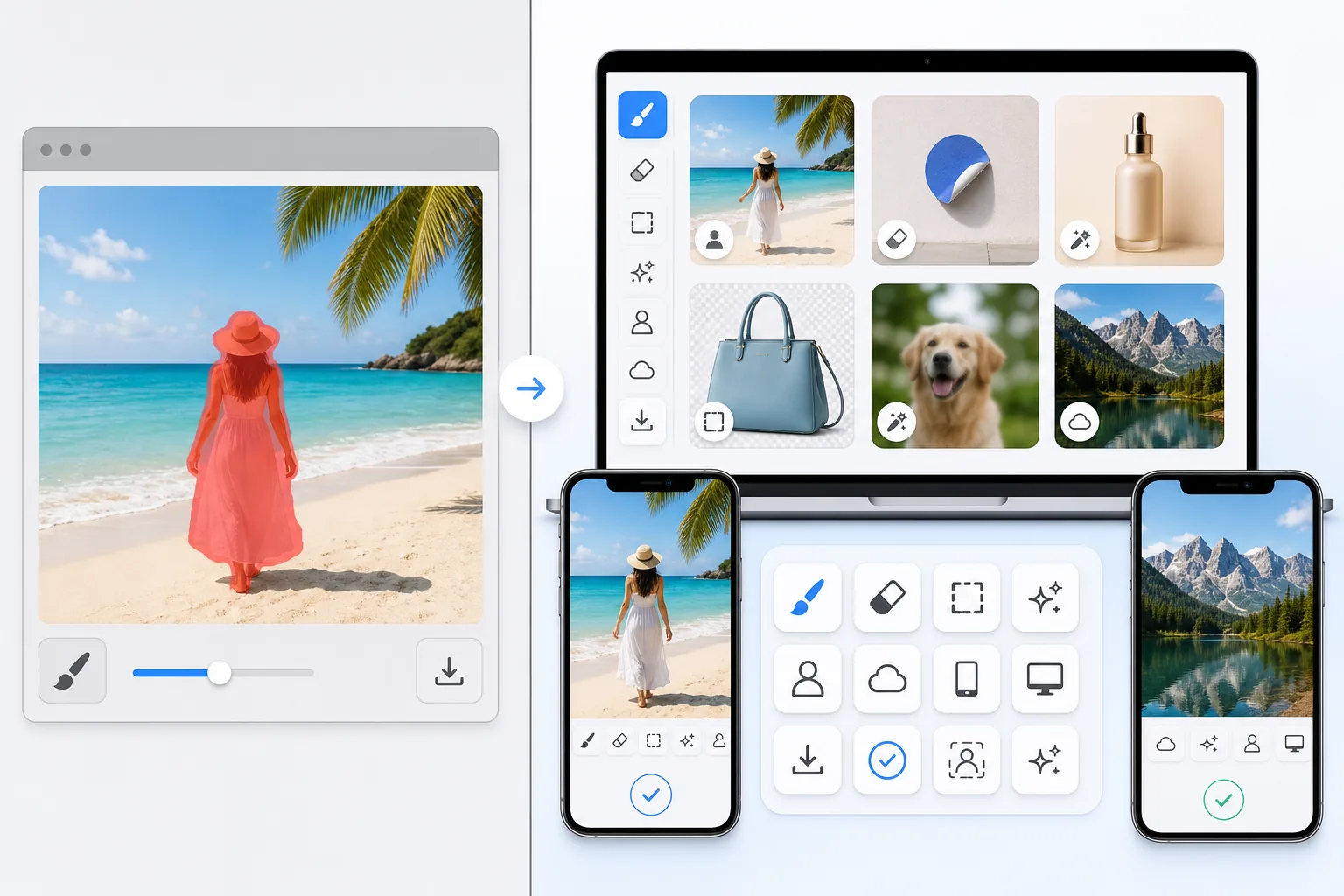
Magic Eraser เป็นโปรแกรมแต่งรูป AI ฟรีบนเว็บ มีเครื่องมือลบวัตถุ ลบพื้นหลัง เพิ่มคุณภาพภาพ ขยายภาพ AI fill, AI filter และประมวลผลแบบกลุ่ม ใช้งานได้บนทุกอุปกรณ์ที่มีเบราว์เซอร์ — ไม่ต้องติดตั้ง
magic-eraser.io is a separate online eraser tool with a similar name, operated by a different company. It is not affiliated with Magic Eraser (magiceraser.live). For its exact current features, pricing, and terms, please check magic-eraser.io directly — we describe it only in general terms and make no claims about its specifics.
เปรียบเทียบฟีเจอร์
Magic Eraser เป็นโปรแกรมแต่งรูป AI ฟรีบนเว็บ มีเครื่องมือลบวัตถุ ลบพื้นหลัง เพิ่มคุณภาพภาพ ขยายภาพ AI fill, AI filter และประมวลผลแบบกลุ่ม ใช้งานได้บนทุกอุปกรณ์ที่มีเบราว์เซอร์ — ไม่ต้องติดตั้ง
magic-eraser.io is a separate online eraser tool with a similar name, operated by a different company. It is not affiliated with Magic Eraser (magiceraser.live). For its exact current features, pricing, and terms, please check magic-eraser.io directly — we describe it only in general terms and make no claims about its specifics.
| Feature | Magic Eraser | magic-eraser.io |
|---|---|---|
| Price | Limited free edits | Check their site |
| Watermark on results | No watermark | Varies — check their site |
| Signup required | Sign-in required to start | Varies — check their site |
| Task-specific removal tools | 100+ dedicated tools | Web tool |
| Mobile apps | Native iOS and Android apps | Check their site |
| Object, people & text removal | Yes — AI-powered | Web-based eraser |
| Background removal | Yes — instant | Varies — check their site |
| User rating | 4.9 across 559,700 reviews | Check their site |
Feature rows summarize visible product positioning and should be rechecked against official product pages before purchase, migration, or compliance decisions.
- Last content review June 20, 2026
- magic-eraser.io source: official product site (https://magic-eraser.io/)
- Magic Eraser source: https://magiceraser.live/th/product/magic-eraser
- Pricing, feature availability, platform support, and limits can change; recheck official sources before relying on a buying decision.
ข้อดีของ Magic Eraser
Limited free edits with no watermark
Magic Eraser includes limited free edits after sign-in and adds no watermark to exported images. Upload a photo, brush over what you want gone, and download a clean result — no credit card and no stamped logo across your image.
100+ task-specific removal tools
Beyond a general eraser, Magic Eraser offers more than 100 dedicated tools built for specific jobs — removing people, text, watermarks, objects, glare, reflections, stickers, date stamps, and more. Each tool is tuned for its task so you can jump straight to what you need.
Native iOS and Android apps
Edit on the web or on the go. Magic Eraser ships native apps for iOS and Android, so you can clean up photos directly on your phone with the same AI removal tools available on desktop.
Trusted by users at scale
Magic Eraser holds a 4.9 rating across 559,700 reviews on the app stores. That track record reflects a tool people return to for fast, reliable photo cleanup across a wide range of everyday removal tasks.
คำถามที่พบบ่อย
Magic Eraser ใช้ฟรีไหม?
+
ใช่ Magic Eraser ให้คุณแก้ไขรูปฟรีได้ทันที ไม่ต้องสมัครหรือติดตั้ง สามารถอัปเกรดเป็นแพลน Pro สำหรับการประมวลผลไม่จำกัด
Magic Eraser เทียบกับ magic-eraser.io เป็นอย่างไร?
+
Magic Eraser รวม 8 เครื่องมือ AI ไว้ในแพลตฟอร์มเดียว ได้แก่ ลบวัตถุ ลบพื้นหลัง เพิ่มคุณภาพ ขยายภาพ AI fill, AI filter, สร้างภาพ AI และออกแบบ เมื่อเทียบกับ magic-eraser.io แล้ว Magic Eraser มีฟีเจอร์มากกว่าโดยไม่ต้องติดตั้งซอฟต์แวร์
Magic Eraser ใช้บนมือถือได้ไหม?
+
ใช่ Magic Eraser ใช้ได้บน iOS, Android และเว็บ คุณสามารถสลับระหว่างอุปกรณ์ได้อย่างราบรื่น
ต้องสร้างบัญชีไหม?
+
ไม่ต้อง คุณสามารถเริ่มแก้ไขได้ทันทีโดยไม่ต้องสร้างบัญชี แค่เปิดเบราว์เซอร์แล้วเริ่มเลย
กรณีการใช้งานที่เกี่ยวข้อง
ดูว่ามืออาชีพใช้เครื่องมือเหล่านี้ในเวิร์กโฟลว์จริงอย่างไร
ภาพประกาศที่เต็มไปด้วยของส่วนตัว รถจอด หรืออุปกรณ์ก่อสร้าง ทำให้ผู้ซื้อไม่สนใจ Magic Eraser ใช้ AI ทำความสะอาดภาพอสังหาริมทรัพย์ของคุณทันที — ไม่ต้องมีทักษะ Photoshop
รูปสินค้าที่พื้นหลังรกรุงรังทำให้ลูกค้าเลื่อนผ่านร้านคุณทุกวัน Magic Eraser ช่วยสร้างรูปสินค้ามืออาชีพได้ในไม่กี่วินาที ไม่ต้องเก่ง Photoshop อัปโหลด ลบสิ่งรบกวน แล้วลงขายได้เลย
คนแปลกหน้าทำลายรูปท่องเที่ยวของคุณ? พื้นหลังรกๆ ทำให้เซลฟี่ดูไม่ดี? เลิกเสียเวลาหลายชั่วโมงกับ Photoshop ได้แล้ว Magic Eraser ลบสิ่งรบกวน ทำความสะอาดฉากหลัง และขยายรูปให้พอดีทุกแพลตฟอร์ม — แค่แตะครั้งเดียว
คู่มือที่เกี่ยวข้อง
ดูคู่มือและเนื้อหาเชิงบรรณาธิการเพิ่มเติมที่เกี่ยวข้องกับเวิร์กโฟลว์นี้
เรียนรู้วิธีใช้ Magic Eraser เพื่อลบวัตถุ คน ข้อความ และสิ่งรบกวนออกจากรูปภาพ พร้อมผลลัพธ์ AI ที่สะอาดขึ้น
เรียนรู้วิธีลบคนออกจากรูปภาพด้วย AI ภายในไม่กี่วินาที สำหรับรูปท่องเที่ยว อสังหาริมทรัพย์ และรูปสินค้า
คำแนะนำทีละขั้นตอนในการลบลายน้ำจากรูปภาพของคุณด้วย AI เมื่อไหร่ที่เหมาะสม เทคนิค และวิธีใช้ Magic Eraser
การเปรียบเทียบอื่นๆ
ดูว่า Magic Eraser เปรียบเทียบกับเครื่องมือแก้ไขรูปภาพอื่นอย่างไร
เราทดสอบและเปรียบเทียบเครื่องมือแต่งรูป AI ชั้นนำเพื่อคุณ จากการลบวัตถุไปจนถึงการเปลี่ยนพื้นหลัง ดูว่าโปรแกรมไหนให้ผลลัพธ์ที่ดีที่สุด
Adobe Photoshop นั้นทรงพลัง แต่คนส่วนใหญ่ใช้เพียงเศษเสี้ยวของฟีเจอร์ทั้งหมด Magic Eraser มอบเครื่องมือลบสิ่งรบกวนในภาพที่คุณต้องการจริง ๆ — การลบวัตถุ การลบพื้นหลัง การปรับปรุงด้วย AI และ generative fill — ในอินเทอร์เฟซที่เรียบง่ายกว่า ใช้งานได้ทั้งบนเว็บและมือถือ ในอินเทอร์เฟซที่เริ่มต้นได้ง่าย
Tried to remove an object or background and hit a Pro paywall in Canva, Adobe Express/Photoshop, or Fotor? Magic Eraser does the same job — object removal, background removal, watermark cleanup, and enhancement — for free. No subscription, and no watermark stamped on your download.
เปรียบเทียบ Magic Eraser กับ Pixelcut ดูฟีเจอร์ ราคา และความง่ายในการใช้งานแบบเทียบกัน ค้นพบว่าทำไม Magic Eraser ถึงเป็นตัวเลือกที่ดีกว่าสำหรับการแต่งรูปด้วย AI
Adobe Express รวมการแต่งภาพไว้ในชุดเครื่องมือออกแบบและสร้างคอนเทนต์ที่เชื่อมต่อกับ Adobe Firefly ส่วน Magic Eraser ถูกสร้างขึ้นมาเพื่อการทำความสะอาดภาพด้วย AI โดยเฉพาะ ได้แก่ การลบวัตถุ การเปลี่ยนพื้นหลัง การเติมภาพแบบ generative และการเพิ่มคุณภาพ การเปรียบเทียบนี้แสดงให้เห็นว่าเครื่องมือแต่ละตัวเหมาะกับงานแบบใดมากที่สุด
ทั้ง Magic Eraser และ Pixelcut ต่างก็มีการแก้ไขภาพด้วย AI บนเว็บ iOS และ Android พร้อมระดับฟรีและระดับ Pro แบบเสียเงิน Pixelcut เน้นหนักไปที่ภาพสินค้าอีคอมเมิร์ซพร้อมเทมเพลต Magic Eraser ถูกสร้างขึ้นมาเพื่องานทำความสะอาดภาพด้วย AI โดยเฉพาะครอบคลุมงานภาพทุกรูปแบบ การเปรียบเทียบนี้แสดงให้เห็นว่าเครื่องมือแต่ละตัวโดดเด่นตรงไหน