
Слайдер «До и после»
Покажите эффект своей работы с помощью идеально выровненных сравнительных изображений «до» и «после». Этот шаблон создаёт готовые к демонстрации пары, сохраняющие единое кадрирование, баланс освещения и размеры, — идеально для портфолио, кейсов, социального доказательства и маркетинга товаров, где историю рассказывает визуальное преображение.
Попробовать этот шаблон бесплатноMarketing template preview
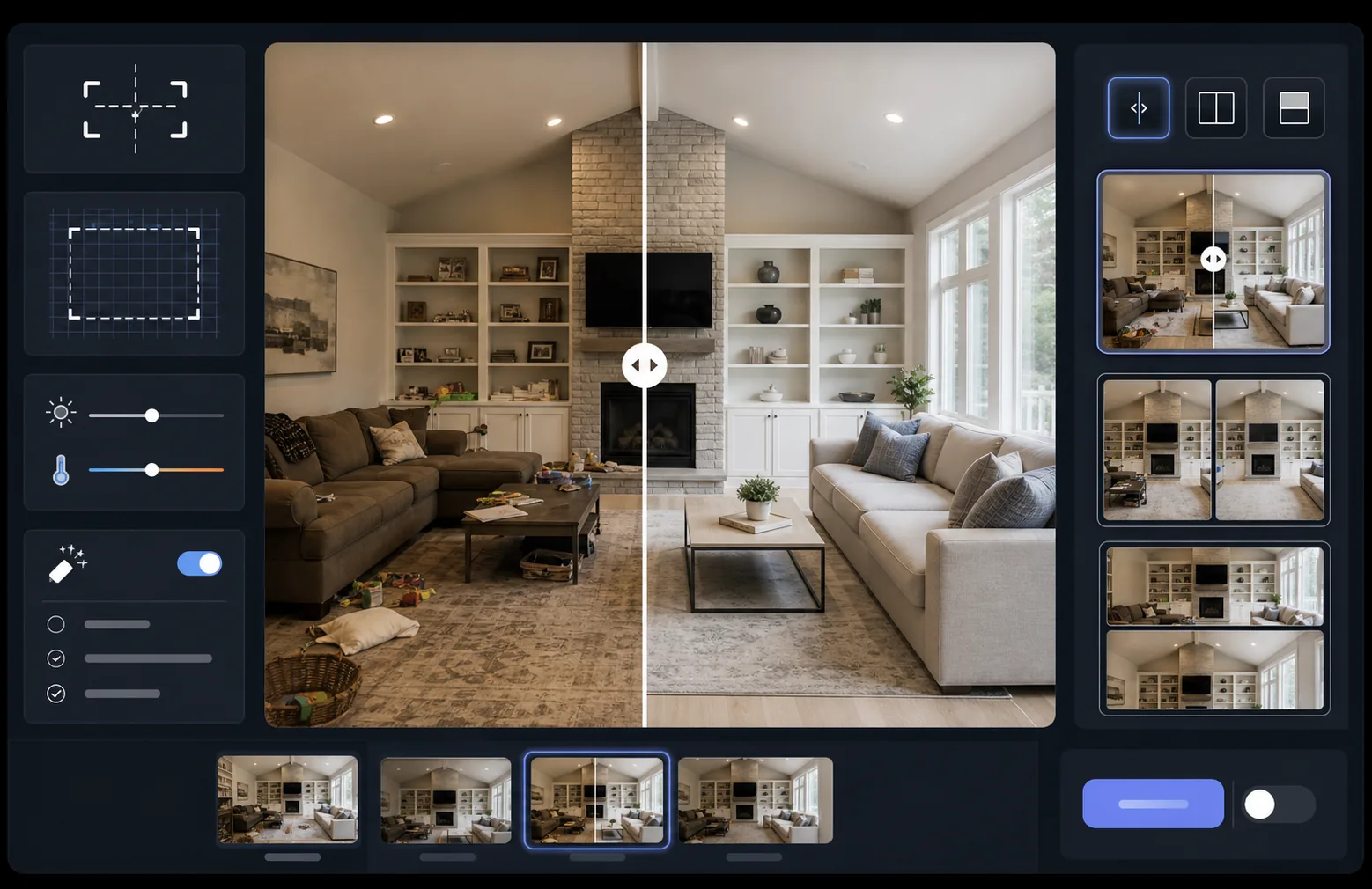
Что делает этот шаблон
Обрабатывает два изображения — «до» и «после» — превращая их в идеально выровненную сравнительную пару, готовую для виджетов-слайдеров, макетов «бок о бок» или анимированных переходов. AI Enhance нормализует экспозицию и баланс белого между двумя кадрами, чтобы преображение было чётко видно, а различия в освещении не размывали сравнение. Magic Eraser может убрать случайные отвлекающие элементы на любом из кадров, которые не относятся к задуманному преображению.
Настройки шаблона
| Макет | Пара, готовая для слайдера, бок о бок или вертикально один над другим (на выбор) |
| Размер на выходе | 1600×1200px на кадр (одинаковые размеры) |
| Выравнивание | Автоматическое совмещение — согласует перспективу и кадрирование между снимками |
| Нормализация освещения | Балансирует экспозицию и баланс белого по всей паре |
| Наложение подписей | Необязательные подписи 'Before' / 'After' с настраиваемым положением |
| Граница | Нейтрально-серый разделитель 1px или бесшовный край (на выбор) |
Как использовать этот шаблон
Загрузите изображение «до»
Загрузите исходную, неизменённую фотографию, показывающую начальное состояние. Это может быть комната до ремонта, товар до улучшения, кожа до процедуры или любое визуальное преображение, которое вы хотите продемонстрировать.
Загрузите изображение «после»
Загрузите итоговую фотографию, показывающую завершённое преображение. Постарайтесь снять с того же угла и расстояния, что и кадр «до». Шаблон автоматически выровняет небольшие различия в кадрировании и перспективе.
Нормализуйте и выровняйте
Шаблон автоматически совмещает два изображения так, чтобы соответствующие элементы выровнялись пиксель в пиксель. Экспозиция и баланс белого нормализуются, чтобы различия в освещении между съёмками не отвлекали от самого преображения.
Экспортируйте сравнение
Выберите формат вывода — согласованную пару для виджета-слайдера, композицию «бок о бок» для соцсетей или вертикальную стопку для email-маркетинга. Добавьте необязательные подписи Before/After и экспортируйте в разрешении, оптимизированном для веба, или в качестве для печати.
Профессиональные советы для лучших результатов
- ✓По возможности снимайте «до» и «после» точно с одной и той же позиции — отметьте место штатива или встаньте на то же место. Чем меньше ИИ придётся корректировать выравнивание, тем чётче будет сравнение.
- ✓Используйте одинаковое фокусное расстояние для обоих снимков, чтобы избежать различий в перспективных искажениях, из-за которых выровненные сравнения выглядят едва заметно неровно.
- ✓Удаляйте не относящиеся к делу изменения между «до» и «после» с помощью Magic Eraser — если растение сдвинулось или появился новый предмет, сотрите его, чтобы зрители сосредоточились на задуманном преображении.
- ✓Для встраивания веб-слайдеров экспортируйте оба изображения в одинаковых размерах и используйте PNG без потерь, чтобы предотвратить артефакты сжатия вдоль разделительной линии слайдера.
Инструменты
Частые вопросы
Что, если фотографии «до» и «после» сняты под немного разными углами?
+
Система автоматического совмещения справляется с умеренными различиями в угле съёмки, расстоянии и кадрировании. Она находит соответствующие опорные точки на обоих изображениях и преобразует их так, чтобы они совпали. Для лучших результатов разница в угле должна быть менее 15 градусов.
Можно ли использовать это для миниатюр видео, показывающих преображения?
+
Да. Вывод в виде композиции «бок о бок» идеально подходит для миниатюр видео на YouTube и в соцсетях. Макет с разделённым экраном и подписями сразу передаёт историю преображения, побуждающую к кликам.
Меняет ли нормализация освещения фактические показанные результаты?
+
Нет. Нормализация освещения лишь корректирует общую экспозицию и баланс белого, чтобы оба кадра выглядели снятыми в одинаковых условиях. Само преображение — изменения объекта — сохраняется точно таким, каким было снято.
Покажите свои результаты бок о бок
Загрузите фотографии «до» и «после» и за считаные секунды получите идеально выровненное, профессионально оформленное сравнительное изображение. Пусть преображение говорит само за себя.
Попробовать бесплатно