
Magic Eraser vs Samsung Object Eraser
Magic Eraser와 Samsung Object Eraser을(를) 비교해 보세요. 기능, 가격, 사용 편의성을 나란히 확인하세요. AI 사진 편집에 Magic Eraser가 더 나은 이유를 알아보세요.
Last updated
Magic Eraser 무료 체험Comparison rows are editorial summaries from the latest page review, not a guarantee of current pricing, limits, watermark policy, batch support, speed, or platform availability.
개요
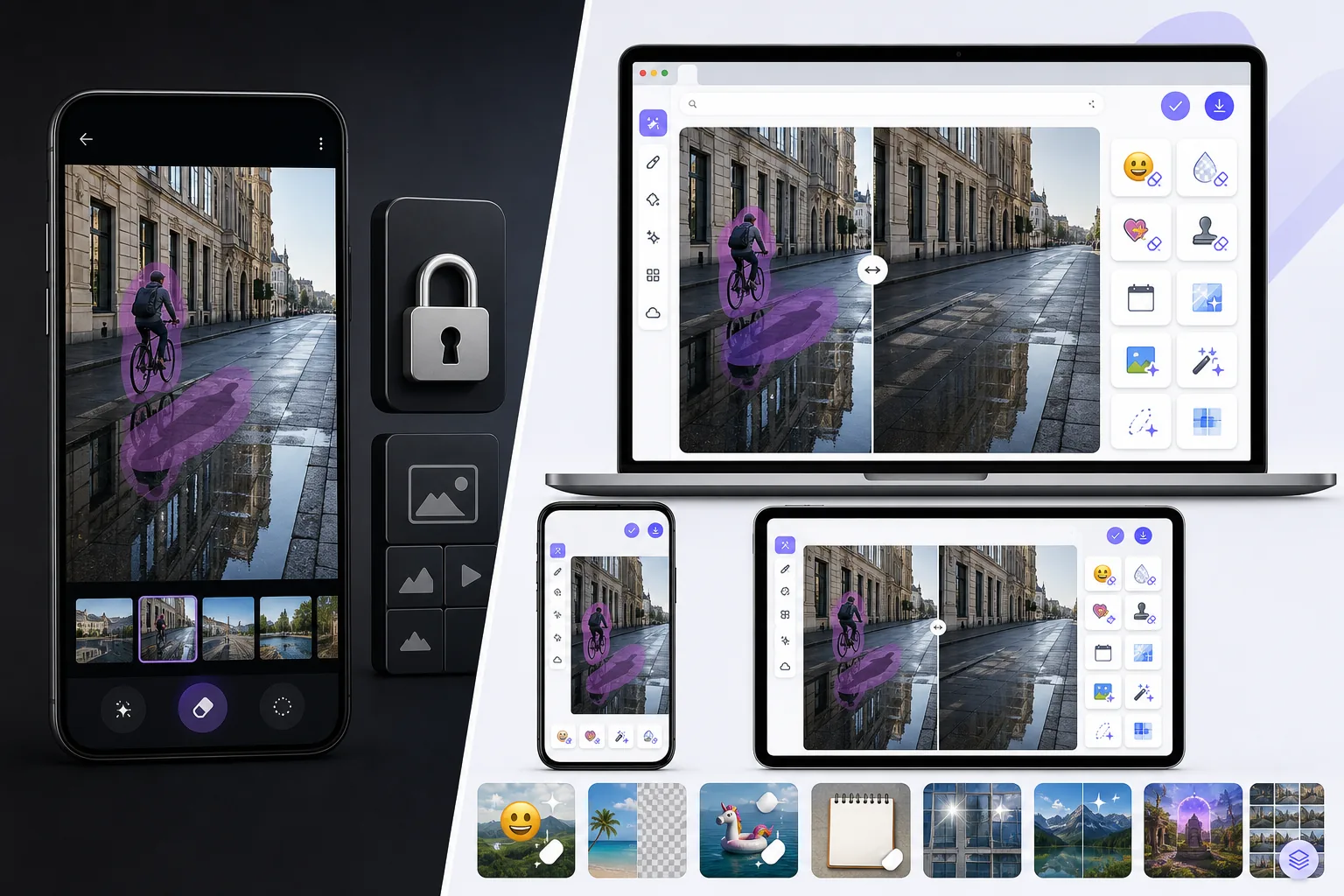
Magic Eraser는 객체 제거, 배경 제거, 사진 품질 향상, 이미지 확장, AI 채우기, AI 필터, 일괄 처리가 가능한 무료 웹 기반 AI 사진 편집기입니다. 브라우저만 있으면 모든 기기에서 사용 가능하며 설치가 필요 없습니다.
Samsung Object Eraser is a feature inside the Gallery / Photo Editor on Samsung Galaxy phones, part of Galaxy AI. It removes objects, shadows, and reflections cleanly and is well integrated into One UI, but it is tied to Samsung Galaxy hardware and lives inside the Gallery app rather than as a standalone cross-platform tool.
기능 비교
Magic Eraser는 객체 제거, 배경 제거, 사진 품질 향상, 이미지 확장, AI 채우기, AI 필터, 일괄 처리가 가능한 무료 웹 기반 AI 사진 편집기입니다. 브라우저만 있으면 모든 기기에서 사용 가능하며 설치가 필요 없습니다.
Samsung Object Eraser is a feature inside the Gallery / Photo Editor on Samsung Galaxy phones, part of Galaxy AI. It removes objects, shadows, and reflections cleanly and is well integrated into One UI, but it is tied to Samsung Galaxy hardware and lives inside the Gallery app rather than as a standalone cross-platform tool.
| Feature | Magic Eraser | Samsung Object Eraser |
|---|---|---|
| Works without a Samsung Galaxy | Yes — any browser/device | No — Galaxy phones only |
| Works on iPhone / desktop | Yes | No |
| Object removal | Yes | Yes |
| Shadow / reflection removal | Yes | Yes |
| Task-specific tools (130+) | Yes — emoji, watermark, sticker, etc. | No — general eraser |
| Generative fill / expand | Yes | Limited |
| Batch processing | Yes | No |
| Best for | Any device, free to start after sign-in | Galaxy owners in Gallery |
Feature rows summarize visible product positioning and should be rechecked against official product pages before purchase, migration, or compliance decisions.
- Last content review June 21, 2026
- Samsung Object Eraser source: official product site (https://www.samsung.com/galaxy-ai/)
- Magic Eraser source: https://magiceraser.live/ko/product/magic-eraser
- Pricing, feature availability, platform support, and limits can change; recheck official sources before relying on a buying decision.
Magic Eraser의 장점
No Samsung Galaxy required
Samsung's Object Eraser only runs on Galaxy phones. Magic Eraser works free in any browser on any phone or computer — iPhone, other Android brands, Windows, Mac — plus native apps, so you're not tied to one manufacturer's hardware.
Task-specific tools, not just a general eraser
Samsung Object Eraser is one general removal tool in the Gallery. Magic Eraser adds 130+ dedicated removers — emoji, watermark, sticker, date stamp, glare, reflection — plus enhancement and generative fill.
A standalone web tool, not a phone feature
Object Eraser lives inside One UI's Gallery on a Galaxy device. Magic Eraser is a web tool you can open instantly and link to directly, independent of any phone's built-in app.
Batch and production workflows
For cleaning many photos at once — a catalog, an event shoot — Magic Eraser offers batch processing. Samsung's Object Eraser is a one-image-at-a-time edit in the Gallery.
자주 묻는 질문
Magic Eraser는 무료인가요?
+
네, Magic Eraser는 즉시 무료로 사진을 편집할 수 있습니다. 가입이나 설치가 필요 없습니다. 무제한 처리를 원하시면 Pro 플랜으로 업그레이드할 수 있습니다.
Magic Eraser는 Samsung Object Eraser과(와) 어떻게 다른가요?
+
Magic Eraser는 8가지 AI 도구(객체 제거, 배경 제거, 품질 향상, 확장, AI 채우기, AI 필터, AI 이미지 생성, 디자인)를 하나의 플랫폼에 통합합니다. Samsung Object Eraser에 비해 소프트웨어 설치 없이 더 많은 기능을 제공합니다.
Magic Eraser는 모바일에서도 작동하나요?
+
네, Magic Eraser는 iOS, Android, 웹에서 사용할 수 있습니다. 기기 간에 자유롭게 전환할 수 있습니다.
계정을 만들어야 하나요?
+
아니요, 계정을 만들지 않고도 바로 편집을 시작할 수 있습니다. 브라우저를 열고 시작하세요.
관련 사용 사례
전문가들이 실제 워크플로에서 이러한 도구를 어떻게 활용하는지 확인하세요.
개인 물품, 주차된 차량, 공사 장비가 잔뜩 찍힌 매물 사진은 매수자의 관심을 떨어뜨립니다. Magic Eraser는 AI로 매물 사진을 즉시 깔끔하게 만들어 줍니다 — 포토샵 기술 불필요.
지저분한 배경과 정리되지 않은 상품 사진은 매일 매출을 갉아먹습니다. Magic Eraser로 몇 초 만에 프로 수준의 상품 이미지를 만들 수 있습니다. 포토샵 실력이 필요 없습니다. 업로드하고, 불필요한 부분을 지우고, 바로 등록하세요.
여행 사진에 모르는 사람이 찍혔나요? 셀카 배경이 지저분한가요? 포토샵으로 몇 시간씩 낭비하지 마세요. Magic Eraser는 불필요한 요소를 제거하고, 배경을 정리하고, 모든 플랫폼 포맷에 맞게 사진을 확장합니다 — 탭 한 번이면 끝.
관련 가이드
이 워크플로와 관련된 더 많은 가이드와 에디토리얼 콘텐츠를 확인하세요.
다른 비교
Magic Eraser가 다른 사진 편집 도구와 어떻게 비교되는지 확인하세요.
Cleanup.pictures는 빠른 객체 제거를 위한 무료 웹 도구입니다. Magic Eraser는 8가지 AI 편집 도구, 모바일 앱, 고급 처리 기능을 제공합니다. 두 도구를 비교해 보세요.
서로 다른 강점을 가진 두 가지 강력한 AI 사진 편집기. Magic Eraser는 더 넓은 범위의 생성형 AI 도구를 제공하고, Photoroom은 이커머스 상품 사진과 일괄 처리에 뛰어납니다. 어떤 것이 내 워크플로우에 맞는지 확인해 보세요.
주요 AI 사진 편집 도구를 테스트하고 비교했습니다. 개체 제거부터 배경 교체까지, 어떤 편집기가 최고의 결과를 제공하는지 확인하세요.
Fotor는 템플릿과 뷰티 도구를 갖춘 폭넓은 온라인 사진 편집기를 제공합니다. Magic Eraser는 더 빠른 일상 워크플로를 위한 실용적인 AI 정리, 배경 제거, 향상, 생성 편집에 집중합니다.
Snapseed는 여전히 인기 있는 무료 모바일 편집기이지만, 수동 조정과 전통적인 사진 도구에 더 많이 의존합니다. Magic Eraser는 더 적은 노력으로 더 빠르게 정리하고 향상하고자 하는 사용자를 위해 최신 AI 워크플로를 더합니다.
Pixlr는 레이어와 효과를 갖춘 클래식한 브라우저 기반 편집 환경을 제공합니다. Magic Eraser는 전체 편집 인터페이스 없이도 완성도 높은 결과를 원하는 사용자를 위해 AI 우선 정리, 향상, 배경 작업에 집중합니다.