
Remove Emoji Stickers From a TikTok Video Frame
Découvrez comment Supprimer un emoji d'une image TikTok avec Magic Eraser. Guide simple étape par étape avec un outil IA gratuit. Fonctionne sur le web, iOS et Android.
Last updated
Essayer maintenant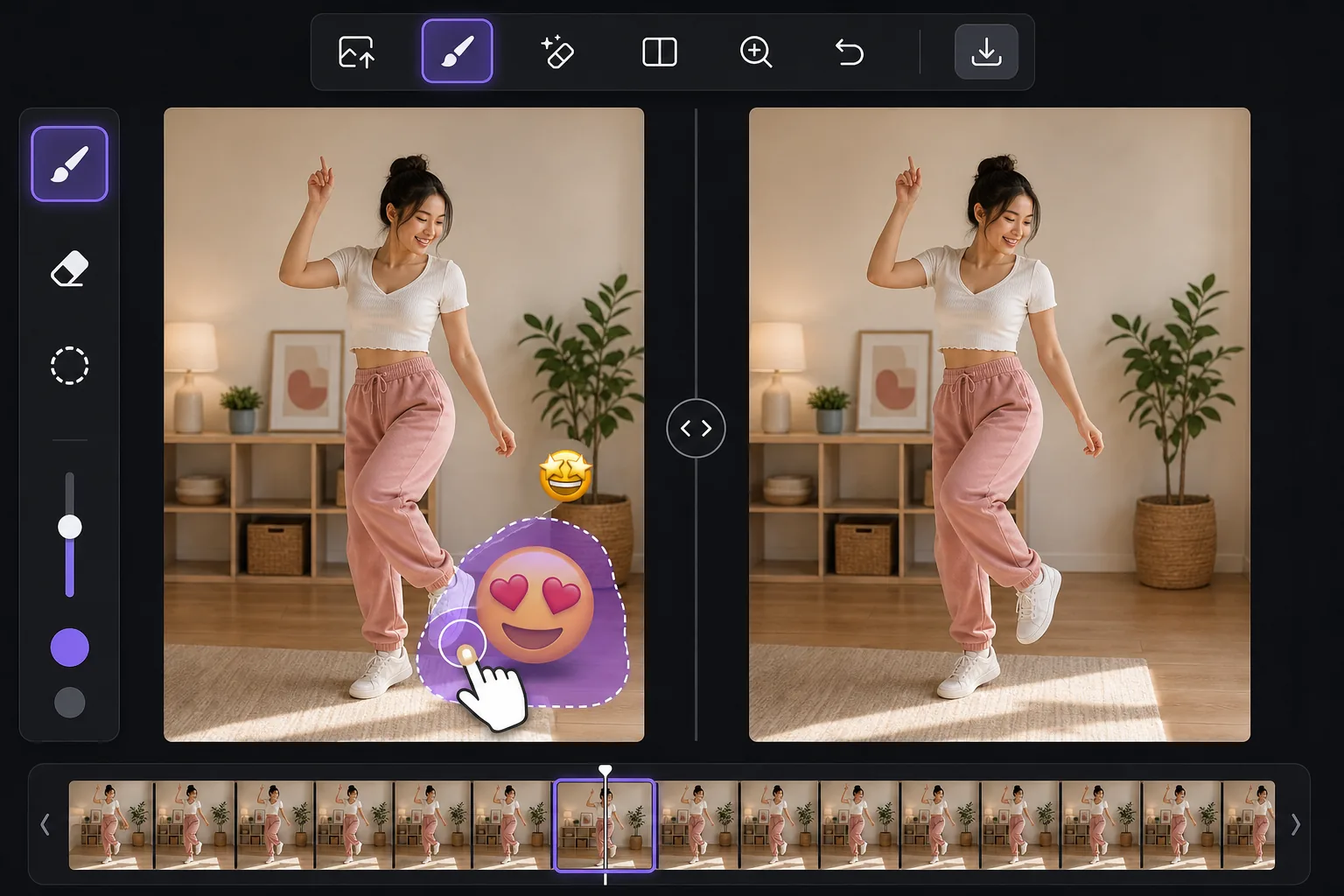
Clean up the still, not the whole video avec Magic Eraser
TikTok lets creators slap emoji stickers anywhere on a clip, and they often land over a face, a product, a price tag, or the corner of the shot you actually wanted. You can't peel a sticker off a video the app already baked in, but you can work from a single frame. Take a screenshot mid-playback, or export the frame from your camera roll, and you have a clean still image to edit. Magic Eraser is an AI photo editor for exactly this: brush over the emoji on that TikTok frame and its inpainting model removes the sticker and synthesizes a plausible reconstruction of whatever was behind it. Be clear on what that means — the AI invents a believable fill based on surrounding pixels. If a smiling-face emoji was covering someone's eyes, the result is a convincing guess, not the real hidden face. It's perfect for tidying up backgrounds, walls, skies, and textures behind a sticker, less reliable for recovering fine detail that was never visible.
Before you start
Instructions étape par étape
Start with téléchargez la photo. The result preview above and tips below use this guide's existing content; no separate before-and-after proof is assumed.
- 1
Téléchargez la photo
Ouvrez Magic Eraser sur le web, iOS ou Android. Glissez-déposez votre photo JPEG, PNG, HEIC ou WebP. Aucun compte nécessaire pour commencer.
- 2
Sélectionnez l'outil et la zone
Choisissez l'outil approprié et marquez la zone à traiter. L'IA analyse et applique automatiquement les modifications en quelques secondes.
- 3
Téléchargez le résultat
Prévisualisez le résultat et téléchargez la photo éditée. Exportez en PNG ou JPEG haute qualité.
Idéal pour
- A reaction emoji landed over a face or product in a TikTok you screenshotted and want to repost as a clean still
- Pulling a thumbnail or cover image from a TikTok frame without the creator's emoji clutter
- Saving a recipe, outfit, or DIY frame where an emoji sticker blocks the detail you needed
- Cleaning a TikTok screenshot before adding it to a moodboard, blog post, or slide
- Removing a watermark-style emoji someone stamped across the corner of an exported frame
Conseils pour de meilleurs résultats
Grab the highest-resolution frame you can — a full-screen screenshot beats a tiny preview, and more pixels give the AI more to work with. Crop away the TikTok interface first so the model isn't tempted to rebuild text or icons. Emoji over flat areas like a wall, sky, or solid shirt fill almost invisibly; emoji over a busy face or detailed texture take more passes and may need a touch-up brush. If a sticker overlaps the edge of the frame, expand your brush slightly past the border so the fill blends. And remember the honest limit: the tool reconstructs a likely background, it does not reveal the literal pixels the emoji was hiding.
Questions fréquentes
- La fonction Supprimer un emoji d'une image TikTok est-elle gratuite ?
- Oui, Magic Eraser permet de Supprimer un emoji d'une image TikTok gratuitement avec des limites quotidiennes. Passez au plan Pro pour un traitement illimité et des exports haute résolution.
- Combien de temps faut-il pour Supprimer un emoji d'une image TikTok ?
- Quelques secondes seulement. L'IA de Magic Eraser traite les photos rapidement — la plupart des résultats sont disponibles immédiatement après le téléchargement.
- Puis-je l'utiliser sur mon téléphone ?
- Oui, Magic Eraser fonctionne sur iOS, Android et tous les navigateurs web. Vous pouvez passer d'un appareil à l'autre librement.
- La qualité de l'image est-elle préservée ?
- Non, Magic Eraser préserve la qualité originale de la photo. L'IA traite intelligemment pour conserver les détails et la netteté.