
Remove an Emoji From an Instagram Story
Découvrez comment Supprimer un emoji d'une story Instagram avec Magic Eraser. Guide simple étape par étape avec un outil IA gratuit. Fonctionne sur le web, iOS et Android.
Last updated
Essayer maintenant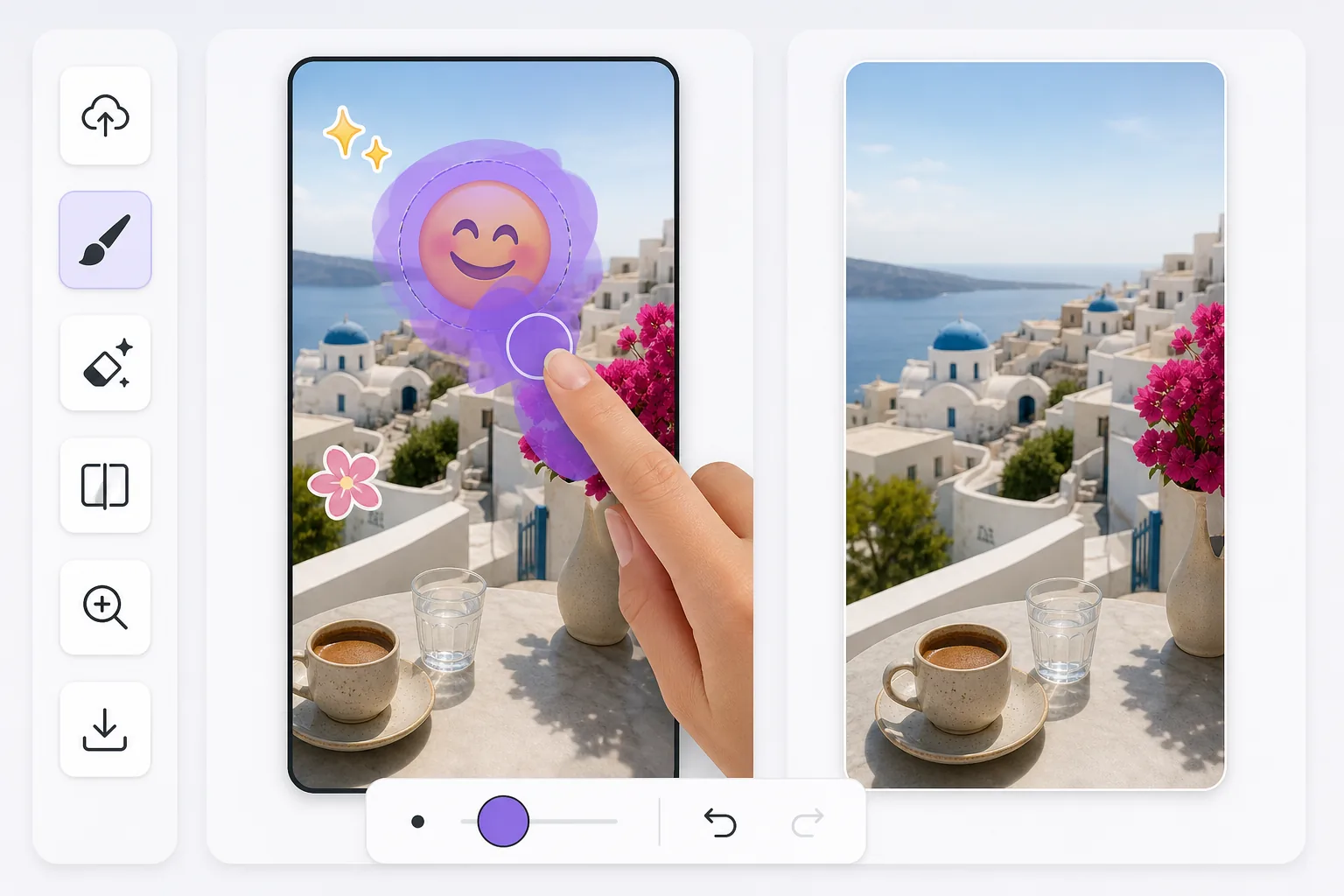
Cleaning up Instagram Story emoji stickers after the fact avec Magic Eraser
Instagram Stories make it easy to drop an emoji sticker on a photo or video frame — a laughing face, a heart, a thumbs-up — right inside the in-app story editor. The trouble is that once you publish, Instagram flattens everything into one image. There is no layer panel to toggle the sticker off later. If all you have is a story you saved to your camera roll or a screenshot a friend sent you, the emoji is baked into the pixels. Magic Eraser works on that flattened result: you brush over the emoji sticker, and the AI fills the area with a reconstruction that matches the surrounding colors, lighting, and texture. Be clear about what this is — the AI synthesizes a believable patch, it does not recover the exact pixels that were hidden behind the sticker. For backgrounds like sky, walls, grass, or blurred scenery, the result usually looks seamless. Over fine detail or a face the sticker was covering, expect a plausible approximation rather than the true original.
Before you start
Instructions étape par étape
Start with téléchargez la photo. The result preview above and tips below use this guide's existing content; no separate before-and-after proof is assumed.
- 1
Téléchargez la photo
Ouvrez Magic Eraser sur le web, iOS ou Android. Glissez-déposez votre photo JPEG, PNG, HEIC ou WebP. Aucun compte nécessaire pour commencer.
- 2
Sélectionnez l'outil et la zone
Choisissez l'outil approprié et marquez la zone à traiter. L'IA analyse et applique automatiquement les modifications en quelques secondes.
- 3
Téléchargez le résultat
Prévisualisez le résultat et téléchargez la photo éditée. Exportez en PNG ou JPEG haute qualité.
Idéal pour
- Recovering a photo where an emoji sticker landed right over the subject's face or the focal point of the shot
- Cleaning a story you saved to your camera roll before realizing the sticker ruined the framing
- Removing a friend's emoji from a screenshot of their story so you can reshare a tidier version
- Reusing an old Story photo as a regular Instagram post without the leftover sticker baked in
- Tidying up a quickly-posted story where you tapped on the wrong emoji and want a clean background back
Conseils pour de meilleurs résultats
Emoji stickers in the IG editor often sit on busy or detailed parts of a photo, so where you brush matters. Start with the highest-quality file — a direct save from Stories holds far more detail than a screenshot of a screenshot, and screenshots also lose data to compression. Brush slightly past the emoji's visible edge to catch the faint halo Instagram renders around stickers. For emojis over plain backgrounds (sky, a wall, water) the reconstruction is convincing; over intricate patterns or a covered face, treat the output as a plausible fill, not the literal hidden original. If the first pass leaves a smudge, undo, widen your selection, and erase again rather than stacking multiple erases on the same spot.
Questions fréquentes
- La fonction Supprimer un emoji d'une story Instagram est-elle gratuite ?
- Oui, Magic Eraser permet de Supprimer un emoji d'une story Instagram gratuitement avec des limites quotidiennes. Passez au plan Pro pour un traitement illimité et des exports haute résolution.
- Combien de temps faut-il pour Supprimer un emoji d'une story Instagram ?
- Quelques secondes seulement. L'IA de Magic Eraser traite les photos rapidement — la plupart des résultats sont disponibles immédiatement après le téléchargement.
- Puis-je l'utiliser sur mon téléphone ?
- Oui, Magic Eraser fonctionne sur iOS, Android et tous les navigateurs web. Vous pouvez passer d'un appareil à l'autre librement.
- La qualité de l'image est-elle préservée ?
- Non, Magic Eraser préserve la qualité originale de la photo. L'IA traite intelligemment pour conserver les détails et la netteté.