
Magic Eraser vs Snapseed : la commodite de l'IA ou le controle manuel ?
Snapseed reste un editeur mobile gratuit populaire, mais il repose davantage sur des reglages manuels et des outils photo traditionnels. Magic Eraser apporte des flux de travail IA modernes pour les utilisateurs qui veulent nettoyer et ameliorer leurs images plus vite et avec moins d'efforts.
Last updated
Essayer Magic Eraser gratuitementComparison rows are editorial summaries from the latest page review, not a guarantee of current pricing, limits, watermark policy, batch support, speed, or platform availability.
Apercu
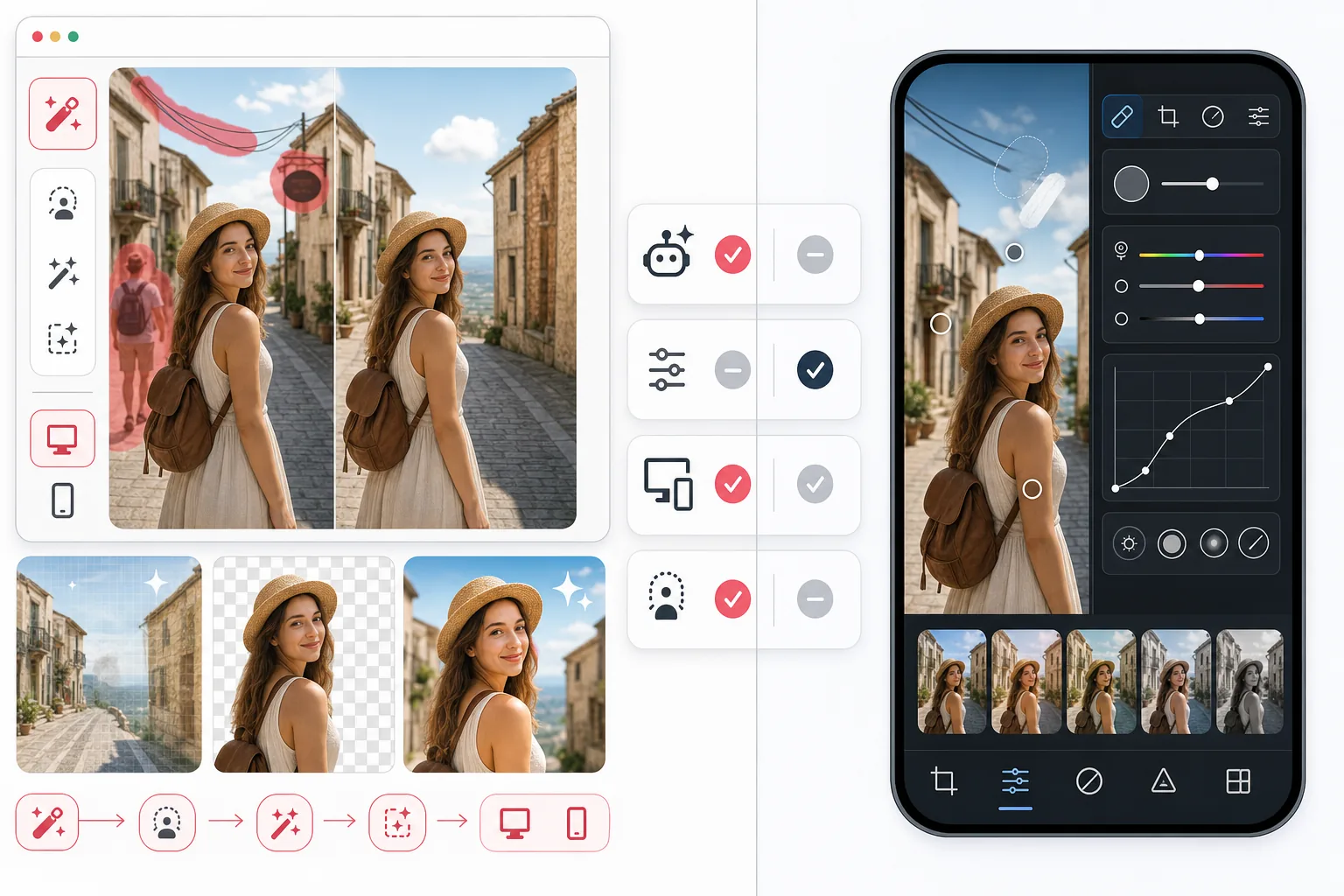
Magic Eraser est concu pour les taches d'edition assistee par IA, comme la suppression de personnes et d'objets, le nettoyage des arriere-plans, l'amelioration des details et le remplissage du contenu manquant avec un minimum de travail manuel.
Snapseed est un editeur photo mobile gratuit de Google, dote de solides outils manuels pour la couleur, la structure, les courbes, la correction et les reglages locaux, mais il ne place pas le nettoyage par IA au coeur de son flux de travail.
Comparaison des fonctionnalites
Magic Eraser est concu pour les taches d'edition assistee par IA, comme la suppression de personnes et d'objets, le nettoyage des arriere-plans, l'amelioration des details et le remplissage du contenu manquant avec un minimum de travail manuel.
Snapseed est un editeur photo mobile gratuit de Google, dote de solides outils manuels pour la couleur, la structure, les courbes, la correction et les reglages locaux, mais il ne place pas le nettoyage par IA au coeur de son flux de travail.
| Feature | Magic Eraser | Snapseed |
|---|---|---|
| Suppression d'objets | Oui — pinceau IA | Oui — outil de correction |
| Suppression de l'arriere-plan | Oui | Non |
| Amelioration par IA | Oui | Non |
| Etalonnage des couleurs manuel | Basique | Solide |
| Version web | Oui | Non |
| Remplissage generatif | Oui | Non |
| Courbe d'apprentissage | Faible | Moyenne |
| Ideal pour | Retouches rapides par IA | Retouche manuelle sur mobile |
Feature rows summarize visible product positioning and should be rechecked against official product pages before purchase, migration, or compliance decisions.
- Last content review June 21, 2026
- Snapseed source: official product site (https://snapseed.online/)
- Magic Eraser source: https://magiceraser.live/fr/product/magic-eraser
- Pricing, feature availability, platform support, and limits can change; recheck official sources before relying on a buying decision.
Comparaison des tarifs
| Plan | Magic Eraser | Snapseed |
|---|---|---|
| Offre gratuite | Gratuit — retouches limitees | Gratuit — entierement gratuit |
| Mensuel | $9.99/mo | Gratuit — aucune formule payante |
| Annuel | $4.99/mo (facture annuellement) | Gratuit — aucune formule payante |
Tarifs en date de May 2026. Verifiez aupres de chaque fournisseur pour connaitre les tarifs actuels.
Pricing rows are snapshots from review time. Free tiers, subscriptions, trials, export limits, and regional availability can change without notice.
- Last content review June 21, 2026
- Snapseed source: official product site (https://snapseed.online/)
- Magic Eraser source: https://magiceraser.live/fr/product/magic-eraser
- Pricing, feature availability, platform support, and limits can change; recheck official sources before relying on a buying decision.
Pourquoi choisir Magic Eraser
L'IA fait le gros du travail
Au lieu d'equilibrer manuellement plusieurs outils de reglage, Magic Eraser aide les utilisateurs a obtenir un resultat plus net plus rapidement grace a des flux de travail de suppression d'objets, de remplissage et d'amelioration guides par l'IA.
Plus utile pour les taches axees sur le nettoyage
Lorsque le probleme est un touriste en arriere-plan, des cables en desordre, du texte genant ou un fond mediocre, Magic Eraser offre un flux de travail plus performant que l'approche de correction plus traditionnelle de Snapseed.
Disponible au-dela du mobile
Snapseed est uniquement disponible sur mobile. Magic Eraser fonctionne sur mobile et sur le web, ce qui facilite le passage de retouches rapides sur telephone a un travail de production sur ordinateur portable.
Mieux adapte aux non-professionnels
Magic Eraser convient mieux aux utilisateurs qui ne sont pas des editeurs professionnels mais qui ont tout de meme besoin de resultats soignes pour leurs annonces, photos de produits, reseaux sociaux et publicites.
Outils
Questions frequentes
Magic Eraser est-il meilleur que Snapseed pour supprimer des objets ?
+
Pour une suppression d'objets rapide et une reconstruction de l'arriere-plan, Magic Eraser est souvent plus fiable car son flux de travail est concu autour du nettoyage assiste par IA plutot que de la seule correction manuelle.
Snapseed dispose-t-il d'une version web ?
+
Non. Snapseed est uniquement disponible sur mobile. Magic Eraser fonctionne dans un navigateur web et sur les appareils mobiles.
Quel editeur est le meilleur pour les reglages de couleur manuels ?
+
Snapseed est plus performant pour le travail manuel sur la couleur et les tonalites. Magic Eraser est plus performant pour le nettoyage par IA, l'amelioration et la rapidite d'edition au quotidien.
Magic Eraser peut-il ameliorer les photos de mauvaise qualite ?
+
Oui. Magic Eraser comprend des outils d'amelioration par IA qui ameliorent les details et la nettete, en particulier lorsqu'une photo doit etre nettoyee et affinee rapidement.
Quelle application est la meilleure pour les createurs qui editent souvent ?
+
Si vos retouches impliquent souvent de supprimer des elements genants ou de corriger des problemes de composition, Magic Eraser est generalement le meilleur choix. Si vous effectuez surtout des ajustements de couleur manuels, Snapseed peut rester utile.
Vous voulez des retouches plus rapides que les outils de correction manuels ?
Essayez Magic Eraser gratuitement et utilisez l'IA pour supprimer les elements genants, ameliorer les details et terminer vos retouches en moins de temps.
Essayer Magic Eraser gratuitementCas d'utilisation associés
Découvrez comment les professionnels utilisent ces outils dans des workflows réels.
Des photos d'annonce encombrées d'effets personnels, de voitures garées ou de matériel de chantier font fuir les acheteurs. Magic Eraser nettoie vos photos de biens en un instant grâce à l'IA — aucune compétence Photoshop requise.
Des photos produits mal cadrées avec des arrière-plans encombrés vous font perdre des ventes chaque jour. Magic Eraser vous permet de créer des images produits professionnelles en quelques secondes — sans compétences Photoshop. Importez, effacez les distractions, et publiez en toute confiance.
Des inconnus qui gâchent vos photos de voyage ? Un arrière-plan en désordre qui ruine vos selfies ? Arrêtez de perdre des heures sur Photoshop. Magic Eraser supprime les distractions, nettoie vos clichés et adapte vos photos à tous les formats — en un clic.
Guides associés
Découvrez d'autres guides et contenus éditoriaux liés à ce workflow.
Apprenez à utiliser Magic Eraser pour supprimer objets, personnes, texte et distractions d’une photo avec un résultat IA plus propre.
Apprenez à supprimer des personnes de vos photos avec l'IA en quelques secondes. Guide pour photos de voyage, immobilier et produits.
Guide pour supprimer les filigranes de vos propres photos avec l'IA. Quand c'est approprié, techniques et utilisation de Magic Eraser.
Autres comparaisons
Découvrez comment Magic Eraser se compare aux autres outils de retouche photo.
Cleanup.pictures est un outil web gratuit pour supprimer rapidement des objets. Magic Eraser propose 8 outils d'édition IA, des applications mobiles et un traitement avancé. Découvrez la comparaison.
Deux puissants éditeurs photo IA avec des forces différentes. Magic Eraser propose un ensemble plus large d'outils IA génératifs, tandis que Photoroom excelle en photographie e-commerce et traitement par lots. Découvrez lequel vous convient.
Nous avons testé et comparé les meilleurs outils de retouche photo IA pour vous. De la suppression d'objets au remplacement d'arrière-plan, découvrez quel éditeur offre les meilleurs résultats.
Fotor propose un éditeur photo en ligne complet avec des modèles et des outils de beauté. Magic Eraser se concentre sur le nettoyage IA pratique, la suppression d'arrière-plan, l'amélioration et l'édition générative pour des flux de travail quotidiens plus rapides.
Pixlr propose aux utilisateurs un environnement d'édition classique dans le navigateur, avec calques et effets. Magic Eraser se concentre sur le nettoyage, l'amélioration et le traitement d'arrière-plan par IA, pour ceux qui veulent des résultats soignés sans interface d'édition complète.
Luminar Neo est puissant pour les photographes de bureau qui veulent une amélioration approfondie et des contrôles créatifs. Magic Eraser est conçu pour un nettoyage plus rapide, des flux de travail plus légers et une édition flexible sur web et mobile.