
Magic Eraser vs Fotor : quel éditeur photo IA est le meilleur pour des retouches rapides ?
Fotor propose un éditeur photo en ligne complet avec des modèles et des outils de beauté. Magic Eraser se concentre sur le nettoyage IA pratique, la suppression d'arrière-plan, l'amélioration et l'édition générative pour des flux de travail quotidiens plus rapides.
Last updated
Essayer Magic Eraser gratuitementComparison rows are editorial summaries from the latest page review, not a guarantee of current pricing, limits, watermark policy, batch support, speed, or platform availability.
Aperçu
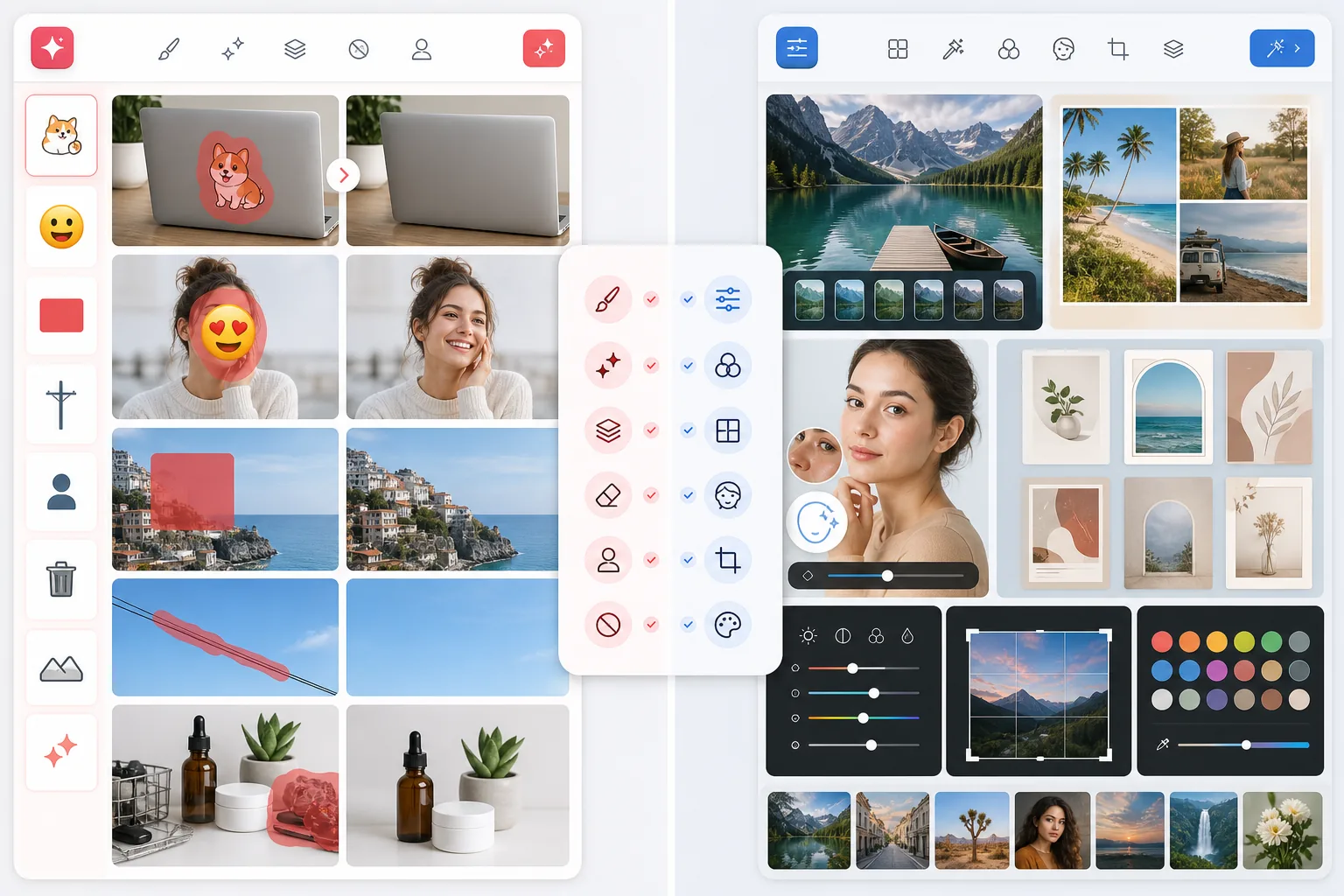
Magic Eraser est conçu autour du nettoyage et de l'amélioration de photos axés sur l'IA. Il aide les utilisateurs à supprimer les distractions, effacer les arrière-plans, accentuer les images de faible qualité et créer des résultats soignés avec un minimum de travail manuel.
Fotor est un éditeur photo en ligne complet avec amélioration par IA, filtres, collages et fonctionnalités orientées design. Il répond à de nombreux besoins de retouche mais est moins spécialisé dans la rapidité du nettoyage.
Comparaison des fonctionnalités
Magic Eraser est conçu autour du nettoyage et de l'amélioration de photos axés sur l'IA. Il aide les utilisateurs à supprimer les distractions, effacer les arrière-plans, accentuer les images de faible qualité et créer des résultats soignés avec un minimum de travail manuel.
Fotor est un éditeur photo en ligne complet avec amélioration par IA, filtres, collages et fonctionnalités orientées design. Il répond à de nombreux besoins de retouche mais est moins spécialisé dans la rapidité du nettoyage.
| Feature | Magic Eraser | Fotor |
|---|---|---|
| Suppression d'objets | Oui — flux de travail principal | Oui |
| Suppression d'arrière-plan | Oui | Oui |
| Amélioration par IA | Oui — outil dédié | Oui |
| Filtres créatifs | Oui | Oui |
| Nettoyage d'images par lot | Oui | Limité |
| Complexité du flux de travail | Faible | Moyenne |
| Idéal pour | Nettoyage IA rapide | Retouche générale |
| Plateforme | Web + iOS + Android | Web + mobile |
Feature rows summarize visible product positioning and should be rechecked against official product pages before purchase, migration, or compliance decisions.
- Last content review June 21, 2026
- Fotor source: official product site (https://www.fotor.com/)
- Magic Eraser source: https://magiceraser.live/fr/product/magic-eraser
- Pricing, feature availability, platform support, and limits can change; recheck official sources before relying on a buying decision.
Comparaison des tarifs
| Plan | Magic Eraser | Fotor |
|---|---|---|
| Offre gratuite | Gratuit — retouches limitées | Gratuit — fonctionnalités de base |
| Mensuel | $9.99/mo | $8.99/mo (Pro) |
| Annuel | $4.99/mo (facturé annuellement) | $3.33/mo (Pro, facturé annuellement) |
Tarifs en date de May 2026. Vérifiez auprès de chaque fournisseur les tarifs en vigueur.
Pricing rows are snapshots from review time. Free tiers, subscriptions, trials, export limits, and regional availability can change without notice.
- Last content review June 21, 2026
- Fotor source: official product site (https://www.fotor.com/)
- Magic Eraser source: https://magiceraser.live/fr/product/magic-eraser
- Pricing, feature availability, platform support, and limits can change; recheck official sources before relying on a buying decision.
Pourquoi choisir Magic Eraser
Un flux d'édition plus direct
Magic Eraser réduit au minimum le chemin entre le téléversement et le résultat. Cela le rend particulièrement utile pour les utilisateurs qui privilégient la vitesse plutôt qu'un long menu de modes d'édition.
Meilleure adéquation avec les travaux de nettoyage
Supprimer panneaux, fils, personnes indésirables, texte, encombrement et arrière-plans incohérents est un besoin fréquent des entreprises. Magic Eraser est plus tranché sur ces scénarios d'édition pratiques.
Bon équilibre entre IA créative et utilitaire
Magic Eraser combine des outils de nettoyage avec l'amélioration, le remplissage par IA et la génération créative, ce qui le rend utile à la fois pour la correction et la production de contenu.
Cohérent sur tous les appareils
Le même flux de travail IA rapide est disponible sur le web et le mobile, ce qui est idéal pour les créateurs et les équipes qui éditent sur ordinateurs portables, tablettes et téléphones.
Questions fréquentes
Magic Eraser est-il plus facile à utiliser que Fotor ?
+
Pour la suppression d'objets, le nettoyage d'arrière-plan et l'amélioration rapide, oui. Magic Eraser est plus ciblé et donc plus facile à prendre en main pour ces tâches spécifiques.
Fotor propose-t-il plus d'options d'édition ?
+
Fotor offre un large éventail de fonctionnalités d'édition et de design. Magic Eraser propose moins de modes d'édition étendus mais une concentration plus forte sur le nettoyage IA et l'amélioration pratique des images.
Quel outil est le meilleur pour les créateurs qui publient souvent ?
+
Magic Eraser est souvent meilleur lorsque la vitesse compte, car il réduit le nombre d'étapes nécessaires pour obtenir une image soignée prête à publier.
Puis-je améliorer des photos floues dans Magic Eraser ?
+
Oui. Magic Eraser inclut des outils d'amélioration par IA conçus pour améliorer les détails, la netteté et la précision visuelle des images de faible qualité.
Quel outil est le meilleur pour les visuels de réseaux sociaux ?
+
Si votre priorité est de rendre les images sources plus nettes et plus percutantes, Magic Eraser est souvent la meilleure première étape. Si vous avez besoin d'un travail de design plus axé sur la mise en page, Fotor peut être utile après le nettoyage.
Besoin d'un nettoyage photo IA plus rapide ?
Essayez Magic Eraser gratuitement et supprimez l'encombrement, améliorez les détails et créez des visuels soignés en moins d'étapes.
Essayer Magic Eraser gratuitementCas d'utilisation associés
Découvrez comment les professionnels utilisent ces outils dans des workflows réels.
Des photos d'annonce encombrées d'effets personnels, de voitures garées ou de matériel de chantier font fuir les acheteurs. Magic Eraser nettoie vos photos de biens en un instant grâce à l'IA — aucune compétence Photoshop requise.
Des photos produits mal cadrées avec des arrière-plans encombrés vous font perdre des ventes chaque jour. Magic Eraser vous permet de créer des images produits professionnelles en quelques secondes — sans compétences Photoshop. Importez, effacez les distractions, et publiez en toute confiance.
Des inconnus qui gâchent vos photos de voyage ? Un arrière-plan en désordre qui ruine vos selfies ? Arrêtez de perdre des heures sur Photoshop. Magic Eraser supprime les distractions, nettoie vos clichés et adapte vos photos à tous les formats — en un clic.
Guides associés
Découvrez d'autres guides et contenus éditoriaux liés à ce workflow.
Apprenez à utiliser Magic Eraser pour supprimer objets, personnes, texte et distractions d’une photo avec un résultat IA plus propre.
Apprenez à supprimer des personnes de vos photos avec l'IA en quelques secondes. Guide pour photos de voyage, immobilier et produits.
Guide pour supprimer les filigranes de vos propres photos avec l'IA. Quand c'est approprié, techniques et utilisation de Magic Eraser.
Autres comparaisons
Découvrez comment Magic Eraser se compare aux autres outils de retouche photo.
Luminar Neo est puissant pour les photographes de bureau qui veulent une amélioration approfondie et des contrôles créatifs. Magic Eraser est conçu pour un nettoyage plus rapide, des flux de travail plus légers et une édition flexible sur web et mobile.
RetouchMe fait appel à des retoucheurs humains pour les retouches de portrait et de silhouette, avec des résultats livrés en quelques minutes. Magic Eraser utilise l'IA pour des résultats instantanés en suppression d'objets, édition d'arrière-plan, amélioration et outils génératifs — vous offrant plus de contrôle et un traitement plus rapide.
AirBrush est un éditeur de selfies et de beauté axé sur la retouche de portraits et les filtres. Magic Eraser est un éditeur photo IA polyvalent conçu pour la suppression d'objets, la suppression d'arrière-plan, l'amélioration et l'édition générative sur tous les types de photos.
Nous avons testé les meilleures applications de retouche photo pour iPhone afin de déterminer lesquelles offrent les meilleurs résultats pour l'édition par IA, la suppression d'objets, l'amélioration et les effets créatifs. Voici nos choix pour les meilleurs éditeurs photo iPhone cette année.
Nous avons testé les meilleures applications de retouche photo disponibles sur Android pour comparer l'édition par IA, la suppression d'objets, l'amélioration et les outils créatifs. Voici les meilleurs éditeurs photo Android de cette année et comment ils se comparent.
Meitu est un éditeur de beauté et de selfies populaire doté de nombreux filtres de portrait. Magic Eraser répond à un éventail de besoins d'édition plus large — suppression d'objets par IA, suppression d'arrière-plan, amélioration d'image, remplissage génératif et outils créatifs — ce qui en fait le meilleur choix pour les utilisateurs qui éditent autre chose que des selfies.