
Remove a Logo Sticker From a Photo
Aprende cómo Remove a Logo Sticker From a Photo con Magic Eraser. Guía simple paso a paso con herramienta IA gratuita. Funciona en web, iOS y Android.
Last updated
Probar ahora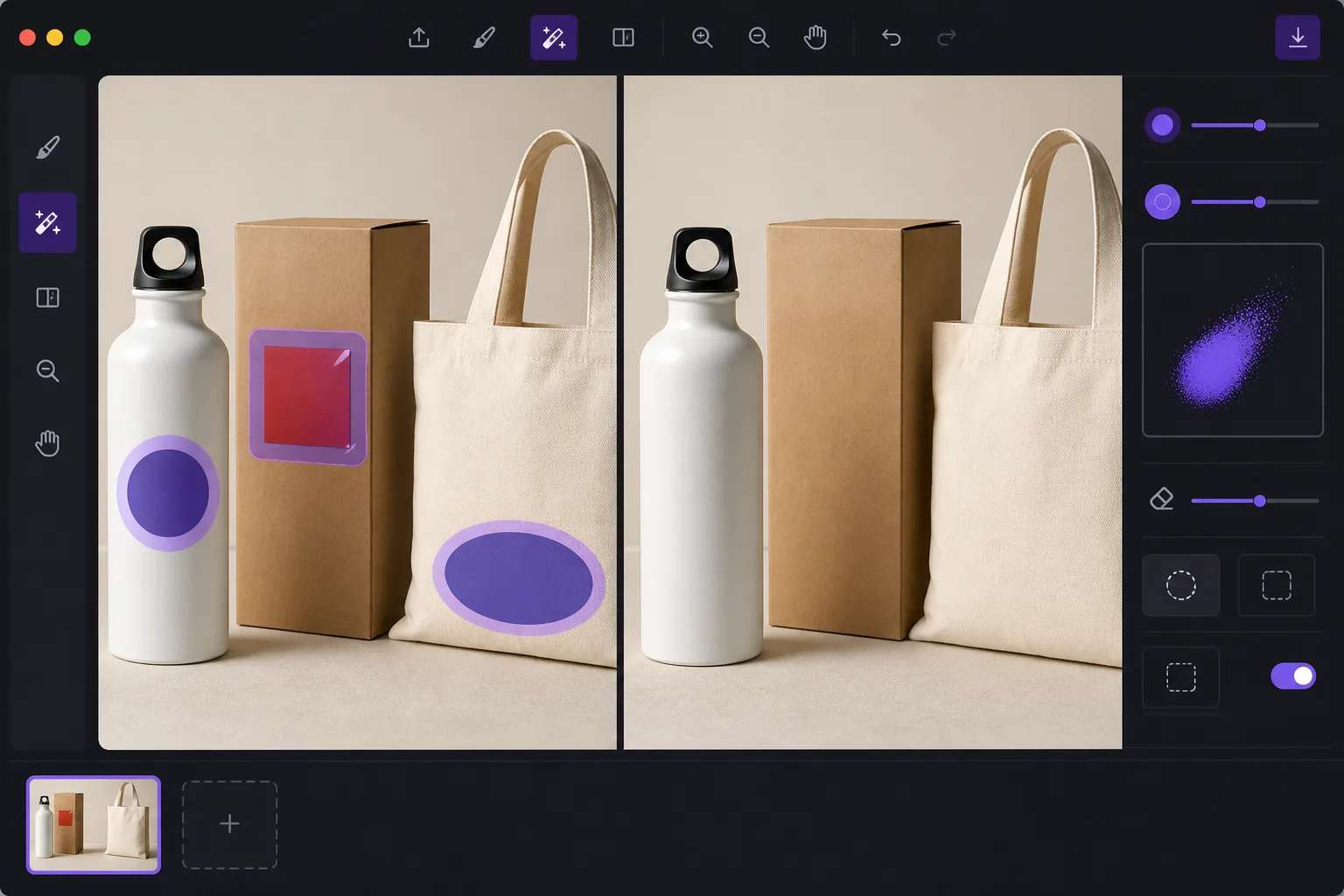
De-brand items for clean catalog photography con Magic Eraser
When you shoot products for a catalog, marketplace listing, or mockup, a stray brand logo sticker can pull focus, clash with your own branding, or raise licensing concerns. Peeling the sticker off in real life leaves residue, glare, or a torn label — and reshooting costs time. Magic Eraser lets you remove the logo sticker directly in the photo instead. Brush over the offending label and the AI inpainting engine reconstructs the material behind it: the box panel, the bottle curve, the fabric weave, or the matte surface the sticker was covering. It's worth being clear about how this works. Magic Eraser does not recover the literal pixels hidden under the sticker — that information isn't in the photo. It synthesizes a plausible reconstruction based on the surrounding texture, color, and lighting. For flat, evenly lit, single-color surfaces the result is usually seamless. Over busy patterns, text, or sharp edges you may need a second pass or a careful crop. Magic Eraser runs in your browser and on iOS and Android, has a free tier, and adds no watermark, so you can clean up a whole product set without extra cost.
Before you start
Instrucciones paso a paso
Start with sube la foto. The result preview above and tips below use this guide's existing content; no separate before-and-after proof is assumed.
- 1
Sube la foto
Abre Magic Eraser en web, iOS o Android. Arrastra y suelta tu foto JPEG, PNG, HEIC o WebP. No necesitas cuenta para empezar.
- 2
Selecciona la herramienta y el área
Elige la herramienta adecuada y marca el área a procesar. La IA analiza y aplica los cambios automáticamente en segundos.
- 3
Descarga el resultado
Previsualiza el resultado y descarga la foto editada. Exporta en PNG o JPEG de alta calidad.
Ideal para
- De-branding items so a stray logo doesn't compete with your own brand in catalog shots
- Cleaning price tags, barcodes, and store labels off retail products before listing
- Removing manufacturer logo stickers from props and backgrounds in lifestyle photography
- Prepping neutral product mockups where any visible third-party brand is a distraction
- Tidying review and resale photos so the focus stays on the item, not its packaging label
Consejos para mejores resultados
The flatter and more uniform the surface under the sticker, the cleaner the reconstruction. Logos on solid-color boxes, matte plastic, or plain fabric usually vanish in one pass. If the sticker sits over printed text, a logo print, or a sharp product edge, the AI is guessing at complex detail — brush in smaller sections, run a second pass on any smudged spots, and zoom in to check the blend. When a reconstruction looks slightly off, reframing or a tight crop can hide the seam entirely. Always confirm the de-branded image still represents the actual product honestly before you publish it to a store or catalog.
Preguntas frecuentes
- ¿La función Remove a Logo Sticker From a Photo es gratuita?
- Sí, Magic Eraser permite Remove a Logo Sticker From a Photo gratis con límites diarios. Actualiza a Pro para procesamiento ilimitado y exportaciones de alta resolución.
- ¿Cuánto tiempo tarda Remove a Logo Sticker From a Photo?
- Solo unos segundos. La IA de Magic Eraser procesa fotos rápidamente — la mayoría de los resultados están disponibles inmediatamente.
- ¿Puedo usarlo en el móvil?
- Sí, Magic Eraser funciona en iOS, Android y todos los navegadores web. Puedes alternar entre dispositivos libremente.
- ¿Se pierde calidad de imagen?
- No, Magic Eraser mantiene la calidad original de la foto. La IA procesa de forma inteligente para conservar detalles y nitidez.