
Magic Eraser vs Luminar Neo: ¿qué editor con IA se adapta mejor al trabajo diario?
Luminar Neo es potente para fotógrafos de escritorio que quieren mejora profunda y controles creativos. Magic Eraser está creado para una limpieza más rápida, flujos de trabajo más ligeros y edición flexible en web y móvil.
Last updated
Prueba Magic Eraser gratisComparison rows are editorial summaries from the latest page review, not a guarantee of current pricing, limits, watermark policy, batch support, speed, or platform availability.
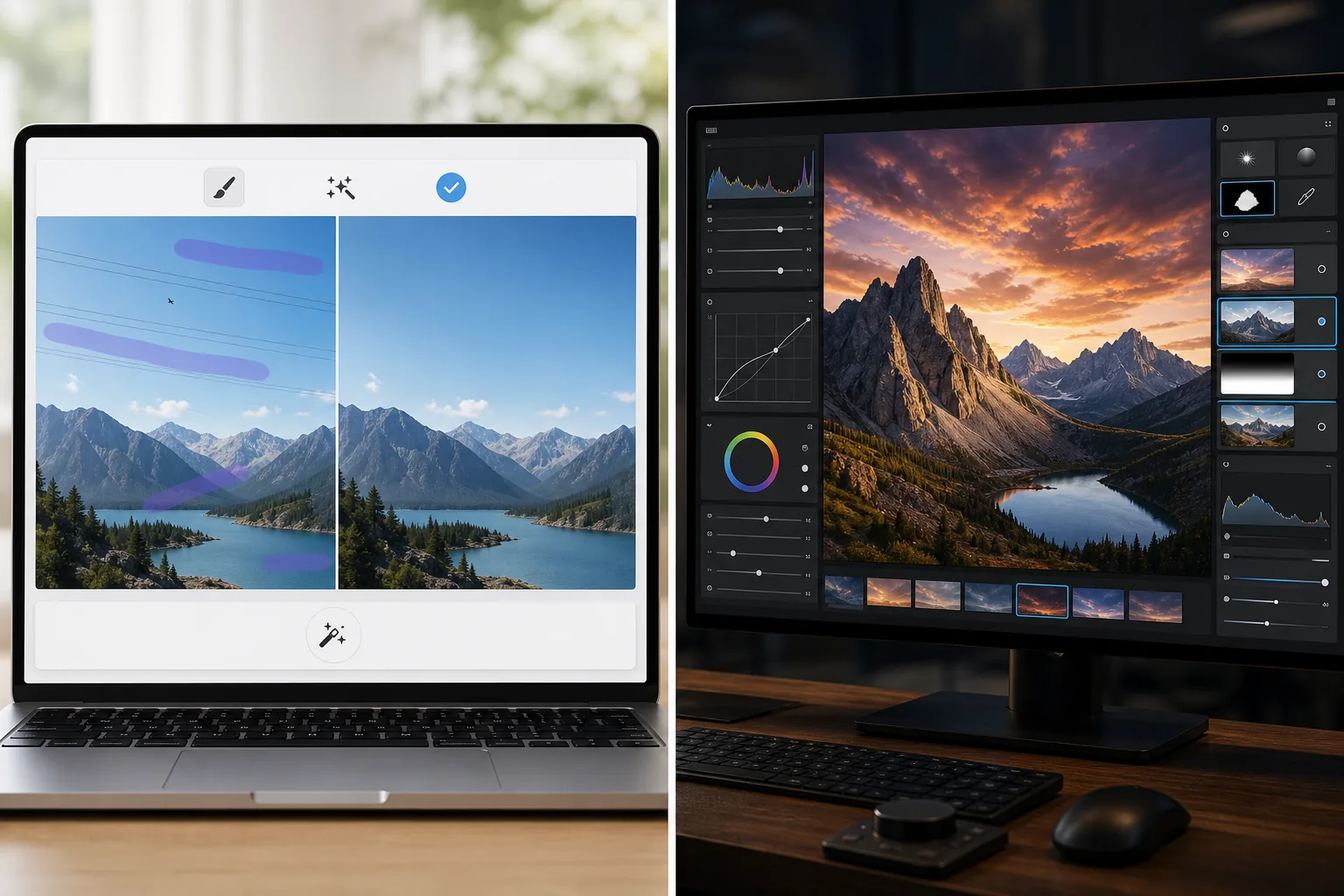
Resumen
Magic Eraser se centra en tareas prácticas de IA: eliminar distracciones, borrar fondos, mejorar fotos y crear rápidamente visuales pulidos desde cualquier dispositivo.
Luminar Neo es un editor de fotos con IA centrado en el escritorio con mejora avanzada, reiluminación, reemplazo de cielo, enmascaramiento y controles creativos dirigidos a fotógrafos.
Comparación de funciones
Magic Eraser se centra en tareas prácticas de IA: eliminar distracciones, borrar fondos, mejorar fotos y crear rápidamente visuales pulidos desde cualquier dispositivo.
Luminar Neo es un editor de fotos con IA centrado en el escritorio con mejora avanzada, reiluminación, reemplazo de cielo, enmascaramiento y controles creativos dirigidos a fotógrafos.
| Feature | Magic Eraser | Luminar Neo |
|---|---|---|
| Eliminación de objetos con IA | Sí | Sí |
| Eliminación de fondos | Sí | Limitada |
| Reiluminación creativa | No | Sí |
| Mejora con IA | Sí | Sí — avanzada |
| Edición web | Sí | No |
| Acceso móvil | Sí | Limitado |
| Ideal para | Ediciones prácticas rápidas | Flujos de trabajo de escritorio de fotógrafos |
| Complejidad de configuración | Baja | Media a alta |
Feature rows summarize visible product positioning and should be rechecked against official product pages before purchase, migration, or compliance decisions.
- Last content review June 21, 2026
- Luminar Neo source: official product site (https://skylum.com/luminar)
- Magic Eraser source: https://magiceraser.live/es/product/magic-eraser
- Pricing, feature availability, platform support, and limits can change; recheck official sources before relying on a buying decision.
Comparación de precios
| Plan | Magic Eraser | Luminar Neo |
|---|---|---|
| Nivel gratuito | Gratis — ediciones limitadas | Prueba de 7 días |
| Mensual | 9,99 $/mes | 14,95 $/mes |
| Anual | 4,99 $/mes (facturado anualmente) | 9,95 $/mes (facturado anualmente) |
Precios a mayo de 2026. Consulta cada proveedor para tarifas actuales.
Pricing rows are snapshots from review time. Free tiers, subscriptions, trials, export limits, and regional availability can change without notice.
- Last content review June 21, 2026
- Luminar Neo source: official product site (https://skylum.com/luminar)
- Magic Eraser source: https://magiceraser.live/es/product/magic-eraser
- Pricing, feature availability, platform support, and limits can change; recheck official sources before relying on a buying decision.
Por qué elegir Magic Eraser
Más rápido para equipos no fotógrafos
Los equipos de marketing, vendedores y creadores a menudo se preocupan más por la velocidad y la consistencia que por los controles de escritorio de nivel profesional. Magic Eraser está optimizado para esa realidad.
Flujo de trabajo de navegador más sólido
Luminar Neo se centra en el uso de escritorio. Magic Eraser mantiene la edición accesible desde el navegador y dispositivos móviles sin requerir una configuración de estación de trabajo.
Mejor para trabajos centrados en limpieza
Cuando tu necesidad principal es eliminar desorden, limpiar productos, arreglar fotos de anuncios o borrar texto y personas, Magic Eraser llega más rápido.
Fácil de adoptar en un equipo
Magic Eraser ofrece a los equipos un flujo de trabajo estándar más simple para trabajos recurrentes de limpieza de imágenes sin formación profunda en una interfaz orientada a fotógrafos.
Herramientas
Preguntas frecuentes
¿Luminar Neo es más potente que Magic Eraser?
+
Para fotografía de escritorio avanzada y control creativo, sí. Para limpieza con IA rápida y edición multidispositivo más fácil, Magic Eraser suele ser la mejor opción.
¿Magic Eraser puede mejorar fotos como Luminar Neo?
+
Sí. Magic Eraser incluye herramientas de mejora con IA para enfocar detalles y mejorar la calidad de imagen, aunque Luminar Neo ofrece un kit de mejora profesional más amplio.
¿Qué herramienta es mejor para equipos de comercio electrónico?
+
Magic Eraser suele ser mejor para equipos de comercio electrónico y marketing porque es más rápido para la limpieza repetible, la edición de fondos y la preparación de imágenes listas para presentar.
¿Luminar Neo funciona en el navegador?
+
No. Luminar Neo está principalmente centrado en el escritorio. Magic Eraser está basado en el navegador y también disponible en móvil.
¿Qué editor es más fácil para principiantes?
+
Magic Eraser es más fácil para principiantes porque está construido en torno a tareas de edición con IA claras en lugar de un flujo de trabajo de fotografía más complejo.
¿Quieres edición con IA sin la complejidad del escritorio?
Prueba Magic Eraser gratis y obtén fotos más limpias, arreglos de fondo más rápidos y visuales más nítidos desde cualquier dispositivo.
Prueba Magic Eraser gratisCasos de uso relacionados
Descubre cómo los profesionales utilizan estas herramientas en flujos de trabajo reales.
Las fotos de anuncios llenas de objetos personales, coches aparcados o material de obra espantan a los compradores. Magic Eraser usa IA para limpiar tus fotos de propiedades al instante — sin necesidad de Photoshop.
Los fondos desordenados y las fotos de producto descuidadas te cuestan ventas todos los días. Magic Eraser te ayuda a crear imágenes de producto profesionales en segundos — sin necesidad de saber Photoshop. Sube la foto, borra las distracciones y publica con confianza.
¿Desconocidos arruinando tus fotos de viaje? ¿Fondos desordenados matando tus selfies? Deja de perder horas en Photoshop. Magic Eraser elimina distracciones, limpia tus fotos y las adapta a cualquier formato — todo en un toque.
Guías relacionadas
Explora más guías y contenido editorial relacionado con este flujo de trabajo.
Aprende a usar Magic Eraser para quitar objetos, personas, texto y distracciones de fotos con resultados de IA más limpios.
Aprende a eliminar personas de fotos con IA en segundos. Guía para fotos de viaje, inmobiliaria y productos.
Guía paso a paso para eliminar marcas de agua de tus propias fotos con IA. Cuándo es apropiado, técnicas y consejos.
Otras comparaciones
Descubre cómo Magic Eraser se compara con otras herramientas de edición de fotos.
Fotor ofrece un amplio editor de fotos en línea con plantillas y herramientas de belleza. Magic Eraser se centra en la limpieza práctica con IA, eliminación de fondos, mejora y edición generativa para flujos de trabajo diarios más rápidos.
RetouchMe utiliza retocadores humanos para ediciones de retrato y cuerpo con resultados entregados en minutos. Magic Eraser usa IA para obtener resultados instantáneos en eliminación de objetos, edición de fondos, mejora y herramientas generativas, lo que te da más control y mayor rapidez.
AirBrush es un editor de selfies y belleza centrado en el retoque de retratos y los filtros. Magic Eraser es un editor de fotos con IA versátil creado para la eliminación de objetos, la eliminación de fondos, la mejora y la edición generativa en todo tipo de fotos.
Probamos las mejores aplicaciones de edición de fotos para iPhone para descubrir cuáles ofrecen los mejores resultados en edición con IA, eliminación de objetos, mejora y efectos creativos. Estas son nuestras recomendaciones para los mejores editores de fotos de iPhone este año.
Probamos las mejores apps de edición de fotos disponibles en Android para comparar la edición con IA, la eliminación de objetos, la mejora y las herramientas creativas. Estos son los mejores editores de fotos para Android de este año y cómo se comparan.
Meitu es un popular editor de belleza y selfies con amplios filtros de retrato. Magic Eraser cubre una gama más amplia de necesidades de edición — eliminación de objetos con AI, eliminación de fondos, mejora de imágenes, relleno generativo y herramientas creativas — lo que lo convierte en la mejor opción para usuarios que editan algo más que selfies.