
خلفية شفافة للشعار
استخرج الشعارات من أي خلفية وقم بتصديرها كملفات PNG شفافة مع تحسين دقيق للحواف على مستوى البكسل. يتعامل هذا القالب مع الشعارات المصورة على الورق، أو الممسوحة ضوئيًا من بطاقات العمل، أو الملتقطة كصور للشاشة من المواقع الإلكترونية، أو المصدّرة من أدوات التصميم بخلفيات فوضوية. تغطي المخرجات متعددة الأحجام أيقونات الويب وملفات تعريف وسائل التواصل الاجتماعي وتوقيعات البريد الإلكتروني والاستخدام في الطباعة عالية الدقة.
جرّب هذا القالب مجانًاDesign template preview
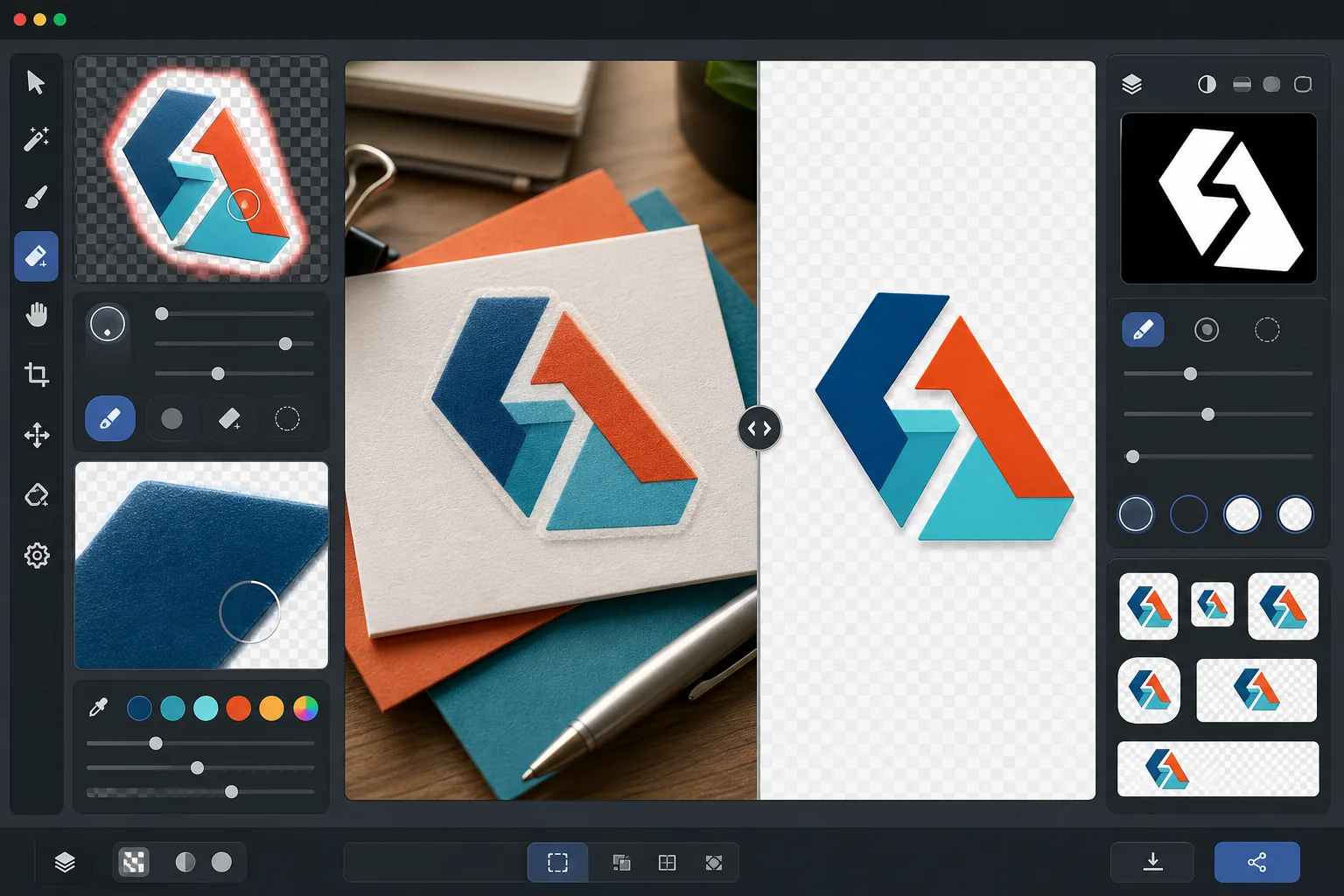
ما الذي يفعله هذا القالب
يزيل الخلفية من الشعارات والعلامات النصية لإنتاج ملفات PNG شفافة ونظيفة جاهزة للاستخدام عبر جميع الوسائط. يعزل Background Eraser الشعار عن سطحه الأصلي — سواء كان مسحًا ضوئيًا لورق أبيض، أو خلفية موقع ويب ملونة، أو صورة للافتة متجر، أو بطاقة عمل على مكتب. يعمل AI Enhance على تحسين الحواف لإزالة وحدات البكسل المسننة والحواف البيضاء وتأثيرات الهالة التي تظهر عادةً عندما تقطع إزالة الخلفية بقوة مفرطة حول الخطوط الدقيقة والخطوط الرفيعة وعناصر الأيقونات التفصيلية. يتم تصدير المخرجات بأحجام قياسية متعددة للاستخدام الفوري كأيقونات ويب وصور ملفات تعريف اجتماعية ورسومات توقيع بريد إلكتروني وأصول علامة تجارية بدقة الطباعة.
إعدادات القالب
| إزالة الخلفية | شفافية كاملة مع حافة بمعالجة تنعيم 1px |
| تحسين الحواف | تنعيم دون البكسل (يزيل الحواف البيضاء وتأثيرات الهالة) |
| الحفاظ على الألوان | مطابقة دقيقة للقيم الست عشرية (لا يوجد انحراف في اللون بسبب تسرب الخلفية) |
| التصدير متعدد الأحجام | 16px و32px و180px و512px و1024px والدقة الأصلية |
| التنسيق | PNG-32 مع قناة ألفا (لون 24 بت + شفافية 8 بت) |
كيفية استخدام هذا القالب
ارفع صورة شعارك
ارفع الشعار بأي تنسيق — تصدير تصميم عالي الدقة، أو مسح ضوئي لبطاقة عمل، أو لقطة شاشة من موقع ويب، أو حتى صورة للافتة مطبوعة. يتعامل القالب مع الشعارات الرقمية الواضحة كالمتجهات وكذلك الالتقاطات الواقعية غير المثالية ذات الظلال وتشوه المنظور والإضاءة غير المتساوية.
أزل الخلفية
يعزل Background Eraser الشعار عن سطحه الأصلي وينشئ قناة ألفا شفافة. يميز الذكاء الاصطناعي بين عناصر التصميم المقصودة للشعار والخلفية، مع التعامل الصحيح مع المساحة السلبية الداخلية (مثل الثقب في حرف O أو A) والخطوط الرفيعة والزخارف الطرفية الدقيقة.
حسّن الحواف والألوان
يعمل AI Enhance على تنعيم معالجة تنعيم الحواف لإزالة وحدات البكسل المسننة على شكل درج على المنحنيات والأقطار، ويزيل أي حافة بيضاء أو ملونة من تسرب الخلفية، ويتحقق من أن ألوان الشعار لم تنحرف أثناء الاستخراج. يتم الحفاظ على ألوان العلامة التجارية بقيمها الست عشرية الأصلية.
صدّر بأحجام متعددة
نزّل مجموعة كاملة من ملفات الشعار: أيقونة 16x16px، أيقونة علامة تبويب المتصفح 32x32px، أيقونة Apple touch بحجم 180x180px، وسائل التواصل الاجتماعي ومتجر التطبيقات 512x512px، الدقة العالية 1024x1024px، والدقة الأصلية الكاملة. جميع الملفات بصيغة PNG-32 بخلفيات شفافة.
نصائح احترافية لأفضل النتائج
- ✓للحصول على أنظف استخراج، ابدأ بأعلى نسخة دقة من الشعار يمكنك العثور عليها. سيكون للشعار بعرض 2000px المصغّر إلى 512px حواف أنظف بكثير من شعار 200px المكبّر إلى 512px. إذا كان لديك نسخة صغيرة فقط، فإن التكبير بالذكاء الاصطناعي يساعد لكنه لا يضاهي جودة مصدر كبير في الأصل.
- ✓عند تصوير شعار مطبوع (على لافتة أو منتج أو بطاقة عمل)، صوّر بشكل مستقيم لتقليل تشوه المنظور. يمكن للقالب تصحيح تشوه الانحراف الطفيف، لكن اللقطة الأمامية المباشرة تنتج مخرجات دقيقة هندسيًا دون أي تأثيرات تصحيح.
- ✓قد تفقد الشعارات ذات الخطوط الرفيعة جدًا أو الزخارف الطرفية الدقيقة التفاصيل الدقيقة بالأحجام الصغيرة (أقل من 32px). لاستخدام الأيقونة، فكّر في استخدام نسخة مبسّطة كعلامة أو أيقونة من شعارك بدلاً من العلامة النصية الكاملة. يتيح لك التصدير متعدد الأحجام التحقق من قابلية القراءة عند كل حجم مستهدف قبل التنزيل.
- ✓إذا كان شعارك يستخدم عناصر شبه شفافة مثل الظلال أو التوهجات أو تأثيرات الزجاج، فإن إزالة الخلفية تحافظ على مستويات الشفافية هذه في قناة ألفا. تتركب النتيجة بشكل صحيح فوق أي لون خلفية جديد دون فقدان التأثيرات الأبعاد للتصميم الأصلي.
الأدوات
الأسئلة الشائعة
هل يمكن لهذا استخراج شعار من صورة لافتة؟
+
نعم. يتعامل القالب مع الالتقاطات الواقعية بما في ذلك صور لافتات المتاجر وأغلفة المركبات وعبوات المنتجات ولافتات المعارض التجارية. يصحح الذكاء الاصطناعي الإضاءة غير المتساوية وتشوه المنظور الطفيف وملمس السطح (مثل حبيبات الفينيل أو نسيج القماش) لإنتاج ملف شعار نظيف ومسطح. تكون النتائج أفضل عندما تكون الصورة حادة وملتقطة من أقرب زاوية أمامية ممكنة.
هل سيتم الحفاظ على ألوان علامتي التجارية تمامًا؟
+
تحافظ خوارزمية الحفاظ على الألوان على القيم الست عشرية الأصلية لألوان الشعار دون السماح للون الخلفية بالتسرب إلى الحواف. بالنسبة للشعارات المستخرجة من الصور (على عكس الملفات الرقمية)، تعتمد دقة الألوان على الإضاءة في الصورة الأصلية. في ظل إضاءة محايدة، تكون الألوان المستخرجة عادةً ضمن delta-E يساوي 2 من ألوان العلامة التجارية الحقيقية.
ما الفرق بين PNG-32 وPNG العادي؟
+
يتضمن PNG-32 قناة ألفا كاملة بحجم 8 بت تدعم 256 مستوى من الشفافية لكل بكسل، مما يتيح حوافًا ناعمة بمعالجة تنعيم وتأثيرات شبه شفافة مثل الظلال المسقطة والتوهجات. يدعم PNG-8 العادي مع الشفافية فقط وحدات البكسل الشفافة بالكامل أو المعتمة بالكامل، مما يؤدي إلى حواف مسننة. تستخدم جميع مخرجات هذا القالب PNG-32 للحصول على أعلى جودة شفافية.
جهّز شعارك لكل منصة بنقرة واحدة
ارفع أي صورة شعار واحصل على ملفات PNG شفافة بكل حجم تحتاجه — من الأيقونات الصغيرة إلى أصول الطباعة عالية الدقة — بحواف نظيفة تمامًا.
جرّبه مجانًاRelated templates
More design templates for your workflow.
أنشئ نماذج واقعية لأغلفة الكتب بمنظور ثلاثي الأبعاد وعرض الظل وخلفيات نمط الحياة لتسويق المؤلفين والترويج للناشرين.
صمم غلاف البودكاست الفني الذي يلبي مواصفات Apple Podcasts وSpotify مع استبدال الخلفية وعزل صورة المضيف والتخطيطات الجاهزة للطباعة.
قم بإعداد الأعمال الفنية والصور الفوتوغرافية الرقمية للطباعة كبيرة الحجم من خلال ترقية الذكاء الاصطناعي وتوسيع اللوحة القماشية والتدقيق الدقيق للألوان وتصدير الملفات الجاهزة للطباعة.
قم بإعداد الصور لتقديمها إلى وكالة الأوراق المالية مع إزالة العلامات التجارية، وتحرير الامتثال لإصدار النموذج، وفحوصات الجودة الفنية، ومتطلبات التنسيق الخاصة بالوكالة.